|
User Manual for Thecus N5810PRO 5-Bay NAS Enclosure Click to enlarge the picture
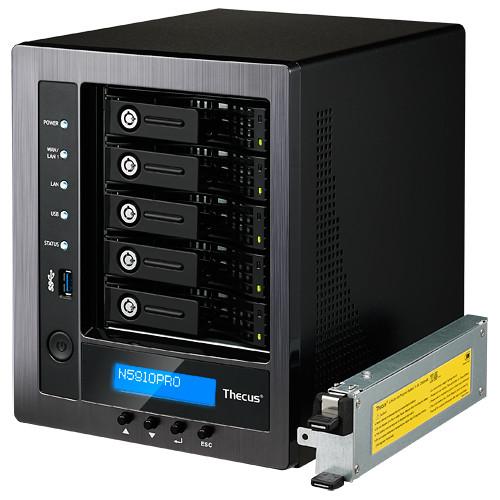 Contents of the user manual for the Thecus N5810PRO 5-Bay NAS Enclosure
- Product category: NAS Enclosures Thecus
- Brand: Thecus
- Description and content of package
- Technical information and basic settings
- Frequently asked questions – FAQ
- Troubleshooting (does not switch on, does not respond, error message, what do I do if...)
- Authorized service for Thecus NAS Enclosures
 |
User manual for the Thecus N5810PRO 5-Bay NAS Enclosure contain basic instructions
that need to be followed during installation and operation.
Before starting your appliance, the user manual should be read through carefully.
Follow all the safety instructions and warnings, and be guided by the given recommendations.
User manual is an integral part of any Thecus product,
and if it is sold or transferred, they should be handed over jointly with the product.
Following the instructions for use is an essential prerequisite for protecting
health and property during use, as well as recognition of liability on the part of the manufacturer
for possible defects should you make a warranty claim. Download an official Thecus user manual in which you will find instructions on how to install, use, maintain and service your product.
And do not forget – unsuitable use of a Thecus product will considerably shorten its lifespan!
|
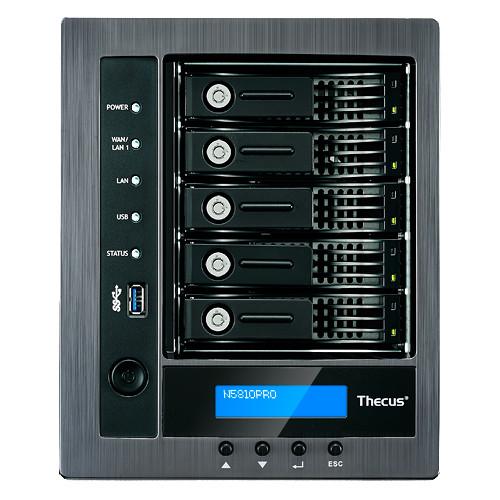
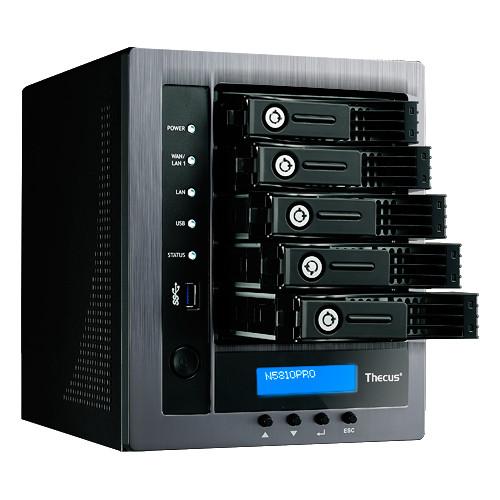
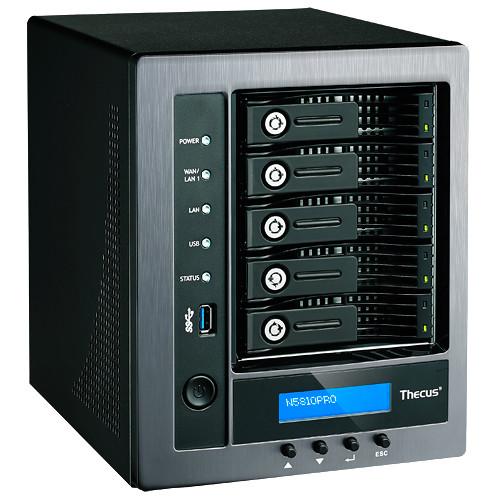
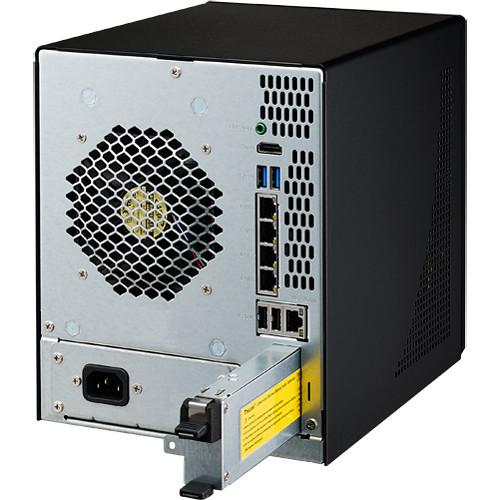
Product description Easily manage all of your data from photos to videos, documents and more with the N5810PRO 5-Bay NAS Enclosure from Thecus. This intuitive NAS storage device comes equipped with five SATA drive bays making it easy to customize this enclosure to suit your specific storage needs. Along with 5 SATA drive bays, this enclosure comes equipped with 5 Gigabit Ethernet ports, 2 USB 3.0 ports, and 2 USB 2.0 ports. The 5 built-in Gigabit Ethernet ports offer enhanced network redundancy as the N5810PRO supports 7 modes of link aggregation including load balance, failover, 802.3ad, balance-XOR, balance-TLB, and balance-ALB, along with broadcast support. The built-in USB ports offer the option to connect additional USB compatible storage devices to the enclosure as an alternative means to back up your data.
Once installed, the Thecus 5810PRO simplifies the process of managing your data thanks to the ThecusOS 7.0 operating system. This operating system supports a variety of applications including photo station, Thecus App Center, user profiles, and much more. Along with easy to use applications, this NAS enclosure supports a variety of cloud backup applications. The Thecus NAS can become your own personal cloud enabling you to back up data directly from iOS and Android based mobile devices using the T-OnTheGo app. Users can also incorporate cloud backup applications such as DropBox, Amazon S3, and ElephantDrive into the NAS configuration providing another secure backup solution to compliment the NAS itself. Finally, the Thecus 5810PRO offers remote access via free DDNS making it easy to manage the NAS from nearly any computer. - ThecusOS 7.0
- The N5810PRO runs on the ThecusOS 7.0 operating system offering an easy to use, intuitive user interface. This OS supports a variety of intuitive features including Photo Station, Thecus App Center, User Profile, ThecusOS 7.0 delivers significant improvements in design, performance, and user experience
- Enhanced Accessibility with Thecus System Failover
- The Thecus System Failover feature is a fault tolerance process that creates mirrored data volumes. With at least two Thecus NAS available, data is copied by schedule and all changes are mirrored between the two NAS. While the second NAS is not visible, it communicates with the primary NAS. In the event of a power or network failure, a scheduled maintenance, or other unforeseen circumstances, System Failover automatically redirects operations to the secondary Thecus NAS, which then acts as the primary NAS.
- Secure Remote Access with Virtual Private Network (VPN)
- A VPN Server allows users to remotely access a secure network. With VPNs, businesses will be able to utilize a cost-effective, scalable and secured network infrastructure for its client base.
- Thecus RAID Protection
- IT administrators can aggregate multiple RAID groups into a large storage pool to flexibly utilize their entire storage capacity as a whole, all the while improving data redundancy protected with data redundancy and allowing better data protection against multiple disks failure concurrently for large capacity environment. Thecus OS also allows for the creation of multiple volumes in the Storage Pool, improving customizability for various applications in typical business environments with diverse workgroups.
- Snapshot Your Data
- With BTRFS support, Thecus NAS users can enjoy the simplicity of snapshot backups. Through BTRFS subvolumes, snapshots of data at various time points can be manually or automatically made and just as easily later restored to rollback files or folders to previous states.
- Complete Data Backup Solution
- Bundled with Free Acronis Backup Software
Back up all your data with One-click Protection or pick and choose only your most important files. Acronis sports a slick interface, user-friendly design, and comprehensive features to keep your data safe.
Thecus Data Guard Backup Solution
Data Guard backup solution provides both local and remote parts. Currently, data is backed up across RAID volumes, external USB drives, and eSATA. In addition, Data Guard uses innovative technology to sync data across the network to other NAS and servers.
Real-Time Remote Replications (Rsync)
This innovative backup feature allows users to back up files instantly to their NAS, external hard drive, or remote NAS. RTRR saves you time as it is able to back up data immediately and automatically. - The Cloud Done Your Way
- Personal Cloud
Incorporated into Thecus NAS is support for Thecus's T-OnTheGo smartphone app. Supporting both iOS and Android, this NAS management software enables users to access, copy, stream, and edit any data between their NAS and mobile device. Your own personal cloud, available from anywhere with internet access.
Cloud Backup
Guard your data with RAID at home and an additional level of protection in the Cloud. Just drag and drop files into the folder on your NAS and access them on any computer or mobile device with DropBox, Amazon S3 or ElephantDrive.
Remote Access via Free DDNS
DDNS allows users to allocate and access their NAS files via the internet remotely. When the IP address is changed, the DDNS server will automatically adjust your address to make sure that remote access is always available. In short, DDNS provides convenient remote access to your Thecus NAS possible by utilizing domain names instead of IP digits. - Multimedia Data Center
- Direct Media File Playback via HDMI Output
Thecus NAS integrated HDMI output allows you to connect your NAS directly to your TV for direct device management and multimedia playback.
Media Streaming to XBox 360 / PS4 via Plex Media Server
With the Plex Media Server installed on your Thecus NAS, various devices on your network (such as your Xbox 360 and mobile devices) can connect to and stream your local and online media. The server can also automatically assemble iTunes, iPhoto, and Aperture content. From your favorite videos to your mountains of music, Plex makes it easy to manage and enjoy all of your media on your Thecus NAS.
TV Streaming via Apple TV / Chromecast
The Thecus NAS allows you to have your very own entertainment hub wherever you go. With TV streaming support and mobile apps, you can share all your favorite photos, music, and videos. - 7 Modes of Link Aggregation for Fast Transfers
- Link aggregation can sustain multiple network connections and provide redundancy in case one of the links fails. Thecus NAS supports 7 modes which provide Load Balance, Failover, 802.3ad, Balance-XOR, Balance-TLB, and Balance-ALB, Broadcast.
- Flexible Storage Allocation with iSCSI LUN and Thin-Provisioning
- Get the most out of your storage space with the extreme speed of iSCSI and the efficiency of iSCSI thin provisioning. Connect through iSCSI for the fastest data transfer speeds available and make wasted disk space a thing of the past with thin provisioning's flexible storage functionality.
UPC: 884956004318 In the Box Thecus N5810PRO 5-Bay NAS Enclosure Limited 3-Year Warranty Table of Contents
|
Upload User Manual
Have you got an user manual for the Thecus N5810PRO 5-Bay NAS Enclosure in electronic form? Please send it to us and help us expand our library of instruction manuals.
Thank you, too, on behalf of other users.
To upload the product manual, we first need to check and make sure you are not a robot. After that, your "Submit Link" or "Upload File" will appear.
Technical parametersThecus N5810PRO Specs | | | Processor | Intel Celeron J1900 Quad-Core SoC | | System Memory | 4 GB DDR3 (expandable up to 8 GB) | | LAN Interface | 5 x RJ-45 10/100/1000 BASE-TX Auto MDI/MDI-X
WOL supported (eth0) | | USB Interface | 1 x USB 3.0 host port (front)
2 x USB 3.0 host ports (back)
2 x USB 2.0 host ports (back) | | LED Indicators | Power LED: White
WAN/LAN1 LED: White
LAN LED: White
USB LED: Activity/Failure: White/Red
System LED: Activity/Failure: White/Red | | LCM Module | LCM display
4 buttons (ENTER, ESC, UP, DOWN) | | HDMI Output | 1 x HDMI port (back) | | Line Out | Supported | | Disk Interface | 5 x SATA for internal | | Power Supply | 130 W internal power supply | | Thermal / Fan Control | Thermal sensor on processor temperature
System FAN speed controlled by temperature | | System Clock | Battery-backed up system clock | | Power Management | Auto power on after shutdown due to power loss | | Buzzer | Adjustable frequency alarm | | Buttons | Power button
LCM button | | Environment | Operating Temperature: 32 to 104°F / 0 to 40°C
Non-Operating Temperature: -40 to 158°F / -40 to 70°C
Humidity: 0 to 80% R.H. (non-condensing) | | Chassis | 5-bays tower metal chassis | | Lithium-Ion Battery | Built-in battery backup module (mini-UPS) | | Certificates | CE/FCC/C-Tick/VCCI/BSMI
RoHS
WEEE | | | | RAID | RAID Modes: RAID 0, 1, 5, 6, 10 and JBOD
Auto-rebuild: Supported
Hot-Swap: Supported
Hot Spare: Supported
Online RAID Migration: Supported
Online RAID Expansion: Supported
RAID Volume Encryption: AES256bit | | Disk | Power Management: Available spin-down on idle setting
Bad Block Scanning: Supported
SMART Info: Supported
SMART Test: Supported
Disk Roaming: Supports volume-based roaming to other Thecus NAS.(OS5 64bit) | | Network | Configuration: Fixed IP address, dynamic IP address
Transport Protocols: TCP/IP/AppleTalk
File Protocols:SMB/CIFS, HTTP/HTTPS, FTP, NFS v4, AFP
Link Aggregation: Load balance, Failover, 802.3ad, Balance-XOR, Balance-TLB, Balance-ALB, Broadcast
TCP/IP: IPV6 & IPV4
DDNS: Supported
SSH: Supported
UPnP: Supported
UPnP Port Forwarding: Supported
Bonjour: Supported
VPN Server: Supported
vLan: Supported | | System Status | System Monitor
Monitoring CPU, memory, temperature, fan, network utilization and protocols access user count
Syslog Management
Send syslog to assigned location
Act as syslog server to receive log info from other systems | | Data Access | Client OS Support
Windows XP and after
Windows Server 2003 and after
UNIX/Linux
Mac OS X
FTP
Built-in FTP server with bandwidth control
Secure FTP
Built-in secure FTP server with bandwidth control
TFTP
Users can download and upload files with TFTP programs
Download Manager
BT download (via Transmission module)
NZB download (via NZB module)
WebDAV/WebDAV SSL
Supported
Printer Server (IPP)
Supports USB printers
Supports a wide range of IPP printers
Client can manage print tasks (list/delete) via web user interface | | Data Backup | Client Incremental Data Backup
Acronis True Image (OEM version)
Client System Disaster Recovery
Acronis True Image (OEM version)
Data Burn
Create files to ISO image and burn to optical disc
Create files to ISO image
Read ISO image from optical disc and write to NAS
Mac OS X Time Machine
Supported
Data Guard
Remote Backup/Local Backup
Snapshot
Supported (Btrfs) | | Block Level Access | iSCSI Target/Initiator
Supports Microsoft/Mac OS X/Linux initiators and Thecus NAS targets
iSCSI Thin Provisioning
Supported
iSCSI VAAI
Supported
MPIO(Five GbE Ports)
Supported
MCS (Five GbE Ports)
Supported
Clustering
Supported
SCSI3 Persistent Group Reservation
Supported | | Power Management | Scheduled Power On/Off: Supported | | Volume Management | Multiple RAID: Supported
Multiple File System Selectable: EXT3/EXT4/XFS/Btrfs | | Multimedia Support | iTunes Server
Supports AAC, MP3 w/ID3 tag and WAV
Piczza! Photo Server (via module)
Supports GIF, JPG (JPEG), BMP and PNG
Supports EXIF display
Supports slide shows
Media Server
Supports uPnP AV streaming protocol (via Module) | | User Authentication | Local User: Supports built-in user accounts
Local Group: Supports built-in user groups
Windows ADS: Supported
LDAP: Supported
Access Guard: Supports Black & White list/IP Filter | | Cloud Backup | DropBox: Supported (via module)
ElephantDriver: Supported (via module)
Amazon S3: Supported | | File System | Type: Journaling File System
Language Support: Unicode Support
Authorization (ACL): "Read", "write", or "deny" privileges to individual users or groups in folders and sub-folders
User Quota: Supported | | Administration | User Interface
Web-based user interface supports English, Traditional Chinese, Simplified Chinese, Japanese, Korean, French, German, Italian, Spanish, Russian, Polish, Portuguese, Turkish and Czech
Utility Program
Supports Windows 8/7/Vista/2003/XP/2000
Email Notifications
Sends system messages via email to the system administrator
Thecus ID/DDNS
Support One free DDNS registration
SNMP Trap
System information trap out | | Mobile Applications (iOS/Android) | T- Dashboard: Mobile monitoring and administration (via module)
T-OnTheGo: Upload, download and stream multimedia | | Data Security | Virus Scan: Supports McAfee (via module) | | Capacity Expansion | Stackable: Can extend for 5 additional iSCSI volumes from other Thecus NAS | | Other Specifications | Recycle Bin
Supported
Web Disk
Supported (via module)
Web Server
Supported (via module)
ISO Mount
Supported
User / System Module
Supported
IP Cam Surveillance
Supports up to 5 IP cameras (via module)
Auto Module Installation
Thecus' module server automatically provides the latest modules and updates through the user interface
Local Display
X-Window via HDMI output | | | | Dimensions | 9.06 x 7.48 x 9.45" / 230 x 190 x 240 mm | | Weight | 12.04 lb / 5.46 kg | | | | Package Weight | 17.25 lb | | Box Dimensions (LxWxH) | 12.8 x 12.7 x 11.1" |
Rating90% users recommend this product to others. And what about you?

This product has already been rated by 83 owners. Add your rating and experience with the product.
Discussion
 Ask our technicians if you have a problem with your settings,
or if anything is unclear in the user manual you have downloaded.
You can make use of our moderated discussion.
The discussion is public and helps other users of our website who may be encountering similar problems.
Ask our technicians if you have a problem with your settings,
or if anything is unclear in the user manual you have downloaded.
You can make use of our moderated discussion.
The discussion is public and helps other users of our website who may be encountering similar problems.
The discussion is empty - enter the first post
Post a new topic / query / comment:
|
|
|
| Request for user manual |
You can’t find the operation manual you are looking for? Let us know and we will try to add the missing manual:
I’m looking for a manual / Request for manual
Current requests for instruction manuals:
Call Of Duty World War Two For Xbox...
controller stratus XL...
stratus XL...
smart whatch serie S11 42mm...
Allen & Heath SQ-6 manual...
|
| Discussion |
Latest contributions to the discussion:
AEW R 4100
Name: MAURICIO ANGARITA
Audio-Technica AEW-R4100 UHF Diversity Receiver for
AEW R 4100 has the mute function blocked and does not allow audio to pass. I tried several times to turn off the mute from the transmitter but it does nothing, the mute stays on. Solution?
Thank you...
Instructions for assembling the 2015 Forecast Image Master Consoles GC3-A
Name: mike elam
Forecast Consoles GC3-A ImageMaster Editing Console
Looking for instructions for assembling this console. ...
EMPTY TONER ERROR MESSAGE AFTER REPLACING TONER
Name: LINDA BAD YELLOW EYES
Brother TN223BK Standard-Yield Toner
I HAD TO CHANGE OUT ALL THREE TONERS DUE TO LEAKS IN THE YELLOW AND CYAN. AFTER I REPLACED THEM, THE MACHINE KEEPS GIVING ME AN EMPTY TONER ERROR MESSAGE. HELP!!...
PS480D 20/24 pin Switching 480W Power Supply
Name: swkargo
Logisys 480W Power Supply
This item states in can run -5vdc .It is NOT listed on the board or I beleive is r4 is missing the resitior. Any body have thid issue. Shawn
...
Help needed
Name: Ann Carter
SanDisk 1TB Extreme Portable USB 3.1
When I click the link to download the user manual for my Sandisk Extreme external hard drive, it gives me the manual for the LG Cricket. Can you please change the link so I can download the Sandisk manual and begin using this drive? Thank you....
|
|


