|
User Manual for TP-Link EAP110-OUTDOOR V3 300 Mb s Wireless-N Outdoor Access Point Click to enlarge the picture
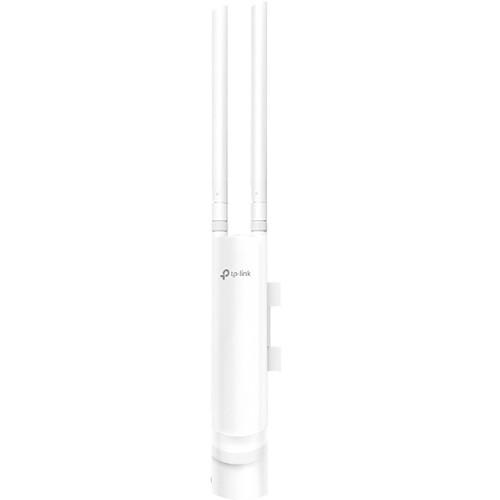 Contents of the user manual for the TP-Link EAP110-OUTDOOR V3 300 Mb s
- Product category: Wireless Access Points TP-Link
- Brand: TP-Link
- Description and content of package
- Technical information and basic settings
- Frequently asked questions – FAQ
- Troubleshooting (does not switch on, does not respond, error message, what do I do if...)
- Authorized service for TP-Link Wireless Access Points


 |
User manual for the TP-Link EAP110-OUTDOOR V3 300 Mb s contain basic instructions
that need to be followed during installation and operation.
Before starting your appliance, the user manual should be read through carefully.
Follow all the safety instructions and warnings, and be guided by the given recommendations.
User manual is an integral part of any TP-Link product,
and if it is sold or transferred, they should be handed over jointly with the product.
Following the instructions for use is an essential prerequisite for protecting
health and property during use, as well as recognition of liability on the part of the manufacturer
for possible defects should you make a warranty claim. Download an official TP-Link user manual in which you will find instructions on how to install, use, maintain and service your product.
And do not forget – unsuitable use of a TP-Link product will considerably shorten its lifespan!
|
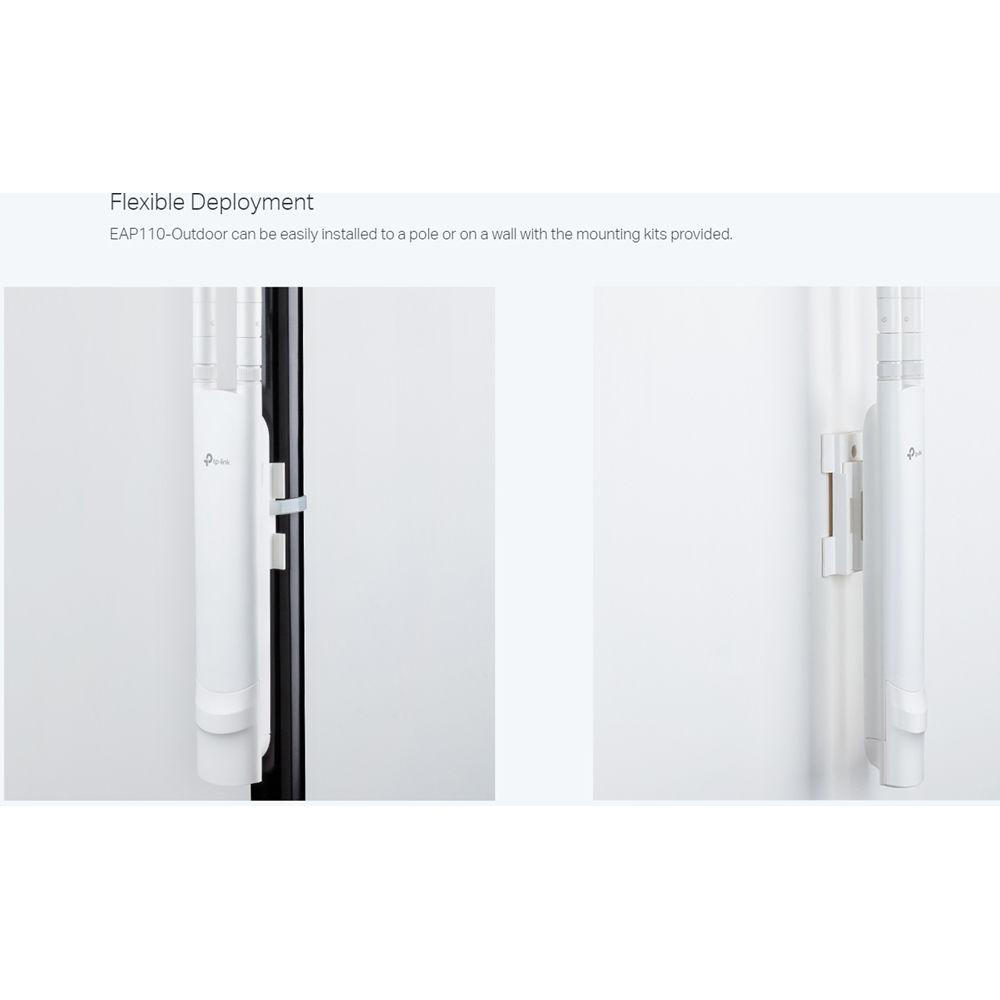
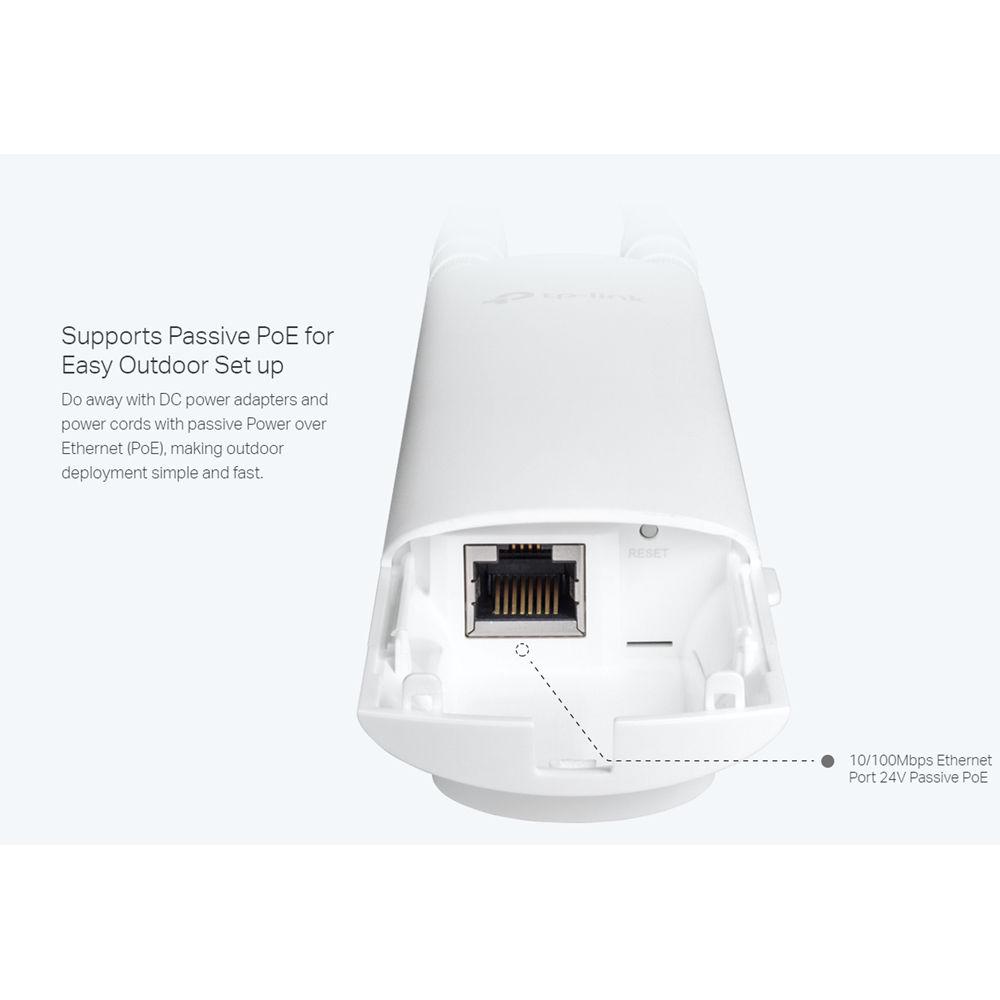
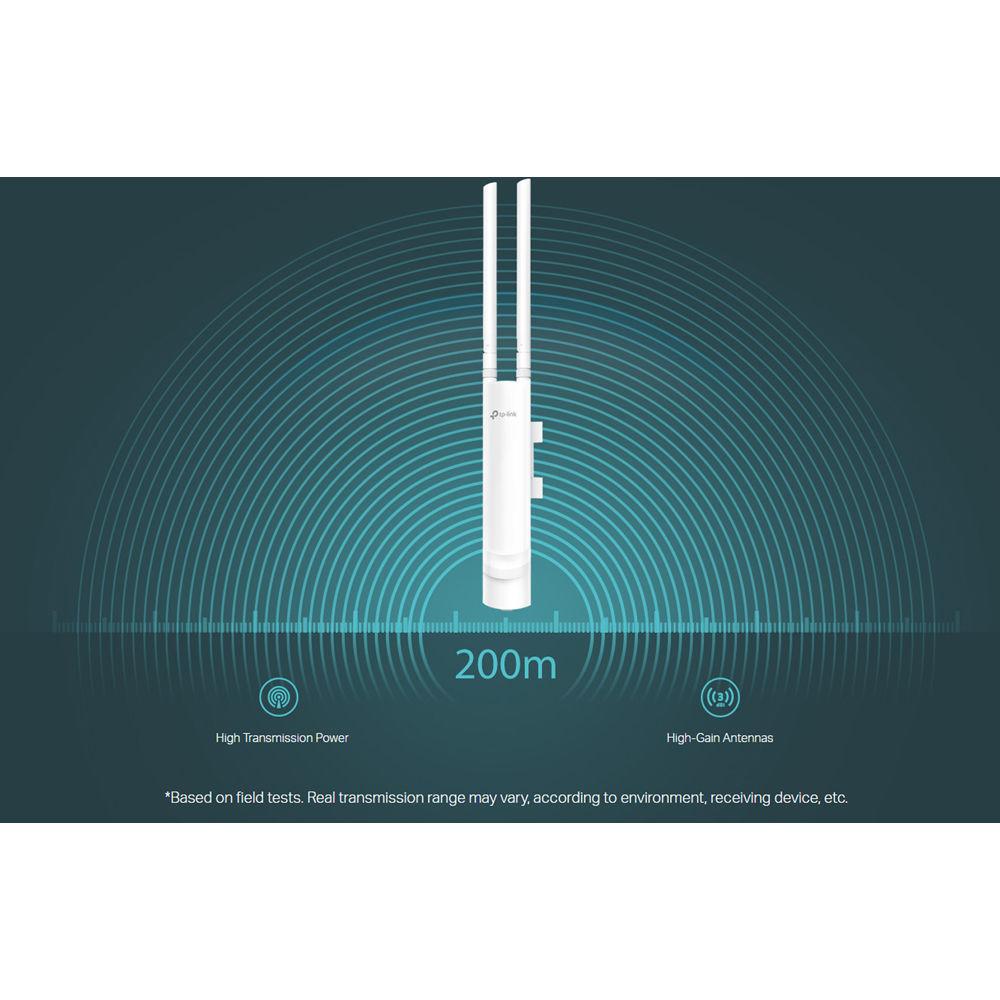
Product description Take your Wi-Fi outside with the EAP110-OUTDOOR V3 300 Mb/s Wireless-N Outdoor Access Point from TP-Link. This wireless outdoor access point supports transfer rates of up to 300 Mb/s along with 2x2 MIMO technology for increased bandwidth and reduced lag. Installation is simple, thanks to the included mounting kits and support for Passive PoE connectivity, which eliminates the need for a dedicated power supply. Furthermore, the EAP110 features a durable, weatherproof enclosure and is rated IP65 as it can withstand harsh weather conditions. -
- Wireless N Speed up to 300 Mb/s
- Simple mounting design makes easy to install on any wall or pole
- Passive PoE supported for convenient and affordable installation
- Weatherproof enclosure, ESD protection, and lightning protection
- Free controller software for easy centralized management of hundreds of EAPs
- Captive portal provides one convenient method of authentication for Wi-Fi guests
- Facebook Wi-Fi and SMS authentication help to boost your business
- Rate limit on per SSID to restrict the bandwidth of each client
- Load balance ensures large numbers of users have smooth network experiences in high-density business networks
- Access Control restricts or only allows the client to access the specified network segment
- Reboot Schedule enables all the APs to reboot automatically at a specified time
- WPA/WPA2-enterprise, 802.1X with RADIUS secure authentication, and rogue access point detection ensure the security of WLAN
- Multi-SSID divides multiple wireless networks for different users
- Multiple operating modes including managed AP and standalone AP satisfy different application conditions
UPC: 845973092832 In the Box TP-Link EAP110-OUTDOOR V3 300 Mb/s Wireless-N Outdoor Access Point Passive PoE Adapter Power Cord Mounting Kits Waterproof Rubber Insert Waterproof Antennas Limited 5-Year Warranty Table of Contents
|
Upload User Manual
Have you got an user manual for the TP-Link EAP110-OUTDOOR V3 300 Mb s Wireless-N Outdoor Access Point in electronic form? Please send it to us and help us expand our library of instruction manuals.
Thank you, too, on behalf of other users.
To upload the product manual, we first need to check and make sure you are not a robot. After that, your "Submit Link" or "Upload File" will appear.
Technical parametersTP-Link EAP110-Outdoor V3 Specs | | | Wireless Frequency Bands | 2.4 GHz | | Number of Antennas | 2 | | MU-MIMO Support | 2 x 2 | | WLAN Mode | 802.11n | | Antenna Gain | 3 dBi | | Antenna Placement | External | | | | Ports | 1 x 10/100 Mb/s Ethernet (RJ45) PoE | | | | Guest Network Support | Yes | | Wireless Security | WEP, WEP 64, WEP 128, WPA, WPA2 | | | | Max SSIDs Supported | 8 | | Throughput | 2.4 GHz: 300 Mb/s | | | | Supported IEEE Standards | 802.11b/g/n | | | | Operating Temperature | -22 to 149°F / -30 to 65°C | | Storage Temperature | -40 to 158°F / -40 to 70°C | | Operating Humidity | 10 to 90% | | Storage Humidity | 5 to 90% | | | | IP Rating | IP65 | | Certifications | CE, FCC, RoHS, as per Manufacturer | | Dimensions | 8.5 x 1.8 x 1.1" / 21.59 x 4.57 x 2.79 cm | | | | Package Weight | 1.325 lb | | Box Dimensions (LxWxH) | 10.75 x 5.65 x 4.1" |
Rating60% users recommend this product to others. And what about you?

This product has already been rated by 29 owners. Add your rating and experience with the product.
Discussion
 Ask our technicians if you have a problem with your settings,
or if anything is unclear in the user manual you have downloaded.
You can make use of our moderated discussion.
The discussion is public and helps other users of our website who may be encountering similar problems.
Ask our technicians if you have a problem with your settings,
or if anything is unclear in the user manual you have downloaded.
You can make use of our moderated discussion.
The discussion is public and helps other users of our website who may be encountering similar problems.
The discussion is empty - enter the first post
Post a new topic / query / comment:
|
|
|
| Request for user manual |
You can’t find the operation manual you are looking for? Let us know and we will try to add the missing manual:
I’m looking for a manual / Request for manual
Current requests for instruction manuals:
Call Of Duty World War Two For Xbox...
controller stratus XL...
stratus XL...
smart whatch serie S11 42mm...
Allen & Heath SQ-6 manual...
|
| Discussion |
Latest contributions to the discussion:
AEW R 4100
Name: MAURICIO ANGARITA
Audio-Technica AEW-R4100 UHF Diversity Receiver for
AEW R 4100 has the mute function blocked and does not allow audio to pass. I tried several times to turn off the mute from the transmitter but it does nothing, the mute stays on. Solution?
Thank you...
Instructions for assembling the 2015 Forecast Image Master Consoles GC3-A
Name: mike elam
Forecast Consoles GC3-A ImageMaster Editing Console
Looking for instructions for assembling this console. ...
EMPTY TONER ERROR MESSAGE AFTER REPLACING TONER
Name: LINDA BAD YELLOW EYES
Brother TN223BK Standard-Yield Toner
I HAD TO CHANGE OUT ALL THREE TONERS DUE TO LEAKS IN THE YELLOW AND CYAN. AFTER I REPLACED THEM, THE MACHINE KEEPS GIVING ME AN EMPTY TONER ERROR MESSAGE. HELP!!...
PS480D 20/24 pin Switching 480W Power Supply
Name: swkargo
Logisys 480W Power Supply
This item states in can run -5vdc .It is NOT listed on the board or I beleive is r4 is missing the resitior. Any body have thid issue. Shawn
...
Help needed
Name: Ann Carter
SanDisk 1TB Extreme Portable USB 3.1
When I click the link to download the user manual for my Sandisk Extreme external hard drive, it gives me the manual for the LG Cricket. Can you please change the link so I can download the Sandisk manual and begin using this drive? Thank you....
|
|


