|
User Manual for Transvideo 6" CineMonitorHD6 eSBL Evolution Enhanced SuperBright On-Board Monitor Click to enlarge the picture
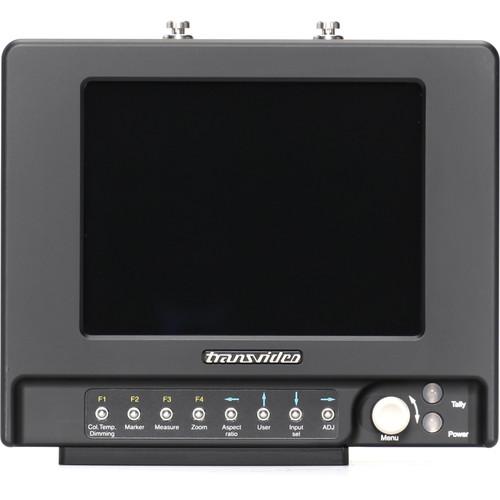 Contents of the user manual for the Transvideo 6" CineMonitorHD6 eSBL Evolution Enhanced
- Product category: On Camera Monitors Transvideo
- Brand: Transvideo
- Description and content of package
- Technical information and basic settings
- Frequently asked questions – FAQ
- Troubleshooting (does not switch on, does not respond, error message, what do I do if...)
- Authorized service for Transvideo On Camera Monitors
 |
User manual for the Transvideo 6" CineMonitorHD6 eSBL Evolution Enhanced contain basic instructions
that need to be followed during installation and operation.
Before starting your appliance, the user manual should be read through carefully.
Follow all the safety instructions and warnings, and be guided by the given recommendations.
User manual is an integral part of any Transvideo product,
and if it is sold or transferred, they should be handed over jointly with the product.
Following the instructions for use is an essential prerequisite for protecting
health and property during use, as well as recognition of liability on the part of the manufacturer
for possible defects should you make a warranty claim. Download an official Transvideo user manual in which you will find instructions on how to install, use, maintain and service your product.
And do not forget – unsuitable use of a Transvideo product will considerably shorten its lifespan!
|
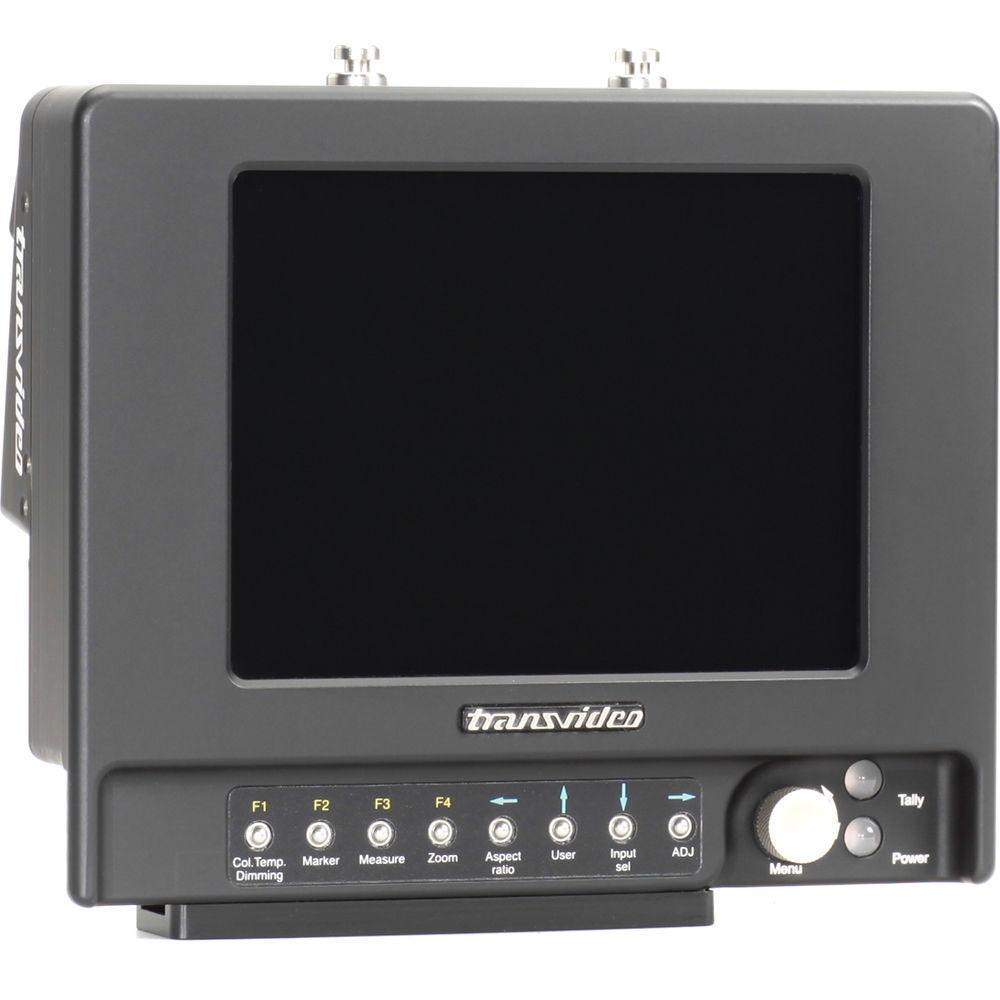
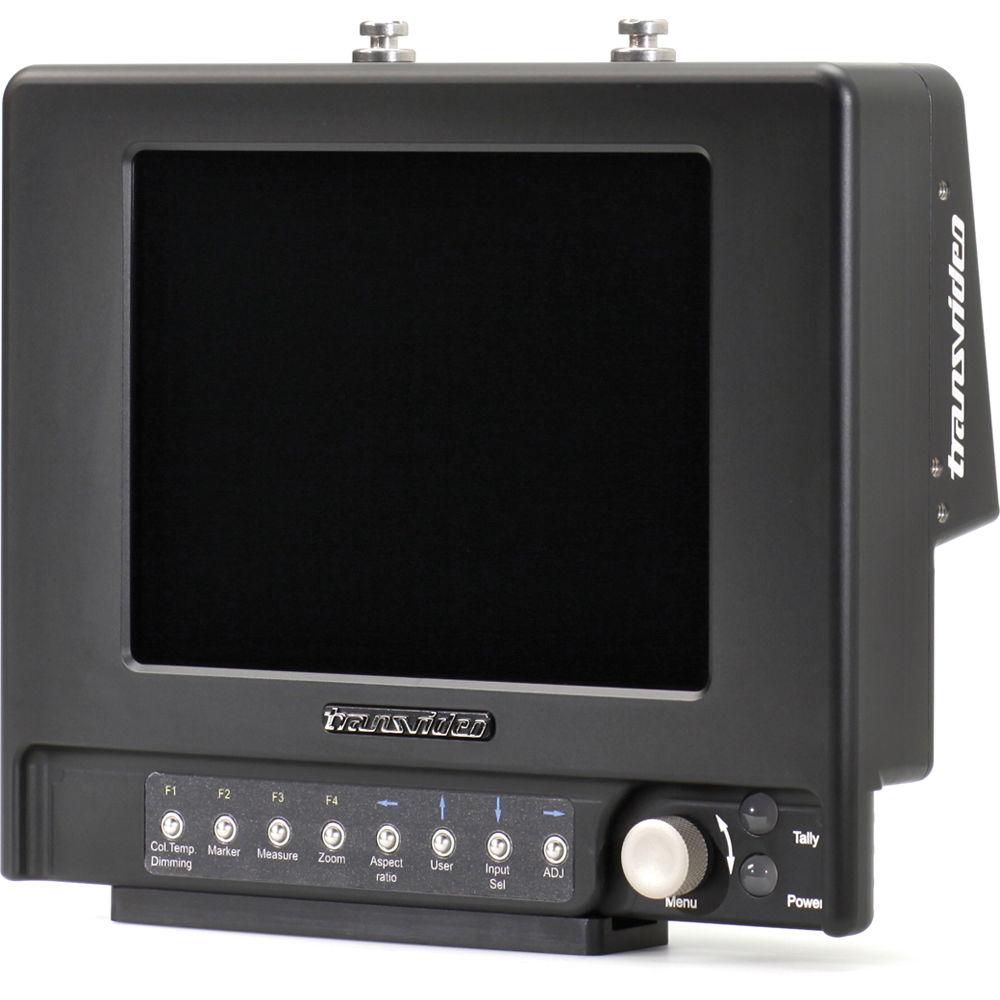
Product description The 6” CineMonitorHD6 eSBL Evolution Enhanced SuperBright On-Board Monitor from Transvideo features 1,000 nits brightness and an anti-glare bonded sunlight readable screen. The 4:3 screen is partitioned in 2 areas: the picture zone displays the picture in 16:9 format whereas tools and measurements are displayed in the remaining free area of the screen.The CineMonitorHD6 eSBL Evolution can be set in 2 operating modes either for outdoor viewing or color monitoring. In Full Bright mode (for outdoor viewing), details in both the dark areas and highlights are maintained even in bright sunlight without hood. Featuring RealFrameRate technology, the on-board monitor provides true monitoring of existing in-camera images with 1-frame delay or less. The monitor displays clear images without aliasing or motion blur.The monitor features useful tools, such as the LensReader that reads and displays in real time the lens metadata of /i and LDS lenses. It also includes a Cine Tape Measure communication to display in real time the measured distance. In addition, this rugged monitor features a precision machined aluminum housing that is fully sealed (devoid of holes and fans). - LensReader
- This tool displays as virtual scales the key metadata of /i and LDS lenses-focus with depth of field and hyperfocal point, iris, zoom (if any). When a Cine Tape is connected to the monitor, measured distance is displayed on the focus ring. It gives to the DP or to the focus puller an amazing graphical view of the settings of the lens in realtime. The LensReader works with Cooke 5/i, S4/i and mini S4/i; Arri/Zeiss MasterPrime and UltraPrime LDS; Arri/Fujinon Alura lightweight zooms; Fujinon Cabrio series lenses.
- Color / Log Profiles
- The CineMonitorHD8 eSBL Evolution can be set in 2 operating modes either for outdoor viewing (Full Bright mode) or color monitoring (Calibrated mode). The monitor is individually color calibrated following D65 ITU-R BT.709-5 as well as D56. The gamma response of the monitor may be adjusted according to the most common log corrections including linear, Rec. 709, Canon-Log, C-Log, S-Log, and S-Log2.
- Display Adjustments
- The monitor can be set in color, black & white, and green modes with 1.33:1, 1.78:1, 2.40:1, and 3.20:1 aspect ratios. It also features 1.3x and 2x anamorphic desqueeze and special scaling for Alexa 4:3. Horizontal and/or vertical flips can be applied to the picture. Reverse and auto-reverse modes allow you to use the monitor upside down. Basic adjustments include brightness, contrast, saturation and hue, as well as a blue check mode for color calibration.
- Power and FuelReader
- The input power voltage range is wide from 11 to 36VDC; the unit is protected against reverse polarity and features galvanic insulation. The FuelReader tool displays the input voltage and signals an alert when the voltage becomes too low. It can connect to the Fuel Computer of Logic Series Digital batteries from Anton-Bauer to provide the remaining battery life in percentage and the estimated remaining runtime.
- Horizon Leveler
- Driven by a built-in sensor, the AvengerLeveler on-screen HD leveler can also be driven by an external sensor. It allows for the on-screen display of horizon and level. The gyro-stabilized VirtualHorizon2 (sold separately) features acceleration and shock compensation for more stability. VirtualHorizon3 (sold separately) adds wireless capability to the features offered by VirtualHorizon2. It transmits on-screen visualization to the monitor via Bluetooth.
- Measurements - Exposure Control and False Colors
- The monitor presents measurements in the form of multiple waveforms, histograms, and vectorscopes. Black and overexposure limits, and also other intermediate safety levels can be used to adjust the camera and lens. You may adjust the clipping as well as maximum and minimum levels. The limits are displayed in false color on the image and/or in the measurement tools. The monitor also features a specific mode to enhance the high-lights and low-lights details.
- Markers and User Framelines
- Markers include 1.33:1 (4:3), 1.56:1 (14/9) and 1.78:1 (16/9) aspect ratios as well as a TV safe area. Framelines include 1 user-adjustable cross and 3 user-adjustable framelines (9 colors, solid line, dots, dashes, corners), with or without crosshair, with or without matting (4 solid colors and 4 shades of see-through grays).
- Audio and Timecode
- The audio panel displays the SDI embedded audio presence for all channels. Vu-meter and peak-meter display 1 audio pair on the 8 possible pairs. The SDI embedded LTC, VITC1, or VITC2 timecode is also displayed.
- Focus Helper and Zoom
- Based on a multidimensional digital filter, the focus helper offers 10 levels and 9 colors. The zoom mode displays the picture in its native resolution (pixel to pixel). Both focus helper and zoom mode help achieve sharp focus.
- Tally
- Up to 3 Tally may be displayed simultaneously: 2 through an external command and 1 through the camera Rec/Stop command embedded in the SDI. An on-screen Tally (frameline, "Rec" style, or a big "On Air" in place of the measurements) and/or a colored LED is displayed.
In the Box Transvideo 6" CineMonitorHD6 eSBL Evolution Enhanced SuperBright On-Board Monitor 2 x Shoulder Strap Pin Bottom Slide 4.5 GHz 3G-SDI BNC to BNC Cable (3.3') Screen Protective Cover Mini HDMI Cable Microfiber Cloth and Bag Pelican Case with Custom Shaped Foam USB Adapter for Software Updates Limited 2-Year Warranty on Parts & Labor Note: The warranty can be extended to 3 years on registration of the product on the Transvideo website. Table of Contents
|
Upload User Manual
Have you got an user manual for the Transvideo 6" CineMonitorHD6 eSBL Evolution Enhanced SuperBright On-Board Monitor in electronic form? Please send it to us and help us expand our library of instruction manuals.
Thank you, too, on behalf of other users.
To upload the product manual, we first need to check and make sure you are not a robot. After that, your "Submit Link" or "Upload File" will appear.
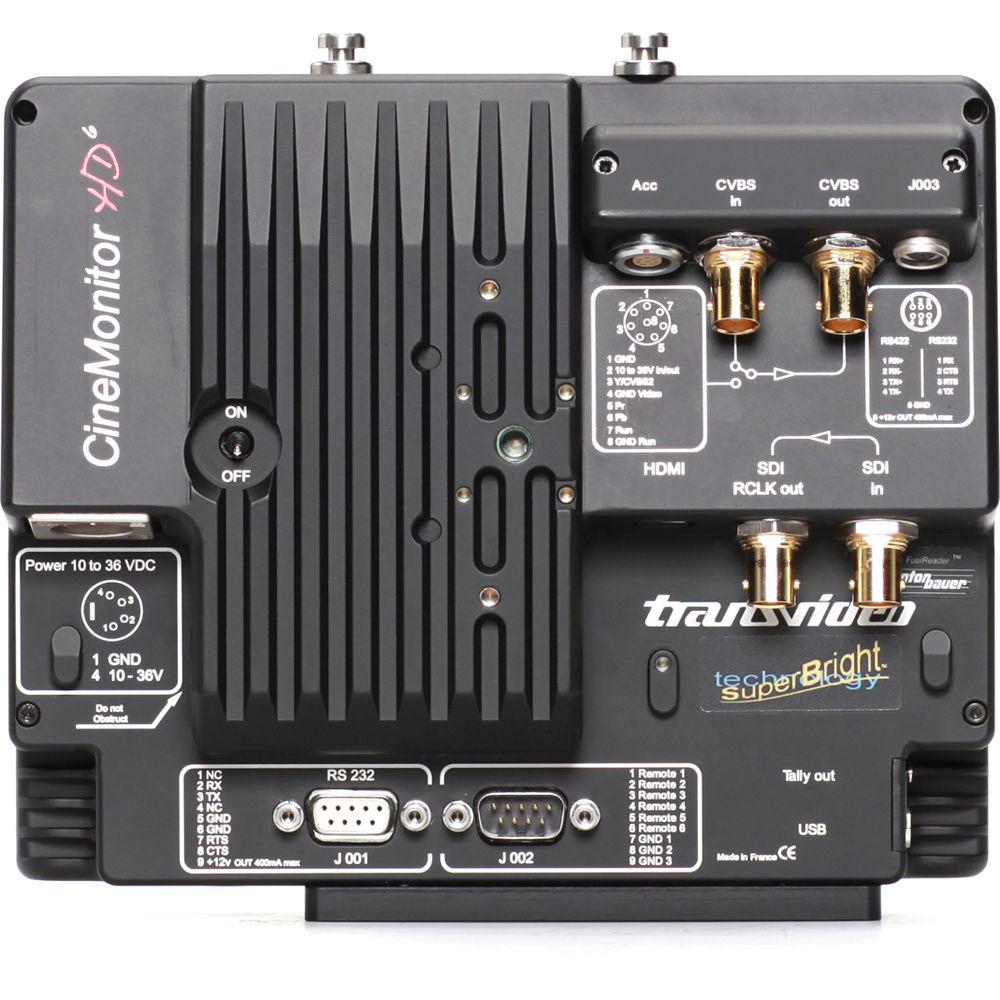
Technical parametersTransvideo HD6 eSBL Specs | | | Display Size & Type | 6.0" (15.2 cm) AMLCD | | Pixels | Picture Zone: 1024 x 576 | | Luminance | 1,000 Nits | | Contrast Ratio | Maximum 600:1 | | Viewing Angle | ±80° H, +60/-80° V The standard position of the matrix is with 6 o'clock preferred viewing angle. An option allows having the monitor delivered with a 12 o'clock preferred viewing angle. | | Color Calibration Solution | D65 ITU-R BT.709-5 & D56 | | Color Space | Rec. ITU-R BT.709-5 | | Latency | Less than 1 frame in 1080i and psf, SD
Less than 1 image in 720p and 1080p | | | | Video Inputs | 1 x HD/SD SDI + 1 Rclk out (BNC)
1 x CVBS + Loop (BNC)
1 x multi YPrPb / RGB / CVBS (LEMO8)
1 x mini HDMI (type C) | | Remote | RS232 / 9-pin D-Sub (female)
RS232 & RS422 / HR25
GPI / 9-pin D-Sub (male) | | | | Supported Video Standards | HD: 1080p / 1080i / 1080psf / 480p / 576p / 720p
SD: NTSC (M, J, 443) / PAL (M, BG, N) / SECAM | | Video Standards Per Input | HD SDI (SMPTE 292M)
1280 x 720p @ 24, 25, 29.97, 30 Hz (SMPTE 296M)
1280 x 720p @ 50, 59.94, 60 Hz (SMPTE 296M)
1920 x 1080i @ 50, 59.94, 60 Hz (SMPTE 274M)
1920 x 1080psf @ 23.98, 24, 25, 29.97, 30 Hz (SMPTE 274M)
1920 x 1080p @ 23.97, 24, 25, 29.94, 30 Hz (SMPTE 274M)
SD SDI (SMPTE 259M-C)
720 x 487i @ 60 Hz (SD SDI 525 - SMPTE 125M)
720 x 576i @ 50 Hz (SD SDI 625 - ITU - R BT.601)
CVBS
NTSC-M, NTSC-J, NTSC 4.43
PAL B/G H I D, PAL M, PAL N
SECAM
ACC YPrPb / RGB
720 x 480i @ 60 Hz (SMPTE 253M)
720 x 576i @ 50 Hz
1280 x 720p @ 50, 59.94, 60 Hz
1920 x 1080i @ 50, 59.94, 60 Hz (SMPTE 240M)
1920 x 1080psf @ 25, 29.97, 30 Hz
1920 x 1080p @ 23.97, 24, 25, 29.94, 30 Hz
HDMI
720 x 480i @ 59.94, 60 Hz
720 x 576i @ 50 Hz
720 x 480p @ 59.94, 60 Hz
720 x 576p @ 50 Hz
1280 x 720p @ 50, 59.94, 60 Hz
1920 x 1080i @ 50, 59.94, 60 Hz
1920 x 1080psf @ 25, 29.97, 30 Hz
1920 x 1080p @ 23.97, 24, 25, 29.94, 30 Hz | | | | Power Input Connector | XLR4 connector (-1, +4), with galvanic insulation | | Power Consumption | 10 to 36 VDC through XLR4 or battery (Anton Bauer or V-Mount; sold separately), 16 W | | Temperature | Storage: -40 to 176°F (-40 to 80°C)
Operating: -4 to 13° F (-20 to 55°C) | | Dimensions (L x H x D) | 7.7 x 6.6 x 2.6" (195.5 x 167.6 x 66.0 mm) | | Weight | 3.1 lb (1.4 kg) |
Rating100% users recommend this product to others. And what about you?

This product has already been rated by 45 owners. Add your rating and experience with the product.
Discussion
 Ask our technicians if you have a problem with your settings,
or if anything is unclear in the user manual you have downloaded.
You can make use of our moderated discussion.
The discussion is public and helps other users of our website who may be encountering similar problems.
Ask our technicians if you have a problem with your settings,
or if anything is unclear in the user manual you have downloaded.
You can make use of our moderated discussion.
The discussion is public and helps other users of our website who may be encountering similar problems.
The discussion is empty - enter the first post
Post a new topic / query / comment:
|
|
|
| Request for user manual |
You can’t find the operation manual you are looking for? Let us know and we will try to add the missing manual:
I’m looking for a manual / Request for manual
Current requests for instruction manuals:
Call Of Duty World War Two For Xbox...
controller stratus XL...
stratus XL...
smart whatch serie S11 42mm...
Allen & Heath SQ-6 manual...
|
| Discussion |
Latest contributions to the discussion:
AEW R 4100
Name: MAURICIO ANGARITA
Audio-Technica AEW-R4100 UHF Diversity Receiver for
AEW R 4100 has the mute function blocked and does not allow audio to pass. I tried several times to turn off the mute from the transmitter but it does nothing, the mute stays on. Solution?
Thank you...
Instructions for assembling the 2015 Forecast Image Master Consoles GC3-A
Name: mike elam
Forecast Consoles GC3-A ImageMaster Editing Console
Looking for instructions for assembling this console. ...
EMPTY TONER ERROR MESSAGE AFTER REPLACING TONER
Name: LINDA BAD YELLOW EYES
Brother TN223BK Standard-Yield Toner
I HAD TO CHANGE OUT ALL THREE TONERS DUE TO LEAKS IN THE YELLOW AND CYAN. AFTER I REPLACED THEM, THE MACHINE KEEPS GIVING ME AN EMPTY TONER ERROR MESSAGE. HELP!!...
PS480D 20/24 pin Switching 480W Power Supply
Name: swkargo
Logisys 480W Power Supply
This item states in can run -5vdc .It is NOT listed on the board or I beleive is r4 is missing the resitior. Any body have thid issue. Shawn
...
Help needed
Name: Ann Carter
SanDisk 1TB Extreme Portable USB 3.1
When I click the link to download the user manual for my Sandisk Extreme external hard drive, it gives me the manual for the LG Cricket. Can you please change the link so I can download the Sandisk manual and begin using this drive? Thank you....
|
|


