User Manual for TRENDnet 8 Port Gig Web Smart Switch Click to enlarge the picture
 Contents of the user manual for the TRENDnet 8 Port Gig Web Smart
- Product category: Network Switches, Bridges & Hubs TRENDnet
- Brand: TRENDnet
- Description and content of package
- Technical information and basic settings
- Frequently asked questions – FAQ
- Troubleshooting (does not switch on, does not respond, error message, what do I do if...)
- Authorized service for TRENDnet Network Switches, Bridges & Hubs
 |
User manual for the TRENDnet 8 Port Gig Web Smart contain basic instructions
that need to be followed during installation and operation.
Before starting your appliance, the user manual should be read through carefully.
Follow all the safety instructions and warnings, and be guided by the given recommendations.
User manual is an integral part of any TRENDnet product,
and if it is sold or transferred, they should be handed over jointly with the product.
Following the instructions for use is an essential prerequisite for protecting
health and property during use, as well as recognition of liability on the part of the manufacturer
for possible defects should you make a warranty claim. Download an official TRENDnet user manual in which you will find instructions on how to install, use, maintain and service your product.
And do not forget – unsuitable use of a TRENDnet product will considerably shorten its lifespan!
|
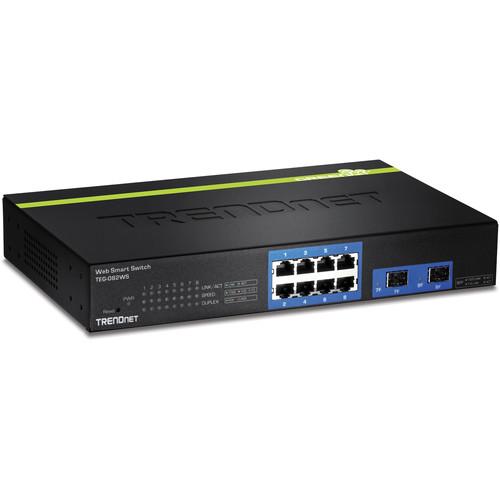
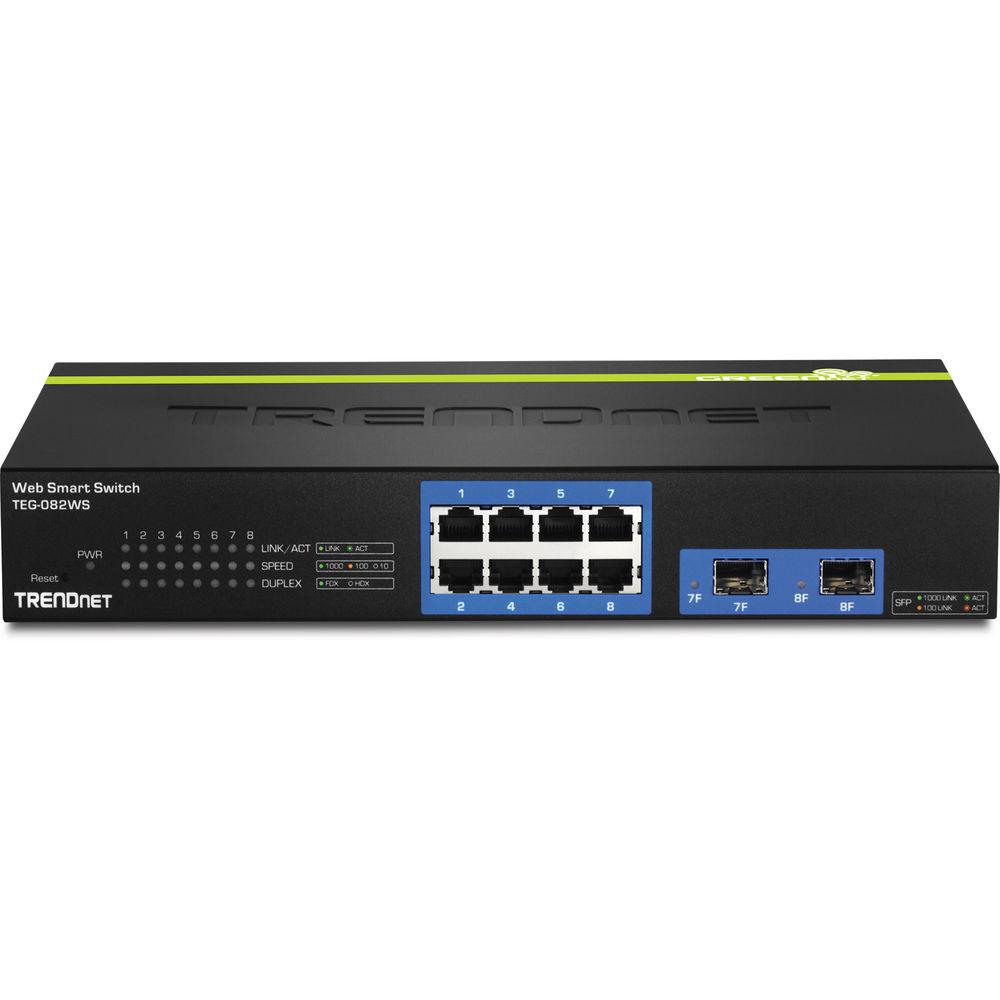
Product description With eight Gigabit Ethernet ports, the 8 Port Gig Web Smart Switch from TRENDnet makes it easy to setup and manage a small network. Within the eight Gigabit Ethernet ports you will find two shared SFP ports designed to support a connection for different types of optical fiber equipment. This network switch from TRENDnet is designed to make managing network traffic easy as it comes compatible with a variety of networking standards including IEEE 802.1D, IEEE 802.1Q, IEEE 802.1S, IEEE 802.1X, IEEE 802.1p, IEEE 802.1w, IEEE 802.3, IEEE 802.3u, IEEE 802.3x, IEEE 802.3z, IEEE 802.1ab, IEEE 802.3ab, IEEE 802.3ad, and IEEE 802.3az. In addition to the long list of networking standards, you also can take advantage of a 16 Gbps switch fabric, 1 MB RAM buffer, 16K MAC address table, and much more.
Network administrators can also leverage access control and monitoring features to stay in control of their network. Network admins can implement access control lists to provide permissions to files throughout the network, utilize SSL functionality for enhanced security when transmitting data over the Internet, monitor the various ports on the network with the port mirroring feature, and much more. - Hardware Design
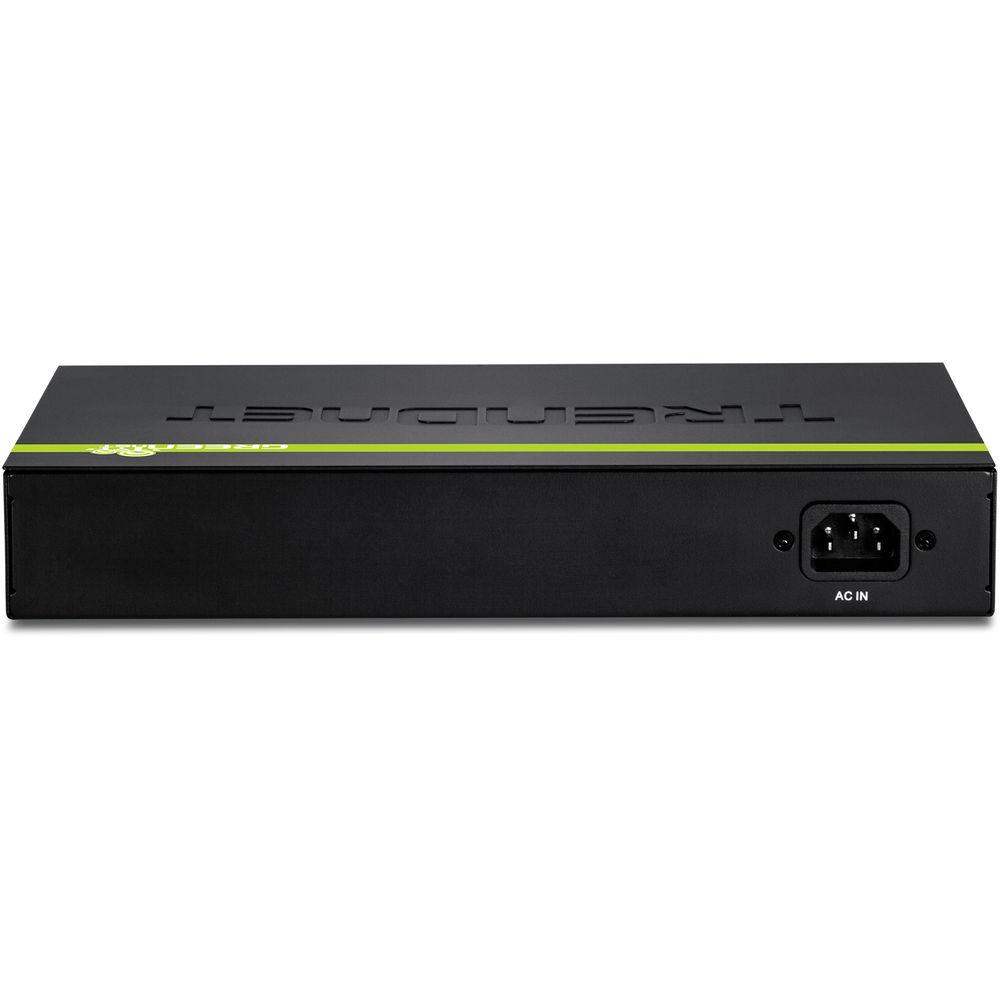
- The TEG-082WS provides 8 Gigabit Ethernet ports, 2 shared SFP slots, a 16 Gbps switching capacity, a built-in power supply, and rackmount brackets.
- Fanless
- The fanless design reduces energy consumption and operating noise.
- IPv6 Ready
- This switch supports IPv6 configuration and IPv6 neighbor discovery.
- Traffic Management
- A broad range of network configurations are supported including 802.3ad link aggregation, Asymmetric VLAN, 802.1Q VLAN, Voice VLAN, Private VLAN, Bandwidth Controls, GVRP, IGMP v1-v3, 802.1p Class of Service (CoS), Spanning Tree (STP, RSTP, and MSTP), and QoS queue scheduling.
- Troubleshooting
- Real time traffic comparison charts, error group charts, and a cable diagnostic test aid in rapid troubleshooting.
- Access Controls
- Features such as ACL, SSL, MAC/port filtering, Denial of Service controls, 802.1X, TACACS+, and RADIUS are compatible with layered network access controls.
- Monitoring
- RMON, SNMP, SNMP Trap, and Port Mirroring support administrator monitoring solutions.
UPC: 710931140071 In the Box TRENDnet 8 Port Gig Web Smart Switch CD-ROM (Utility & User's Guide) Power Cord (6 ft / 1.8 m) Rack Mount Hardware Limited 3-Year Warranty Table of Contents
|
Upload User Manual
Have you got an user manual for the TRENDnet 8 Port Gig Web Smart Switch in electronic form? Please send it to us and help us expand our library of instruction manuals.
Thank you, too, on behalf of other users.
To upload the product manual, we first need to check and make sure you are not a robot. After that, your "Submit Link" or "Upload File" will appear.
Technical parametersTRENDnet TEG-082WS Specs | | | Ports | 6 x 10/100/1000 Mb/s Gigabit Ethernet (RJ45)
2 x 10/100/1000 Mb/s Gigabit Combo (Ethernet/SFP) | | | | Supported Protocols | Head-of-Line (HOL) Blocking
IGMP Snooping
Link Aggregation
Port Mirroring | | Queuing | Strict Priority, Weighted Round Robin (WRR) | | Jumbo Frames Support | 10,000 Bytes | | MAC Address Table Size | 16K | | Multicast Groups | 256 | | VLAN Groups | 256 | | VLAN IDs | 4094 | | | | Security Features | DHCP Snooping
DoS Attack Prevention
RADIUS Authentication | | | | RFC | RFC 1213
RFC 1493
RFC 2674
RFC 1907
RFC 1643
RFC 2863
RFC 2233
RFC 1215
RFC 1757
RFC 2819
RFC 2674
RFC 2618
RFC 2925
RFC 4560 | | Supported IEEE Standards | 802.1ab, 802.1d, 802.1p, 802.1q, 802.1s, 802.1w, 802.1x, 802.3, 802.3ab, 802.3ad, 802.3az, 802.3u, 802.3x, 802.3z | | | | Forwarding Rate | 11.9 Mpps | | Switching Bandwidth | 16 Gb/s | | Packet Buffer | 1 MB | | | | Power Draw | 13.8 W (Active) | | AC Input Power | 100 to 240 VAC, 50 / 60 Hz | | | | Operating Temperature | 32 to 113°F / 0 to 45°C | | Operating Humidity | 90% | | | | Cooling System | Passive | | Mean Time Between Failures (MTBF) | 1,054,337 Hours | | Dimensions | 11 x 7.1 x 1.7" / 28 x 18 x 4.4 cm | | Weight | 3 lb / 2 kg | | | | Package Weight | 5.5 lb | | Box Dimensions (LxWxH) | 14.2 x 11.2 x 3.5" |
Rating100% users recommend this product to others. And what about you?

This product has already been rated by 53 owners. Add your rating and experience with the product.
Discussion
 Ask our technicians if you have a problem with your settings,
or if anything is unclear in the user manual you have downloaded.
You can make use of our moderated discussion.
The discussion is public and helps other users of our website who may be encountering similar problems.
Ask our technicians if you have a problem with your settings,
or if anything is unclear in the user manual you have downloaded.
You can make use of our moderated discussion.
The discussion is public and helps other users of our website who may be encountering similar problems.
The discussion is empty - enter the first post
Post a new topic / query / comment:
|
|


