|
User Manual for Ubiquiti Networks PowerBeam AC Gen2 5 GHz High Performance airMAX ac Bridge Click to enlarge the picture
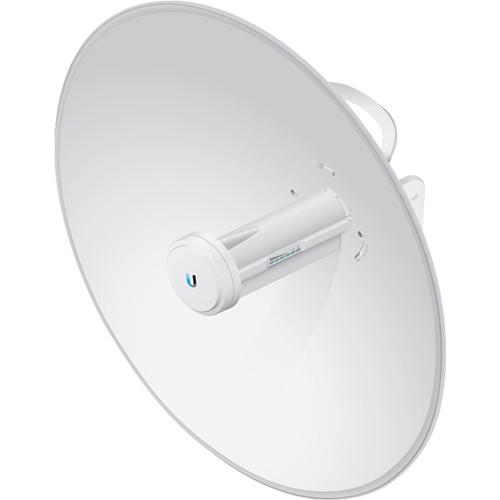 Contents of the user manual for the Ubiquiti Networks PowerBeam AC Gen2 5
- Product category: Wireless Bridges Ubiquiti Networks
- Brand: Ubiquiti Networks
- Description and content of package
- Technical information and basic settings
- Frequently asked questions – FAQ
- Troubleshooting (does not switch on, does not respond, error message, what do I do if...)
- Authorized service for Ubiquiti Networks Wireless Bridges

 |
User manual for the Ubiquiti Networks PowerBeam AC Gen2 5 contain basic instructions
that need to be followed during installation and operation.
Before starting your appliance, the user manual should be read through carefully.
Follow all the safety instructions and warnings, and be guided by the given recommendations.
User manual is an integral part of any Ubiquiti Networks product,
and if it is sold or transferred, they should be handed over jointly with the product.
Following the instructions for use is an essential prerequisite for protecting
health and property during use, as well as recognition of liability on the part of the manufacturer
for possible defects should you make a warranty claim. Download an official Ubiquiti Networks user manual in which you will find instructions on how to install, use, maintain and service your product.
And do not forget – unsuitable use of a Ubiquiti Networks product will considerably shorten its lifespan!
|
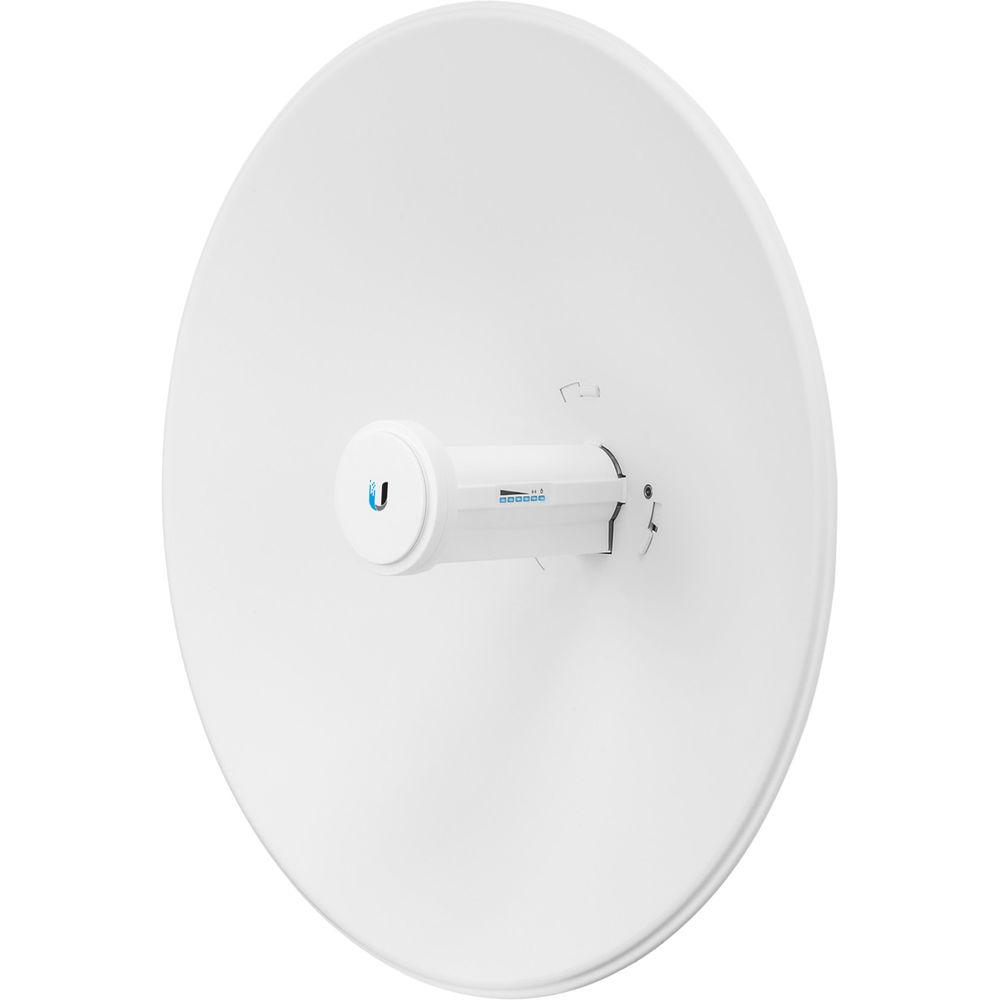
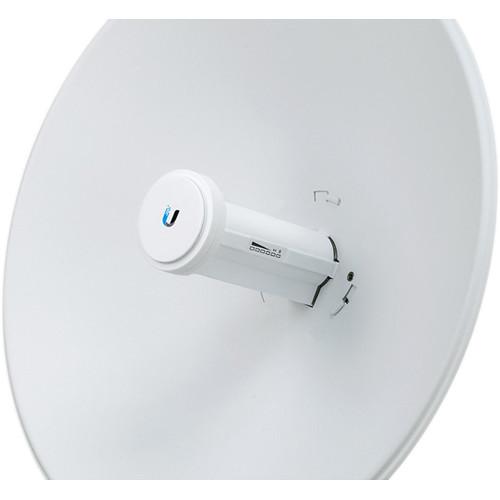
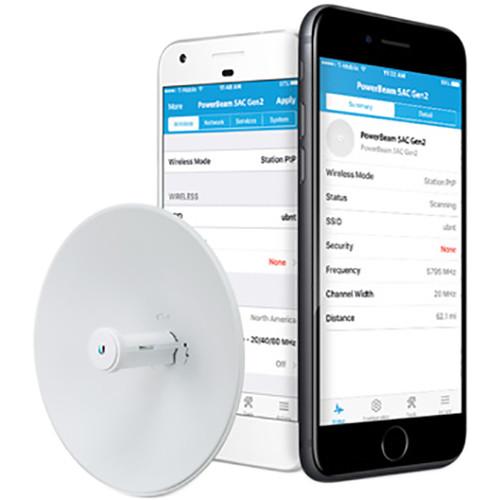
Product description With tighter beamwidth and a dedicated Wi-Fi radio for management, the PowerBeam AC Gen2 5 GHz High Performance airMAX ac Bridge from Ubiquiti Networks offers a more reliable long distance point-to-point connection. This radio is designed to filter out noise to reduce interference in areas congested with multiple RF signals. Setup is simple thanks to fully adjustable hardware making it easy to adjust the mounting bracket ± 20° along with the ability to detach the antenna feed with the push of a button. - Improved Noise Immunity
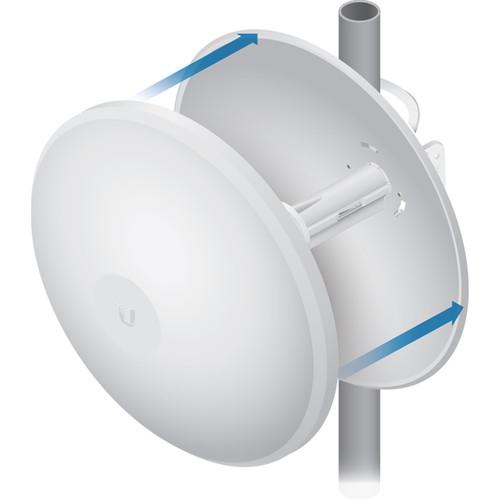
- The PowerBeam 5AC Gen2 directs RF energy in a tighter beamwidth. With the focus in one direction, the PowerBeam 5AC Gen2 blocks or spatially filters out noise, so noise immunity is improved. This feature is especially important in an area crowded with other RF signals of the same or similar frequency.
- Integrated Design
- Ubiquiti's InnerFeed technology integrates the radio into the feedhorn of an antenna, so there is no need for a cable. This improves performance because it eliminates cable losses. Featuring a high-performance and innovative mechanical design, the PowerBeam AC Gen2 is versatile and cost-effective to deploy.
- Software
- Powerful Wireless Features
- Access Point PtMP airMAX Mixed Mode
- airMAX ac Protocol Support
- Long-Range Point-to-Point (PtP) Link Mode
- Selectable Channel Width
- PtP: 10/20/30/40/50/60/80 MHz
- PtMP: 10/20/30/40 MHz
- Automatic Channel Selection
- Transmit Power Control: Automatic/Manual
- Automatic Distance Selection (ACK Timing)
- Strongest WPA2 Security
Usability Enhancements
- airMagic Channel Selection Tool
- Redesigned User Interface
- Dynamic Configuration Changes
- Instant Input Validation
- HTML5 Technology
- Optimization for Mobile Devices
- Detailed Device Statistics
- Comprehensive Array of Diagnostic Tools, including RF Diagnostics and airView Spectrum Analyzer
Advanced RF Analytics
airMAX ac devices feature a multi‑radio architecture to power an RF analytics engine. An independent processor on the PCBA powers a second, dedicated radio, which persistently analyzes the full 5 GHz spectrum and every received symbol to provide you with advanced RF analytics.
Real-Time Reporting
airOS 8 displays the following RF information:
- Persistent RF Error Vector Magnitude (EVM) constellation diagrams
- Signal, Noise, and Interference (SNI) diagrams
- Carrier to Interference-plus-Noise Ratio (CINR) histograms
Spectral Analysis
airView allows you to identify noise signatures and plan your networks to minimize noise interference. airView performs the following functions:
- Constantly monitors environmental noise
- Collects energy data points in real‑time spectral views
- Helps optimize channel selection, network design, and wireless performance
In airView, there are three spectral views, each of which represents different data: waveform, waterfall, and ambient noise level. airView provides powerful spectrum analyzer functionality, eliminating the need to rent or purchase additional equipment for conducting site surveys. - UMobile App
- Accessing airOS via Wi-Fi
The UMobile App provides instant accessibility to the airOS configuration interface and can be downloaded from the App Store (iOS) or Google Play (Android). UMobile allows you to set up, configure, and manage the PowerBeam 5AC Gen2. It offers the following options once you're connected or logged in to the device:
- Check link status information or the basic configuration settings of the PowerBeam 5AC Gen2
- Change or update the existing configuration of the PowerBeam 5AC Gen2
- Access tools for initial installation and configuration of the PowerBeam 5AC Gen2
- Back up or update the configuration, upload new firmware, reboot the device, reset the device to factory defaults, access the airOS UI in the web browser, or disconnect from the PowerBeam 5AC Gen2
- Hardware
- Full Adjustment Flexibility
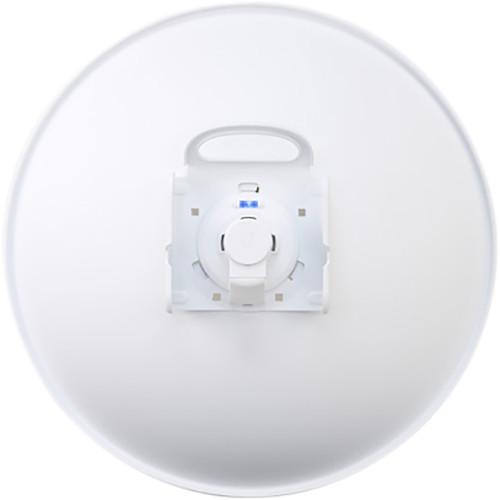
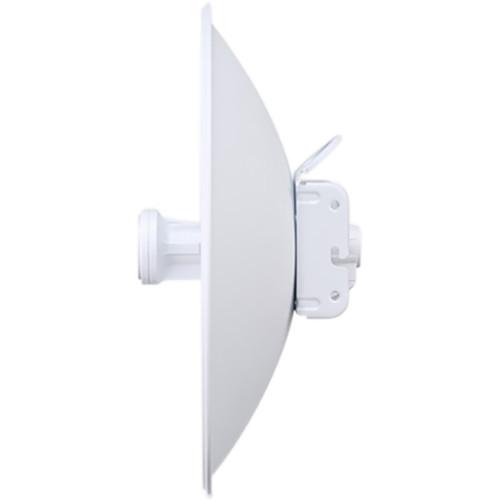
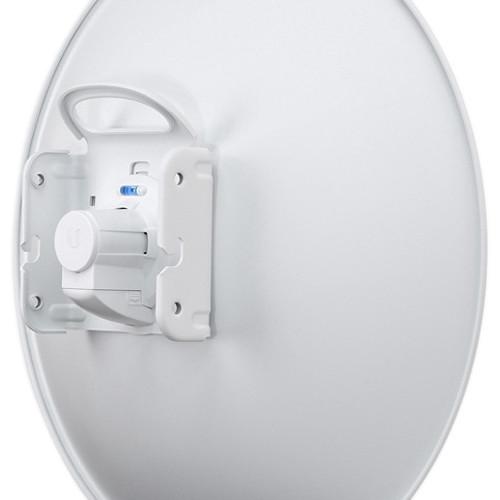
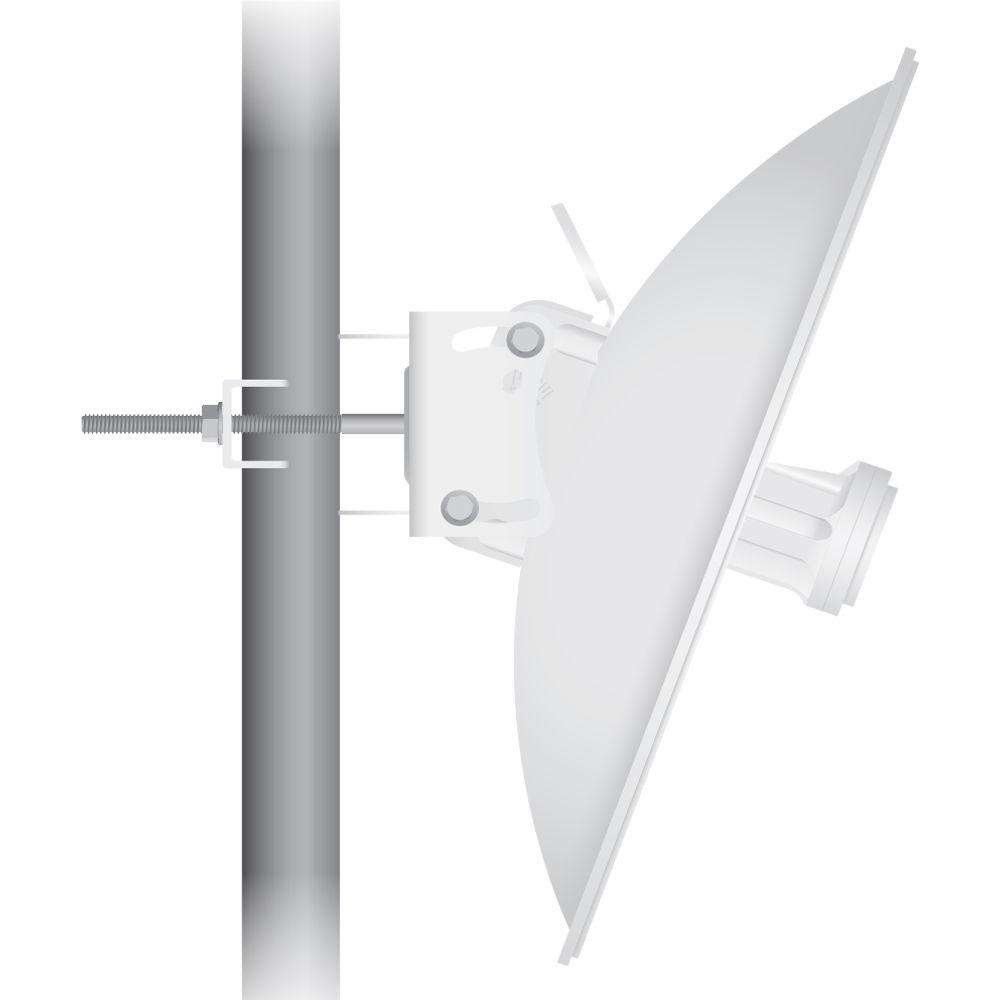
The PowerBeam 5AC Gen2 features a two-mount system that provides adjustment flexibility along both axes for versatile mounting options. The mounting system, coupled with the built-in bubble level, enables quick and easy alignment.
Improved Mounting and Surge Protection
Featuring enhanced protection against power surges, the PowerBeam 5AC Gen2 offers a more robust mount with separate azimuth and elevation adjustments. UPC: 810354026782 In the Box Ubiquiti Networks PowerBeam AC Gen2 5 GHz High Performance airMAX ac Bridge Dish Reflector Antenna Feed Rear Housing Adjustment Bracket Mounting Bracket 4 x Hex Bolts with Washers Pole Clamp 2 x Long Carriage Bolts 2 x Flange Nuts Gigabit PoE (24 V, 0.5 A) with Mounting Bracket Power Cord Limited 1-Year Warranty Table of Contents
|
Upload User Manual
Have you got an user manual for the Ubiquiti Networks PowerBeam AC Gen2 5 GHz High Performance airMAX ac Bridge in electronic form? Please send it to us and help us expand our library of instruction manuals.
Thank you, too, on behalf of other users.
To upload the product manual, we first need to check and make sure you are not a robot. After that, your "Submit Link" or "Upload File" will appear.
Technical parametersUbiquiti Networks AC Gen2 Specs | Power Supply | 24 V, 0.5 A Gigabit PoE adapter (included) | | Power Consumption | Maximum Power Consumption
8.5 W | | Power Method | Passive PoE (pairs 4, 5+; 7, 8 return) | | Voltage | 20 to 26 VDC | | Operating Frequency | Worldwide
2412 - 2472 MHz
5150 - 5875 MHz
USA
2412 - 2462 MHz
USA: U-NII-1 - 5150 - 5250 MHz
USA: U-NII-2A - 5250 - 5350 MHz
USA: U-NII-2C - 5470 - 5725 MHz
USA: U-NII-3 - 5725 - 5850 MHz | | Gain | 25 dBi | | Networking Interface | 1 x 10/100/1000 Ethernet port | | Processor | MIPS 74Kc | | Memory | 64 MB DDR2 | | LEDs | Power, Ethernet, 4 x Signal Strength | | Channel Sizes | PtP Mode
10/20/30/40/50/60/80 MHz
PtMP Mode
10/20/30/40 MHz | | Enclosure | Antenna Feed
Outdoor UV stabilized
Dish Reflector
Plastic Powder-Coated SPCC | | Mounting | Pole-mounting kit (included) | | Wind Loading | 85.4 lbf @ 125 mph (380 N @ 200 km/h) | | Wind Survivability | 125 mph (200 km/h) | | ESD/EMP Protection | Air: ± 24 kV, Contact: ± 24 kV | | Temperature & Humidity | Operating Temperature
-40 to 158°F (-40 to 70°C)
Operating Humidity
5 to 95% Non-condensing | | RoHS Compliance | Yes | | Salt Fog Test | IEC 68-2-11 (ASTM B117), Equivalent: MIL-STD-810 G Method 509.5 | | Vibration Test | IEC 68-2-6 | | Temperature Shock Test | IEC 68-2-14 | | UV Test | IEC 68-2-5 at 40° C (104° F), Equivalent: ETS 300 019-1-4 | | Wind-Driven Rain Test | ETS 300 019-1-4, Equivalent: MIL-STD-810 G Method 506.5 | | Certifications | CE, FCC, IC | | Dimensions | 16.54 x 16.54 x 9.06" (420 x 420 x 230 mm) | | Weight | 4.89 lb (2.22 kg) | | | | Package Weight | 8.2 lb | | Box Dimensions (LxWxH) | 25.6 x 19.1 x 4.6" |
Rating80% users recommend this product to others. And what about you?

This product has already been rated by 07 owners. Add your rating and experience with the product.
Discussion
 Ask our technicians if you have a problem with your settings,
or if anything is unclear in the user manual you have downloaded.
You can make use of our moderated discussion.
The discussion is public and helps other users of our website who may be encountering similar problems.
Ask our technicians if you have a problem with your settings,
or if anything is unclear in the user manual you have downloaded.
You can make use of our moderated discussion.
The discussion is public and helps other users of our website who may be encountering similar problems.
The discussion is empty - enter the first post
Post a new topic / query / comment:
|
|
|
| Request for user manual |
You can’t find the operation manual you are looking for? Let us know and we will try to add the missing manual:
I’m looking for a manual / Request for manual
Current requests for instruction manuals:
Call Of Duty World War Two For Xbox...
controller stratus XL...
stratus XL...
smart whatch serie S11 42mm...
Allen & Heath SQ-6 manual...
|
| Discussion |
Latest contributions to the discussion:
AEW R 4100
Name: MAURICIO ANGARITA
Audio-Technica AEW-R4100 UHF Diversity Receiver for
AEW R 4100 has the mute function blocked and does not allow audio to pass. I tried several times to turn off the mute from the transmitter but it does nothing, the mute stays on. Solution?
Thank you...
Instructions for assembling the 2015 Forecast Image Master Consoles GC3-A
Name: mike elam
Forecast Consoles GC3-A ImageMaster Editing Console
Looking for instructions for assembling this console. ...
EMPTY TONER ERROR MESSAGE AFTER REPLACING TONER
Name: LINDA BAD YELLOW EYES
Brother TN223BK Standard-Yield Toner
I HAD TO CHANGE OUT ALL THREE TONERS DUE TO LEAKS IN THE YELLOW AND CYAN. AFTER I REPLACED THEM, THE MACHINE KEEPS GIVING ME AN EMPTY TONER ERROR MESSAGE. HELP!!...
PS480D 20/24 pin Switching 480W Power Supply
Name: swkargo
Logisys 480W Power Supply
This item states in can run -5vdc .It is NOT listed on the board or I beleive is r4 is missing the resitior. Any body have thid issue. Shawn
...
Help needed
Name: Ann Carter
SanDisk 1TB Extreme Portable USB 3.1
When I click the link to download the user manual for my Sandisk Extreme external hard drive, it gives me the manual for the LG Cricket. Can you please change the link so I can download the Sandisk manual and begin using this drive? Thank you....
|
|


