User Manual for Ubiquiti Networks RP-5AC-GEN2 rocket PRISM AC-Gen2 5 GHz airMAX ac Radio BaseStation Click to enlarge the picture
 Contents of the user manual for the Ubiquiti Networks RP-5AC-GEN2 rocket PRISM AC-Gen2
- Product category: Wireless Access Points Ubiquiti Networks
- Brand: Ubiquiti Networks
- Description and content of package
- Technical information and basic settings
- Frequently asked questions – FAQ
- Troubleshooting (does not switch on, does not respond, error message, what do I do if...)
- Authorized service for Ubiquiti Networks Wireless Access Points
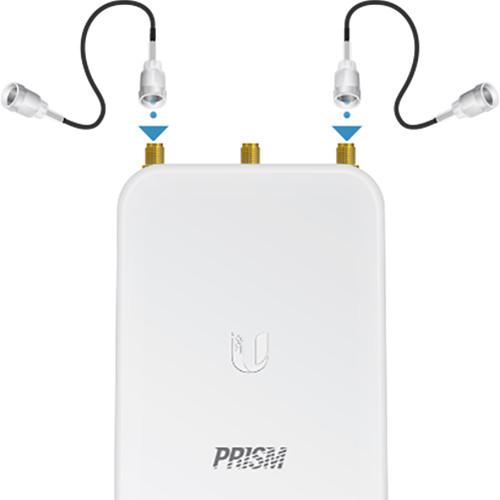
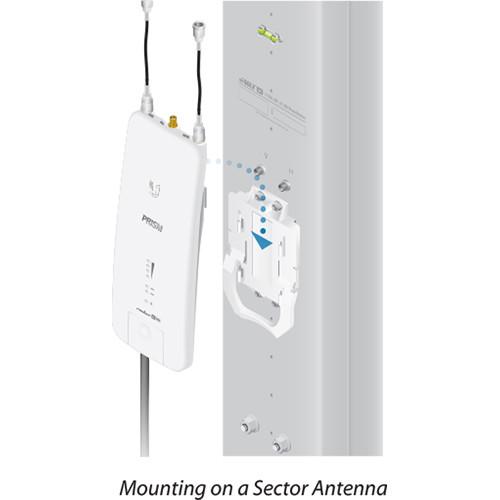 |
User manual for the Ubiquiti Networks RP-5AC-GEN2 rocket PRISM AC-Gen2 contain basic instructions
that need to be followed during installation and operation.
Before starting your appliance, the user manual should be read through carefully.
Follow all the safety instructions and warnings, and be guided by the given recommendations.
User manual is an integral part of any Ubiquiti Networks product,
and if it is sold or transferred, they should be handed over jointly with the product.
Following the instructions for use is an essential prerequisite for protecting
health and property during use, as well as recognition of liability on the part of the manufacturer
for possible defects should you make a warranty claim. Download an official Ubiquiti Networks user manual in which you will find instructions on how to install, use, maintain and service your product.
And do not forget – unsuitable use of a Ubiquiti Networks product will considerably shorten its lifespan!
|
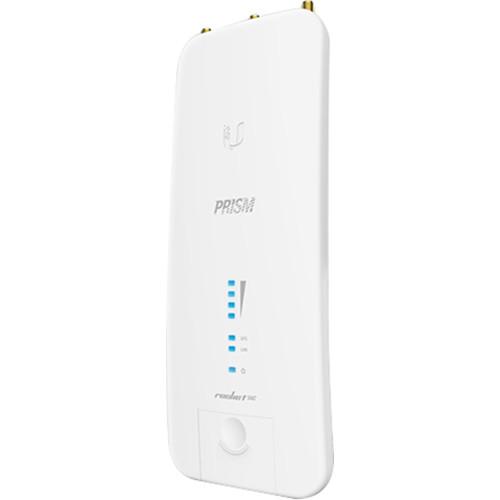
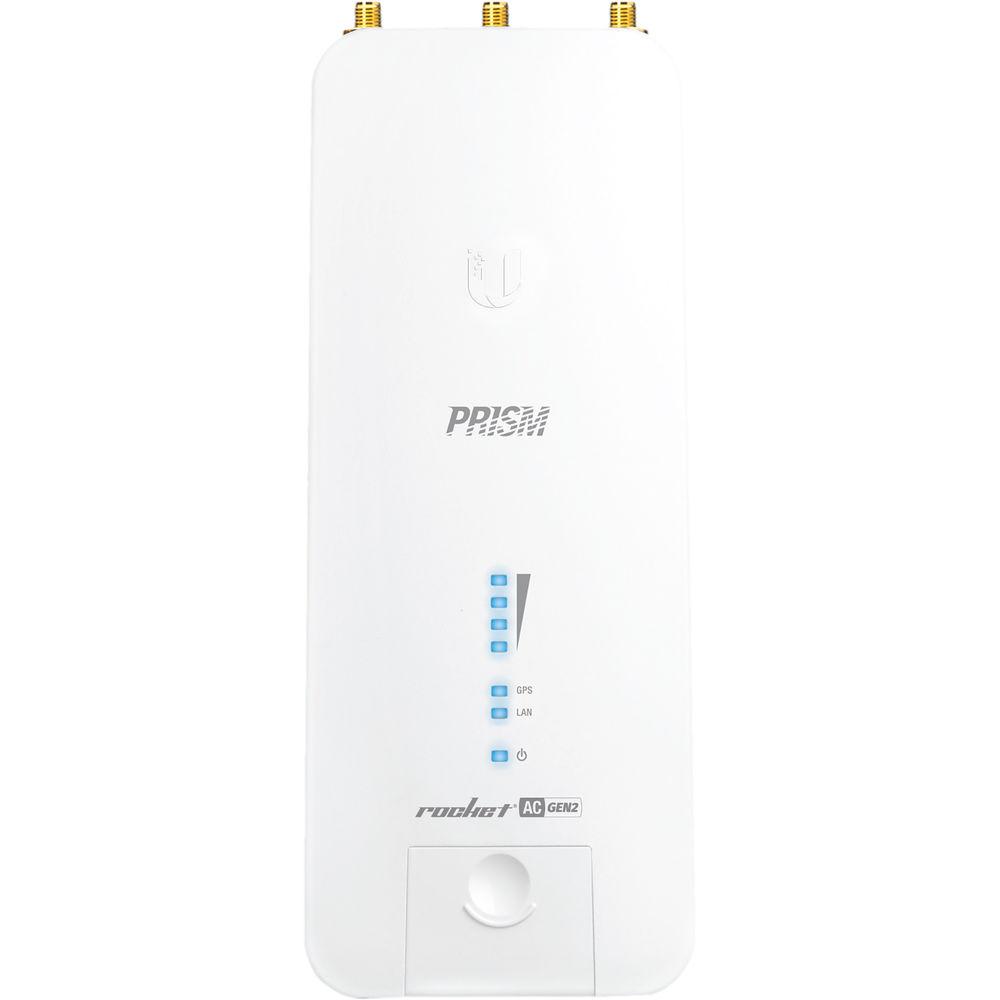
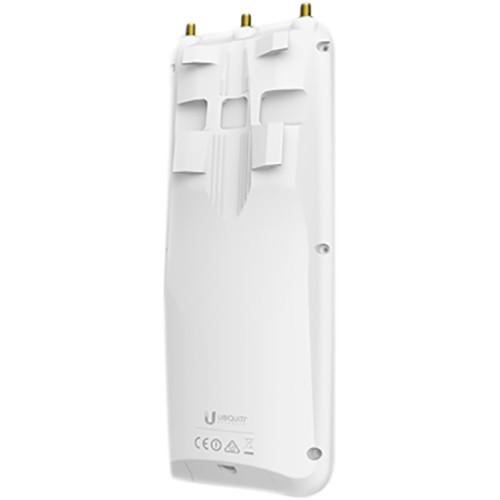
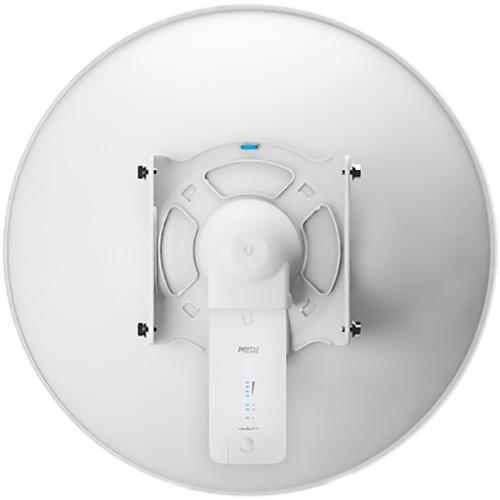
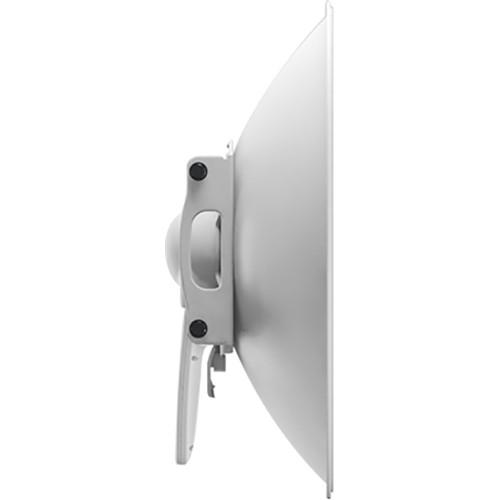
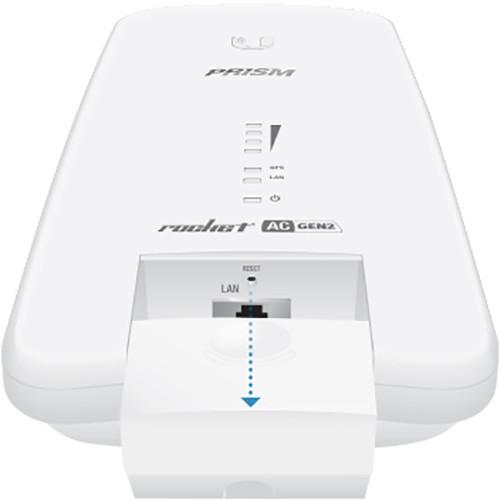
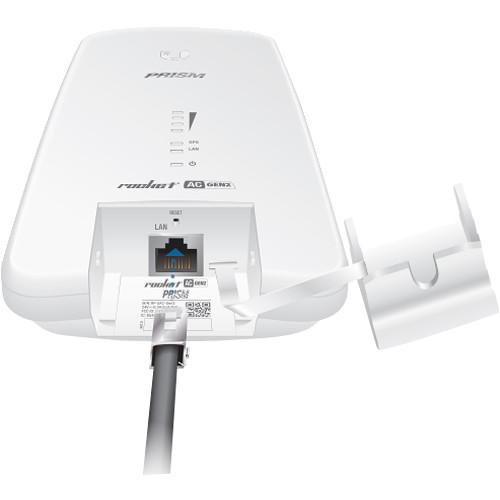
Product description Designed to mount and interface with the Ubiquiti Networks RocketDish, the RP-5AC-GEN2 rocket PRISM AC-Gen2 5 GHz airMAX ac Radio BaseStation from Ubiquiti Networks uses airMAX ac technology to provide up to 500+ Mbps throughput. With a die-cast aluminum enclosure, this BaseStation can be installed in some of the harshest conditions, allowing for the data signal to reach greater distances. Inside the enclosure, you will find an Atheros MIPS 74Kc processor complete with 128MB of DDR2 RAM for enhanced processing power to allow for a stronger, more stable signal. Ports on the BaseStation include one Gigabit Ethernet port and two waterproof RP-SMA RF connections to prevent against water damage.
The BaseStation is capable of operating in both Access Point and Station modes allowing you to configure it to suit a variety of networking needs. Integrated QoS functionality allocates network resources to provide enhanced streaming of data while the airMAX engine with custom IC improves TDMA latency. Improved TDMA latency greatly increases data throughput and provides enhanced network speeds. - Worldwide 5 GHz Coverage
- Deploy the Rocket Prism 5AC Gen 2 anywhere in the world. It delivers complete coverage of the 5 GHz spectrum with a single radio. The Rocket Prism 5AC Gen 2 allows for flexibility in configuring channel bandwidths (subject to local country regulations).
- airOS 8
- Powerful Wireless Features
• Access Point PtMP airMAX Mixed Mode
• airMAX ac Protocol Support
• Long-Range Point-to-Point (PtP) Link Mode
• Selectable Channel Width
- PtP: 10/20/30/40/50/60/80 MHz
- PtMP: 10/20/30/40 MHz
• Automatic Channel Selection
• Transmit Power Control: Automatic/Manual
• Automatic Distance Selection (ACK Timing)
• Strongest WPA2 Security
Usability Enhancements
• airMagic Channel Selection Tool
• Redesigned User Interface
• Dynamic Configuration Changes
• Instant Input Validation
• HTML5 Technology
• Optimization for Mobile Devices
• Detailed Device Statistics
• Comprehensive Array of Diagnostic Tools, including RF Diagnostics and airView Spectrum Analyzer
Advanced RF Analytics
airMAX ac devices feature a multi‑radio architecture to power a revolutionary RF analytics engine. An independent processor on the PCBA powers a second, dedicated radio, which persistently analyzes the full 5 GHz spectrum and every received symbol to provide you with advanced RF analytics capabilities.
Data from the spectrum analysis and RF performance monitoring is displayed on the Main tab and airView Spectrum Analyzer.
Real-Time Reporting
airOS 8 displays the following RF information:
• Persistent RF Error Vector Magnitude (EVM) constellation diagrams
• Signal, Noise, and Interference (SNI) diagrams
• Carrier to Interference-plus-Noise Ratio (CINR) histograms
Spectral Analysis
airView allows you to identify noise signatures and plan your networks to minimize noise interference. airView performs the following functions:
• Constantly monitors environmental noise
• Collects energy data points in real-time spectral views
• Helps optimize channel selection, network design, and wireless performance
airView runs in the background without disabling the wireless link, so there is no disruption to the network.
In airView, there are three spectral views, each of which represents different data.
• Waterfall Aggregate energy collected for each frequency
• Waveform Aggregate energy collected
• Ambient Noise Level Background noise energy shown as a function of frequency
airView provides powerful spectrum analyzer functionality, eliminating the need to rent or purchase additional equipment for conducting site surveys. - airMAX ac
- Unlike standard Wi-Fi protocol, Ubiquiti's Time Division Multiple Access (TDMA) airMAX ac protocol allows each client to send and receive data using pre-designated time slots scheduled by an intelligent AP controller.
This time slot method eliminates hidden node collisions and maximizes airtime efficiency, so airMAX ac technology provides performance improvements in latency, noise immunity, scalability, and throughput compared to other outdoor systems in its class.
Intelligent QoS Priority assigned to voice/video for seamless streaming.
Scalability High capacity and scalability.
Long Distance Capable of high‑speed, carrier-class links.
Enhanced Performance
The next-generation airMAX ac technology boosts the advantages of our proprietary TDMA protocol.
Ubiquiti's airMAX engine with custom IC dramatically improves TDMA latency and network scalability. The custom silicon provides hardware acceleration capabilities to the airMAX scheduler, to support the high data rates and dense modulation used in airMAX ac technology.
Throughput Breakthrough
airMAX ac supports high data rates, which require dense modulation:
256QAM - a significant increase from 64QAM, which is used in airMAX.
With their use of proprietary airMAX ac technology, airMAX ac products support up to 500+ Mbps (maximum 80 MHz channel width) real TCP/IP throughput - up to triple the throughput of standard airMAX products. - airPrism
- To enhance airMAX ac performance, Ubiquiti Networks introduces the patented airPrism technology, which is featured on the Rocket Prism 5AC Gen 2, model RP-5AC-Gen2.
Improves SNR
High data rates require a high Signal‑to‑Noise Ratio (SNR), which is challenging to achieve, especially in noisy, high‑density areas.
Integrated into Ubiquiti's custom silicon, airPrism technology creates a high SNR by isolating signals within the operating channel and rejecting interference using specialized circuitry, the High‑Selectivity Receiver (HSR).
Removes Interference
Depending on the product model and operating mode, available channel widths may include 10, 20, 30, 40, 50, 60, and/or 80 MHz.
Theoretically APs operate on different channels; however, because of the wider channel bandwidths, there can be overlap in spectrum usage.
airPrism technology removes up to an additional 30+ dB of adjacent channel interference through the active filtering design, so an airMAX ac AP with airPrism technology can provide significantly greater performance than a typical AP.
Facilitates AP Co-Location
Co-location is vital in many scenarios. For example, a WISP may have limited tower space, so it must co‑locate all APs within that allotted footprint. Shielding and other means can lessen interference but may be impractical.
By deploying airMAX ac APs with airPrism technology, you can co‑locate APs and enhance the overall performance of your wireless network. - UMobile App
- The RocketPrism 5AC Gen 2 integrates a separate Wi-Fi radio for fast and easy setup using your mobile device.
Accessing airOS via Wi-Fi
The UMobile App provides instant accessibility to the airOS configuration interface and can be downloaded from the App Store (iOS) or Google Play (Android). UMobile allows you to set up, configure, and manage the Rocket Prism 5AC Gen 2 and offers various configuration options once you're connected or logged in. - Rocket Prism AC GEN2
- The Rocket Prism 5AC Gen 2 is designed to deliver maximum spectral efficiency and up to 500+ Mbps Real TCP/IP throughput.
5 GHz Frequency Band
With plenty of available spectrum, this unlicensed band works well for long‑distance links. The Rocket Prism 5AC Gen 2 features full-band 5 GHz coverage and maximizes output power for the US market, meeting strict OOBE requirements.
airView
Use the real-time spectrum analyzer so you can identify noise signatures and design your wireless links to minimize noise interference.
High Performance
To take full advantage of its design and capabilities, deploy the Rocket Prism 5AC Gen 2 for PtP or PtMP links in high RF noise environments.
airPrism Sector Antenna
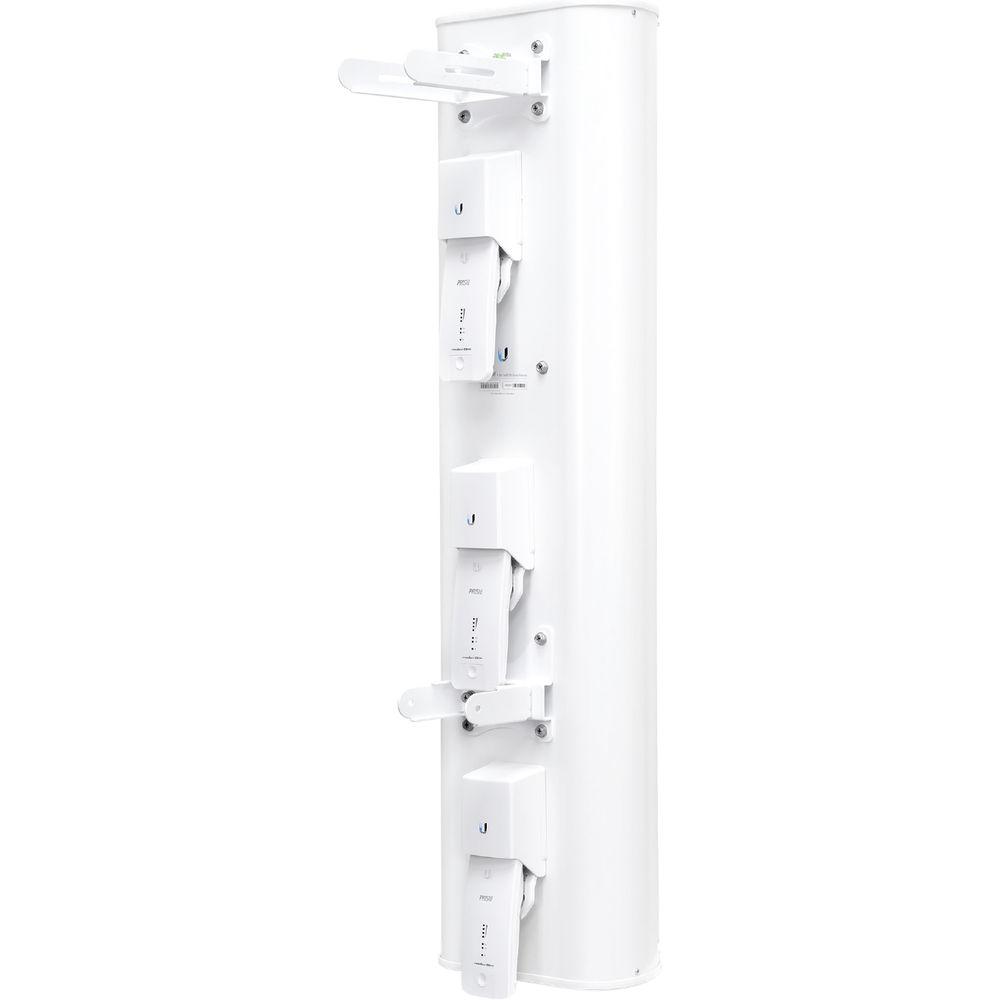
You can mount three Rocket Prism 5AC Gen 2 radios on the airPrism 5 GHz 3x30° HD Sector Antenna, model AP‑5AC‑90‑HD, for PtMP links. Each Rocket radio corresponds with a specific 30° beamwidth and independently transmits and receives.
Dedicated Management Radio
Access the airOS configuration interface instantly through the UMobile app to set up and manage your Rocket 5AC Prism Gen 2.
Robust Die Cast Aluminum Casing
Helps protect the Rocket Prism 5AC Gen 2 against electromagnetic interference.
GPS for Superior Co-Location Performance
Precise GPS frame synchronization enable co-located Rocket Prism 5AC Gen 2 radios to transmit and receive data without interfering with each other, allowing for better frequency reuse and increased network stability.
Improved Surge Protection
The Rocket Prism 5AC Gen 2 utilizes the latest ESD protection to help protect against power surges.
Gigabit Ethernet
Delivers high throughput over its wired connection.
Plug and Play
Every airMAX antenna has a built-in Rocket mount, so no tools are needed to install the Rocket Prism 5AC Gen 2. (airMAX ac antennas are recommended for optimal performance.) UPC: 817882020275 In the Box Ubiquiti Networks RP-5AC-GEN2 rocket PRISM AC-Gen2 5 GHz airMAX ac Radio BaseStation Limited 1-Year Warranty Table of Contents
|
Upload User Manual
Have you got an user manual for the Ubiquiti Networks RP-5AC-GEN2 rocket PRISM AC-Gen2 5 GHz airMAX ac Radio BaseStation in electronic form? Please send it to us and help us expand our library of instruction manuals.
Thank you, too, on behalf of other users.
To upload the product manual, we first need to check and make sure you are not a robot. After that, your "Submit Link" or "Upload File" will appear.
Technical parametersUbiquiti Networks RP-5AC-GEN2-US Specs | Networking Interface | 1 x 10/100/1000 Ethernet port | | RF Connectors | 2 x RP-SMA (waterproof)
1 x GPS (waterproof) | | LEDs | 4 x Signal Strength, GPS, Power, LAN
Software-adjustable to correspond to custom RSSI levels | | Enclosure | Die-cast aluminum with white powder coating | | Power Consumption | 9.5 W (max.) | | Power Supply | 24 V, 1 A Gigabit PoE adapter (included) | | Power Method | Passive PoE (Pairs 4, 5+; 7, 8 Return) | | Processor | Atheros MIPS 74Kc | | Memory | 128 MB DDR2 SDRAM | | Voltage Range | 18-26 VDC | | Channel Sizes | PtP Mode
10/20/30/40/50/60/80 MHz
PtMP Mode
10/20/30/40 MHz | | ESD/EMP Protection |
Rating100% users recommend this product to others. And what about you?

This product has already been rated by 45 owners. Add your rating and experience with the product.
Discussion
 Ask our technicians if you have a problem with your settings,
or if anything is unclear in the user manual you have downloaded.
You can make use of our moderated discussion.
The discussion is public and helps other users of our website who may be encountering similar problems.
Ask our technicians if you have a problem with your settings,
or if anything is unclear in the user manual you have downloaded.
You can make use of our moderated discussion.
The discussion is public and helps other users of our website who may be encountering similar problems.
Post new comment to Ubiquiti Networks RP-5AC-GEN2 rocket PRISM AC-Gen2 5 GHz airMAX ac Radio BaseStation
| Subject: Rocket Prism AC 5GHz RP-5AC-Gen2 user manual | | Date: 25.08.2022 05:44:09 | Name: Wane | Dear Sir,
I have bought one Rocket Prism AC 5GHz RP-5AC-Gen2, can you send me the user manual to know the settings
Thanks. | | Post reply |
Post a new topic / query / comment:
|
|
|
| Request for user manual |
You can’t find the operation manual you are looking for? Let us know and we will try to add the missing manual:
I’m looking for a manual / Request for manual
Current requests for instruction manuals:
Call Of Duty World War Two For Xbox...
controller stratus XL...
stratus XL...
smart whatch serie S11 42mm...
Allen & Heath SQ-6 manual...
|
| Discussion |
Latest contributions to the discussion:
AEW R 4100
Name: MAURICIO ANGARITA
Audio-Technica AEW-R4100 UHF Diversity Receiver for
AEW R 4100 has the mute function blocked and does not allow audio to pass. I tried several times to turn off the mute from the transmitter but it does nothing, the mute stays on. Solution?
Thank you...
Instructions for assembling the 2015 Forecast Image Master Consoles GC3-A
Name: mike elam
Forecast Consoles GC3-A ImageMaster Editing Console
Looking for instructions for assembling this console. ...
EMPTY TONER ERROR MESSAGE AFTER REPLACING TONER
Name: LINDA BAD YELLOW EYES
Brother TN223BK Standard-Yield Toner
I HAD TO CHANGE OUT ALL THREE TONERS DUE TO LEAKS IN THE YELLOW AND CYAN. AFTER I REPLACED THEM, THE MACHINE KEEPS GIVING ME AN EMPTY TONER ERROR MESSAGE. HELP!!...
PS480D 20/24 pin Switching 480W Power Supply
Name: swkargo
Logisys 480W Power Supply
This item states in can run -5vdc .It is NOT listed on the board or I beleive is r4 is missing the resitior. Any body have thid issue. Shawn
...
Help needed
Name: Ann Carter
SanDisk 1TB Extreme Portable USB 3.1
When I click the link to download the user manual for my Sandisk Extreme external hard drive, it gives me the manual for the LG Cricket. Can you please change the link so I can download the Sandisk manual and begin using this drive? Thank you....
|
|


