|
User Manual for Ubiquiti Networks UniFi nanoHD 4x4 MU-MIMO 802.11ac Wave-2 Access Point Click to enlarge the picture
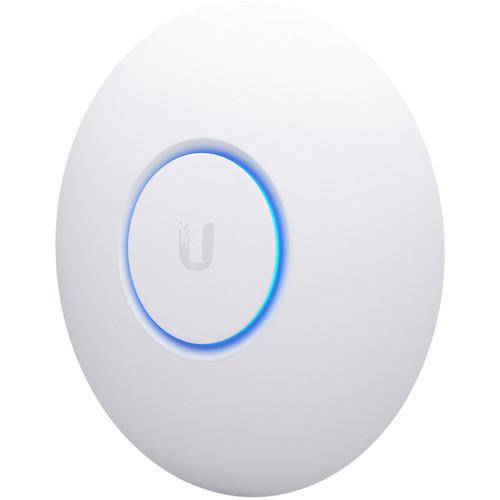 Contents of the user manual for the Ubiquiti Networks UniFi nanoHD 4x4 MU-MIMO
- Product category: Wireless Access Points Ubiquiti Networks
- Brand: Ubiquiti Networks
- Description and content of package
- Technical information and basic settings
- Frequently asked questions – FAQ
- Troubleshooting (does not switch on, does not respond, error message, what do I do if...)
- Authorized service for Ubiquiti Networks Wireless Access Points
 |
User manual for the Ubiquiti Networks UniFi nanoHD 4x4 MU-MIMO contain basic instructions
that need to be followed during installation and operation.
Before starting your appliance, the user manual should be read through carefully.
Follow all the safety instructions and warnings, and be guided by the given recommendations.
User manual is an integral part of any Ubiquiti Networks product,
and if it is sold or transferred, they should be handed over jointly with the product.
Following the instructions for use is an essential prerequisite for protecting
health and property during use, as well as recognition of liability on the part of the manufacturer
for possible defects should you make a warranty claim. Download an official Ubiquiti Networks user manual in which you will find instructions on how to install, use, maintain and service your product.
And do not forget – unsuitable use of a Ubiquiti Networks product will considerably shorten its lifespan!
|
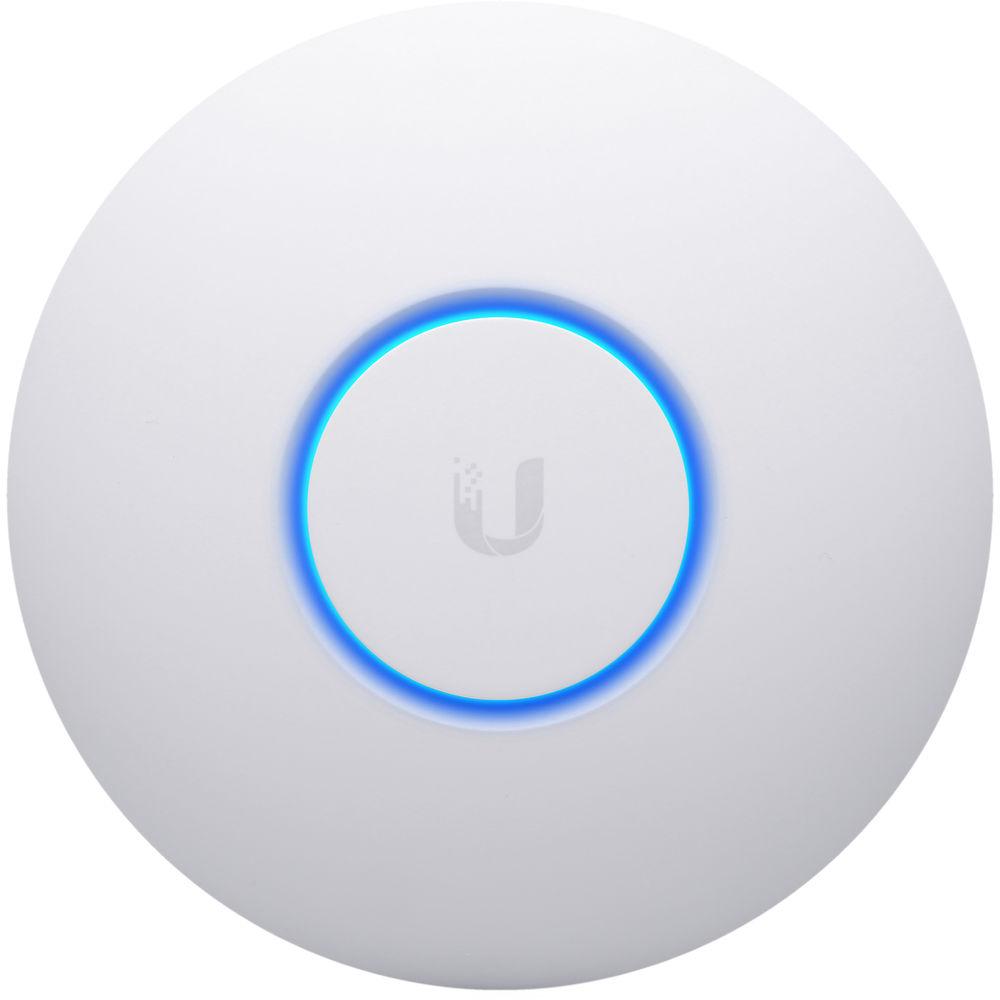
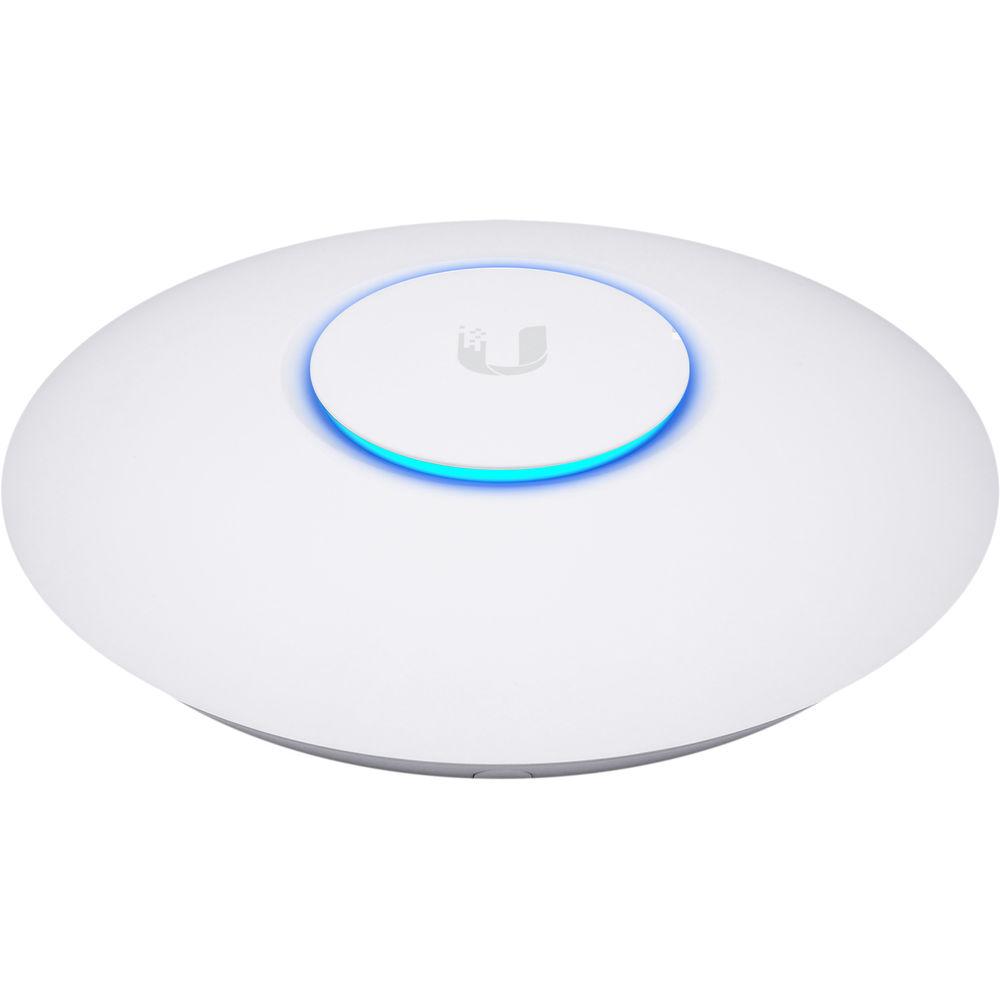
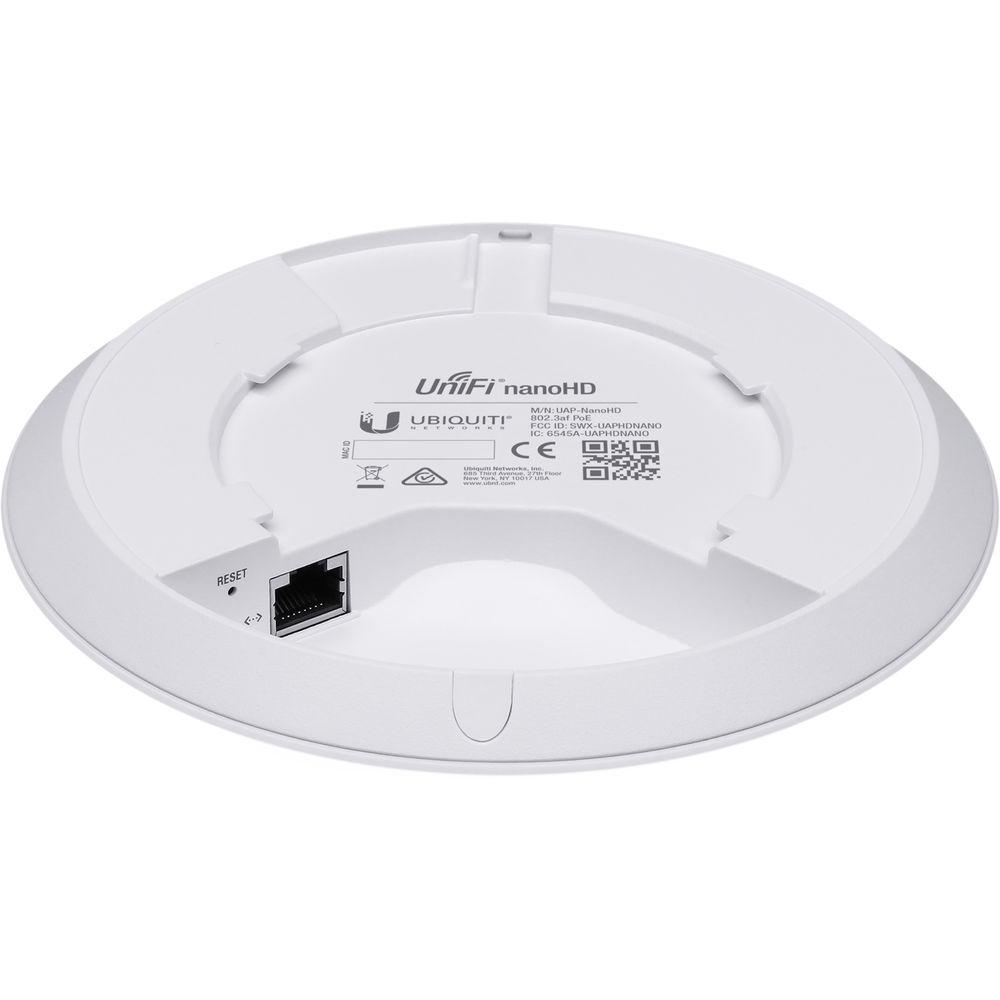
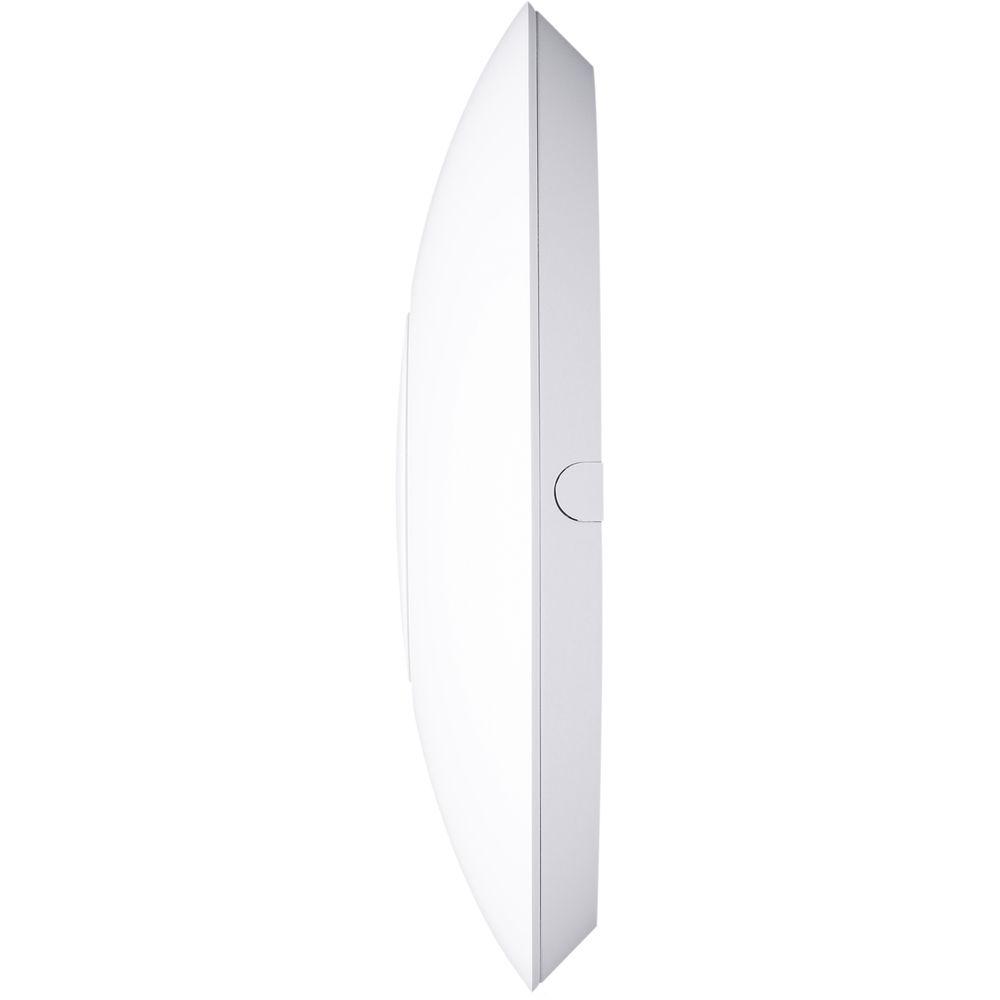
Product description Ubiquiti Networks Access Points Go Nano Read More Discretely install the UniFi nanoHD 4x4 MU-MIMO 802.11ac Wave-2 Access Point from Ubiquiti Networks into nearly any building environment, thanks to the optional skins which come in a variety of designs including camouflage, concrete, marble, wood, black and fabric. This Ubiquiti Networks AP also comes equipped with a single Gigabit Ethernet 802.3af PoE-compliant network port and includes mounting kits for easy installation to either the wall or ceiling.
Regardless of the design you choose, this AP provides enhanced network connectivity with support for the 802.11ac Wave-2 networking standard supporting data transfer rates of up to 1733 Mb/s. Additionally, the nanoHD access point operates on both the 2.4 GHz and 5 GHz frequencies along with built-in MU-MIMO technology providing multiple pathways to the network to help alleviate congestion.
As with many other Ubiquiti Networks components, the nanoHD supports the intuitive UniFi Controller Software allowing network administrators to manage the network using tools like detailed analytics, wireless uplink capabilities, guest portal/hotspot support, and more all of which can be accessed via the detailed user dashboard. - Save Money and Save Time
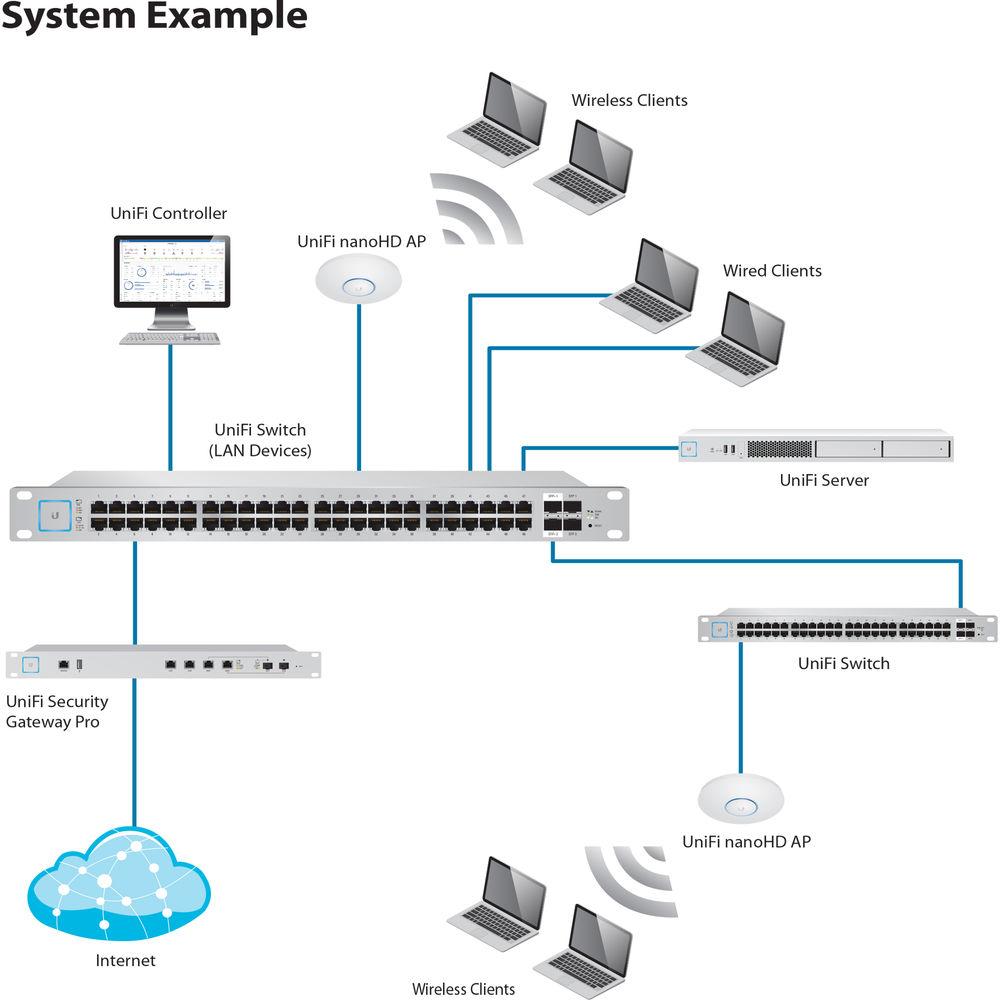
- UniFi comes bundled with a non-dedicated software controller that can be deployed on an on-site PC, Mac, or Linux machine; in a private cloud; or using a public cloud service. You also have the option of deploying the compact UniFi Cloud Key with built-in software.
- Powerful Hardware
- The UniFi nanoHD AP features Wi-Fi 802.11ac Wave 2 MU-MIMO technology.
- Intuitive UniFi Controller Software
- Configure and manage your APs with the easy-to-learn user interface.
- Expandable
- Build wireless networks as big or small as needed. Start with one (or upgrade to a five-pack) and expand to thousands while maintaining a single unified management system.
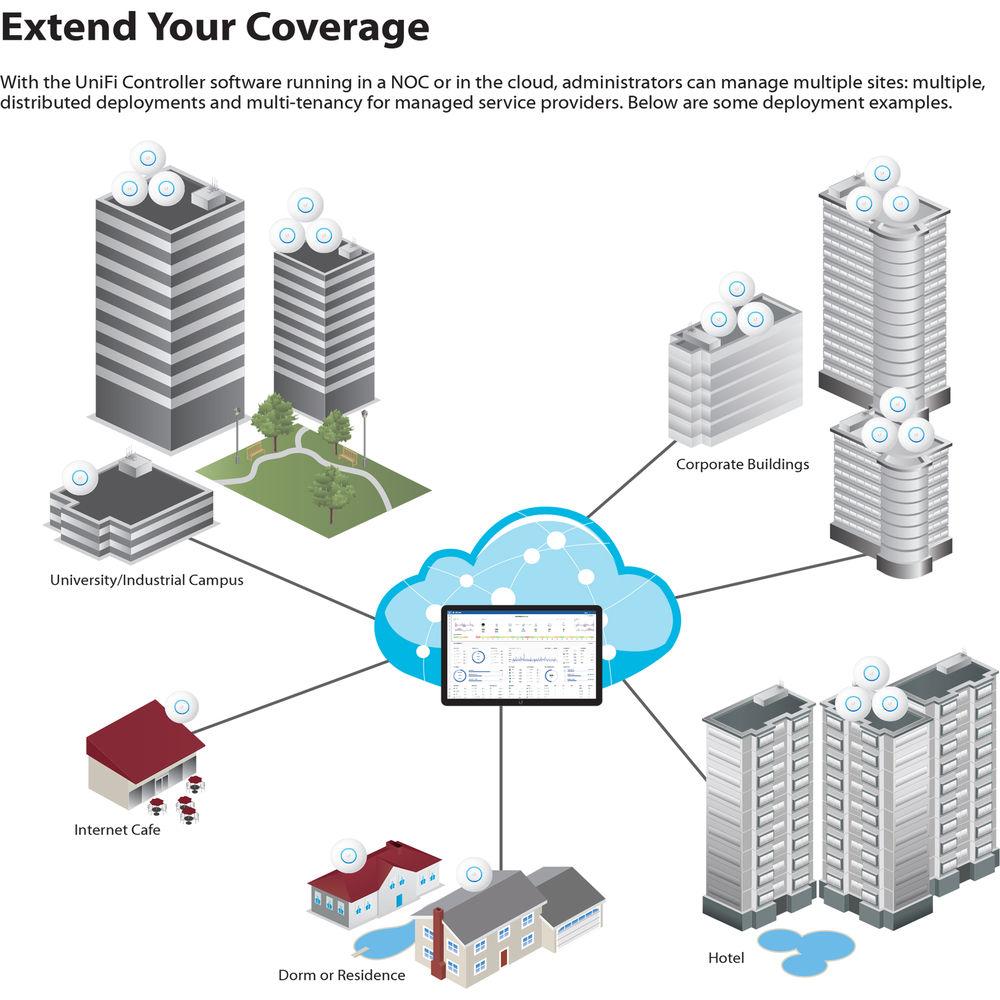
- Extend Your Coverage
- With the UniFi Controller software running in a NOC or in the cloud, administrators can manage multiple sites: multiple, distributed deployments, and multi-tenancy for managed service providers.
- UniFi Controller
- Use the UniFi Controller to provision thousands of UniFi APs, map out networks, quickly manage system traffic, and provision additional UniFi APs.
View Your RF Environment
Use the RF environment functionality of the UniFi nanoHD AP to detect and troubleshoot nearby interference, analyze radio frequencies, choose optimal AP placement, and configure settings.
Powerful RF Performance Features
Advanced RF performance and configuration features include spectral analysis, airtime fairness, and band steering.
Detailed Analytics
Use the configurable reporting and analytics to manage large user populations and expedite troubleshooting.
Wireless Uplink
Wireless Uplink functionality enables wireless connectivity between APs for extended range. One wired UniFi AP uplink supports up to four wireless downlinks on a single operating band, allowing wireless adoption of devices in their default state and real-time changes to network topology.
Guest Portal/Hotspot Support
Easy customization and options for Guest Portals include authentication, Hotspot setup, and the ability to use your own external portal server. Use UniFi's rate limiting for your Guest Portal/Hotspot package offerings. Apply different bandwidth rates (download/upload), limit total data usage, and limit duration of use.
All UniFi APs include hotspot functionality:
- Built-in support for billing integration using major credit cards.
- Built-in support for voucher-based authentication.
- Built-in Hotspot Manager for voucher creation, guest management, and payment refunds.
- Full customization and branding of hotspot portal pages.
Multi-Site Management
A single UniFi Controller running in the cloud can manage multiple sites: multiple, distributed deployments and multi-tenancy for managed service providers. Each site is logically separated and has its own configuration, maps, statistics, guest portal, and administrator read/write and read-only accounts.
WLAN Groups
The UniFi Controller can manage flexible configurations of large deployments. Create multiple WLAN groups and assign them to an AP's radio. Each WLAN can be VLAN tagged. Dynamic VLAN tagging per Wi-Fi station (or RADIUS VLAN) is also supported.
RF Map
Monitor UniFi APs and analyze the surrounding RF environment.
Insights
UniFi displays the client types for a specific time period.
UniFi Mobile App
Manage your UniFi devices from your smartphone or tablet. - 802.11ac Technology
- Initial 802.11ac Wave 1 SU-MIMO (Single-User, Multiple Input, Multiple Output) technology allows an earlier-generation AP, such as the UniFi AC Pro AP, to communicate with only one client at a time.
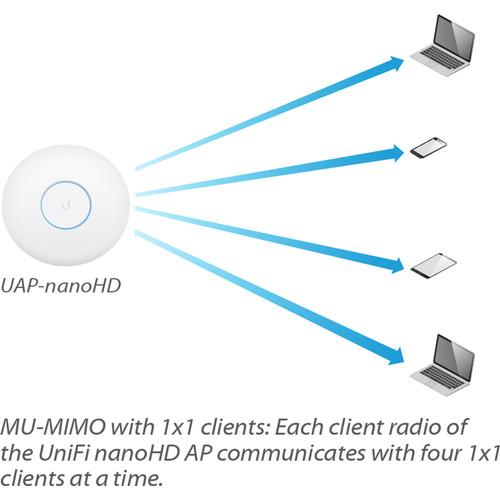
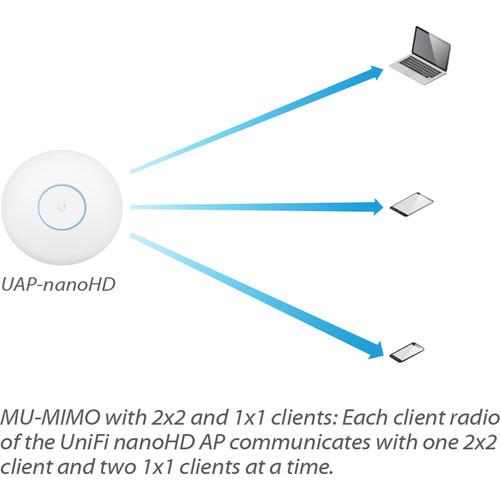
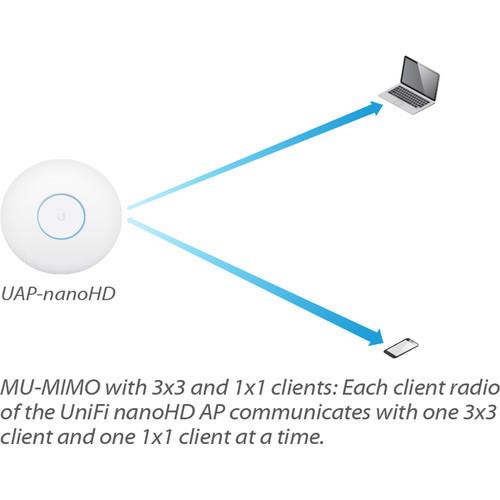
802.11ac Wave 2 MU-MIMO (Multi-User, Multiple Input, Multiple Output) technology allows a Wave 2 AP, such as the UniFi nanoHD AP, to communicate with multiple clients at the same time, significantly increasing multiuser throughput and overall user experience. - High-Density Scenarios
- For high-density environments, such as a theater where there are numerous clients in a relatively small space, we recommend the UniFi nanoHD AP when a minimal footprint is also required.
Both Wave 1 and Wave 2 APs offer 28 independent (non-overlapping) channels: three for the 2.4 GHz band and twenty-five for the 5 GHz band, including DFS channels.
When you use the 2.4 GHz band in a high-density location, you encounter self-interference and channel saturation. When you use the 5 GHz band, you can deploy smaller cells (coverage areas), so you can support more clients in any cell that deploys more than one AP.
With the advantages of MU-MIMO technology and 4x4 spatial streams, the UniFi nanoHD AP can support more than triple the number of users than a typical Wave 1 AP. - Hardware Overview
- Deploy the UniFi nanoHD AP in high-density environments requiring maximum wireless performance and minimal footprint. The UniFi nanoHD AP features simultaneous, dual-band, 4x4 MU-MIMO technology, and convenient 802.3af PoE compatibility.
Low-Profile Mounting
The UniFi nanoHD AP's low-profile ceiling mount (sold separately) allows you to seamlessly integrate the AP into its environment.
Compact Form Factor
The compact design delivers a cost-effective combination of value and performance.
LED
The unique LED provisioning ring provides administrator location tracking and alerts for each device.
Power over Ethernet (PoE) Standard
The UniFi nanoHD AP can be powered by an 802.3af PoE compliant switch. Ubiquiti recommends powering your UniFi devices with a UniFi PoE Switch (sold separately). The UniFi nanoHD AP is compatible with all UniFi PoE Switches and 48V adapters.
Superior Processing Power
The UniFi nanoHD AP is capable of complex operations (guest control, filtering, and other resource-intensive tasks) that may slow down a lesser-equipped AP. - Designed for Seamless Integration
- Optional skins (sold separately) allow the UniFi nanoHD AP to discreetly blend into its setting.
UPC: 817882025034 In the Box Ubiquiti Networks UniFi nanoHD 4x4 MU-MIMO 802.11ac Wave-2 Access Point (3-Pack) Mounting Bracket Ceiling Backing Plate 4 x Screws 4 x Flat Head Screws 4 x Keps Nuts 4 x Screw Anchors Limited 1-Year Warranty Table of Contents
|
Upload User Manual
Have you got an user manual for the Ubiquiti Networks UniFi nanoHD 4x4 MU-MIMO 802.11ac Wave-2 Access Point in electronic form? Please send it to us and help us expand our library of instruction manuals.
Thank you, too, on behalf of other users.
To upload the product manual, we first need to check and make sure you are not a robot. After that, your "Submit Link" or "Upload File" will appear.
Technical parametersUbiquiti Networks nanoHD Specs | Ethernet Networking Interfaces | 1 x 10/100/1000 Ethernet port | | Buttons | Reset | | Power Method | 802.3af PoE | | Power Supply | UniFi Switch (PoE) | | Maximum Power Consumption | 10.5 W | | Supported Voltage | 44 to 57 VDC | | TX Power | 2.4 GHz: 23 dBm
5 GHz: 26 dBm | | MIMO Technology | 2.4 GHz: 2x2
5 GHz: 4x4 | | Data Rates | 2.4 GHz: 300 Mb/s
5 GHz: 1733 Mb/s | | Antennas | 2.4 GHz: 2.8 dBi
5 GHz: 3 dBi | | Wi-Fi Standards | 802.11a/b/g/n/ac/ac-wave2 | | Wireless Security | WEP, WPA-PSK, WPA-Enterprise (WPA/WPA2, TKIP/AES) | | BSSID | 8 per radio | | Mounting | Wall/ceiling (kits included) | | Temperature & Humidity | Operating Temperature: 14 to 158°F / -10 to 70°C
Operating Humidity: 5 to 95% non-condensing | | Certifications | CE, FCC, IC | | Traffic Management and QoS | VLAN: 802.1Q
Advanced QoS: Per-user rate limiting
Guest Traffic Isolation: Supported
WMM: Voice, video, best effort, and background
Concurrent Clients: 200+ | | Supported Data Rates (Mbps) | 802.11a: 6, 9, 12, 18, 24, 36, 48, 54 Mb/s
802.11n: 6.5 to 300 Mb/s (MCS0 - MCS15, HT 20/40)
802.11ac: 6.5 Mb/s to 1.7 Gb/s (MCS0 - MCS9 NSS1/2/3/4, VHT 20/40/80/160)
802.11b: 1, 2, 5.5, 11 Mb/s
802.11g: 6, 9, 12, 18, 24, 36, 48, 54 Mb/s | | Dimensions | 6.30 x 6.30 x 1.29" / 160.00 x 160.00 x 32.65 | | Weight | AP: 10.6 oz / 300 g
With Mounting Kits: 11.1 oz / 315 g | | | | Package Weight | 3.93 lb | | Box Dimensions (LxWxH) | 9.75 x 8.25 x 6.5" |
Rating100% users recommend this product to others. And what about you?

This product has already been rated by 64 owners. Add your rating and experience with the product.
Discussion
 Ask our technicians if you have a problem with your settings,
or if anything is unclear in the user manual you have downloaded.
You can make use of our moderated discussion.
The discussion is public and helps other users of our website who may be encountering similar problems.
Ask our technicians if you have a problem with your settings,
or if anything is unclear in the user manual you have downloaded.
You can make use of our moderated discussion.
The discussion is public and helps other users of our website who may be encountering similar problems.
The discussion is empty - enter the first post
Post a new topic / query / comment:
|
|
|
| Request for user manual |
You can’t find the operation manual you are looking for? Let us know and we will try to add the missing manual:
I’m looking for a manual / Request for manual
Current requests for instruction manuals:
Call Of Duty World War Two For Xbox...
controller stratus XL...
stratus XL...
smart whatch serie S11 42mm...
Allen & Heath SQ-6 manual...
|
| Discussion |
Latest contributions to the discussion:
AEW R 4100
Name: MAURICIO ANGARITA
Audio-Technica AEW-R4100 UHF Diversity Receiver for
AEW R 4100 has the mute function blocked and does not allow audio to pass. I tried several times to turn off the mute from the transmitter but it does nothing, the mute stays on. Solution?
Thank you...
Instructions for assembling the 2015 Forecast Image Master Consoles GC3-A
Name: mike elam
Forecast Consoles GC3-A ImageMaster Editing Console
Looking for instructions for assembling this console. ...
EMPTY TONER ERROR MESSAGE AFTER REPLACING TONER
Name: LINDA BAD YELLOW EYES
Brother TN223BK Standard-Yield Toner
I HAD TO CHANGE OUT ALL THREE TONERS DUE TO LEAKS IN THE YELLOW AND CYAN. AFTER I REPLACED THEM, THE MACHINE KEEPS GIVING ME AN EMPTY TONER ERROR MESSAGE. HELP!!...
PS480D 20/24 pin Switching 480W Power Supply
Name: swkargo
Logisys 480W Power Supply
This item states in can run -5vdc .It is NOT listed on the board or I beleive is r4 is missing the resitior. Any body have thid issue. Shawn
...
Help needed
Name: Ann Carter
SanDisk 1TB Extreme Portable USB 3.1
When I click the link to download the user manual for my Sandisk Extreme external hard drive, it gives me the manual for the LG Cricket. Can you please change the link so I can download the Sandisk manual and begin using this drive? Thank you....
|
|


