|
User Manual for Video Copilot Optical Flares Plug-In Click to enlarge the picture
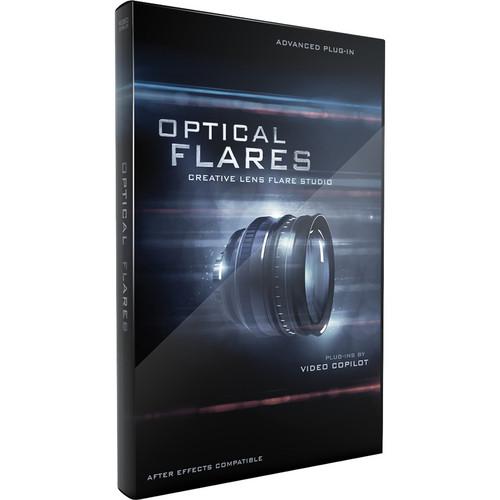 Contents of the user manual for the Video Copilot Optical Flares Plug-In
- Product category: Video Editing Plug-Ins Video Copilot
- Brand: Video Copilot
- Description and content of package
- Technical information and basic settings
- Frequently asked questions – FAQ
- Troubleshooting (does not switch on, does not respond, error message, what do I do if...)
- Authorized service for Video Copilot Video Editing Plug-Ins
|
User manual for the Video Copilot Optical Flares Plug-In contain basic instructions
that need to be followed during installation and operation.
Before starting your appliance, the user manual should be read through carefully.
Follow all the safety instructions and warnings, and be guided by the given recommendations.
User manual is an integral part of any Video Copilot product,
and if it is sold or transferred, they should be handed over jointly with the product.
Following the instructions for use is an essential prerequisite for protecting
health and property during use, as well as recognition of liability on the part of the manufacturer
for possible defects should you make a warranty claim. Download an official Video Copilot user manual in which you will find instructions on how to install, use, maintain and service your product.
And do not forget – unsuitable use of a Video Copilot product will considerably shorten its lifespan!
|
Product description The Video Copilot Optical Flares Plug-in enables you to design and animate realistic lens flares in After Effects, and comes with 60 built-in, real lens inspired presets and tutorials (over 90 min). It is suitable for use in applications such as 3D animation, motion graphics, commercials, and music videos. You can also use it for, graphic transitions, compositing, special effects, and combine it with particle effects. Equipped with an intuitive design interface, the Optical Flares Plug-in comes with 12 unique lens objects and 50 custom lens objects, and allows you to rename and rearrange them. The interface also features integrated copy-paste function, and supports duplicate objects and undo/redo. It also features a large pop-out preview window and can show BG in preview window. The Optical Flares Plug-in incorporates 3D lens flares with AE lights, live visual preset library, and dynamic triggering of animations. In addition to chromatic aberration, it supports real textures and up to 32 bpc color. The preset browser allows you to share and swap presets, and save all settings in a single place. You can also save and reuse individual objects, and expand and build new presets. Using the Optical Flares Plug-in, you can add final touches to motion graphics, realism to your virtual sets, and flares to live action footage. It allows you to simulate concert or stadium lighting, visible atmosphere with lighting, and bright lights in your scenes. You can also build a virtual light array for music videos and blend 3D animations. In addition to support for fake volumetric lighting, the plug-in enables you to draw focus to a product or graphic, and accentuate highlights or contours. - Enables you to design and animate realistic lens flares in After Effects
- 60 built-in, real lens inspired presets
- 5 Video Tutorials training by Video Copilot president and founder Andrew Kramer (over 90 min) - teaches usage of optical flares with real world examples and thorough information on making complex lens flare presets from scratch
- Suitable for use in applications such as 3D animation, motion graphics, commercials, and music videos; you can also use it for, graphic transitions, compositing, special effects, and combine it with particle effects
- Equipped with an intuitive design interface
- Comes with 12 unique lens objects and 50 custom lens objects
- Allows you to rename and rearrange lens objects
- Integrated copy-paste function
- Supports duplicate objects and undo/redo
- Large pop-out preview window
- Can show BG in preview window
- 3D lens flares with AE lights - automatically calculate size and intensity based on your 3D lights; generate lens flares from AE 3D lights
- Live visual preset library
- Dynamic triggering of animations - Recreate organic animation with various trigger types and trigger area can be previewed for precise animations
- Chromatic aberration - enables you to simulate realistic color bleeding around the outside of the lens; helps make the lens flares look more organic and natural
- Supports real textures - 25 built-in textures; add realism with lens artifacts from actual photographic elements to create genuine lens flares
- Preset browser - allows you to share and swap presets, and save all settings in a single place; save and reuse individual objects and expand and build new presets
- Add final touches to motion graphics, realism to your virtual sets, and flares to live action footage
- Allows you to simulate concert or stadium lighting, visible atmosphere with lighting, and bright lights in your scenes
- Build a virtual light array for music videos and blend 3D animations
- Support for fake volumetric lighting
- Allows you to draw focus to a product or graphic and accentuate highlights or contours
- On-Lens Simulations - simulates dust and scratches on your lens that can be seen by the light source
- 3D Occlusion - works with 2D and 3D layers. Obscures layers by alpha and gamma to simulate light source going behind objects in the foreground.
- Luminance Tracking - generates a lens flare from bright spots in your video such as a particle system or matte layer
- Mask Positioning - animates lens flares along the contour of complex shapes with ease
- Auto-Shimmering - adds smooth flowing shimmer to elements with self-propelling animation
- Chromatic Aberration - simulates realistic color bleeding around the outside of the lens
- Light Flickering - makes lights appear more energetic with random light flickering featuring a unique seed for each light source
- 32 Bit & GPU Ready - renders up to 32 bpc offering high color fidelity as well as enhanced speed with graphics card acceleration
- Flexible Core Objects - helps build lens flares with the use of 12 powerful core objects
- Precise Translating - controls the position of each object with distance, offset and custom translation
Table of Contents
|
Upload User Manual
Have you got an user manual for the Video Copilot Optical Flares Plug-In in electronic form? Please send it to us and help us expand our library of instruction manuals.
Thank you, too, on behalf of other users.
To upload the product manual, we first need to check and make sure you are not a robot. After that, your "Submit Link" or "Upload File" will appear.
Technical parametersVideo Copilot Optical Flares Specs | | | Delivery Method | Download | | Version | Standard | | Number of Users Supported | 1 |
Rating90% users recommend this product to others. And what about you?

This product has already been rated by 43 owners. Add your rating and experience with the product.
Discussion
 Ask our technicians if you have a problem with your settings,
or if anything is unclear in the user manual you have downloaded.
You can make use of our moderated discussion.
The discussion is public and helps other users of our website who may be encountering similar problems.
Ask our technicians if you have a problem with your settings,
or if anything is unclear in the user manual you have downloaded.
You can make use of our moderated discussion.
The discussion is public and helps other users of our website who may be encountering similar problems.
The discussion is empty - enter the first post
Post a new topic / query / comment:
|
|
|
| Request for user manual |
You can’t find the operation manual you are looking for? Let us know and we will try to add the missing manual:
I’m looking for a manual / Request for manual
Current requests for instruction manuals:
Call Of Duty World War Two For Xbox...
controller stratus XL...
stratus XL...
smart whatch serie S11 42mm...
Allen & Heath SQ-6 manual...
|
| Discussion |
Latest contributions to the discussion:
AEW R 4100
Name: MAURICIO ANGARITA
Audio-Technica AEW-R4100 UHF Diversity Receiver for
AEW R 4100 has the mute function blocked and does not allow audio to pass. I tried several times to turn off the mute from the transmitter but it does nothing, the mute stays on. Solution?
Thank you...
Instructions for assembling the 2015 Forecast Image Master Consoles GC3-A
Name: mike elam
Forecast Consoles GC3-A ImageMaster Editing Console
Looking for instructions for assembling this console. ...
EMPTY TONER ERROR MESSAGE AFTER REPLACING TONER
Name: LINDA BAD YELLOW EYES
Brother TN223BK Standard-Yield Toner
I HAD TO CHANGE OUT ALL THREE TONERS DUE TO LEAKS IN THE YELLOW AND CYAN. AFTER I REPLACED THEM, THE MACHINE KEEPS GIVING ME AN EMPTY TONER ERROR MESSAGE. HELP!!...
PS480D 20/24 pin Switching 480W Power Supply
Name: swkargo
Logisys 480W Power Supply
This item states in can run -5vdc .It is NOT listed on the board or I beleive is r4 is missing the resitior. Any body have thid issue. Shawn
...
Help needed
Name: Ann Carter
SanDisk 1TB Extreme Portable USB 3.1
When I click the link to download the user manual for my Sandisk Extreme external hard drive, it gives me the manual for the LG Cricket. Can you please change the link so I can download the Sandisk manual and begin using this drive? Thank you....
|
|


