|
User Manual for Vienna Symphonic Library Instruments PRO 2 Click to enlarge the picture
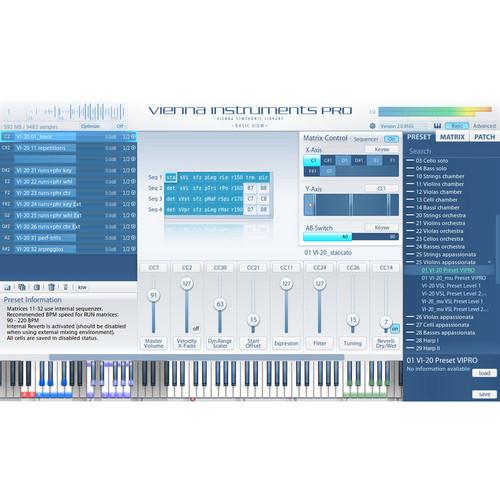 Contents of the user manual for the Vienna Symphonic Library Instruments PRO 2
- Product category: Virtual Instruments Vienna Symphonic Library
- Brand: Vienna Symphonic Library
- Description and content of package
- Technical information and basic settings
- Frequently asked questions – FAQ
- Troubleshooting (does not switch on, does not respond, error message, what do I do if...)
- Authorized service for Vienna Symphonic Library Virtual Instruments
 |
User manual for the Vienna Symphonic Library Instruments PRO 2 contain basic instructions
that need to be followed during installation and operation.
Before starting your appliance, the user manual should be read through carefully.
Follow all the safety instructions and warnings, and be guided by the given recommendations.
User manual is an integral part of any Vienna Symphonic Library product,
and if it is sold or transferred, they should be handed over jointly with the product.
Following the instructions for use is an essential prerequisite for protecting
health and property during use, as well as recognition of liability on the part of the manufacturer
for possible defects should you make a warranty claim. Download an official Vienna Symphonic Library user manual in which you will find instructions on how to install, use, maintain and service your product.
And do not forget – unsuitable use of a Vienna Symphonic Library product will considerably shorten its lifespan!
|
Product description Vienna Instruments PRO 2 from the Vienna Symphonic Library is a dynamic and flexible sample player that's designed to dramatically boost your productivity, while also quickening and simplifying your creative process. The powerful sample player features a laundry list of innovative ideas and functions that will undoubtedly revolutionize how you take advantage of your virtual orchestra.Vienna Instruments PRO 2 is based on the Vienna Symphonic Library's proprietary audio engine, but the PRO 2 version features advances in human touch and human behavior when constructing music with a virtual orchestra. Like previous Vienna sample players, Instruments PRO 2 allows you to customize every preset and all articulations, so that the player directly reflects your ideal methods for creating music. This sample player lets you customize how it works for you, but it also affords a plethora of selected features for improving the creative process and overall sound of your virtual music.The Human Performance Control allows you to adjust the timing and intonation of your virtual musicians, which really brings the sounds to life. You can also stack multiple layers of instruments in a single instance and play them with polyphonic legato, which further humanizes your virtual arrangements. Plus, with the touch of a single fader, each virtual sample and performance can be acutely controlled to ensure the utmost accuracy in real-time. This type of control over your virtual musicians further enhances the human feel and touch you can inject into your virtual performances. The sample player even affords options for tuning scales, which lets you use controllers to switch scales while you're playing.The Vienna Instruments PRO 2 Graphic User Interface (GUI) is also amazingly flexible. You can use the Basic View for a simple overview or the Advanced View for a display of all important parameters in the same window. This sample player features improved loading times as well. You can even play your sounds while the sample patches are still loading. Instruments PRO 2 also features an updated browser with a useful search function, as well as a separate volume control and equalizer for each matrix. There are even slot racks for up to eight articulations per cell with added patch control from a volume slider and power panning function.To improve your virtual orchestra sound quality even more, Vienna Instruments PRO 2 utilizes Time Stretching, which works well on staccatos, runs and crescendos. The sample player also boasts a built-in reverb that's algorithmic for low latency. It supports several options for switching articulations and customizing personal work-flow patches as well. Plus, Vienna Instruments PRO 2 includes an incredibly flexible 128-key virtual keyboard display that reveals all key switches. It also features adjustable volume zones, as well as instrument ranges for stacked instruments. With so many time-saving, flexible tools and the Human Performance Control, it's hard not to see how the Vienna Instruments PRO 2 would add touch, feel, presence, life and freedom to your virtual music - all with improved work speeds and simpler operations. Expanded Features for Vienna Instruments PRO 2 - APP Sequencer
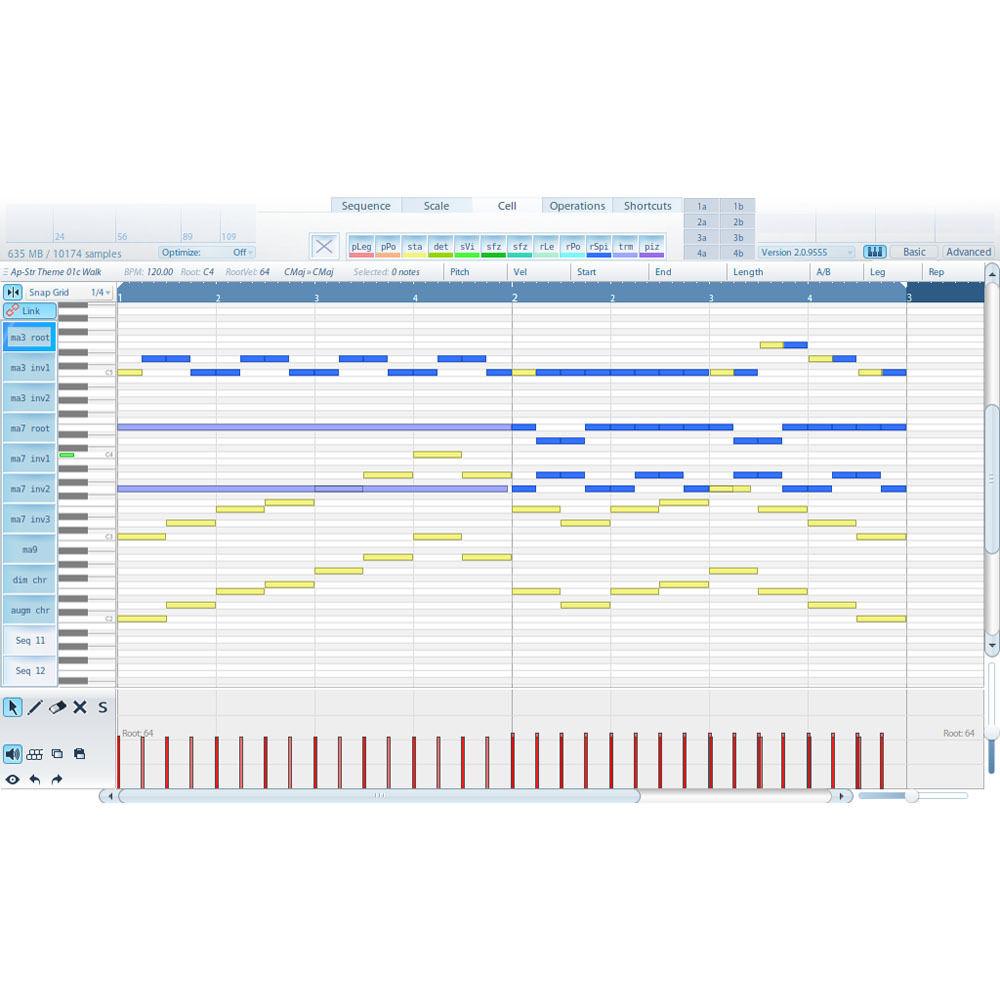
- The internal Auto-Playback and Pattern (APP) Sequencer offers a vast variety of orchestral patterns and voicings. Trigger rhythmic patterns, runs and accompanying arrangements of the whole orchestra at the touch of a single key
- Expanded Presets & Matrices
- Take advantage of the APP Sequencer and load hundreds of preconfigured chords, phrases and patterns
- Enabling/Disabling of Cells
- Load huge presets with hundreds of articulations in no time, and without taxing your RAM. Specific articulations get loaded only when you "enable" their cells with a simple double-click. Disable cells to clear samples from RAM, while keeping all patch settings intact
- Auto Cell Naming
- Easily identify all loaded articulations by their cell names
- Auto Humanization
- Assign appropriate performance accuracy settings to all of your loaded articulations at once
- Enveloped Time Stretching
- Easily determine which part of an articulation should be manipulated and adjust the speed of a portamento or the attack of a staccato
- SSD Ready
- Load 10 times more samples into your RAM, 10 times faster, by reducing the sample preload buffer size when using Solid State Drives
- Scale Editor
- Change the pitch of specific notes of your scales to customize your microtunings
- Extended Instrument Ranges
- Extend the range of each articulation up to two whole tones (both in the high and low register) by simply grabbing the handles on the virtual keyboard
Carry Over Features from Vienna Instruments PRO - Human Performance Control lets you adjust the timing and intonation of your virtual musicians
- Stack multiple instruments in a single instance and play them with polyphonic legato
- Keyboard display with 128 keys that shows all key switches and features adjustable volume zones, as well as instrument ranges for stacked instruments
- Super-fast loading times - even after cold starting. You have the advantage of a load progress bar and you can even play the sounds while the sample patches are still loading
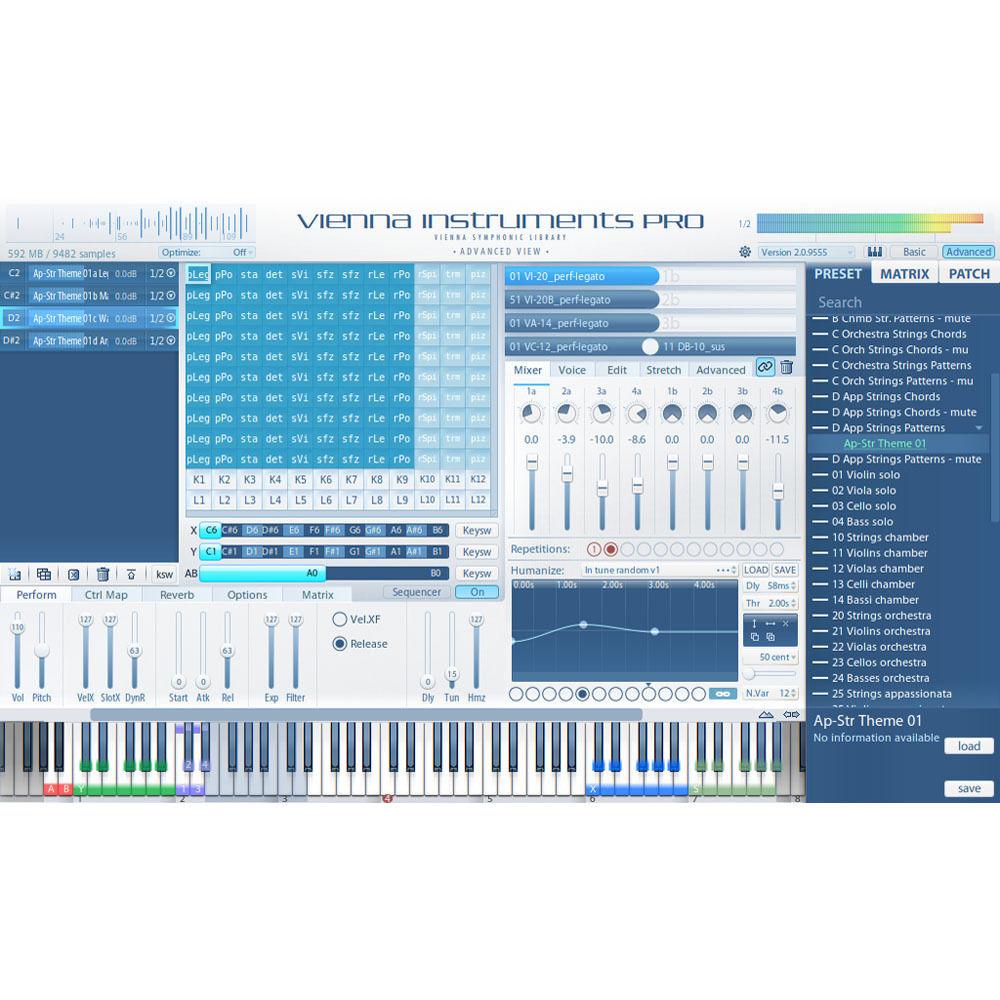
- An innovative GUI design features Basic View for an easy overview or Advanced View, which displays all of the important parameters in the same window
- With the inclusion of tuning scales, you can switch scales using controllers while you're playing. For instance, you might switch from just intonation to an Arabic scale - or even use your own scales
- Time stretching with Instruments Pro 2 works great with staccatos, runs, crescendos and more
- The built-in reverb is algorithmic for low latency
- Flexible options for switching articulations includes sequence map and interval map
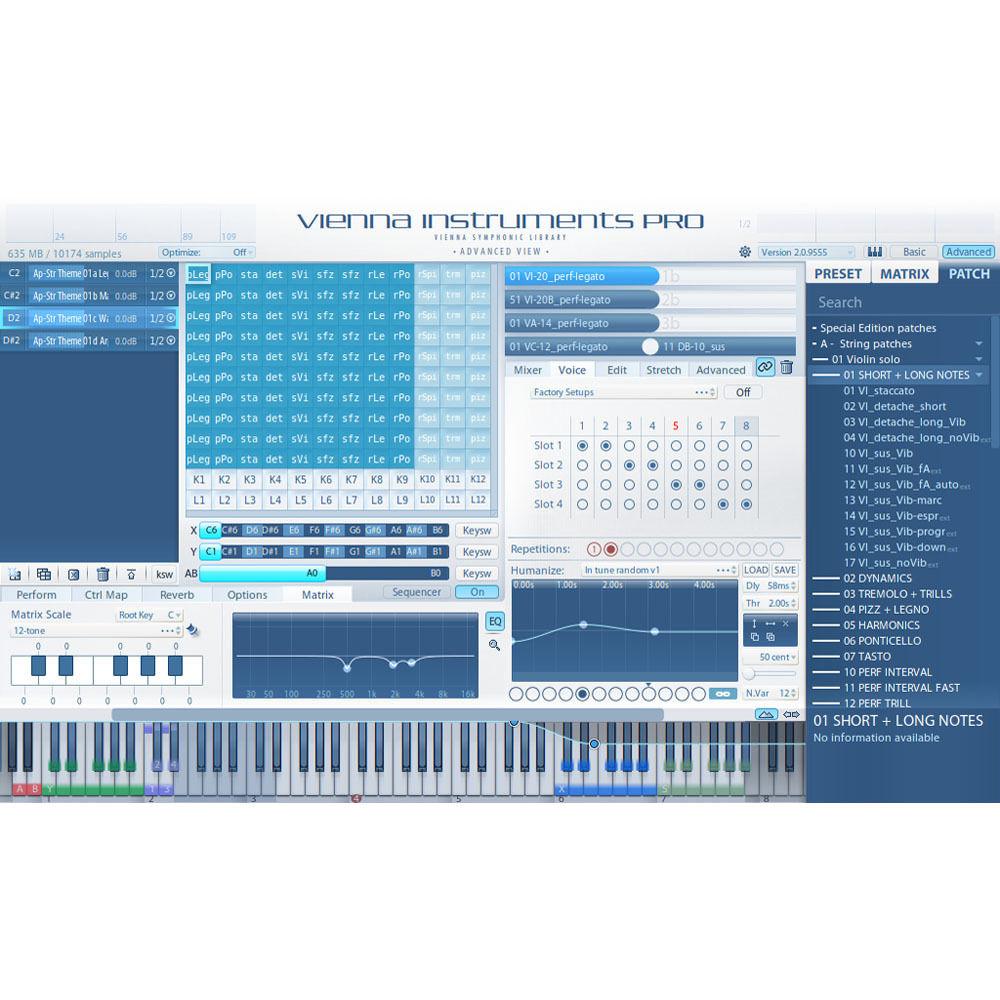
- Slot rack for up to eight articulations per cell with volume slider and power panning for each patch. Even stack your own powerful multi-instruments using auto voicing
- Separate volume control and EQ for each matrix
- Several integrated options available for customizing patches and articulations for your work-flow
- Features a useful browser with search function
In the Box Vienna Symphonic Library Instruments PRO 2 2-Year Warranty Table of Contents
|
Upload User Manual
Have you got an user manual for the Vienna Symphonic Library Instruments PRO 2 in electronic form? Please send it to us and help us expand our library of instruction manuals.
Thank you, too, on behalf of other users.
To upload the product manual, we first need to check and make sure you are not a robot. After that, your "Submit Link" or "Upload File" will appear.
Technical parametersVienna Symphonic Library VSLS04-2 Specs | | | Mac | Mac OS X 10.5.7 or higher Intel Core 2 Duo/Xeon CPU 1GB RAM (2GB or more recommended) ViennaKey (Vienna Symphonic Library protection device or other USB eLicenser from Steinberg or Arturia) AU/VST/RTAS (OS X) compatible host when used as a plug-in; also works stand-alone RTAS version requires Pro Tools 7.3 or higher eLicenser Control Center 6.3.4.2082 or higher When used with Vienna Ensemble PRO 4, version 4.1.9621 or higher is required for optimized integration Requires at least one registered Vienna Instruments Collection | | Windows | Windows XP (32-bit), Windows Vista (32/64-bit) & Windows 7 (32/64-bit) Intel P4/AMD Athlon 64 CPU or later (Core 2 Duo/Xeon recommended) 1GB RAM (2GB or more recommended) ViennaKey (Vienna Symphonic Library protection device or other USB eLicenser from Steinberg or Arturia) VST/RTAS (Windows XP/Vista/7) compatible host when used as a plug-in; also works stand-alone RTAS version requires Pro Tools 7.3 or higher eLicenser Control Center 6.3.4.2082 or higher When used with Vienna Ensemble PRO 4, version 4.1.9621 or higher is required for optimized integration Requires at least one registered Vienna Instruments Collection |
Rating100% users recommend this product to others. And what about you?

This product has already been rated by 55 owners. Add your rating and experience with the product.
Discussion
 Ask our technicians if you have a problem with your settings,
or if anything is unclear in the user manual you have downloaded.
You can make use of our moderated discussion.
The discussion is public and helps other users of our website who may be encountering similar problems.
Ask our technicians if you have a problem with your settings,
or if anything is unclear in the user manual you have downloaded.
You can make use of our moderated discussion.
The discussion is public and helps other users of our website who may be encountering similar problems.
The discussion is empty - enter the first post
Post a new topic / query / comment:
|
|
|
| Request for user manual |
You can’t find the operation manual you are looking for? Let us know and we will try to add the missing manual:
I’m looking for a manual / Request for manual
Current requests for instruction manuals:
Call Of Duty World War Two For Xbox...
controller stratus XL...
stratus XL...
smart whatch serie S11 42mm...
Allen & Heath SQ-6 manual...
|
| Discussion |
Latest contributions to the discussion:
AEW R 4100
Name: MAURICIO ANGARITA
Audio-Technica AEW-R4100 UHF Diversity Receiver for
AEW R 4100 has the mute function blocked and does not allow audio to pass. I tried several times to turn off the mute from the transmitter but it does nothing, the mute stays on. Solution?
Thank you...
Instructions for assembling the 2015 Forecast Image Master Consoles GC3-A
Name: mike elam
Forecast Consoles GC3-A ImageMaster Editing Console
Looking for instructions for assembling this console. ...
EMPTY TONER ERROR MESSAGE AFTER REPLACING TONER
Name: LINDA BAD YELLOW EYES
Brother TN223BK Standard-Yield Toner
I HAD TO CHANGE OUT ALL THREE TONERS DUE TO LEAKS IN THE YELLOW AND CYAN. AFTER I REPLACED THEM, THE MACHINE KEEPS GIVING ME AN EMPTY TONER ERROR MESSAGE. HELP!!...
PS480D 20/24 pin Switching 480W Power Supply
Name: swkargo
Logisys 480W Power Supply
This item states in can run -5vdc .It is NOT listed on the board or I beleive is r4 is missing the resitior. Any body have thid issue. Shawn
...
Help needed
Name: Ann Carter
SanDisk 1TB Extreme Portable USB 3.1
When I click the link to download the user manual for my Sandisk Extreme external hard drive, it gives me the manual for the LG Cricket. Can you please change the link so I can download the Sandisk manual and begin using this drive? Thank you....
|
|


