User Manual for ViewSonic SD-T245 24" All-in-One Desktop Computer Click to enlarge the picture
 Contents of the user manual for the ViewSonic SD-T245 24" All-in-One Desktop Computer
- Product category: Terminal & Thin Clients ViewSonic
- Brand: ViewSonic
- Description and content of package
- Technical information and basic settings
- Frequently asked questions – FAQ
- Troubleshooting (does not switch on, does not respond, error message, what do I do if...)
- Authorized service for ViewSonic Terminal & Thin Clients
 |
User manual for the ViewSonic SD-T245 24" All-in-One Desktop Computer contain basic instructions
that need to be followed during installation and operation.
Before starting your appliance, the user manual should be read through carefully.
Follow all the safety instructions and warnings, and be guided by the given recommendations.
User manual is an integral part of any ViewSonic product,
and if it is sold or transferred, they should be handed over jointly with the product.
Following the instructions for use is an essential prerequisite for protecting
health and property during use, as well as recognition of liability on the part of the manufacturer
for possible defects should you make a warranty claim. Download an official ViewSonic user manual in which you will find instructions on how to install, use, maintain and service your product.
And do not forget – unsuitable use of a ViewSonic product will considerably shorten its lifespan!
|
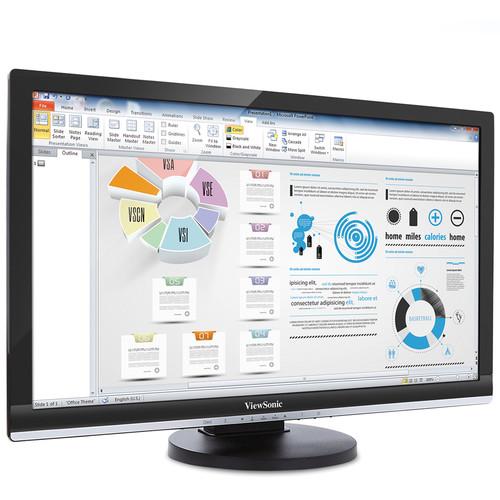
Product description Optimized for major remote networking protocols including Microsoft RDP with RemoteFX, Citrix HDX, and PCoIP for VMware View, the SD-T245 24" All-in-One Desktop Computer from ViewSonic affords users a versatile virtualization solution. Designed for business, education, healthcare, and government use, this thin client display provides a cleaner desktop with reduced cabling and clutter.
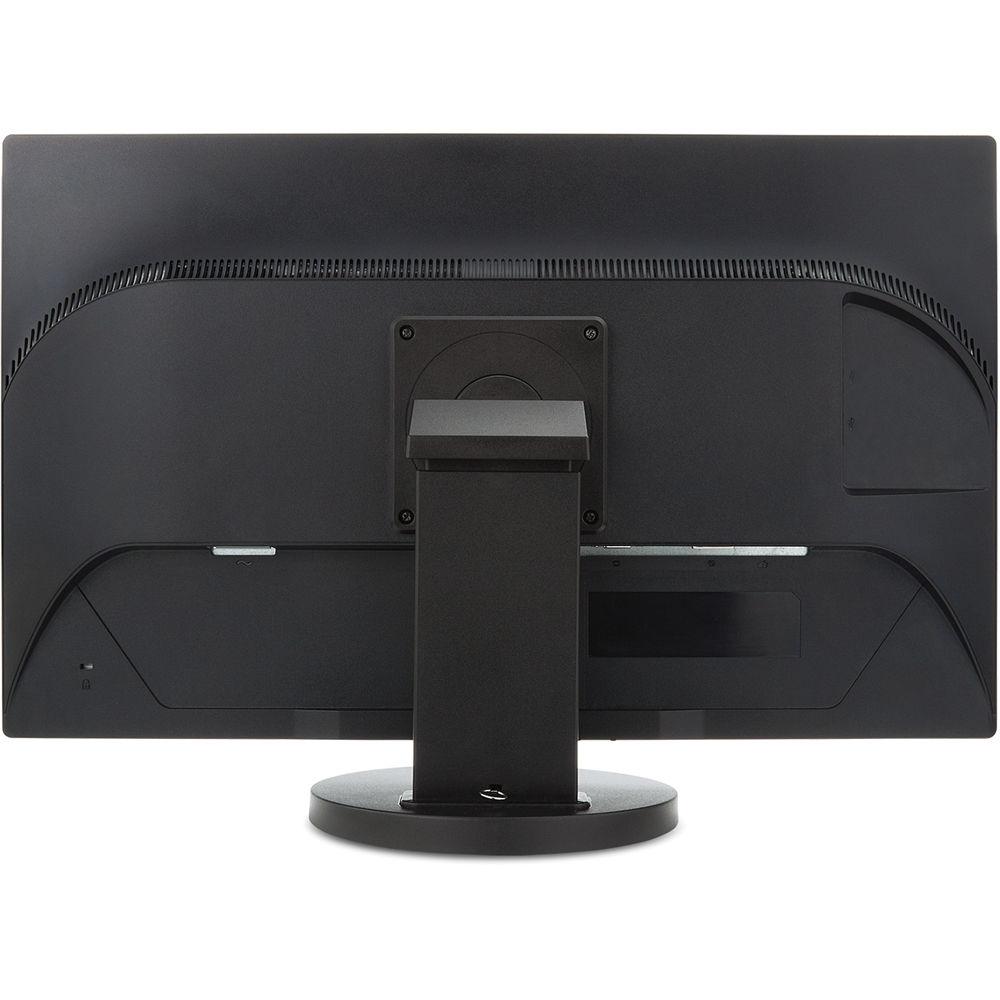
The system is powered by a 1.0 GHz TI DM8148 Cortex A8 processor, 1GB of 1066 MHz DDR3 RAM, and 4GB of eMMC storage. The 24" (23.6" viewable) TFT LCD Anti-Glare Display display has a Full HD 1920 x 1080 resolution, LED backlighting, a 300 cd/m2 brightness, a 1,000:1 typical contrast ratio, a 20,000,000:1 dynamic contrast ratio, 170°/160° viewing angles, a 5ms response time, a backlight life of up to 30,000 hours, dual 2W speakers, and a 16:9 aspect ratio. Also featured is tilting of -5 to 25°, a 340° swivel, a 90° pivot, and a height adjustment of 3.9".
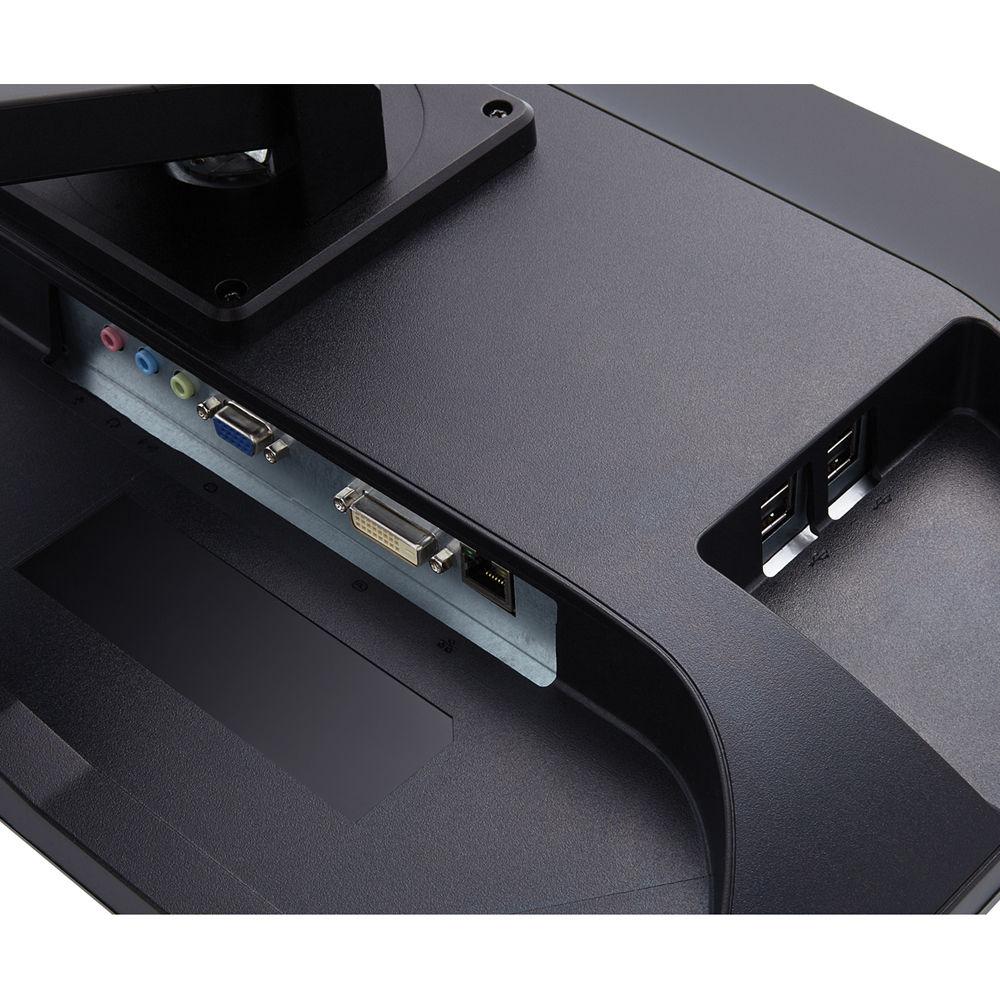
Network connectivity is achieved using a Gigabit Ethernet port and peripherals may be connected to this All-in-One using the four USB 2.0 ports. There is also a 15-pin mini VGA video input and a DVI-D video output. This system is powered using 100-240 VAC at 50-60 Hz. The SD-T245 operates using ARM Linux OS and is compatible with systems running Windows and Mac OS. Included with this All-in-One is a power cord and a VGA cable, and protection is provided by a limited 3-year parts, labor, and backlight warranty. Key Features - All-in-One integrated thin client display with PC-like functionality
- TI 1 GHz ARM Cortex-A8 CPU and ARM Linux OS
- Dual display productivity
- Ergonomic design for comfort and productivity
- Simplified and secure management
Designed For - Business: enterprise class computing
- Education: standardized testing, libraries, labs
- Healthcare: nurses' stations, HIPAA compliance
- Government: security and performance
UPC: 766907757118 In the Box ViewSonic SD-T245 24" All-in-One Desktop Computer Power Cord VGA Cable Limited 3-Year Warranty More from Manufacturer Table of Contents
|
Upload User Manual
Have you got an user manual for the ViewSonic SD-T245 24" All-in-One Desktop Computer in electronic form? Please send it to us and help us expand our library of instruction manuals.
Thank you, too, on behalf of other users.
To upload the product manual, we first need to check and make sure you are not a robot. After that, your "Submit Link" or "Upload File" will appear.
Technical parametersViewSonic SD-T245_BK_US0 Specs | | | CPU Processor | 1.0 GHz TI DM8148, Cortex A8 | | | | Chipset | None | | Resolution | 1920 x 1080p (for single display) | | | | System | 1 GB of 1066 MHz DDR3 RAM | | Storage | 4 GB of eMMC | | | | OS | Linux | | Management | ViewSonic Device Manager Pro | | Protocols | Citrix Receiver HDX 12.5.1, VMware PCoIP, RDP 7.1 with RemoteFX | | | | Ethernet | 10/100/1000 Mbps | | | | Type | Color Active Matrix TFT LCD | | Display Area | 20.5" / 52.1 cm horizontal x 11.5" / 29.2 cm vertical; 23.6" / 59.9 cm diagonal | | Resolution | 1920 x 1080 | | Brightness | 300 cd/m2 (typ.) | | Contrast Ratio | 1,000:1 (typ) | | Dynamic Contrast Ratio | 20,000,000:1 | | Viewing Angles | 170° horizontal, 160° vertical | | Response Time | 5 ms | | Backlight | LED | | Backlight Life | 30,000 hours (min) | | Panel Surface | Anti-glare, hard coating (3H) | | | | Analog | RGB Analog (0.7 / 1.0 Vp-p, 75 ohms) | | Frequency | Fh: 24~82 kHz
Fv: 50~75 Hz | | Sync | Separate Sync | | | | PC | VGA up to 1920 x 1080 non-interlaced | | Mac | Up to 1920 x 1080 | | | | USB | 4 x USB 2.0 | | Video In | 15-pin mini D-sub (VGA) | | Video Out | DVI-D | | LAN | RJ45 | | Microphone In | 3.5 mm mini jack (red) | | Headphone Out | 3.5 mm mini jack (green) | | Line In | 3.5 mm mini jack (blue) | | Power | AC In | | | | Basic | Client, 2, Down, Up, 1, Power | | OSD | Auto Image Adjust, Contrast/Brightness, Input Select, Audio Adjust, Color Adjust, Information, Manual Image Adjust, Setup Menu, Memory Recall
(See user guide for complete OSD functionality) | | | | Voltage | 100-240 VAC (universal), 50-60 Hz | | Consumption | 29 W (typ) | | Optimize | 26 W (typ) | | Conserve | 21 W (typ) | | | | Tilt | Forward -5° / Back 25° | | Swivel | 340° | | Pivot | 90° | | Height Adjustment | 3.9" / 100 mm | | | | Temperature | 32 to 95°F / 0 to 35°C | | Humidity | 15-90% (non-condensing) | | | | Regulations | CB, FCC, cTUVus, CE, WEEE, RoHS Compliant, REACH Compliant | | Recycle / Disposal | Please dispose of in accordance with local, state, or federal laws | | | | Dimensions | With stand: 22.3 x 15.07 x 8.04" / 566.42 x 382.78 x 204.22 mm
Without stand: 22.3 x 13.56 x 1.9" / 566.42 x 344.42 x 48.26 mm | | Weight | With stand: 11.9 lb / 5.4 kg
Without stand: 8.3 lb / 3.8 kg | | | | Package Weight | 16.21 lb | | Box Dimensions (LxWxH) | 26.0 x 16.5 x 7.0" |
Rating100% users recommend this product to others. And what about you?

This product has already been rated by 54 owners. Add your rating and experience with the product.
Discussion
 Ask our technicians if you have a problem with your settings,
or if anything is unclear in the user manual you have downloaded.
You can make use of our moderated discussion.
The discussion is public and helps other users of our website who may be encountering similar problems.
Ask our technicians if you have a problem with your settings,
or if anything is unclear in the user manual you have downloaded.
You can make use of our moderated discussion.
The discussion is public and helps other users of our website who may be encountering similar problems.
The discussion is empty - enter the first post
Post a new topic / query / comment:
|
|


