User Manual for VisTitle 2.5 Title Effects Software for Adobe Premiere Pro Click to enlarge the picture
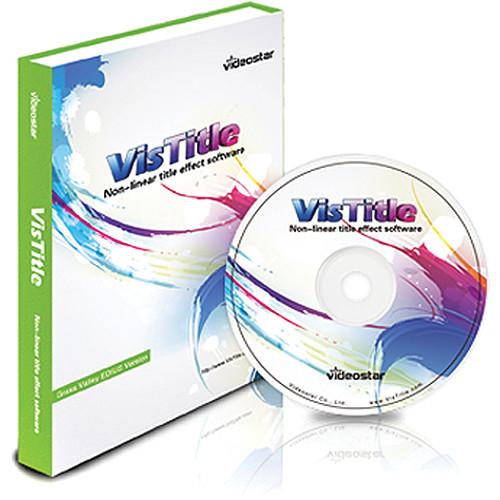 Contents of the user manual for the VisTitle 2.5 Title Effects Software for
- Product category: Video Editing Plug-Ins Others
- Brand: Others
- Description and content of package
- Technical information and basic settings
- Frequently asked questions – FAQ
- Troubleshooting (does not switch on, does not respond, error message, what do I do if...)
- Authorized service for Others Video Editing Plug-Ins
|
User manual for the VisTitle 2.5 Title Effects Software for contain basic instructions
that need to be followed during installation and operation.
Before starting your appliance, the user manual should be read through carefully.
Follow all the safety instructions and warnings, and be guided by the given recommendations.
User manual is an integral part of any Others product,
and if it is sold or transferred, they should be handed over jointly with the product.
Following the instructions for use is an essential prerequisite for protecting
health and property during use, as well as recognition of liability on the part of the manufacturer
for possible defects should you make a warranty claim. Download an official Others user manual in which you will find instructions on how to install, use, maintain and service your product.
And do not forget – unsuitable use of a Others product will considerably shorten its lifespan!
|
Product description VisTitle 2.5 Title Effects Software for Adobe Premiere Pro can either be used as a plug-in accessed directly within Premier Pro, or it can work as a standalone titling application. It supports the creation of SD, HD, and even 4K titles, and it can also generate two-channel stereoscopic text for 3D projects. It is designed to run exclusivity on 64-bit versions of Windows 7 or Windows 8 and support multi-threading. In addition, it can take advantage of GPU parallel processing to provide real-time preview rendering in the Premiere timeline when used in conjunction with an Adobe Mercury Playback Engine-qualified graphics card. The software is compatible with both the Creative Cloud (CC) and CS6 versions of Premiere Pro. - Seamless Associativity with Premiere Pro
- Titles created with VisTitle are linked to their associated video clips so that both title and clip can be previewed together, and to promote a more efficient workflow the titles can even be edited directly on the Premiere timeline
- Object Manipulation
- All of the text and objects in VisTitle are defined by Cubic Bezier curves that feature adjustable knots all over. They support freehand curves, fitting Cubic Bezier automatically to help you design any desired object. Boolean operation of vector objects is also supported, with parameters including add, subtract, union, and intersect. Discreet objects may also be merged into a single object
- Coloring
-
- Applies advanced anti-aliasing and anti-flicker techniques with the ability to adjust the grade freely
- Unlimited Face, Outline, Shadow, and Depth element combinations are possible. It is simple to create different styles, such as neon, 3D, multi-outline, multi-shadow, beveled text, and more
- All the objects transform along with the associated geometric shape
- Advanced coloring operations allow you to add edge and shadow effects to the graphics or objects
- The GPU dynamic texture option allows you to create "flowing" title effects
- Editing
- A WYSIWYG (what you see is what you get) user interface that allows you to undo and redo all operations. Features include:
- Auto snapping of objects and text, an alignment guideline, and coordinate navigation in the editor dialog assist to speed up the alignment of objects and text
- Unlimited object and text groups can be added. Position, scale, rotation, pivot, and shearing functions remain available after grouping
- The template library provides assets including textures, materials, light effects, coloring, images, movie effect, and more
- 3D editing mode allowing you to shift between different perspectives on the object
- Text
-
- Supports various alignment styles as well as horizontal, vertical, positive, and reverse order arrangement
- Supports a wide variety of non-Roman characters, including Uyghur, Arabic, Korean, Tibetan, and Mongolian
- Supports word-by-word property editing of the text
- The text can be deformed and placed by drawing arbitrary curves
- Effects
-
- Over 50 kinds of GPU-accelerated effects are available, including true 3D scrolling, ripple, fragmentation, lens flare, holes, and more
- an unlimited number of effects in and out points are supported
- Various lighting effects can be added to enhance you text, including light halo effect, stripe light effect, sweep light effect, volume light effect, and image light effect
- By applying key-frames to 3D titles you can create virtual camera moves, including push, pull, shake, and pan
- Key-frame animation can be applied to all effects types
- Supports accelerate, decelerate, and ease in or out manipulation of key-frame values
- Rolling Titles
-
- Provides a dedicated utility as a fast way of creating rolling text, such as end credit sequences
- Supports first and last screen fade in or out and decelerating or mask rolling
- Subtitles
-
- Titles can be imported from or exported to many different text formats including SRT files
- Subtitle play style supports user-defined options, including: fade in and out, cut in and out, as well as various template-based effects
- Multiple editing modes are provided, including clapping mode, editing mode, and timeline mode (ideal for minor manipulation of the subtitles)
- A WYSIWYG template editor allows you to create subtitle templates freely in single-line or double-line format and with horizontal, vertical, or curving text arrangements
- Included Plugins
- The following plugins are included with VisTitle:
- Magic Composite: Create custom combinations of text and graphics elements
- Stroke Animation: Use free-hand drawing to create animations such as the effect of a pen writing script
- 3D Model: Create and manipulate all sorts of 3D objects
- 3D Text: Converts 2D text to 3D automatically
- Text Path Animation: Text follows an arbitrary Bezier curve path
- Image Slide Show: Import still image formats such as BMP, JPG, or TIF to create a photo album effect
- Shadow: Create show and reflect effects that correspond to 3D objects
- Template Library
- The built-in template library includes a wide variety of templates to choose from for your project. Template categories include, Title Template, Name Template, 3D Title Template, Full Screen Template, Object Template, Object Effect Template, and Text Effect Template
- Optional Plugins
- A number of option plugins, available separately, may be added to extend the functionality and features of VisTitle. These include:
- Karaoke: Assist in the creation of karaoke titles, and supports the import of MP3 and WAV audio files
- Handwriting: Specialized tools to assist in the creation of handwriting-style text animations
- 3D Chart: Create pie charts, 3D bar graphs, and more and add them to your video project
- 2D Path to 3D Path: Allows you to extrude any Bezier curve along the Z axis to convert 2D objects into 3D objects
- 3D Particles: Hundreds of temples plus a WYSIWYG editor allow you to create particle animations of all kinds
Table of Contents
|
Upload User Manual
Have you got an user manual for the VisTitle 2.5 Title Effects Software for Adobe Premiere Pro in electronic form? Please send it to us and help us expand our library of instruction manuals.
Thank you, too, on behalf of other users.
To upload the product manual, we first need to check and make sure you are not a robot. After that, your "Submit Link" or "Upload File" will appear.
Technical parametersVisTitle VISTITLEADOBE Specs | | | Delivery Method | Download | | Version | Standard | | Number of Users Supported | 1 | | | | Supported Operating Systems | Windows 7
Windows 8 |
Rating50% users recommend this product to others. And what about you?

This product has already been rated by 70 owners. Add your rating and experience with the product.
Discussion
 Ask our technicians if you have a problem with your settings,
or if anything is unclear in the user manual you have downloaded.
You can make use of our moderated discussion.
The discussion is public and helps other users of our website who may be encountering similar problems.
Ask our technicians if you have a problem with your settings,
or if anything is unclear in the user manual you have downloaded.
You can make use of our moderated discussion.
The discussion is public and helps other users of our website who may be encountering similar problems.
The discussion is empty - enter the first post
Post a new topic / query / comment:
|
|


