User Manual for Waves Dave Aude Producer Pack Plug-In Bundle Click to enlarge the picture
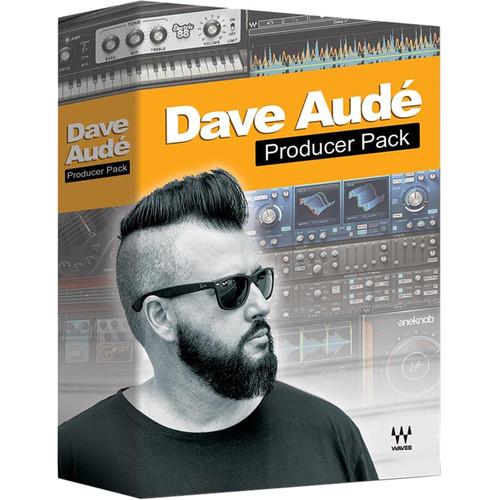 Contents of the user manual for the Waves Dave Aude Producer Pack Plug-In
- Product category: Virtual Processor Plug-Ins Waves
- Brand: Waves
- Description and content of package
- Technical information and basic settings
- Frequently asked questions – FAQ
- Troubleshooting (does not switch on, does not respond, error message, what do I do if...)
- Authorized service for Waves Virtual Processor Plug-Ins
 |
User manual for the Waves Dave Aude Producer Pack Plug-In contain basic instructions
that need to be followed during installation and operation.
Before starting your appliance, the user manual should be read through carefully.
Follow all the safety instructions and warnings, and be guided by the given recommendations.
User manual is an integral part of any Waves product,
and if it is sold or transferred, they should be handed over jointly with the product.
Following the instructions for use is an essential prerequisite for protecting
health and property during use, as well as recognition of liability on the part of the manufacturer
for possible defects should you make a warranty claim. Download an official Waves user manual in which you will find instructions on how to install, use, maintain and service your product.
And do not forget – unsuitable use of a Waves product will considerably shorten its lifespan!
|
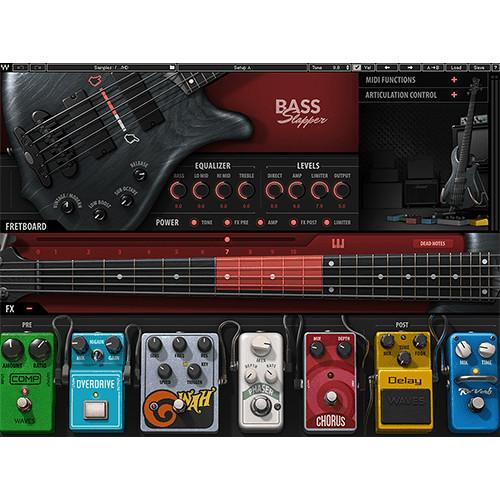
Product description The electronic download of Dave Aude Producer Pack Plug-In Bundle from Waves is a collection of eight plug-ins hand-picked by Grammy-winning music producer Dave Aude (Rihanna, Selena Gomez, Lady Gaga, Sting). They can be used on Mac or Windows computers and feature a versatile selection of virtual instruments, effects, and mixing tools for music production needs. The Dave Aude Producer Pack includes licenses for: Bass Slapper, Codex Wavetable Synth, Electric 200 Piano, Electric 88 Piano, Electric Grand 80 Piano, OneKnob Pumper, Sibilance, and Smack Attack. - Bass Slapper - Virtual Instrument (Software) Available for download, Waves Bass Slapper is a virtual instrument that puts the sound of slap-bass under your fingertips, allowing you to achieve funky slaps and plucky patterns by means of your MIDI keyboard. In sampling this virtual instrument, Waves made sure to slap, pop, and more, in various neck-positions, opting to record the notes as a bass player would choose to play them on the fingerboard. This aspect of the sampling process is important, as different positions change the articulation of all those desirable and musical effects surrounding the slap—the thumb pops, hammer-ons, muted hits, and so on. The resulting tones are more authentic as a result of this method.Over 3,700 samples have been utilized in fashioning this virtual instrument, including slaps, pulls (with pointer and index fingers), hammer-ons, hammer-offs, percussive samples, release samples, slides, and special effects. Each of these samples have been recorded at different velocities. Round robin samples are also on hand, so you don’t get that machine-gun effect when you repeat the same note over and over again.Bass Slapper comes with a standard and a high-definition library. The former is more useful for the recording stage, or for rigs where storage space is at a premium. Once you’ve recorded your samples, you can load the high-definition library and use those for mix. Bass Slapper is compatible with Mac and Windows platforms, and is compatible with AU, VST, VSTi, VST3, and AAX formats. The virtual instrument also works as a standalone application.
- Key Features at a Glance
-
- Extensive slap-bass sample library
- 11 interactive playing positions with automatic string switching
- Full 5-string articulations: thumbing, popping, mutes & more
- Real-time MIDI controls
- Customizable Keyswitch Editor
- Studio-quality effects
- Authentic amp simulation
- Detailed tone controls with 4-band EQ, sub octave, and low boost
- Authentic amp and clean-DI tones
- Plug-in or standalone instrument
- NKS-ready for NI Komplete Kontrol and Maschine
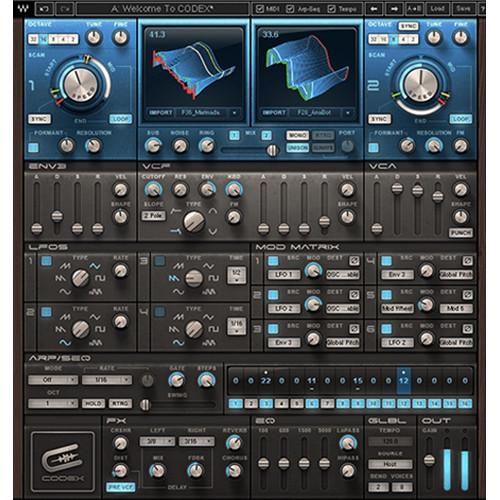
- Codex Wavetable Synth - Synthesizer Software (Native, Download) The Codex Wavetable Synthesizer from Waves is a polyphonic synthesizer offering a range of sounds from analog and acoustic emulations, to intricate and evolving textures. Its sound source is an advanced granular wavetable engine, and the synthesizer functions as a plug-in or standalone. Hundreds of sound presets are included, as is the ability to import custom audio files and transform them into wavetables.
Advanced formant control technology allows Codex to provide direct control over the acoustic resonance of a sound while maintaining its resonance character, and high-resolution FFT-based automatic interpolation technology results in smooth morphing while sweeping through wavetables. The analog subtractive synthesis component offers a more traditional method to further shape the sound using filters, envelopes, LFOs, a modulation matrix, arpeggiator/sequencer, 4-band EQ, and distortion, delay, reverb and chorus effects. - Polyphonic wavetable synthesizer
- Powered by Waves Virtual Voltage Technology
- Innovative oscillators with progressive wavetable scanning capabilities
- Advanced and comprehensive modulation matrix
- Formant Control with direct control over the acoustic resonance of the sound
- Wavetable (sample) importing
- User-replaceable wavetables
- Arpeggiator and 16-step sequencer
- Integrated chorus, delay, reverb, distortion and bit crusher effects
- Up to 24-bit/96 kHz resolution
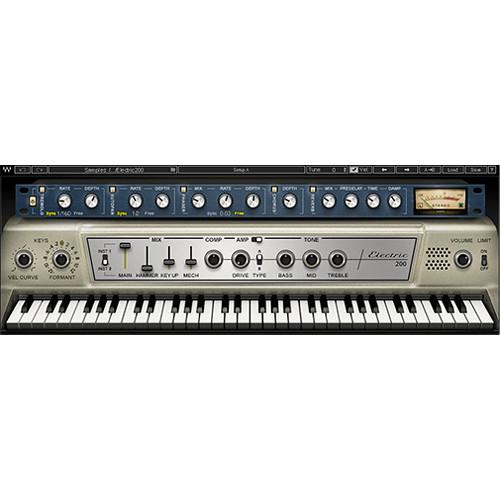
- Electric 200 Piano - Virtual Electric Piano (Download) The Electric 200 Piano from Waves is a virtual instrument that recreates the sound of an iconic 70s electric piano, one that had a huge impact on the rock, jazz, RnB, and electronic music of the day. The reed tone of the electric piano model used on classic recordings by Ray Charles, Pink Floyd, Steely Dan and many more, is recreated from sampling two original models, each with a distinctive sound. For added customization, the software provides for mixing in the sound of the internal piano mechanisms, such as hammer strike, key up, etc. A relevant suite of effects is included.
- Sampled from two vintage electric pianos of the same 200 model
- Mix section for adding different sampled sounds from the originals (hammer, key up, mechanics)
- Compressor, limiter and amp
- Effects include tremolo, autopan, phaser, chorus, reverb
- Use Electric 88 presets in the Electric 200
- Up to 24-bit/96 kHz resolution
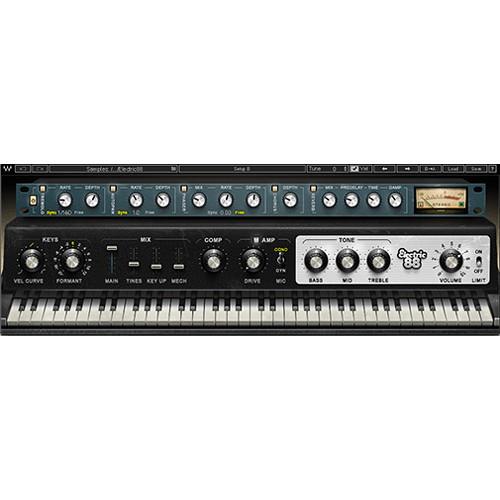
- Electric 88 Piano Virtual Instrument (Native/SoundGrid, Download) The Electric 88 Piano virtual instrument from Waves is designed to bring you the musical character of a well-used, road-worn Mark 1 88-key vintage electric piano, combined with the flexibility and control of a software instrument. Every element of the instrument's sound, including the non-linearity of the individual keys, is captured to recreate the magic realism of the original.The instrument can be used as a plug-in or stand-alone, and comes equipped with the tools to create classic or adventurous sounds. The mix section gives you control over formants, sample shifting, and internal mechanics such as tines and key-up sound. Also included are high-quality tremolo, autopan, phaser, chorus, and reverb effects, as well as controls for boosting bass, mid, and treble frequencies.A vintage-style compressor and an amplified cabinet that was sampled with both a condenser a dynamic mic let you further tweak your sound to achieve tones ranging from mellow jazz flavors to distorted rock riffs.
- Unique instrument sampled from a well-used, road-worn Mark 1 88-key vintage electric piano
- Non-linear sampling for an individual sound and human feel
- Mix section, compressor, amp, and effects for creating classic and adventurous sounds
- Includes tremolo, autopan, phaser, chorus, and reverb
- Can be used as a plug-in or as a stand-alone instrument
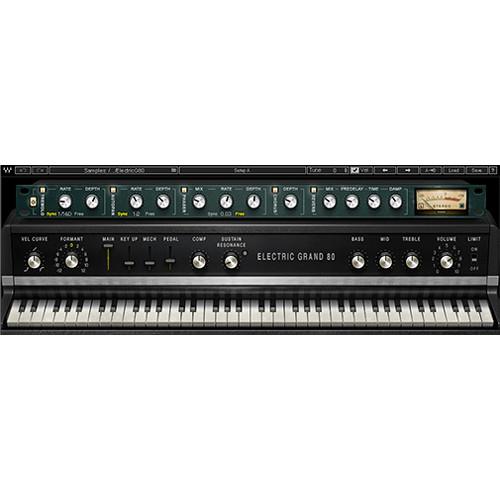
- Electric Grand 80 Piano – Virtual Instrument Plug-In (Download) The Electric Grand 80 Piano from Waves brings you the musical character of a faithfully-sampled CP-80 electric grand piano with the flexibility and control of a virtual instrument plug-in. It combines the sonic characteristics of acoustic piano mechanics and electric-guitar-style pickups to recreate the distinctive tone of the original instrument, heard on a multitude of pop and R&B hits throughout the 80's.The Electric Grand 80 Piano can be used as a plug-in or standalone. It comes with EQ and tremolo controls found on the CP-80, and includes effects such as compression, autopan, phaser, chorus, and reverb. The instrument features a mix section that lets you combine four separately sampled sound (main, key up, internal mechanics, sustain pedal), for added nuances and realism. Furthermore, the Sustain Resonance knob lets you blend in the sound produced by sympathetic resonance of un-played strings when the sustain pedal is pressed, adding depth to long chords and solos alike.
- Virtual instrument plug-in sampled from the classic CP-80 electric grand piano – combines acoustic piano mechanics and electric-guitar-style pickups
- Includes tone controls from the original instrument
- Mix section for blending four separately sampled sounds from the original piano – main sound, key up, internal mechanics, sustain pedal
- Sustain Resonance – recreates ethereal sound produced by sympathetic resonance of un-played strings when the sustain pedal is pressed
- Compressor and limiter included
- Effects include tremolo, autopan, phaser, chorus, reverb
- Can be played as plug-in or standalone instrument
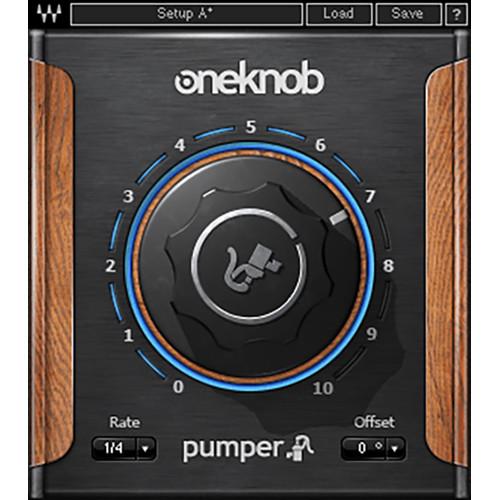
- OneKnob Pumper - Instant Ducking Effect Plug-In (Native, Download) The OneKnob Pumper from Waves is a single-knob-operated sidechain compression simulator, designed to achieve an instant ducking effect. This easy-to-use plug-in is ideal for making either an entire mix or individual tracks pump with the beat, and saves having to route the kick track to the sidechain input of a compressor. The plug-in includes only the Native license for use in most audio hosts.
- Instant ducking effect (auto-sidechaining)
- Perfect for making space for four-on-the-floor kicks
- Up to 24-bit/192 kHz resolution
- Mono and stereo components
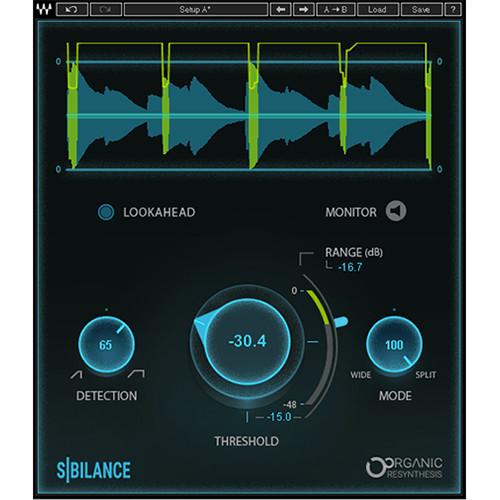
- Sibilance - Vocal De-Esser Software for Pro Audio Applications (Download) Available for download, Waves Sibilance is a de-esser that makes use of Waves Organic ReSynthesis technology to result in glitch-free processing of sibilated sounds. Use this plug-in to reduce the harsh noise from s and sh consonants in sung and spoken vocals, doing so in a way that doesn't alter the vocal's inherent tonality. With this plug-in, you'll be able to secure a brighter overall tone without the harshness commonly associated with sibilance.
Threshold and Range controls function as you'd expect, setting the level at which processing begins and the maximum amount of gain-reduction respectively. Conventional Lookahead and Monitor controls are also on hand.
Instead of a frequency control, you're provided with the Detection Width knob. This control, located on the left of the GUI, intelligently focuses on sibilance. At lower values, it detects narrower frequency ranges, while higher values result in wider frequency ranges. Use the lower settings to isolate the s and higher-settings to find sh sounds.
Traditional de-essers often let you select between wide and split-band processing. The Sibilance's Mode control, however, lets you transition gradually between the two. Lower values will affect the full frequency range, while the highest value targets frequencies above 4 kHz. You can blend between the two poles or automate the Mode control to target different types of sibilance at different parts of the tune.
This plug-in works in mono and stereo applications. Included are modules for mono/stereo live use as well, but these modules don't sport lookahead controls. Sibilance is compatible with Mac and Windows platforms, and can operate in AU, VST, and AAX formats. - Key Features at a Glance
-
- Fast de-esser specifically designed for vocals and voiceovers
- Smooth, glitch-free removal of harsh sibilance
- Separates the sibilant parts of the vocal without changing the vocal’s original tone
- Easy-to-use threshold and sensitivity controls
- Sibilance detector powered by Organic ReSynthesis technology
- Sibilance detection graph helps you visualize the amount of sibilance reduction
- Variable Range Modes: Wide to split-band processing
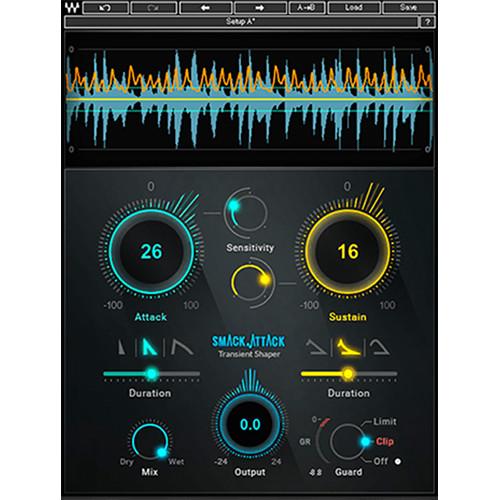
- Smack Attack - Transient Shaper Plug-In (Native/SoundGrid, Download) The Smack Attack from Waves is a transient shaper plug-in designed to provide flexible envelope modification of drums, loops, pianos, and other percussive instruments. It can be used in mono or stereo in a variety of hosts and platforms, including the eMotion LV1 mixing console. The Smack Attack’s zero latency, large controls, and simple interface make it ideal for both live and in-the-studio production.Input signal is displayed as a scrolling, real-time graphic waveform. Lines overlaying the waveform provide visual feedback for sensitivity settings and gain change. As with traditional transient shapers, level controls for attack and sustain are present. Unlike traditional transient shapers, the Smack Attack offers additional controls for the shape and duration of attack and sustain. Independent sensitivity sliders for attack and sustain allow you to set thresholds for transient processing, controlling when the Smack Attack will affect the signal.Transient shapers tend to significantly change output level. To address that issue and prevent clipping, the Smack Attack features adjustable output level and a selectable limiter. Clip mode allows intentional clipping of signals over 0 dBFS, while keeping final output levels limited to a maximum of -0.1 dBFS. Easily dial in parallel processing via the Mix control.
-
- Mono and stereo components
- Modify envelope by shaping attack and sustain properties
- Controls for level and sensitivity of attack and sustain
- Independently adjust shape and duration of attack and sustain
- Mix control for parallel processing
- Real-time graphic waveform display of input signal
- Adjustable output level
- Selectable limiter/clipper
- Metering can display gain reduction or output level
- Zero latency
- Supports sample rates up to 192 kHz
- MIDI control assignable
- Supports AAX Native, AudioSuite, Audio Units, VST, and SoundGrid
- Compatible with MultiRack Native, StudioRack Native, MultiRack SoundGrid, StudioRack SoundGrid, eMotion ST Mixer, and eMotion LV1 Mixer
- Compatible with Mac OS X and Windows
In the Box Bundle Items Bass Slapper - Virtual Instrument (Software) xxrevxutcvxurbxqtrrxtvyradsfra Codex Wavetable Synth - Synthesizer Software (Native, Download) Electric 200 Piano - Virtual Electric Piano (Download) Electric 88 Piano Virtual Instrument (Native/SoundGrid, Download) Electric Grand 80 Piano – Virtual Instrument Plug-In (Download) OneKnob Pumper - Instant Ducking Effect Plug-In (Native, Download) xxrevxutcvxurbxqtrrxtvyradsfra Sibilance - Vocal De-Esser Software for Pro Audio Applications (Download) Smack Attack - Transient Shaper Plug-In (Native/SoundGrid, Download) Table of Contents
|
Upload User Manual
Have you got an user manual for the Waves Dave Aude Producer Pack Plug-In Bundle in electronic form? Please send it to us and help us expand our library of instruction manuals.
Thank you, too, on behalf of other users.
To upload the product manual, we first need to check and make sure you are not a robot. After that, your "Submit Link" or "Upload File" will appear.
Technical parameters - Bass Slapper - Virtual Instrument (Software)
| Mac Requirements | Operating System
Mac OS X 10.10.5 to 10.13.1CPU
Intel Core i5 / i7 / Xeon
Memory
8 GB RAM
8 GB free disk space on the system drive
Screen Resolution
Minimum: 1024 x 768
Recommended: 1280 x 1024 / 1600 x 1024
USB displays are not supported as the primary display
Support for Visually Impaired Users
Mac OS X 10.12.4 Sierra
VoiceOver Utility enabled
Pro Tools 12.7
Logic 10.3.1 | | Windows Requirements | Operating System
Windows 7 with SP1, Windows 8.1, Windows 10 (all 64-bit)CPU
Intel Core i3 / i5 / i7 / Xeon / AMD Quad-Core
Memory
4 GB RAM
8 GB free disk space on the system drive
Screen Resolution
Minimum: 1024 x 768
Recommended: 1280 x 1024 / 1600 x 1024 | | Plug-In Formats | AAX, AU, VST, VSTi, VST3, | | Sample Rate | Up to 96 kHz | - Codex Wavetable Synth - Synthesizer Software (Native, Download)
| System Requirements | Mac
Core Duo 2.3 GHz
OS X 10.7 to 10.10.2
4 GB RAM
1024 x 768 screen resolution
For Native plug-in use, host software that supports AAX Native, Audio Units, RTAS/AudioSuite, or VST formats
PC
Intel Core 2 Duo 2 GHz
Windows 7 SP1, Windows 8, Windows 8.1
4 GB RAM
1024 x 768 32-bit screen resolution
For Native plug-in use, host software that supports AAX Native, RTAS/AudioSuite, or VST formats | - Electric 200 Piano - Virtual Electric Piano (Download)
| Mac System Requirements | Intel Core i3, i5, i7, Xeon
OS X 10.9.5 to 10.12.2
10.8.5 for Pro Tools 10 only
4 GB RAM
4 GB free hard drive space
1024 x 768 minimum screen resolution (1280 x 1024, 1600 x 1024 recommended)
USB displays are not supported as the primary display | | Windows System Requirements | Intel Core i3, i5, i7, Xeon, AMD Quad-Core
Windows 7 SP1, Windows 8.1, Windows 10 (all 64-bit)
4 GB RAM
4 GB free hard drive space
1024 x 768 minimum screen resolution (1280 x 1024, 1600 x 1024 recommended) | | Plug-In Compatibility | AAX Native, Audio Units (Mac only), RTAS, VST, VST3 | - Electric 88 Piano Virtual Instrument (Native/SoundGrid, Download)
| System Requirements | Memory: 4 GB RAM, 4 GB free disk space
Display Resolution: 1024 x 768 (minimum), 1280 x 1024 / 1600 x 1024 (recommended)
Mac
CPU: Intel Core i3 / i5 / i7 / Xeon
Operating System: 10.9.5 - 10.11.6 / 10.8.5 for ProTools 10 only
Supported Hosts: AAX Native 64-bit, RTAS, Audio Units, VST, VST3
Windows
CPU: Intel Core i3 / i5 / i7 / Xeon
Operating System: Windows 7 with SP1 64 bit, Windows 8.1 64 bit, Windows 10 64 bit
Supported Hosts: AAX Native 64-bit, RTAS, VST, VST3, VSTi | | Latency | Native/SoundGrid
44.1 kHz: 158 samples
48 kHz: 130 samples
88.2 kHz: 185 samples
96 kHz: 188 samples | - Electric Grand 80 Piano – Virtual Instrument Plug-In (Download)
| Windows System Requirements | Intel Core i3 / i5 / i7 / Xeon / AMD Quad-Core
Windows 7 with SP1 64-bit, Windows 8.1 64-bit, or Windows 10 64-bit
4 GB RAM
4 GB free drive space
1024 x 768 minimum display resolution (1280 x 1024 / 1600 x 1024 recommended) | | Mac System Requirements | Intel Core i3 / i5 / i7 / Xeon
OS 10.9.5 - 10.12.2 (10.8.5 for Pro Tools 10 only)
4 GB RAM
4 GB free drive space
1024 x 768 minimum display resolution (1280 x 1024 / 1600 x 1024 recommended) | | Plug-In Compatibility | AAX Native (64-bit), RTAS, Audio Units, VST, VST3, VSTi | | Sample Rate | 96 kHz | | Channel Components | Stereo | | Latency | Native/SoundGrid
44.1 to 48 kHz: 64 samples
88.2 to 96 kHz: 128 samples | - OneKnob Pumper - Instant Ducking Effect Plug-In (Native, Download)
| System Requirements | Mac
Core Duo 2.3 GHz
OS X 10.7 to 10.10.2
4 GB RAM
1024 x 768 screen resolution
For Native plug-in use, host software that supports AAX Native, Audio Units, RTAS/AudioSuite, or VST formats
PC
Intel Core 2 Duo 2GHz
Windows 7 SP1, Windows 8, Windows 8.1
4 GB RAM
1024 x 768 32-bit screen resolution
For Native plug-in use, host software that supports AAX Native, RTAS/AudioSuite, or VST formats | - Sibilance - Vocal De-Esser Software for Pro Audio Applications (Download)
| Mac Requirements | macOS 10.11.6 or LaterCPU: Intel Core i5 / i7 / Xeon
Memory:
RAM: 8 GB
Hard-Disk Space: 8 GB Free
Screen Resolution:
Minimum: 1024 x 768
Recommended: 1280 x 1024 / 1600 x 1024
Display: USB Displays Are Not Supported as the Primary Display
Support for Visually Impaired Users
macOS Sierra 10.12.4
VoiceOver Utility Enabled
Pro Tools 12.7
Logic 10.3.1 | | System Requirements (Windows) | Windows 7 with SP1, 64-bit
Windows 8.1, 64-bit
Windows 10, 64-bitCPU: Intel Core i3 / i5 / i7 / Xeon / AMD Quad-Core
Memory:
RAM: 8 GB
Hard-Disk Space: 8 GB Free
Screen Resolution:
Minimum: 1024 x 768
Recommended: 1280 x 1024 / 1600 x 1024 | | Supported Plug-In Formats | AU, VST, VST3, AAX, Audiosuite | | Sample Rate | Supports up to 96 kHz | | Operation | Mono and Stereo | - Smack Attack - Transient Shaper Plug-In (Native/SoundGrid, Download)
| System Requirements | Mac
Intel Core i5, i7, Xeon
OS X 10.10.5 to 10.12.4
8 GB RAM
8 GB free hard drive space on system drive
1024 x 768 minimum screen resolution (1280 x 1024 or 1600 x 1024 recommended)
USB displays are not supported as the primary display
For Native plug-in use, host software that supports AAX Native, Audio Units, AudioSuite, VST, or VST3 formats
Windows
Intel Core i3, i5, i7, and Xeon; AMD Quad-Core
Windows 7 SP1, Windows 8.1, Windows 10 (all 64-bit)
4 GB RAM
8 GB free hard drive space on system drive
1024 x 768 minimum screen resolution (1280 x 1024 or 1600 x 1024 recommended)
For Native plug-in use, host software that supports AAX Native, AudioSuite, VST, or VST3 formats |
Rating80% users recommend this product to others. And what about you?

This product has already been rated by 27 owners. Add your rating and experience with the product.
Discussion
 Ask our technicians if you have a problem with your settings,
or if anything is unclear in the user manual you have downloaded.
You can make use of our moderated discussion.
The discussion is public and helps other users of our website who may be encountering similar problems.
Ask our technicians if you have a problem with your settings,
or if anything is unclear in the user manual you have downloaded.
You can make use of our moderated discussion.
The discussion is public and helps other users of our website who may be encountering similar problems.
The discussion is empty - enter the first post
Post a new topic / query / comment:
|
|


