|
User Manual for Waves eMotion LV1 16 Stereo Channels - Live Mixer Software Click to enlarge the picture
 Contents of the user manual for the Waves eMotion LV1 16 Stereo Channels
- Product category: Virtual Processor Plug-Ins Waves
- Brand: Waves
- Description and content of package
- Technical information and basic settings
- Frequently asked questions – FAQ
- Troubleshooting (does not switch on, does not respond, error message, what do I do if...)
- Authorized service for Waves Virtual Processor Plug-Ins
 |
User manual for the Waves eMotion LV1 16 Stereo Channels contain basic instructions
that need to be followed during installation and operation.
Before starting your appliance, the user manual should be read through carefully.
Follow all the safety instructions and warnings, and be guided by the given recommendations.
User manual is an integral part of any Waves product,
and if it is sold or transferred, they should be handed over jointly with the product.
Following the instructions for use is an essential prerequisite for protecting
health and property during use, as well as recognition of liability on the part of the manufacturer
for possible defects should you make a warranty claim. Download an official Waves user manual in which you will find instructions on how to install, use, maintain and service your product.
And do not forget – unsuitable use of a Waves product will considerably shorten its lifespan!
|
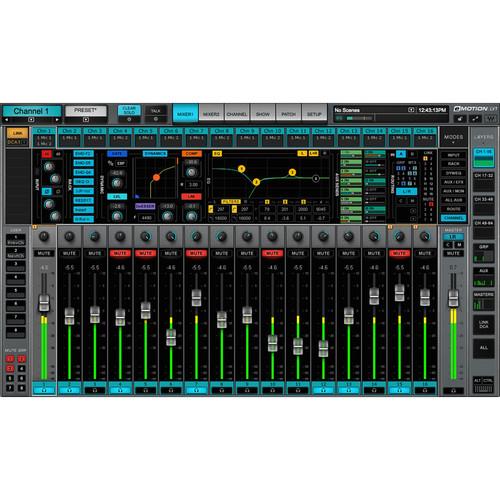
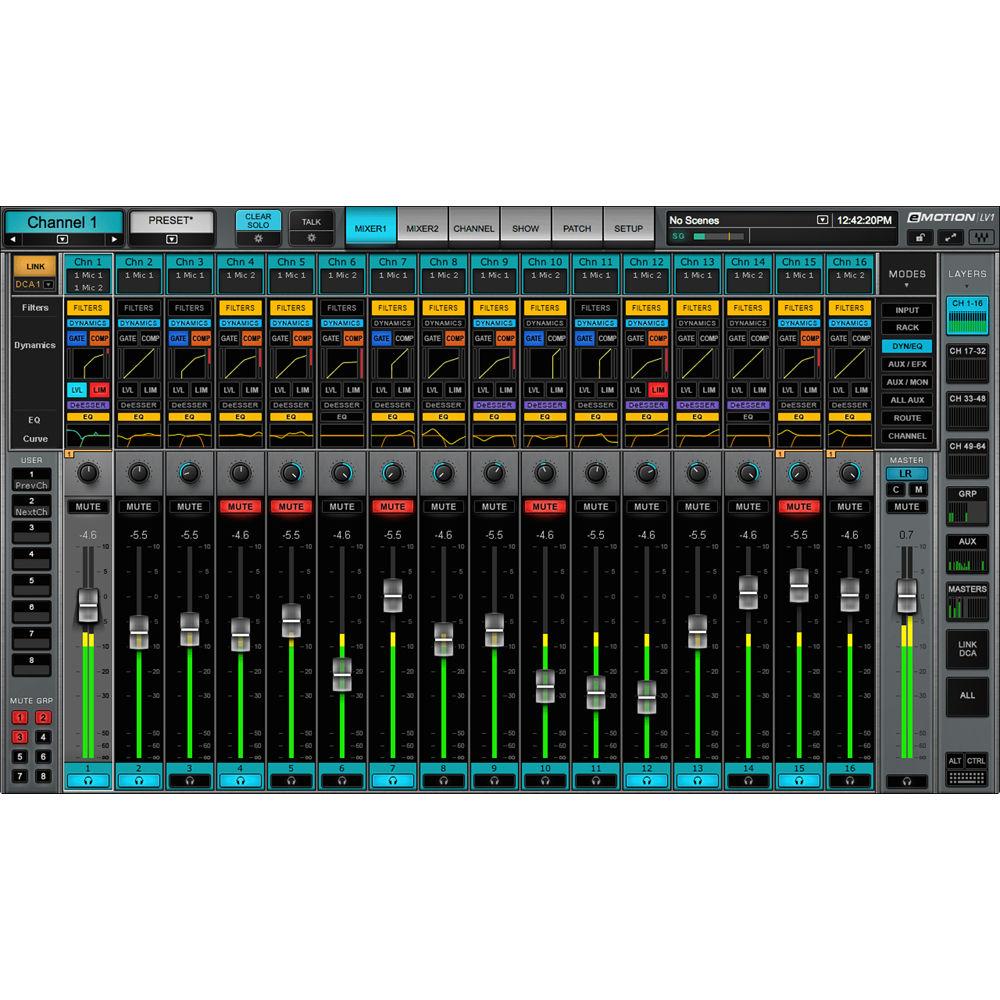
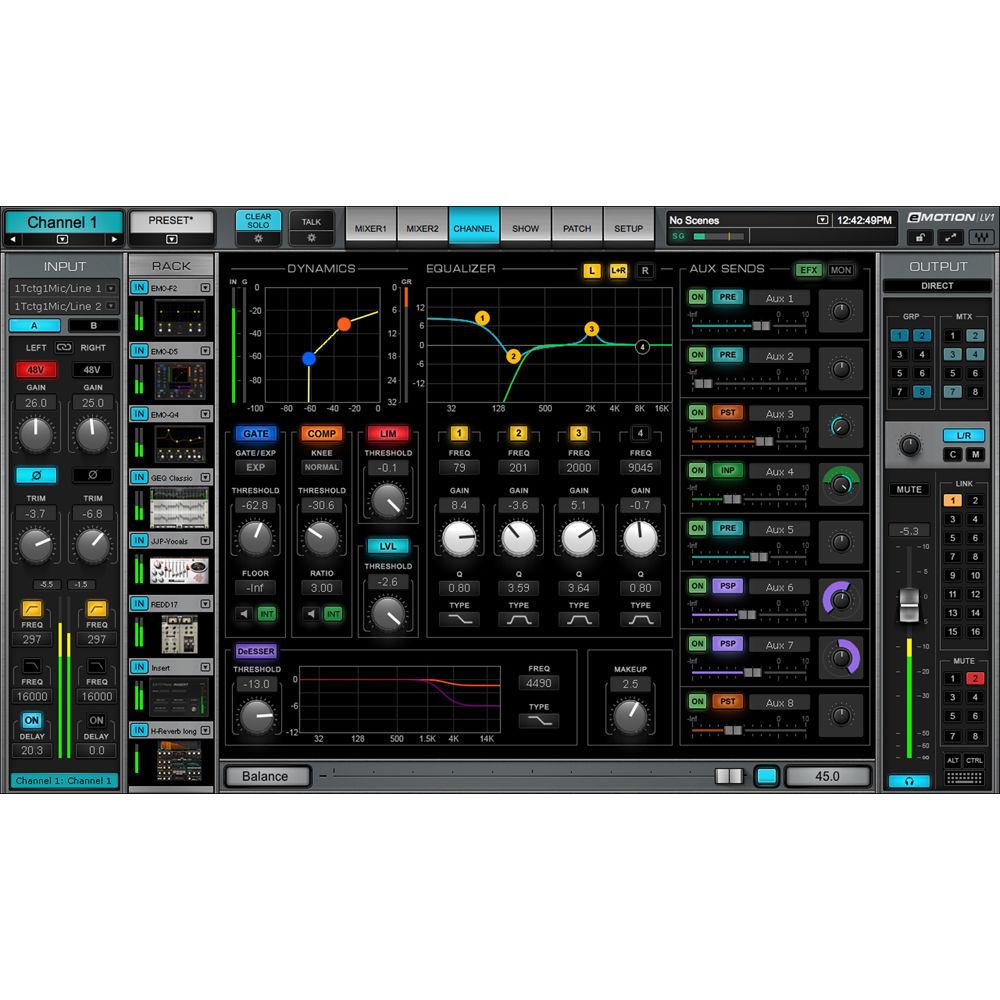
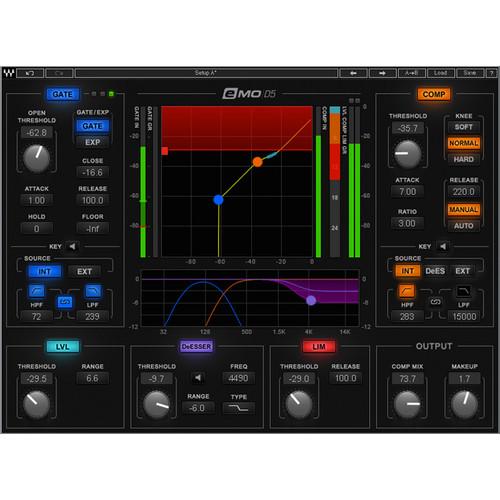
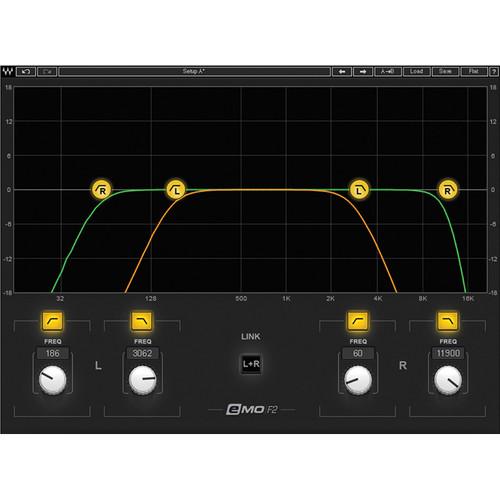
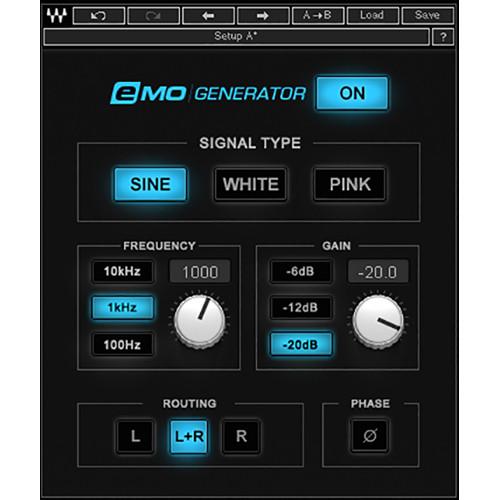
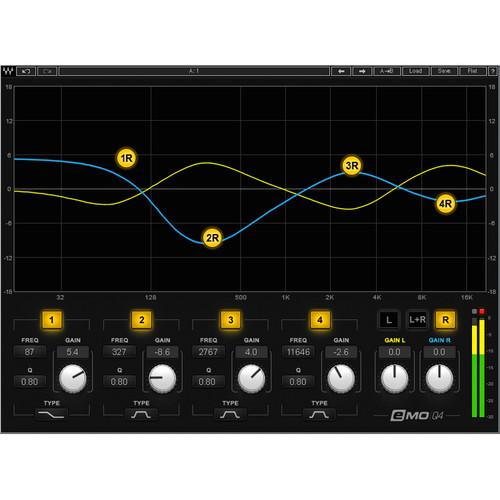
Product description Waves eMotion LV1 16 Stereo Channels is a digital software mixer with 16 stereo/mono input channels designed for front-of-house, foldback, and broadcast live sound mixing applications. It employs the SoundGrid infrastructure for audio networking and a 32-bit floating point mix engine to deliver pristine audio at sample rates up to 96 kHz and with latency as low as 0.8 ms, along with an intuitive, flexible, and fast workflow, ideal for demanding live environments.eMotion LV1 gives you precise control over your live sound mixing with eight aux channels (stereo/mono), L/R panning, and up to eight SoundGrid-compatible plug-ins directly on each channel (Waves or third-party plug-ins). All saved plug-in presets and chains can be shared with the Waves MultiRack and StudioRack plug-in hosts, enabling you to move seamlessly between live and studio environments.The main mixer window gives you the most important info you need at a glance including all channel inputs and parameters, routing, plug-in inserts, and more. Additional windows provide more detailed views. You can use the channel window for focused control of your plug-ins, including a Touch-and-Slide slider for quick and easy control of all plug-in parameters.The software can be configured as a portable or stationary setup, and can connect to any SoundGrid-compatible I/O or server, allowing you to work on your sessions online or offline, at home, in your hotel room, on the tour bus, or at the live venue.eMotion LV1 provides support for up to four multitouch screens, as well as diverse industry-standard control surfaces. It ships with the eMo D5 Dynamics, eMo F2 Filter, eMo Generator, and eMo Q4 Equalizer plug-ins, optimized for live environments. Note: Purchase includes software only. For online operation, eMotion LV1 must be connected to a SoundGrid I/O and a SoundGrid server (both available separately). - Key Features
-
- Digital mixing console software for front-of-house and broadcast live sound mixing
- 16 stereo/mono input channels, 10 buss/return channels
- Total portability—can be configured as a portable or stationary setup, and can connect to any SoundGrid-compatible I/O or server
- Intuitive workflow with a user interface built for flexibility and speed
- Uses the SoundGrid infrastructure for audio networking
- Run up to 8 SoundGrid-compatible plug-ins directly on each channel (Waves or third-party plug-ins)
- Includes eMo D5 Dynamics, eMo F2 Filter, eMo Generator, and eMo Q4 Equalizer plug-ins, optimized for live environments
- 8 aux channels (stereo/mono), L/R panning
- 16 DCA faders, 8 mute groups, 8 user-assignable shortcut keys
- 32-bit floating point mix engine, with latency as low as 0.8 ms
- Sample rate: 44.1 to 96 kHz
- Patch up to 16 hardware and software SoundGrid I/Os
- All processing is done on an external SoundGrid DSP server
- Option to add a redundant DSP server
- Compatible with up to four multitouch screens, as well as diverse hardware control surfaces
- Touch-and-Slide slider for fine control over plug-in parameters
- 6 control windows: Mixer 1, Mixer 2, Channel, Show, Patch, Setup
- Different control windows can run simultaneously on different touchscreens
- Each Mixer window provides 8 layers, each with up to 16 channel strips
- Each channel strip provides control over its channel’s input, dynamics/EQ/filters, plug-in rack, sends, and routing
- Create your own custom layers for a personalized workflow
- Up to 1000 scenes, including recall filters and recall-safe options
- Sends-on-faders mode per Mixer window for each of the 8 aux busses, with auto cue on aux
- MIDI control over scene change
- Preamp control and digital trim per channel input
- Automatic latency compensation on internal mix busses
- Delay groups for output delay alignment
- Multiple outputs available per channel, each with digital trim per output
- Advanced stereo Imager, including balance, rotation, width and L/R panning
- 16 link control groups, providing global control over inputs, plug-ins, EQ, dynamics, and sends for assigned channels
- DCA fader per link control group
- DCA spill—populate layers with DCA-linked channels
- 8 mute groups, with an additional Mute All output option
- Global tempo control per scene
- Show Lock option for locking plug-in instantiations, external routing, and complete surface lock
- Comprehensive meter and clip settings
- 8 user-assignable keys for personalization of control over mixer operation—open specific plug-in, tap tempo, recall specific scene)
- Solo-in-place option, with automatic solo-safe sources and destinations
- Copy & paste channel names, processing, and routing
- A/B input options, for quick patch changes
- External insert for outboard gear connection, as part of the plug-in rack chain
- Offline operation mode, including offline configuration and patching of I/O devices
- Complete channel processing presets, compatible with Waves MultiRack and StudioRack presets
- Smooth integration with the separately available Dugan Speech plug-in for auto-mixing multiple mics
- eMotion LV1 video training course available online
- Compatible with Windows and Mac (64-bit)
Basic eMotion LV1 System - Host computer
-
- Controls the eMotion LV1 mixer as well as the SoundGrid network that connects all devices
- The eMotion LV1 application is located on the host computer, as are your plug-ins and preset files
- eMotion LV1 runs on both Mac and Windows and supports multiple displays
- SoundGrid Server
-
- This is where your plugins are being processed
- The power of the server has direct impact on the number of plug-in instances you can run
- SoundGrid I/O
-
- At least one SoundGrid I/O ranging from 2-channel preamps to multiple 128-channel audio interfaces (such as DiGiGrid MGB/MGO SoundGrid-to-MADI I/Os)
- All I/O devices are connected to the SoundGrid network via Ethernet
- Ethernet Switch
-
- SoundGrid-compatible 1 GB Ethernet switch
- Links the host computer, the server, and all I/O devices
In the Box Waves eMotion LV1 16 Stereo Channels - Live Mixer Software (Download) eMO D5 Dynamics - Dynamics Processors Plug-In (Native/SoundGrid, Download) resqtvecytftsvbfaqvsedsuexybbzxuwvr eMo F2 - High and Low-Pass Filter Plug-In (Native/SoundGrid, Download) eMo Generator - Signal Generator Plug-In (Native/SoundGrid, Download) eMo Q4 - 4-Band Paragraphic Equalizer Plug-In (Native/SoundGrid, Download) Table of Contents
|
Upload User Manual
Have you got an user manual for the Waves eMotion LV1 16 Stereo Channels - Live Mixer Software in electronic form? Please send it to us and help us expand our library of instruction manuals.
Thank you, too, on behalf of other users.
To upload the product manual, we first need to check and make sure you are not a robot. After that, your "Submit Link" or "Upload File" will appear.
Technical parametersWaves eMotion LV1 Specs | Mac System Requirements | Model/CPU
Mac Pro 4.1 or later
MacBook Pro / iMac / Mac Mini with Intel i5 CPU or later
Memory
6 GB RAM
Operating System
10.10.5 to 10.13
Screen Resolution
1280 x 768 (32-bit) | | Windows System Requirements | CPU
Intel i3 or later
Memory
8 GB RAM
Operating System
Windows 8.1 (64-bit)
Windows 10 (64-bit)
Screen Resolution
1280 x 768 (32-bit)
TabletsWindows 8.1 / Windows 10 (64-bit) with Intel i3 and later CPU
Windows for Apple via Boot Camp
Mac mini 2014 and later, Intel i7, 8 GB RAM, Windows 10 | | Sample Rate | 44.1, 48, 88.2, 96 kHz | | Control Surface | Supports up to four screens (requires 4-port graphic adapter)
Multitouch support for Windows 8.1 and up, with touchscreens supporting 10-point touch
Single-touch support for Mac (using compatible drivers)
MIDI fader / knob devices—General MIDI standard mapping for fader pan and mute (control feedback depends on MIDI device)
MIDI Show Control—program change for scene automation from any MIDI device
iPad App: DAW Remote HD | | Support | eMotion LV1 is compatible with all SoundGrid I/Os
All SoundGrid servers are supported
Cat 5e, Cat 6, and Cat 7 supported cables |
Rating70% users recommend this product to others. And what about you?

This product has already been rated by 08 owners. Add your rating and experience with the product.
Discussion
 Ask our technicians if you have a problem with your settings,
or if anything is unclear in the user manual you have downloaded.
You can make use of our moderated discussion.
The discussion is public and helps other users of our website who may be encountering similar problems.
Ask our technicians if you have a problem with your settings,
or if anything is unclear in the user manual you have downloaded.
You can make use of our moderated discussion.
The discussion is public and helps other users of our website who may be encountering similar problems.
The discussion is empty - enter the first post
Post a new topic / query / comment:
|
|
|
| Request for user manual |
You can’t find the operation manual you are looking for? Let us know and we will try to add the missing manual:
I’m looking for a manual / Request for manual
Current requests for instruction manuals:
Call Of Duty World War Two For Xbox...
controller stratus XL...
stratus XL...
smart whatch serie S11 42mm...
Allen & Heath SQ-6 manual...
|
| Discussion |
Latest contributions to the discussion:
AEW R 4100
Name: MAURICIO ANGARITA
Audio-Technica AEW-R4100 UHF Diversity Receiver for
AEW R 4100 has the mute function blocked and does not allow audio to pass. I tried several times to turn off the mute from the transmitter but it does nothing, the mute stays on. Solution?
Thank you...
Instructions for assembling the 2015 Forecast Image Master Consoles GC3-A
Name: mike elam
Forecast Consoles GC3-A ImageMaster Editing Console
Looking for instructions for assembling this console. ...
EMPTY TONER ERROR MESSAGE AFTER REPLACING TONER
Name: LINDA BAD YELLOW EYES
Brother TN223BK Standard-Yield Toner
I HAD TO CHANGE OUT ALL THREE TONERS DUE TO LEAKS IN THE YELLOW AND CYAN. AFTER I REPLACED THEM, THE MACHINE KEEPS GIVING ME AN EMPTY TONER ERROR MESSAGE. HELP!!...
PS480D 20/24 pin Switching 480W Power Supply
Name: swkargo
Logisys 480W Power Supply
This item states in can run -5vdc .It is NOT listed on the board or I beleive is r4 is missing the resitior. Any body have thid issue. Shawn
...
Help needed
Name: Ann Carter
SanDisk 1TB Extreme Portable USB 3.1
When I click the link to download the user manual for my Sandisk Extreme external hard drive, it gives me the manual for the LG Cricket. Can you please change the link so I can download the Sandisk manual and begin using this drive? Thank you....
|
|


