User Manual for Waves Forensics Package - Digital Audio Forensics Plug-In Bundle Click to enlarge the picture
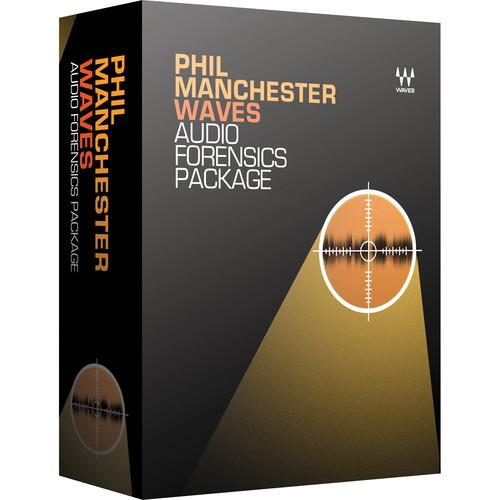 Contents of the user manual for the Waves Forensics Package - Digital Audio
- Product category: Virtual Processor Plug-Ins Waves
- Brand: Waves
- Description and content of package
- Technical information and basic settings
- Frequently asked questions – FAQ
- Troubleshooting (does not switch on, does not respond, error message, what do I do if...)
- Authorized service for Waves Virtual Processor Plug-Ins
 |
User manual for the Waves Forensics Package - Digital Audio contain basic instructions
that need to be followed during installation and operation.
Before starting your appliance, the user manual should be read through carefully.
Follow all the safety instructions and warnings, and be guided by the given recommendations.
User manual is an integral part of any Waves product,
and if it is sold or transferred, they should be handed over jointly with the product.
Following the instructions for use is an essential prerequisite for protecting
health and property during use, as well as recognition of liability on the part of the manufacturer
for possible defects should you make a warranty claim. Download an official Waves user manual in which you will find instructions on how to install, use, maintain and service your product.
And do not forget – unsuitable use of a Waves product will considerably shorten its lifespan!
|
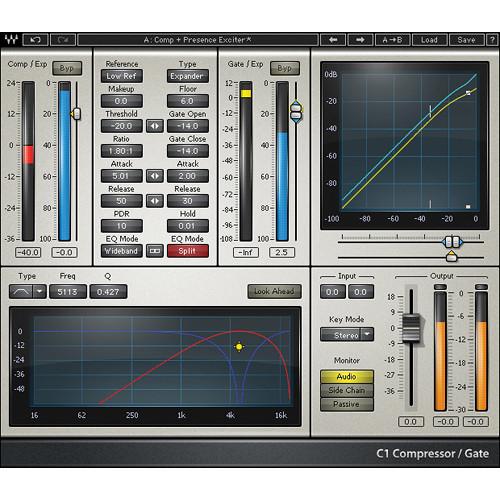
Product description The Forensics Package from Waves is a bundle of nine audio processing plug-ins dedicated to aiding forensic experts to identify, secure, and restore crucial audio sources. Created in association with audio forensic expert Phil Manchester, the collection includes software for noise reduction, EQ, compression, level maximization, and more. - C1 Compressor - Dynamics Plug-In (Native/SoundGrid, Download) C1 Compressor from Waves is a dynamics processor plug-in featuring three distinct modules. The compressor/expander, gate/expander, filter/EQ sections allow the plug-in to fulfill multiple functions, either as separate processors, or combined for maximum flexibility. The plug-in includes Native, SoundGrid and TDM licenses.
- Compressor plug-in with gate and sidechain
- Compressor/expander, gate/expander, filter/EQ modules
- Internal and external side-chaining
- Look-ahead feature for precision transient processing
- Up to 24-bit/192 kHz resolution
- Mono and stereo components
- SoundGrid license compatible with MultiRack Native, StudioRack Native, MultiRack SoundGrid, StudioRack SoundGrid, and eMotion ST Mixer
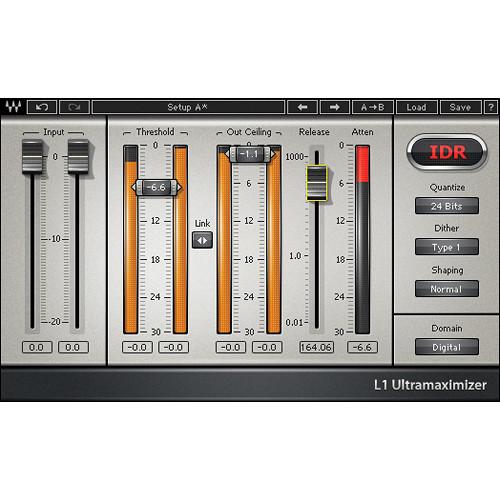
- L1 Ultramaximizer - Loudness Maximizer Plug-In (Native/SoundGrid, Download) L1 Ultramaximizer from Waves is a plug-in that provides dynamics control for any audio application, from multimedia to mastering. The software features look-ahead peak limiting, level maximization, and high resolution re-quantization, and is known for its transparency and punch.
- Peak limiter/level maximizer plug-in
- Two components: L1 Ultramaximizer and L1 Ultramaximizer+
- IDR (Increased Digital Resolution) dither with noise shaping filter
- Double precision bit resolution processing
- Up to 24-bit/192 kHz resolution
- Mono and stereo components
- SoundGrid license compatible with MultiRack Native, StudioRack Native, MultiRack SoundGrid, StudioRack SoundGrid, and eMotion ST Mixer
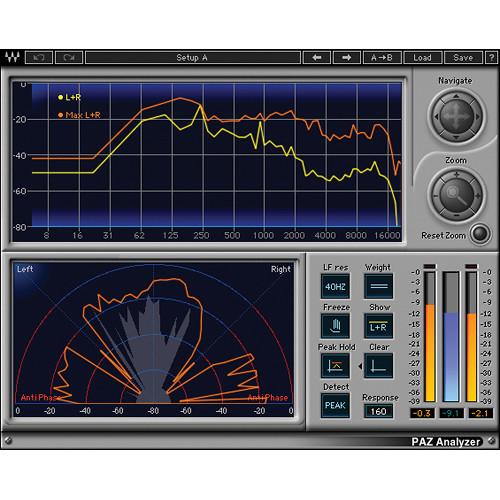
- PAZ Analyzer - Audio Signal Analyzer Plug-In (Native/SoundGrid, Download) The PAZ Analyzer from Waves is an audio analysis plug-in that generates a comprehensive real-time visual representation of the audio's stereo positioning, frequency spread, and peak/RMS levels. It shows the peak and RMS displays with individually re-settable peak hold values, and provides optional resolution in 10 Hz steps for precise analysis below 250 Hz. The analysis graphic output can be saved as a text file.
- Audio analysis tool with three plug-in components - position, frequency and meter
- L/R peak and RMS analysis modes and displays, with individually re-settable peak hold values
- Optional resolution in 10 Hz steps for precise analysis below 250 Hz
- Real-time vector display with zoom
- Results can be saved as text file
- Up to 24-bit/192 kHz resolution
- Mono and stereo components
- SoundGrid license compatible with MultiRack Native, StudioRack Native, MultiRack SoundGrid, StudioRack SoundGrid, and eMotion ST Mixer
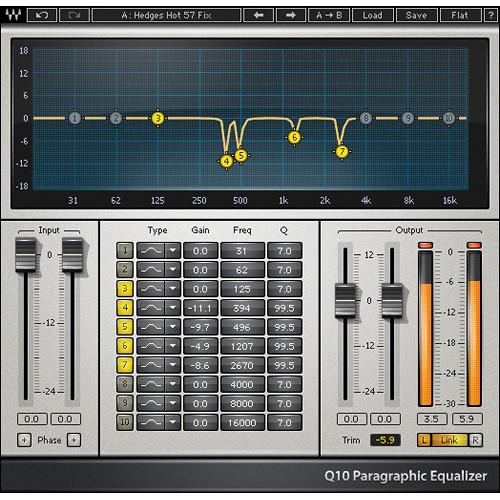
- Q10 Equalizer - Paragraphic EQ Plug-In (TDM/Native/SoundGrid, Download) The Q10 from Waves is a paragraphic EQ plug-in that features up to ten frequency bands within seven components. The software delivers precision equalization for mixing and mastering alike, with each band having the same extended frequency range, and the ability to narrow the bandwidth (Q) for more surgical tasks.
With presets that cover a wide range of applications and advanced noise shaping, the software provides the tools for both creating special effects and spectral modifications that range from subtle to extreme. The plug-in includes Native, SoundGrid and TDM licenses. - Seven plug-in components - 1, 2, 3, 4, 6, 8 and 10 bands
- Separate or linked processing and parameter control
- Advanced noise-shaping for optimum fidelity
- Presets for multimedia, pseudo-stereo, band limiting, comb filtering, crossovers, hum removal, and more
- Up to 24-bit/192 kHz resolution
- Mono and stereo components
- SoundGrid license compatible with MultiRack Native, StudioRack Native, MultiRack SoundGrid, StudioRack SoundGrid, and eMotion ST Mixer
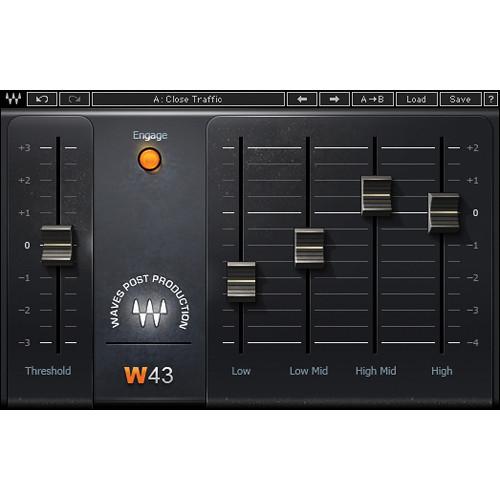
- W43 Noise Reduction Plug-In (Native/SoundGrid, Download) The W43 Noise Reduction Plug-In from Waves is inspired by and built on the legacy of the renowned CAT 43 processor. Ambient noise such as hiss, hum, traffic, wind and air conditioning noise can all wreak havoc on film/video production dialog tracks. With four, fixed frequency bands, the plug-in is easy-to-use for post production environments. It delivers high-quality noise reduction with minimal artifacts (like the original hardware), while providing the advantages of software, such as multiple simultaneous instances.
- Easy-to-use noise reduction plug-in
- Zero latency for accurate picture sync
- Multiple simultaneous instances
- Up to 24-bit/192 kHz resolution (Native) and 96 kHz (TDM)*
*When using TDM, Accel card required for 48 to 96 kHz, with mono only at 88.2 and 96 kHz - Mono and stereo components
- SoundGrid license compatible with MultiRack Native, StudioRack Native, MultiRack SoundGrid, StudioRack SoundGrid, and eMotion ST Mixer
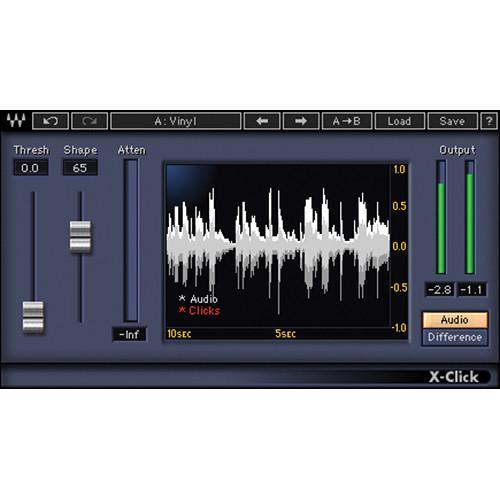
- X-Click - Transient Noise Removal Plug-In (Native/SoundGrid, Download) X-Click from Waves is an audio restoration plug-in that removes transient noise often found in vinyl and shellac records. Clicks, spikes, switching noise and digital crosstalk material can be modulated while preserving the sonic integrity of the source. An Audio/Difference switch allows for monitoring just the offending artifacts.
- Visual scope displays intensity of clicks
- Audio and difference monitoring
- Real-time track insert capability
- Up to 24-bit/96 kHz resolution
- Mono and stereo components
- SoundGrid license compatible with MultiRack Native, StudioRack Native, MultiRack SoundGrid, StudioRack SoundGrid, and eMotion ST Mixer
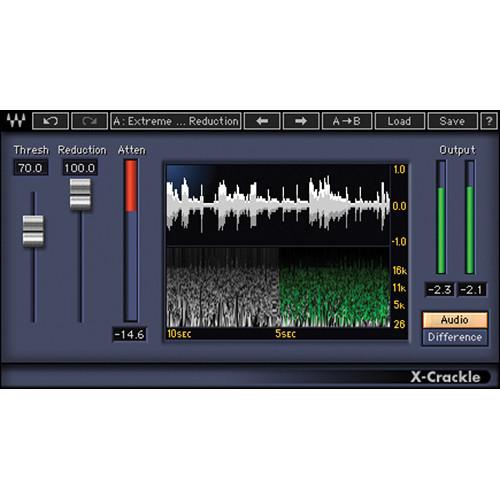
- X-Crackle - Surface Noise and Crackle Removal Plug-In (Native/SoundGrid, Download) X-Crackle from Waves is an audio restoration plug-in that employs advanced psycho-acoustic algorithms to remove crackles and surface noise from vinyl records and damaged recordings. The crackles and surface noise can be modulated while preserving the sonic integrity of the source. An Audio/Difference switch allows for monitoring just the offending artifacts.
- Audio and difference output monitoring
- Frequency-based visual scope display
- Real-time track insert capability
- Up to 24-bit/96 kHz resolution
- Mono and stereo components
- SoundGrid license compatible with MultiRack Native, StudioRack Native, MultiRack SoundGrid, StudioRack SoundGrid, and eMotion ST Mixer
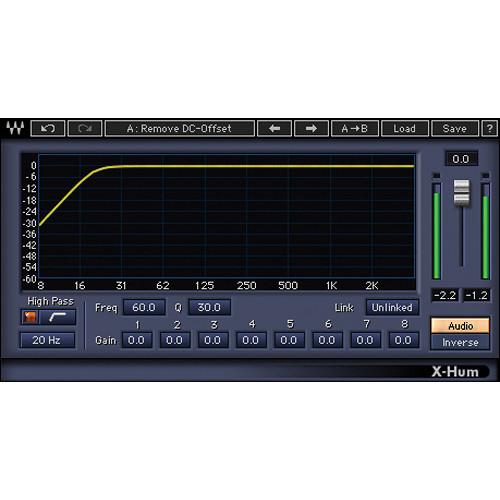
- X-Hum - Hum Removal Plug-In (Native/SoundGrid, Download) X-Hum from Waves is an audio restoration plug-in that employs an easy to use interface to attenuate ground loop hum, DC offset, and low-frequency rumble caused by turntables and tape machines. Using eight harmonically linked notch filters allows for modulating the noise while preserving the sonic integrity of the source. An Audio/Difference switch allows for monitoring just the offending artifacts.
- Eight Harmonic notch filters
- Frequency and amplitude attenuation display
- Audio and inverse monitoring
- Up to 24-bit/96 kHz resolution
- Mono and stereo components
- SoundGrid license compatible with MultiRack Native, StudioRack Native, MultiRack SoundGrid, StudioRack SoundGrid, and eMotion ST Mixer
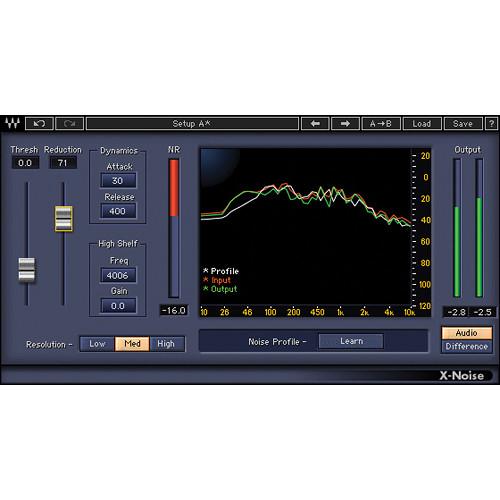
- X-Noise - Steady-State Noise Removal Plug-In (Native/SoundGrid, Download) X-Noise from Waves is an audio restoration plug-in that employs the same intuitive controls often found on traditional dynamics processors used for removing tape hiss, air conditioner or computer noise from individual tracks, complete mixes, or damaged recordings. The noise can be modulated while preserving the sonic integrity of the source. An Audio/Difference switch allows for monitoring just the offending artifacts.
- Real-time parameter control and monitoring
- Learn mode for noise Profile creation
- Frequency-based spectral display
- Audio and Difference output monitoring
- Up to 24-bit/96 kHz resolution*
*For TDM use, no stereo operation at 96 kHz - Mono and stereo components
- SoundGrid license compatible with MultiRack Native, StudioRack Native, MultiRack SoundGrid, StudioRack SoundGrid, and eMotion ST Mixer
In the Box Bundle Items C1 Compressor - Dynamics Plug-In (Native/SoundGrid, Download) vtubtywqzvfccxsrareczs L1 Ultramaximizer - Loudness Maximizer Plug-In (Native/SoundGrid, Download) PAZ Analyzer - Audio Signal Analyzer Plug-In (Native/SoundGrid, Download) Q10 Equalizer - Paragraphic EQ Plug-In (TDM/Native/SoundGrid, Download) W43 Noise Reduction Plug-In (Native/SoundGrid, Download) vtubtywqzvfccxsrareczs X-Click - Transient Noise Removal Plug-In (Native/SoundGrid, Download) X-Crackle - Surface Noise and Crackle Removal Plug-In (Native/SoundGrid, Download) X-Hum - Hum Removal Plug-In (Native/SoundGrid, Download) X-Noise - Steady-State Noise Removal Plug-In (Native/SoundGrid, Download) Table of Contents
|
Upload User Manual
Have you got an user manual for the Waves Forensics Package - Digital Audio Forensics Plug-In Bundle in electronic form? Please send it to us and help us expand our library of instruction manuals.
Thank you, too, on behalf of other users.
To upload the product manual, we first need to check and make sure you are not a robot. After that, your "Submit Link" or "Upload File" will appear.
Technical parameters - C1 Compressor - Dynamics Plug-In (Native/SoundGrid, Download)
| System Requirements | Mac
Intel Core i3, i5, i7, Xeon
OS X 10.9.5 to 10.11.4
10.8.5 for Pro Tools 10 only
4 GB RAM
4 GB free hard drive space
1024x768 minimum screen resolution (1280x1024, 1600x1024 recommended)
USB displays are not supported as the primary display
For Native plug-in use, host software that supports AAX Native, Audio Units, RTAS, AudioSuite, VST, or VST3 formats
Windows
Intel Core i3, i5, i7, Xeon
Windows 7 SP1, Windows 8.1, Windows 10 (all 64-bit)
4 GB RAM
4 GB free hard drive space
1024x768 minimum screen resolution (1280x1024, 1600x1024 recommended)
For Native plug-in use, host software that supports AAX Native, RTAS, AudioSuite, VST, or VST3 formats | - L1 Ultramaximizer - Loudness Maximizer Plug-In (Native/SoundGrid, Download)
| System Requirements | Mac
Intel Core i3, i5, i7, Xeon
OS X 10.9.5 to 10.11.4
10.8.5 for Pro Tools 10 only
4 GB RAM
4 GB free hard drive space
1024x768 minimum screen resolution (1280x1024, 1600x1024 recommended)
USB displays are not supported as the primary display
For Native plug-in use, host software that supports AAX Native, Audio Units, RTAS, AudioSuite, VST, or VST3 formats
Windows
Intel Core i3, i5, i7, Xeon
Windows 7 SP1, Windows 8.1, Windows 10 (all 64-bit)
4 GB RAM
4 GB free hard drive space
1024x768 minimum screen resolution (1280x1024, 1600x1024 recommended)
For Native plug-in use, host software that supports AAX Native, RTAS, AudioSuite, VST, or VST3 formats | - PAZ Analyzer - Audio Signal Analyzer Plug-In (Native/SoundGrid, Download)
| System Requirements | Mac
Intel Core i3, i5, i7, Xeon
OS X 10.9.5 to 10.11.4
10.8.5 for Pro Tools 10 only
4 GB RAM
4 GB free hard drive space
1024x768 minimum screen resolution (1280x1024, 1600x1024 recommended)
USB displays are not supported as the primary display
For Native plug-in use, host software that supports AAX Native, Audio Units, RTAS, AudioSuite, VST, or VST3 formats
Windows
Intel Core i3, i5, i7, Xeon
Windows 7 SP1, Windows 8.1, Windows 10 (all 64-bit)
4 GB RAM
4 GB free hard drive space
1024x768 minimum screen resolution (1280x1024, 1600x1024 recommended)
For Native plug-in use, host software that supports AAX Native, RTAS, AudioSuite, VST, or VST3 formats | - Q10 Equalizer - Paragraphic EQ Plug-In (TDM/Native/SoundGrid, Download)
| System Requirements | Mac
Core Duo 2.3 GHz
OS X 10.7 to 10.10.3
4 GB RAM
1024 x 768 screen resolution
For Native plug-in use, host software that supports AAX Native, Audio Units, RTAS/Audiosuite, or VST formats
TDM use requires Pro Tools 10.3.8 to 10.3.10
PC
Intel Core 2 Duo 2 GHz
Windows 7 SP1, Windows 8, Windows 8.1
4 GB RAM
1024 x 768 32-bit screen resolution
For Native plug-in use, host software that supports AAX Native, RTAS/Audiosuite, or VST formats
TDM use requires Pro Tools 10.3.8 to 10.3.10 | - W43 Noise Reduction Plug-In (Native/SoundGrid, Download)
| System Requirements | Mac
Intel Core i3, i5, i7, Xeon
OS X 10.9.5 to 10.11.4
10.8.5 for Pro Tools 10 only
4 GB RAM
4 GB free hard drive space
1024x768 minimum screen resolution (1280x1024, 1600x1024 recommended)
USB displays are not supported as the primary display
For Native plug-in use, host software that supports AAX Native, Audio Units, RTAS, AudioSuite, VST, or VST3 formats
Windows
Intel Core i3, i5, i7, Xeon
Windows 7 SP1, Windows 8.1, Windows 10 (all 64-bit)
4 GB RAM
4 GB free hard drive space
1024x768 minimum screen resolution (1280x1024, 1600x1024 recommended)
For Native plug-in use, host software that supports AAX Native, RTAS, AudioSuite, VST, or VST3 formats | - X-Click - Transient Noise Removal Plug-In (Native/SoundGrid, Download)
| System Requirements | Mac
Intel Core i3, i5, i7, Xeon
OS X 10.9.5 to 10.11.4
10.8.5 for Pro Tools 10 only
4 GB RAM
4 GB free hard drive space
1024x768 minimum screen resolution (1280x1024, 1600x1024 recommended)
USB displays are not supported as the primary display
For Native plug-in use, host software that supports AAX Native, Audio Units, RTAS, AudioSuite, VST, or VST3 formats
Windows
Intel Core i3, i5, i7, Xeon
Windows 7 SP1, Windows 8.1, Windows 10 (all 64-bit)
4 GB RAM
4 GB free hard drive space
1024x768 minimum screen resolution (1280x1024, 1600x1024 recommended)
For Native plug-in use, host software that supports AAX Native, RTAS, AudioSuite, VST, or VST3 formats | - X-Crackle - Surface Noise and Crackle Removal Plug-In (Native/SoundGrid, Download)
| System Requirements | Mac
Intel Core i3, i5, i7, Xeon
OS X 10.9.5 to 10.11.4
10.8.5 for Pro Tools 10 only
4 GB RAM
4 GB free hard drive space
1024x768 minimum screen resolution (1280x1024, 1600x1024 recommended)
USB displays are not supported as the primary display
For Native plug-in use, host software that supports AAX Native, Audio Units, RTAS, AudioSuite, VST, or VST3 formats
Windows
Intel Core i3, i5, i7, Xeon
Windows 7 SP1, Windows 8.1, Windows 10 (all 64-bit)
4 GB RAM
4 GB free hard drive space
1024x768 minimum screen resolution (1280x1024, 1600x1024 recommended)
For Native plug-in use, host software that supports AAX Native, RTAS, AudioSuite, VST, or VST3 formats | - X-Hum - Hum Removal Plug-In (Native/SoundGrid, Download)
| System Requirements | Mac
Intel Core i3, i5, i7, Xeon
OS X 10.9.5 to 10.11.4
10.8.5 for Pro Tools 10 only
4 GB RAM
4 GB free hard drive space
1024x768 minimum screen resolution (1280x1024, 1600x1024 recommended)
USB displays are not supported as the primary display
For Native plug-in use, host software that supports AAX Native, Audio Units, RTAS, AudioSuite, VST, or VST3 formats
Windows
Intel Core i3, i5, i7, Xeon
Windows 7 SP1, Windows 8.1, Windows 10 (all 64-bit)
4 GB RAM
4 GB free hard drive space
1024x768 minimum screen resolution (1280x1024, 1600x1024 recommended)
For Native plug-in use, host software that supports AAX Native, RTAS, AudioSuite, VST, or VST3 formats | - X-Noise - Steady-State Noise Removal Plug-In (Native/SoundGrid, Download)
| System Requirements | Mac
Intel Core i3, i5, i7, Xeon
OS X 10.9.5 to 10.11.4
10.8.5 for Pro Tools 10 only
4 GB RAM
4 GB free hard drive space
1024x768 minimum screen resolution (1280x1024, 1600x1024 recommended)
USB displays are not supported as the primary display
For Native plug-in use, host software that supports AAX Native, Audio Units, RTAS, AudioSuite, VST, or VST3 formats
Windows
Intel Core i3, i5, i7, Xeon
Windows 7 SP1, Windows 8.1, Windows 10 (all 64-bit)
4 GB RAM
4 GB free hard drive space
1024x768 minimum screen resolution (1280x1024, 1600x1024 recommended)
For Native plug-in use, host software that supports AAX Native, RTAS, AudioSuite, VST, or VST3 formats |
Rating70% users recommend this product to others. And what about you?

This product has already been rated by 31 owners. Add your rating and experience with the product.
Discussion
 Ask our technicians if you have a problem with your settings,
or if anything is unclear in the user manual you have downloaded.
You can make use of our moderated discussion.
The discussion is public and helps other users of our website who may be encountering similar problems.
Ask our technicians if you have a problem with your settings,
or if anything is unclear in the user manual you have downloaded.
You can make use of our moderated discussion.
The discussion is public and helps other users of our website who may be encountering similar problems.
The discussion is empty - enter the first post
Post a new topic / query / comment:
|
|


