User Manual for Waves Genesis Dynamics and Time-Based Processor Plug-In Bundle Click to enlarge the picture
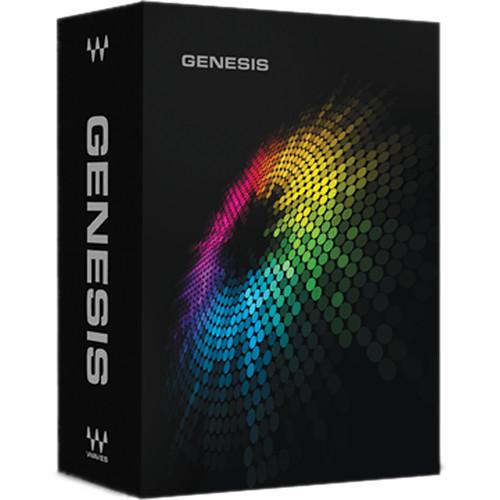 Contents of the user manual for the Waves Genesis Dynamics and Time-Based Processor
- Product category: Virtual Processor Plug-Ins Waves
- Brand: Waves
- Description and content of package
- Technical information and basic settings
- Frequently asked questions – FAQ
- Troubleshooting (does not switch on, does not respond, error message, what do I do if...)
- Authorized service for Waves Virtual Processor Plug-Ins
|
User manual for the Waves Genesis Dynamics and Time-Based Processor contain basic instructions
that need to be followed during installation and operation.
Before starting your appliance, the user manual should be read through carefully.
Follow all the safety instructions and warnings, and be guided by the given recommendations.
User manual is an integral part of any Waves product,
and if it is sold or transferred, they should be handed over jointly with the product.
Following the instructions for use is an essential prerequisite for protecting
health and property during use, as well as recognition of liability on the part of the manufacturer
for possible defects should you make a warranty claim. Download an official Waves user manual in which you will find instructions on how to install, use, maintain and service your product.
And do not forget – unsuitable use of a Waves product will considerably shorten its lifespan!
|
Product description Waves Genesis is a collection of four plug-ins designed to provide versatility and efficiency for essential dynamics and time-based processing functions in live sound and the studio. The Genesis bundle, comprised of the C4 Multiband Compressor, H-Delay Hybrid Delay, Renaissance DeEsser, and Renaissance Reverb, is Native and SoundGrid compatible. It offers powerful processors for compression, expansion, de-essing, and hi- and lo-fi delay and reverb. - C4 Multiband Compressor Dynamics Processor Plug-In (Native/SoundGrid, Download) C4 Multiband from Waves is a multiband dynamics processor plug-in that features four bands of up and down expansion, limiting, and compression, along with dynamic and standard EQ. By combining the technologies from the Renaissance Compressor and the C1 Parametric Compander, the plug-in provides comprehensive and transparent control over the contours of a mix.
- Multiband compressor plug-in
- Sculpt vocal frequency and dynamic response with pinpoint precision
- Control, compress, and accentuate different parts of drum kits
- Shape mixes dynamically using frequency-based compression and expansion
- Supports sample rates up to 192 kHz
- Mono and stereo components
- SoundGrid license compatible with MultiRack Native, MultiRack SoundGrid, DiGiCo, StudioRack Native, StudioRack SoundGrid, eMotion ST Mixer, and eMotion LV1 Mixer
- H-Delay Hybrid Delay Delay Plug-In (Native/SoundGrid, Download) H-Delay from Waves is a hybrid delay plug-in that features old school PCM42-style effects like filtering, flanging, and phasing, along with slap-back echo, ping-pong delay, and tempo-sync with modulation. The plug-in has full MIDI support.
An intuitive interface aids in quickly creating an effect using a comprehensive set of controls and includes a tap tempo pad for manually tapping in a tempo. Internal or host-to sync is also available, and the high- and low-pass filters can be linked. - Up to 3.5 seconds delay time
- Variable pitch delay time behavior
- Analog character and LoFi modes
- Infinite feedback support
- LFO-controlled pitch modulation
- Tap Pad for easy delay time setting
- Sync-to-host or manual BPM
- Supports sample rates up to 96 kHz
- Mono, mono-to-stereo, and stereo components
- SoundGrid license compatible with MultiRack Native, StudioRack Native, MultiRack SoundGrid, StudioRack SoundGrid, and eMotion ST Mixer
- Renaissance DeEsser Channel Strip Plug-In (Native/SoundGrid, Download) The Renaissance DeEsser from Waves is a plug-in used to reduce excess sibilance (ess and shh sounds) from vocal tracks. A sibilance attenuator reduces undesirable high frequencies while preserving the integrity of the source. A variety of presets for both male and female voices along with the functionality of audio or side-chain monitoring, allows for spotting problem areas and fixing them with accuracy and ease.
- Ideal for tracking, mastering, live sound, and broadcast
- Adaptive threshold and adjustable gain reduction
- Phase compensated crossover
- Audio or side-chain monitoring
- Supports sample rates up to 192 kHz
- Mono and stereo components
- SoundGrid license compatible with MultiRack Native, StudioRack Native, MultiRack SoundGrid, StudioRack SoundGrid, and eMotion ST Mixer
- Renaissance Reverb - Classic Reverb Plug-In (Native/SoundGrid, Download) The Renaissance Reverb from Waves is a reverb plug-in that features the classic, rich reverb tails of high-end hardware reverbs, while delivering precise control over all aspects of the reverb simulation.
The software provides an advanced early reflection system, and dual-band EQ and damping controls. An interesting feature of the early reflections is the ability to input negative values, thus delaying the dry signal. This can create an interesting bloom effect before the onset of the dry signal. - De-correlation for subtle early reflections changes and fine tuning
- Negative predelay value delays the dry signal
- Supports sample rates up to 96 kHz
- Mono to stereo and stereo components
- SoundGrid license compatible with MultiRack Native, StudioRack Native, MultiRack SoundGrid, StudioRack SoundGrid, and eMotion ST Mixer
In the Box Bundle Items C4 Multiband Compressor Dynamics Processor Plug-In (Native/SoundGrid, Download) subecbrbuaebbsbuuaaqbs H-Delay Hybrid Delay Delay Plug-In (Native/SoundGrid, Download) Renaissance DeEsser Channel Strip Plug-In (Native/SoundGrid, Download) Renaissance Reverb - Classic Reverb Plug-In (Native/SoundGrid, Download) Table of Contents
|
Upload User Manual
Have you got an user manual for the Waves Genesis Dynamics and Time-Based Processor Plug-In Bundle in electronic form? Please send it to us and help us expand our library of instruction manuals.
Thank you, too, on behalf of other users.
To upload the product manual, we first need to check and make sure you are not a robot. After that, your "Submit Link" or "Upload File" will appear.
Technical parameters - C4 Multiband Compressor Dynamics Processor Plug-In (Native/SoundGrid, Download)
| System Requirements | macOS 10.10.5 to 10.12.5
Intel Core i5, i7, Xeon
8 GB RAM
8 GB free hard drive space on system drive
1024 x 768 minimum screen resolution (1280 x 1024 or 1600 x 1024 recommended)
USB displays are not supported as the primary display
For Native plug-in use, host software that supports AAX Native, Audio Units, AudioSuite, VST, or VST3 formats
Windows 7 SP1, Windows 8.1, Windows 10 (all 64-bit)
Intel Core i3, i5, i7, and Xeon; AMD Quad-Core
4 GB RAM
8 GB free hard drive space on system drive
1024 x 768 minimum screen resolution (1280 x 1024 or 1600 x 1024 recommended)
For Native plug-in use, host software that supports AAX Native, AudioSuite, VST, or VST3 formats
Support for Visually Impaired Users
macOS X Sierra 10.12.4
VoiceOver Utility enabled
Pro Tools 12.7
Logic 10.3.1
Note: Preset management via the WaveSystem Toolbar is currently not supported | - H-Delay Hybrid Delay Delay Plug-In (Native/SoundGrid, Download)
| System Requirements | macOS 10.10.5 to 10.12.5
Intel Core i5, i7, Xeon
8 GB RAM
8 GB free hard drive space on system drive
1024 x 768 minimum screen resolution (1280 x 1024 or 1600 x 1024 recommended)
USB displays are not supported as the primary display
For Native plug-in use, host software that supports AAX Native, Audio Units, AudioSuite, VST, or VST3 formats
Windows 7 SP1, Windows 8.1, Windows 10 (all 64-bit)
Intel Core i3, i5, i7, and Xeon; AMD Quad-Core
4 GB RAM
8 GB free hard drive space on system drive
1024 x 768 minimum screen resolution (1280 x 1024 or 1600 x 1024 recommended)
For Native plug-in use, host software that supports AAX Native, AudioSuite, VST, or VST3 formats
Support for Visually Impaired Users
macOS Sierra 10.12.4
VoiceOver Utility enabled
Pro Tools 12.7
Logic 10.3.1
Note: Preset management via the WaveSystem Toolbar is currently not supported | - Renaissance DeEsser Channel Strip Plug-In (Native/SoundGrid, Download)
| System Requirements | macOS X 10.10.5 to 10.12.5
Intel Core i5, i7, Xeon
8 GB RAM
8 GB free hard drive space on system drive
1024 x 768 minimum screen resolution (1280 x 1024 or 1600 x 1024 recommended)
USB displays are not supported as the primary display
For Native plug-in use, host software that supports AAX Native, Audio Units, AudioSuite, VST, or VST3 formats
Windows 7 SP1, Windows 8.1, Windows 10 (all 64-bit)
Intel Core i3, i5, i7, and Xeon; AMD Quad-Core
4 GB RAM
8 GB free hard drive space on system drive
1024 x 768 minimum screen resolution (1280 x 1024 or 1600 x 1024 recommended)
For Native plug-in use, host software that supports AAX Native, AudioSuite, VST, or VST3 formats
Support for Visually Impaired Users
macOS X Sierra 10.12.4
VoiceOver Utility enabled
Pro Tools 12.7
Logic 10.3.1
Note: Preset management via the WaveSystem Toolbar is currently not supported | - Renaissance Reverb - Classic Reverb Plug-In (Native/SoundGrid, Download)
| System Requirements | macOS X 10.10.5 to 10.12.5
Intel Core i5, i7, Xeon
8 GB RAM
8 GB free hard drive space on system drive
1024 x 768 minimum screen resolution (1280 x 1024 or 1600 x 1024 recommended)
USB displays are not supported as the primary display
For Native plug-in use, host software that supports AAX Native, Audio Units, AudioSuite, VST, or VST3 formats
Windows 7 SP1, Windows 8.1, Windows 10 (all 64-bit)
Intel Core i3, i5, i7, and Xeon; AMD Quad-Core
4 GB RAM
8 GB free hard drive space on system drive
1024 x 768 minimum screen resolution (1280 x 1024 or 1600 x 1024 recommended)
For Native plug-in use, host software that supports AAX Native, AudioSuite, VST, or VST3 formats
Support for Visually Impaired Users
macOS X Sierra 10.12.4
VoiceOver Utility enabled
Pro Tools 12.7
Logic 10.3.1
Note: Preset management via the WaveSystem Toolbar is currently not supported |
Rating90% users recommend this product to others. And what about you?

This product has already been rated by 16 owners. Add your rating and experience with the product.
Discussion
 Ask our technicians if you have a problem with your settings,
or if anything is unclear in the user manual you have downloaded.
You can make use of our moderated discussion.
The discussion is public and helps other users of our website who may be encountering similar problems.
Ask our technicians if you have a problem with your settings,
or if anything is unclear in the user manual you have downloaded.
You can make use of our moderated discussion.
The discussion is public and helps other users of our website who may be encountering similar problems.
The discussion is empty - enter the first post
Post a new topic / query / comment:
|
|


