User Manual for Waves Grand Masters Collection - Precision Mastering Processors Bundle Click to enlarge the picture
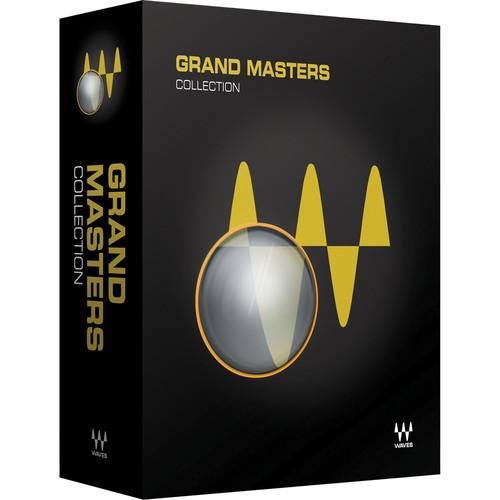 Contents of the user manual for the Waves Grand Masters Collection - Precision
- Product category: Virtual Processor Plug-Ins Waves
- Brand: Waves
- Description and content of package
- Technical information and basic settings
- Frequently asked questions – FAQ
- Troubleshooting (does not switch on, does not respond, error message, what do I do if...)
- Authorized service for Waves Virtual Processor Plug-Ins
 |
User manual for the Waves Grand Masters Collection - Precision contain basic instructions
that need to be followed during installation and operation.
Before starting your appliance, the user manual should be read through carefully.
Follow all the safety instructions and warnings, and be guided by the given recommendations.
User manual is an integral part of any Waves product,
and if it is sold or transferred, they should be handed over jointly with the product.
Following the instructions for use is an essential prerequisite for protecting
health and property during use, as well as recognition of liability on the part of the manufacturer
for possible defects should you make a warranty claim. Download an official Waves user manual in which you will find instructions on how to install, use, maintain and service your product.
And do not forget – unsuitable use of a Waves product will considerably shorten its lifespan!
|
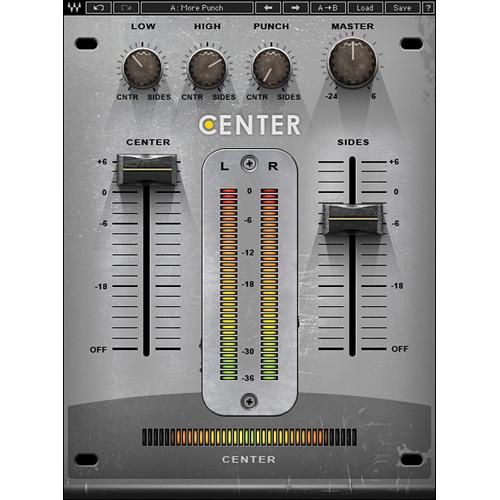
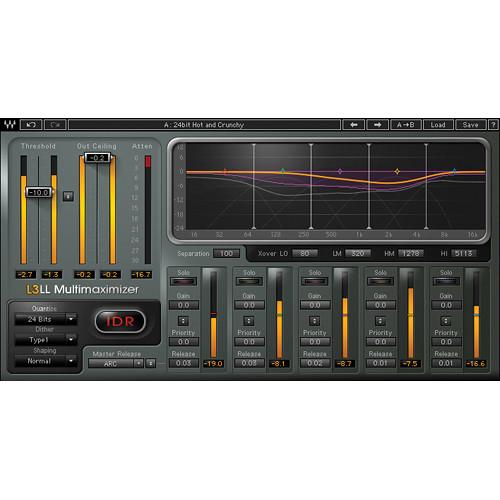
Product description Grand Masters Collection from Waves is a set of precision processors that can perform subtle or surgical manipulation of mixes. The bundle includes multiband compressors, linear EQ and models of classic EQs, stereo metering, and other mastering specific processors. Additionally, two versions of a low-latency multiband peak limiter/level maximizing plug-in, the L3-LL Multimaximizer and Ultramaximizer, are also available. - Center - Spatial Imaging Adjustment Plug-In (Native/SoundGrid, Download) Center from Waves is a plug-in useful for fine tuning final mixes and for mastering applications. The software allows for separating the phantom center in stereo sources from the side (L/R) content in order to bring out or bring down the vocals, or whatever occupies the center space, without affecting everything else.
Conversely, it is possible to widen or narrow the side content without disturbing the center, aiding post-production engineers as well as DJs, to reposition, isolate, and even eliminate elements from a mix. - Change lead vocal levels during mastering
- Add high-end sparkle to side content without affecting center information like vocal, kick, and snare
- Accentuate or tame the overheads in a drum submix
- Bring out just the kick and snare in a drum loop
- Enhance the room ambience on stereo percussion tracks
- Add punch to the kick and snare in an already mixed track
- In post production, focus dialogue captured with stereo microphones
- Lower vocals in songs for karaoke versions
- Up to 24-bit/192 kHz resolution (Native) and 96 kHz (TDM)*
*Accel card required for 96 kHz operation - SoundGrid license compatible with MultiRack Native, StudioRack Native, MultiRack SoundGrid, StudioRack SoundGrid, and eMotion ST Mixer
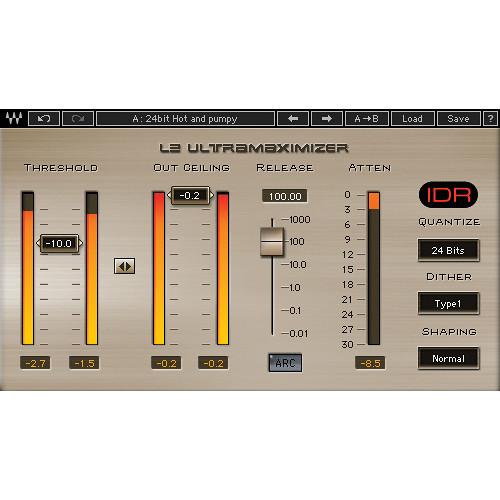
- L2 Ultramaximizer - Loudness Maximizer Plug-In (Native/SoundGrid, Download) L2 Ultramaximizer from Waves is a plug-in that provides dynamics control for mixing, mastering, and more. The software features look-ahead brickwall peak limiting, level maximization, and ultra high resolution re-quantization for crystal clear level gain.
- Peak limiter/level maximizer plug-in
- Manual and ARC Automatic Release Control
- IDR (Increased Digital Resolution) with double precision bit re-quantization and dither with 9th-order noise shaping filter
- Double precision bit resolution processing
- Up to 24-bit/192 kHz resolution
- Mono and stereo components
- SoundGrid license compatible with MultiRack Native, StudioRack Native, MultiRack SoundGrid, StudioRack SoundGrid, and eMotion ST Mixer
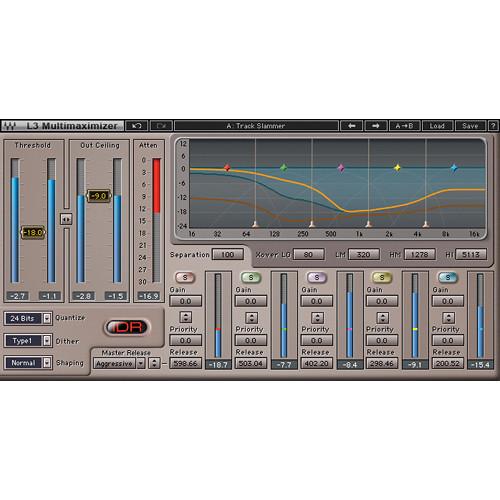
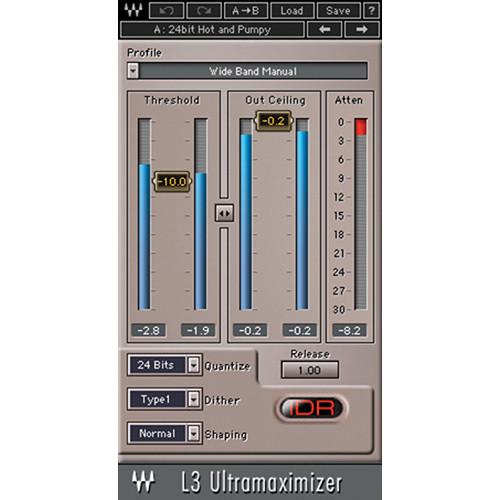
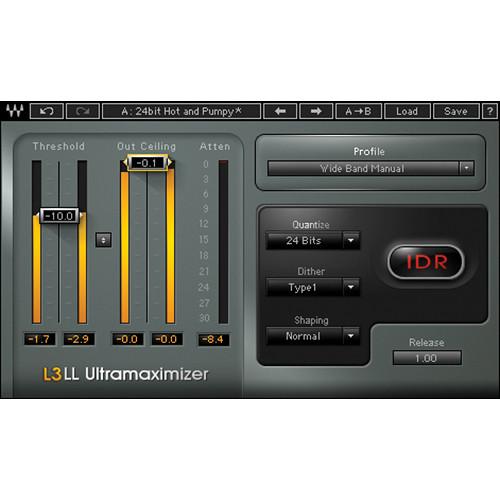
- L3 Multimaximizer - Multi-Band Limiter Plug-In (Native/SoundGrid, Download) The L3 Multimaximizer from Waves is a plug-in that performs multi-band peak limiting, delivered in two versions. The Multimaximizer and Ultramaximizer plug-ins both utilize the "Peak Limiting Mixer" (PLMixer) engine, with the only difference being less control provided on the Ultramaximizer.
The plug-in uses linear phase crossover filters to divide the audio spectrum into five bands. The PLMixer then uses psychoacoustic criteria to intelligently decide how much attenuation to apply to each band so that all available headroom is used.
The result is that inter-modulation is minimized and overall loudness is maximized, while brick-wall limiting is still maintained - all while retaining a single master threshold control. With its transparent operation, brick-wall limiting, dithering and noise shaping control, the L3 is able to function as a complete mastering processor. - Multiband peak limiter/level maximizer plug-in
- Linear phase EQ avoids strident highs and delivers punchy lows
- Master and individual ARC Automatic Release Controls
- IDR (Increased Digital Resolution) with double precision bit re-quantization and dither with 9th-order noise shaping filter
- Also includes L3 Ultramaximizer
- Up to 24-bit/96 kHz resolution*
*For TDM use, Accel card required for all sample rates - Mono and stereo components
- SoundGrid license compatible with MultiRack Native, StudioRack Native, MultiRack SoundGrid, StudioRack SoundGrid, and eMotion ST Mixer
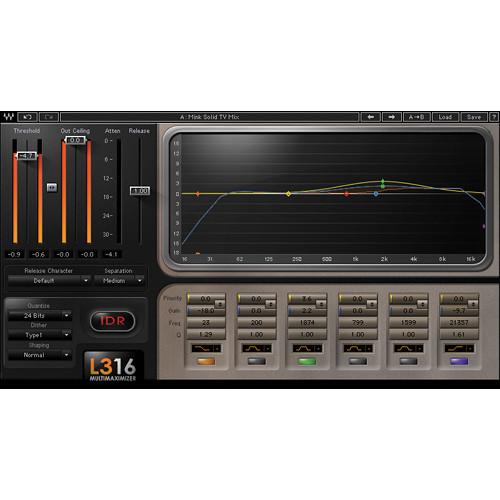
- L3-16 Multimaximizer - Peak Limiter Plug-In (Native/SoundGrid, Download) The L3-16 Multimaximizer from Waves is a plug-in that performs multi-band peak limiting. The software achieves this by dividing the audio source into sixteen variable bands and utilizing the company's "Peak Limiting Mixer" (PLMixer) engine.
The plug-in uses linear phase crossover filters to divide the audio spectrum, while the PLMixer uses psychoacoustic criteria to decide how much attenuation to apply to each band so that all available headroom is used. The result is that inter-modulation is minimized and overall loudness is maximized, while brick-wall limiting is still maintained. - 16-band peak limiter/level maximizer plug-in
- Built-in linear phase equalizer
- Linear phase filtering for maximum output, free of phase distortion
- ARC Automatic Release Control
- IDR Increased Digital Resolution with double precision bit re-quantization and 9th-order noise shaping
- Also includes the L3 Multimaximizer and L3-LL Multimaximizer
- Up to 24-bit/96 kHz resolution
- Mono and stereo components
- SoundGrid license compatible with MultiRack Native, StudioRack Native, MultiRack SoundGrid, StudioRack SoundGrid, and eMotion ST Mixer
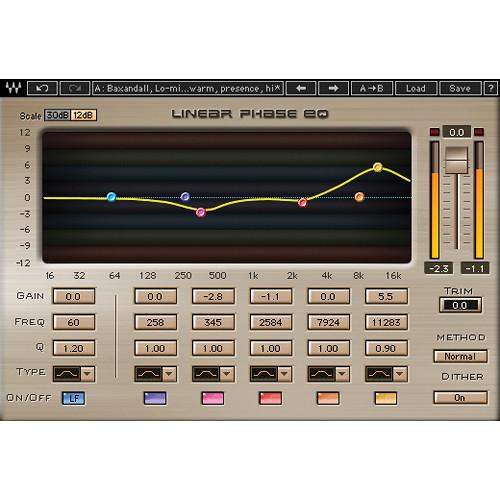
- Linear Phase EQ - Mastering Equalizer Plug-In (Native/SoundGrid, Download) The Linear Phase EQ from Waves is a plug-in created with mastering as its main focus. The linear phase filters preserve the original musical balance with absolutely zero phase shift, while providing precise control over the harmonic spectrum.
- Equalizer plug-in for mastering
- Five user-definable bands of EQ with linear phase crossovers
- Lowband and broadband components*
*When using LinEQ Broadband for TDM, stereo not available at 96 kHz - Nine linear phase filter types
- Ideal for acoustic instruments, stereo sources, transient-heavy tracks, and mastering
- Up to 24-bit/96 kHz resolution*
*For TDM use, Accel card required for 96 kHz - Mono and stereo components
- SoundGrid license compatible with MultiRack Native, StudioRack Native, MultiRack SoundGrid, StudioRack SoundGrid, and eMotion ST Mixer
- Linear Phase Multiband Compressor - Multiband Compression Plug-In (TDM/Native/SoundGrid, Download) The Linear Phase Multiband Compressor from Waves is a multiband dynamics plug-in for mixing, mastering, and more. The software utilizes technologies like Adaptive Thresholds, Automatic Makeup Gain, and Finite Response Filters.
The inclusion of linear phase crossovers allows the plug-in to function without any phase-based distortion, and each of the five bands features threshold, gain, range, attack and release controls for transparent multiband compression. - Multiband compressor plug-in for mastering
- Five user-definable bands with linear phase crossovers
- ARC Automatic Release Control
- Ideal for mastering and other high-precision applications
- Up to 24-bit/96 kHz resolution*
*For TDM use, Accel card required for 96 kHz operation - Mono and stereo components
- SoundGrid license compatible with MultiRack Native, StudioRack Native, MultiRack SoundGrid, StudioRack SoundGrid, and eMotion ST Mixer
- MaxxVolume - Dynamics Plug-In (Native/SoundGrid, Download) MaxxVolume from Waves is a four-way dynamics processor plug-in that combines several technologies from the company's other processors into a single, unified interface. Building on the L2 Ultramaximizer, C1 Parametric Compander, Renaissance Vox, and Renaissance Compressor, the plug-in provides a unique functionality for mixing and mastering, as well as broadcast and post-production.
When used with vocals, the processor allows the vocal to stay in focus with automatic level riding. When working with instruments, the plug-in can control the dynamic range without the artifacts of compressors and limiters. And for broadcast, the engineer can bring any program material to a fixed destination level, making it ideal for radio and TV, podcasting, Internet streaming, and more. - High and low level compression, gating, and leveling in one plug-in
- Bring out room ambience and detail
- Add body and detail on acoustic instruments
- Level dialog and other post-production elements
- Up to 24-bit/192 kHz resolution
- Mono and stereo components
- SoundGrid license compatible with MultiRack Native, StudioRack Native, MultiRack SoundGrid, StudioRack SoundGrid, and eMotion ST Mixer
- PuigTec EQs - Program and Midrange EQ Plug-Ins (Native/SoundGrid, Download) PuigTec EQ from Waves provides a pair of EQ plug-ins that used together provide a full-range, vintage EQ chain. Both original Pultec hardware units on which the plug-ins have been modeled, continue to this day to be mainstays at high-end studios.
The EQP-1A is known for its unique ability to boost and cut the same frequencies simultaneously, thereby creating a resonant shelf. The distinctive midrange tonal characteristics of the MEQ-5 make it the perfect complement to the EQP-1A. - Modeled on a rare vintage Pultec EQs
- EQP-1A offers its signature resonant low shelf boost
- MEQ-5 is the midrange complement to EQP-1A
- Up to 24-bit/96 kHz resolution*
*For TDM use, Accel card required for all sample rates - Mono and stereo components
- SoundGrid license compatible with MultiRack Native, StudioRack Native, MultiRack SoundGrid, StudioRack SoundGrid, and eMotion ST Mixer
- V-Comp - Vintage Hardware Compressor Plug-In (Native/SoundGrid, Download) V-Comp from Waves is a dynamics plug-in that uses time constants and a fixed nominal output gain to recreate the famous output-bus sound signature of a vintage 2254 hardware compressor. The plug-in is very responsive, with only a little gain reduction needed to glue a mix together.
- Modeled vintage compressor plug-in
- All-in-one compression, limiting and de-essing
- Up to 24-bit/96 kHz resolution
- Mono and stereo components
- SoundGrid license compatible with MultiRack Native, StudioRack Native, MultiRack SoundGrid, StudioRack SoundGrid, and eMotion ST Mixer
- V-EQ3 - Vintage Style EQ Plug-In (Native/SoundGrid, Download) The V-EQ3 from Waves is a three-band EQ plug-in modeled after the 1066 and 1073 console modules, two of the most sought after EQs. It features the same classic frequency cutoff points as the originals, along with a variable high-pass filter.
- Modeled vintage equalizer plug-in
- Based on the Neve 1066 and 1073 modules
- High pass, low-frequency shelf, mid-frequency bell and high-frequency shelf filters
- Up to 24-bit/96 kHz resolution
- Mono and stereo components
- SoundGrid license compatible with MultiRack Native, StudioRack Native, MultiRack SoundGrid, StudioRack SoundGrid, and eMotion ST Mixer
- V-EQ4 - Vintage Style EQ Plug-In (Native/SoundGrid, Download) The V-EQ4 from Waves is a four-band EQ plug-in modeled after the 1081 console module and features detailed high frequency boosts, plus high-pass and low-pass filters. The software conveys the vintage character of the original hardware while simultaneously delivering modern digital usability.
- Modeled vintage equalizer plug-in
- Based on the Neve 1081 modules
- Smooth, responsive performance
- Up to 24-bit/96 kHz resolution
- Mono and stereo components
- SoundGrid license compatible with MultiRack Native, StudioRack Native, MultiRack SoundGrid, StudioRack SoundGrid, and eMotion ST Mixer
In the Box Bundle Items Center - Spatial Imaging Adjustment Plug-In (Native/SoundGrid, Download) cczrfeavxufeyfubfdcz
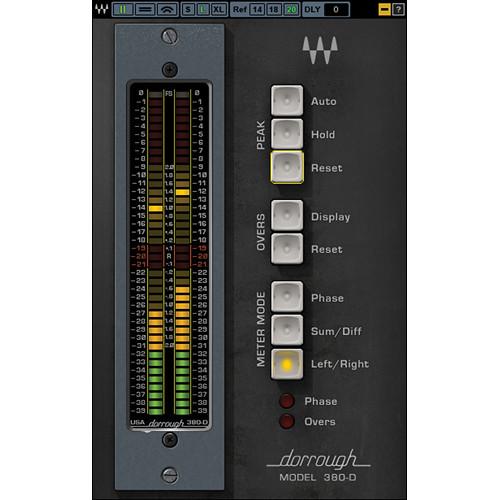
Also Includes - Dorrough Stereo - Stereo Metering Plug-In (Native/SoundGrid, Download)
L2 Ultramaximizer - Loudness Maximizer Plug-In (Native/SoundGrid, Download) L3 Multimaximizer - Multi-Band Limiter Plug-In (Native/SoundGrid, Download) cczrfeavxufeyfubfdcz L3-16 Multimaximizer - Peak Limiter Plug-In (Native/SoundGrid, Download) Linear Phase EQ - Mastering Equalizer Plug-In (Native/SoundGrid, Download) Linear Phase Multiband Compressor - Multiband Compression Plug-In (TDM/Native/SoundGrid, Download) MaxxVolume - Dynamics Plug-In (Native/SoundGrid, Download) PuigTec EQs - Program and Midrange EQ Plug-Ins (Native/SoundGrid, Download) V-Comp - Vintage Hardware Compressor Plug-In (Native/SoundGrid, Download) V-EQ3 - Vintage Style EQ Plug-In (Native/SoundGrid, Download) V-EQ4 - Vintage Style EQ Plug-In (Native/SoundGrid, Download) Table of Contents
|
Upload User Manual
Have you got an user manual for the Waves Grand Masters Collection - Precision Mastering Processors Bundle in electronic form? Please send it to us and help us expand our library of instruction manuals.
Thank you, too, on behalf of other users.
To upload the product manual, we first need to check and make sure you are not a robot. After that, your "Submit Link" or "Upload File" will appear.
Technical parameters - Center - Spatial Imaging Adjustment Plug-In (Native/SoundGrid, Download)
| System Requirements | Mac
Intel Core i3, i5, i7, Xeon
OS X 10.9.5 to 10.11.4
10.8.5 for Pro Tools 10 only
4 GB RAM
4 GB free hard drive space
1024x768 minimum screen resolution (1280x1024, 1600x1024 recommended)
USB displays are not supported as the primary display
For Native plug-in use, host software that supports AAX Native, Audio Units, RTAS, AudioSuite, VST, or VST3 formats
Windows
Intel Core i3, i5, i7, Xeon
Windows 7 SP1, Windows 8.1, Windows 10 (all 64-bit)
4 GB RAM
4 GB free hard drive space
1024x768 minimum screen resolution (1280x1024, 1600x1024 recommended)
For Native plug-in use, host software that supports AAX Native, RTAS, AudioSuite, VST, or VST3 formats | - L2 Ultramaximizer - Loudness Maximizer Plug-In (Native/SoundGrid, Download)
| System Requirements | Mac
Intel Core i3, i5, i7, Xeon
OS X 10.9.5 to 10.11.4
10.8.5 for Pro Tools 10 only
4 GB RAM
4 GB free hard drive space
1024x768 minimum screen resolution (1280x1024, 1600x1024 recommended)
USB displays are not supported as the primary display
For Native plug-in use, host software that supports AAX Native, Audio Units, RTAS, AudioSuite, VST, or VST3 formats
Windows
Intel Core i3, i5, i7, Xeon
Windows 7 SP1, Windows 8.1, Windows 10 (all 64-bit)
4 GB RAM
4 GB free hard drive space
1024x768 minimum screen resolution (1280x1024, 1600x1024 recommended)
For Native plug-in use, host software that supports AAX Native, RTAS, AudioSuite, VST, or VST3 formats | - L3 Multimaximizer - Multi-Band Limiter Plug-In (Native/SoundGrid, Download)
| System Requirements | Mac
Intel Core i3, i5, i7, Xeon
OS X 10.9.5 to 10.11.4
10.8.5 for Pro Tools 10 only
4 GB RAM
4 GB free hard drive space
1024x768 minimum screen resolution (1280x1024, 1600x1024 recommended)
USB displays are not supported as the primary display
For Native plug-in use, host software that supports AAX Native, Audio Units, RTAS, AudioSuite, VST, or VST3 formats
Windows
Intel Core i3, i5, i7, Xeon
Windows 7 SP1, Windows 8.1, Windows 10 (all 64-bit)
4 GB RAM
4 GB free hard drive space
1024x768 minimum screen resolution (1280x1024, 1600x1024 recommended)
For Native plug-in use, host software that supports AAX Native, RTAS, AudioSuite, VST, or VST3 formats | - L3-16 Multimaximizer - Peak Limiter Plug-In (Native/SoundGrid, Download)
| System Requirements | Mac
Core Duo 2.3 GHz
OS X 10.7 to 10.10.3
4 GB RAM
1024 x 768 screen resolution
For Native plug-in use, host software that supports AAX Native, Audio Units, RTAS/AudioSuite, or VST formats
PC
Intel Core 2 Duo 2 GHz
Windows 7 SP1, Windows 8, Windows 8.1
4 GB RAM
1024 x 768 32-bit screen resolution
For Native plug-in use, host software that supports AAX Native, RTAS/AudioSuite, or VST formats | - Linear Phase EQ - Mastering Equalizer Plug-In (Native/SoundGrid, Download)
| System Requirements | Mac
Intel Core i3, i5, i7, Xeon
OS X 10.9.5 to 10.11.4
10.8.5 for Pro Tools 10 only
4 GB RAM
4 GB free hard drive space
1024x768 minimum screen resolution (1280x1024, 1600x1024 recommended)
USB displays are not supported as the primary display
For Native plug-in use, host software that supports AAX Native, Audio Units, RTAS, AudioSuite, VST, or VST3 formats
Windows
Intel Core i3, i5, i7, Xeon
Windows 7 SP1, Windows 8.1, Windows 10 (all 64-bit)
4 GB RAM
4 GB free hard drive space
1024x768 minimum screen resolution (1280x1024, 1600x1024 recommended)
For Native plug-in use, host software that supports AAX Native, RTAS, AudioSuite, VST, or VST3 formats | - Linear Phase Multiband Compressor - Multiband Compression Plug-In (TDM/Native/SoundGrid, Download)
| System Requirements | Mac
Core Duo 2.3 GHz
OS X 10.7 to 10.10.3
4 GB RAM
1024 x 768 screen resolution
For Native plug-in use, host software that supports AAX Native, Audio Units, RTAS/Audiosuite, or VST formats
TDM use requires Pro Tools 10.3.8 to 10.3.10
(Avid VENUE not supported)
PC
Intel Core 2 Duo 2 GHz
Windows 7 SP1, Windows 8, Windows 8.1
4 GB RAM
1024 x 768 32-bit screen resolution
For Native plug-in use, host software that supports AAX Native, RTAS/Audiosuite, or VST formats
TDM use requires Pro Tools 10.3.8 to 10.3.10
(Avid VENUE not supported) | - MaxxVolume - Dynamics Plug-In (Native/SoundGrid, Download)
| System Requirements | Mac
Intel Core i3, i5, i7, Xeon
OS X 10.9.5 to 10.11.4
10.8.5 for Pro Tools 10 only
4 GB RAM
4 GB free hard drive space
1024x768 minimum screen resolution (1280x1024, 1600x1024 recommended)
USB displays are not supported as the primary display
For Native plug-in use, host software that supports AAX Native, Audio Units, RTAS, AudioSuite, VST, or VST3 formats
Windows
Intel Core i3, i5, i7, Xeon
Windows 7 SP1, Windows 8.1, Windows 10 (all 64-bit)
4 GB RAM
4 GB free hard drive space
1024x768 minimum screen resolution (1280x1024, 1600x1024 recommended)
For Native plug-in use, host software that supports AAX Native, RTAS, AudioSuite, VST, or VST3 formats | - PuigTec EQs - Program and Midrange EQ Plug-Ins (Native/SoundGrid, Download)
| System Requirements | Mac
Intel Core i3, i5, i7, Xeon
OS X 10.9.5 to 10.11.4
10.8.5 for Pro Tools 10 only
4 GB RAM
4 GB free hard drive space
1024x768 minimum screen resolution (1280x1024, 1600x1024 recommended)
USB displays are not supported as the primary display
For Native plug-in use, host software that supports AAX Native, Audio Units, RTAS, AudioSuite, VST, or VST3 formats
Windows
Intel Core i3, i5, i7, Xeon
Windows 7 SP1, Windows 8.1, Windows 10 (all 64-bit)
4 GB RAM
4 GB free hard drive space
1024x768 minimum screen resolution (1280x1024, 1600x1024 recommended)
For Native plug-in use, host software that supports AAX Native, RTAS, AudioSuite, VST, or VST3 formats | - V-Comp - Vintage Hardware Compressor Plug-In (Native/SoundGrid, Download)
| System Requirements | Mac
Intel Core i3, i5, i7, Xeon
OS X 10.9.5 to 10.11.4
10.8.5 for Pro Tools 10 only
4 GB RAM
4 GB free hard drive space
1024x768 minimum screen resolution (1280x1024, 1600x1024 recommended)
USB displays are not supported as the primary display
For Native plug-in use, host software that supports AAX Native, Audio Units, RTAS, AudioSuite, VST, or VST3 formats
Windows
Intel Core i3, i5, i7, Xeon
Windows 7 SP1, Windows 8.1, Windows 10 (all 64-bit)
4 GB RAM
4 GB free hard drive space
1024x768 minimum screen resolution (1280x1024, 1600x1024 recommended)
For Native plug-in use, host software that supports AAX Native, RTAS, AudioSuite, VST, or VST3 formats | - V-EQ3 - Vintage Style EQ Plug-In (Native/SoundGrid, Download)
| System Requirements | Mac
Intel Core i3, i5, i7, Xeon
OS X 10.9.5 to 10.11.4
10.8.5 for Pro Tools 10 only
4 GB RAM
4 GB free hard drive space
1024x768 minimum screen resolution (1280x1024, 1600x1024 recommended)
USB displays are not supported as the primary display
For Native plug-in use, host software that supports AAX Native, Audio Units, RTAS, AudioSuite, VST, or VST3 formats
Windows
Intel Core i3, i5, i7, Xeon
Windows 7 SP1, Windows 8.1, Windows 10 (all 64-bit)
4 GB RAM
4 GB free hard drive space
1024x768 minimum screen resolution (1280x1024, 1600x1024 recommended)
For Native plug-in use, host software that supports AAX Native, RTAS, AudioSuite, VST, or VST3 formats | - V-EQ4 - Vintage Style EQ Plug-In (Native/SoundGrid, Download)
| System Requirements | Mac
Intel Core i3, i5, i7, Xeon
OS X 10.9.5 to 10.11.4
10.8.5 for Pro Tools 10 only
4 GB RAM
4 GB free hard drive space
1024x768 minimum screen resolution (1280x1024, 1600x1024 recommended)
USB displays are not supported as the primary display
For Native plug-in use, host software that supports AAX Native, Audio Units, RTAS, AudioSuite, VST, or VST3 formats
Windows
Intel Core i3, i5, i7, Xeon
Windows 7 SP1, Windows 8.1, Windows 10 (all 64-bit)
4 GB RAM
4 GB free hard drive space
1024x768 minimum screen resolution (1280x1024, 1600x1024 recommended)
For Native plug-in use, host software that supports AAX Native, RTAS, AudioSuite, VST, or VST3 formats |
Rating50% users recommend this product to others. And what about you?

This product has already been rated by 70 owners. Add your rating and experience with the product.
Discussion
 Ask our technicians if you have a problem with your settings,
or if anything is unclear in the user manual you have downloaded.
You can make use of our moderated discussion.
The discussion is public and helps other users of our website who may be encountering similar problems.
Ask our technicians if you have a problem with your settings,
or if anything is unclear in the user manual you have downloaded.
You can make use of our moderated discussion.
The discussion is public and helps other users of our website who may be encountering similar problems.
The discussion is empty - enter the first post
Post a new topic / query / comment:
|
|


