User Manual for Waves H-Series - Hybrid Plug-Ins Bundle Click to enlarge the picture
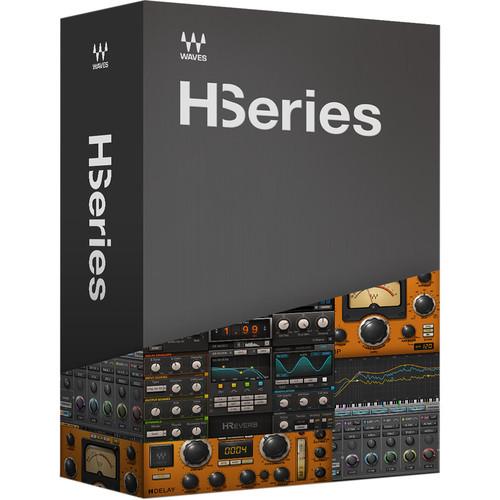 Contents of the user manual for the Waves H-Series - Hybrid Plug-Ins Bundle
- Product category: Virtual Processor Plug-Ins Waves
- Brand: Waves
- Description and content of package
- Technical information and basic settings
- Frequently asked questions – FAQ
- Troubleshooting (does not switch on, does not respond, error message, what do I do if...)
- Authorized service for Waves Virtual Processor Plug-Ins
 |
User manual for the Waves H-Series - Hybrid Plug-Ins Bundle contain basic instructions
that need to be followed during installation and operation.
Before starting your appliance, the user manual should be read through carefully.
Follow all the safety instructions and warnings, and be guided by the given recommendations.
User manual is an integral part of any Waves product,
and if it is sold or transferred, they should be handed over jointly with the product.
Following the instructions for use is an essential prerequisite for protecting
health and property during use, as well as recognition of liability on the part of the manufacturer
for possible defects should you make a warranty claim. Download an official Waves user manual in which you will find instructions on how to install, use, maintain and service your product.
And do not forget – unsuitable use of a Waves product will considerably shorten its lifespan!
|
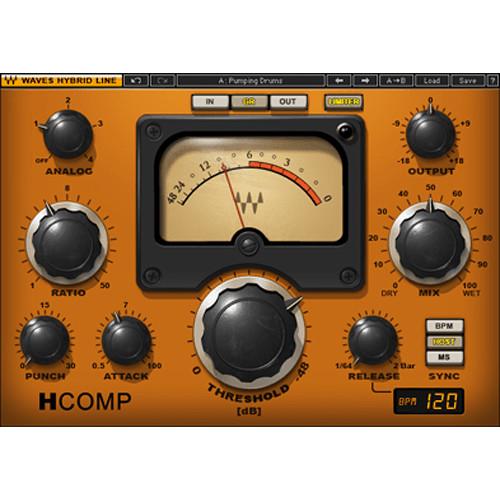
Product description H-Series from Waves is a collection of four plug-ins that model the original behavior of various analog audio processors, and boost them with the precision and creative possibilities of digital control. - H-Comp Hybrid Compressor - Dynamics Plug-In (Native/SoundGrid, Download) H-Comp from Waves is a hybrid compressor plug-in that models the behavior of transformer, tube, and transistor circuits, and combines them with the repeatability of software. The compressor's release performance is specifically modeled on the corresponding analog behavior, while a wet/dry control allows for parallel compression.
Other features include multiple sync functions, an output limiter, and access to the compressor circuitry via an external side-chain for additional compression control. - Hybrid compressor plug-in
- Analog modeled release behavior
- Wet/dry mix for easy parallel compression
- Transient pass-through punch control
- BPM-sync release function
- Output limiter/clipper modes
- External side-chain support
- Up to 24-bit/192 kHz resolution*
*For TDM use Accel card required for 192 kHz operation - Mono and stereo components
- SoundGrid license compatible with MultiRack Native, StudioRack Native, MultiRack SoundGrid, StudioRack SoundGrid, and eMotion ST Mixer
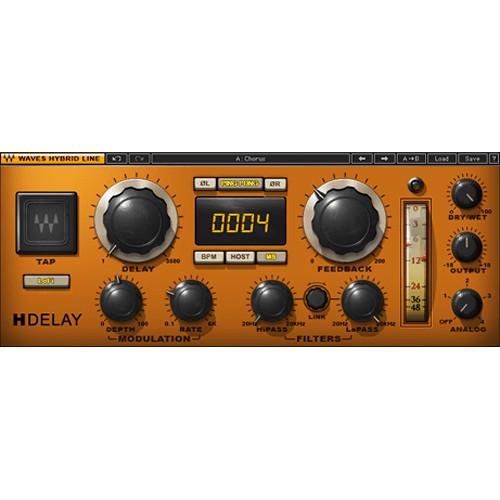
- H-Delay Hybrid Delay Delay Plug-In (Native/SoundGrid, Download) H-Delay from Waves is a hybrid delay plug-in that features old school PCM42-style effects like filtering, flanging, and phasing, along with slap-back echo, ping-pong delay, and tempo-sync with modulation. The plug-in has full MIDI support.
An intuitive interface aids in quickly creating an effect using a comprehensive set of controls and includes a tap tempo pad for manually tapping in a tempo. Internal or host-to sync is also available, and the high- and low-pass filters can be linked. - Up to 3.5 seconds delay time
- Variable pitch delay time behavior
- Analog character and LoFi modes
- Infinite feedback support
- LFO-controlled pitch modulation
- Tap Pad for easy delay time setting
- Sync-to-host or manual BPM
- Supports sample rates up to 96 kHz
- Mono, mono-to-stereo, and stereo components
- SoundGrid license compatible with MultiRack Native, StudioRack Native, MultiRack SoundGrid, StudioRack SoundGrid, and eMotion ST Mixer
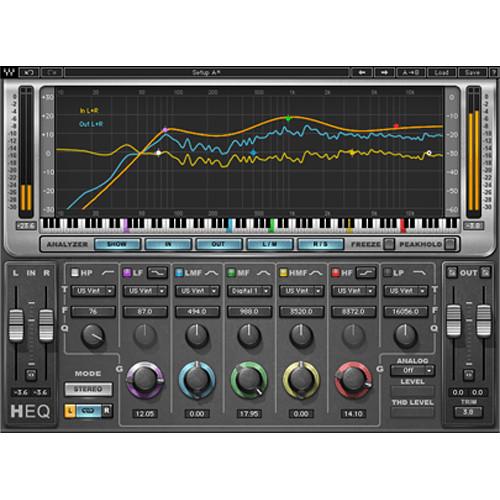
- H-EQ Hybrid Equalizer - EQ Plug-In (TDM/Native/SoundGrid, Download) The H-EQ Hybrid Equalizer from Waves is an equalizer plug-in featuring vintage and modern equalizers inspired by the EQ sections found on the finest British and American analog consoles. Each of the seven bands can function with seven different filter types per band, including an asymmetrical bell filter.
The plug-in allows for applying different EQ settings to the mid and side content of an MS signal, and a flexible real-time frequency spectrum analyzer with multiple display options helps visually reinforce the EQ processing. An intuitive keyboard graphic provides the ability to choose center frequencies by clicking on its virtual keys. - Seven filter types per band: US Vintage, UK Vintage 1, UK Vintage 2, US Modern, UK Modern, Digital 1, Digital 2
- MS matrix mode - apply different EQ to the sum of a stereo signal and its difference
- Keyboard graphic allows for choosing frequencies by clicking on notes
- Real-time frequency spectrum analyzer
- Up to 24-bit/96 kHz resolution*
*For TDM use, Accel card required for all sample rates - Mono and stereo components
- SoundGrid license compatible with MultiRack Native, StudioRack Native, MultiRack SoundGrid, StudioRack SoundGrid, and eMotion ST Mixer
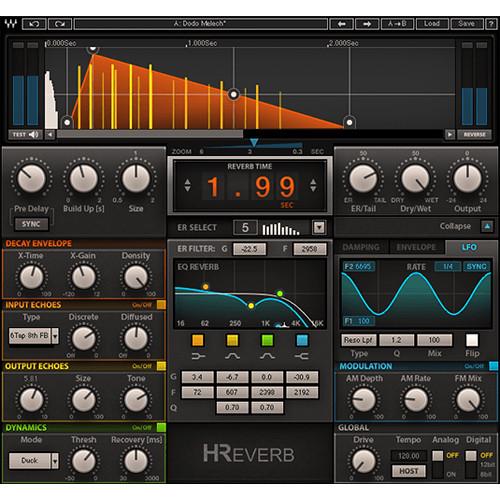
- H-Reverb - Hybrid Reverb Plug-In (Native/SoundGrid, Download) H-Reverb from Waves is a reverb plug-in that combines convolution reverb with Finite Impulse Response reverberation technology, where the initial impulse response can be enhanced with algorithmic processes. The software includes a library of artist presets from leading mixing engineers, as well as presets inspired by classic vintage and modern hardware reverbs.
The FIR engine allows for shaping and customizing the reverb decay envelope beyond the standard linear forms, resulting in perfectly gated, real reverse, and dense reverb tails that don't muddy up a mix. With advanced analog modeling along with a drive control, the plug-in offers signal behavior previously found only in high-end hardware reverb devices. - Resonant filter sweeps for creating innovative reverb effects
- EQ and dynamics module for compression, ducking and de-essing
- ADA analog modeling and drive control
- Full buildup timing and shaping
- Support for full 5.1 channel surround setups
- Artist presets from leading mix engineers
- User-friendly GUI with collapsible version
- Up to 24-bit/96 kHz resolution
- Mono, stereo, and mono-to-stereo components
- SoundGrid license compatible with MultiRack Native, StudioRack Native, MultiRack SoundGrid, StudioRack SoundGrid, and eMotion ST Mixer
In the Box Bundle Items H-Comp Hybrid Compressor - Dynamics Plug-In (Native/SoundGrid, Download) ysuscctveseqtz H-Delay Hybrid Delay Delay Plug-In (Native/SoundGrid, Download) H-EQ Hybrid Equalizer - EQ Plug-In (TDM/Native/SoundGrid, Download) H-Reverb - Hybrid Reverb Plug-In (Native/SoundGrid, Download) Table of Contents
|
Upload User Manual
Have you got an user manual for the Waves H-Series - Hybrid Plug-Ins Bundle in electronic form? Please send it to us and help us expand our library of instruction manuals.
Thank you, too, on behalf of other users.
To upload the product manual, we first need to check and make sure you are not a robot. After that, your "Submit Link" or "Upload File" will appear.
Technical parameters - H-Comp Hybrid Compressor - Dynamics Plug-In (Native/SoundGrid, Download)
| System Requirements | Mac
Intel Core i3, i5, i7, Xeon
OS X 10.9.5 to 10.11.4
10.8.5 for Pro Tools 10 only
4 GB RAM
4 GB free hard drive space
1024x768 minimum screen resolution (1280x1024, 1600x1024 recommended)
USB displays are not supported as the primary display
For Native plug-in use, host software that supports AAX Native, Audio Units, RTAS, AudioSuite, VST, or VST3 formats
Windows
Intel Core i3, i5, i7, Xeon
Windows 7 SP1, Windows 8.1, Windows 10 (all 64-bit)
4 GB RAM
4 GB free hard drive space
1024x768 minimum screen resolution (1280x1024, 1600x1024 recommended)
For Native plug-in use, host software that supports AAX Native, RTAS, AudioSuite, VST, or VST3 formats | - H-Delay Hybrid Delay Delay Plug-In (Native/SoundGrid, Download)
| System Requirements | macOS 10.10.5 to 10.12.5
Intel Core i5, i7, Xeon
8 GB RAM
8 GB free hard drive space on system drive
1024 x 768 minimum screen resolution (1280 x 1024 or 1600 x 1024 recommended)
USB displays are not supported as the primary display
For Native plug-in use, host software that supports AAX Native, Audio Units, AudioSuite, VST, or VST3 formats
Windows 7 SP1, Windows 8.1, Windows 10 (all 64-bit)
Intel Core i3, i5, i7, and Xeon; AMD Quad-Core
4 GB RAM
8 GB free hard drive space on system drive
1024 x 768 minimum screen resolution (1280 x 1024 or 1600 x 1024 recommended)
For Native plug-in use, host software that supports AAX Native, AudioSuite, VST, or VST3 formats
Support for Visually Impaired Users
macOS Sierra 10.12.4
VoiceOver Utility enabled
Pro Tools 12.7
Logic 10.3.1
Note: Preset management via the WaveSystem Toolbar is currently not supported | - H-EQ Hybrid Equalizer - EQ Plug-In (TDM/Native/SoundGrid, Download)
| System Requirements | Mac
Core Duo 2.3 GHz
OS X 10.7 to 10.10.3
4 GB RAM
1024 x 768 screen resolution
For Native plug-in use, host software that supports AAX Native, Audio Units, RTAS/Audiosuite, or VST formats
TDM use requires Pro Tools 10.3.8 to 10.3.10
PC
Intel Core 2 Duo 2GHz
Windows 7 SP1, Windows 8, Windows 8.1
4 GB RAM
1024 x 768 32-bit screen resolution
For Native plug-in use, host software that supports AAX Native, RTAS/Audiosuite, or VST formats
TDM use requires Pro Tools 10.3.8 to 10.3.10 | - H-Reverb - Hybrid Reverb Plug-In (Native/SoundGrid, Download)
| System Requirements | Mac
Core Duo 2.3 GHz
OS X 10.7 to 10.10.2
4 GB RAM
1024 x 768 screen resolution
For Native plug-in use, host software that supports AAX Native, Audio Units, RTAS/AudioSuite, or VST formats
PC
Intel Core 2 Duo 2 GHz
Windows 7 SP1, Windows 8, Windows 8.1
4 GB RAM
1024 x 768 32-bit screen resolution
For Native plug-in use, host software that supports AAX Native, RTAS/AudioSuite, or VST formats |
Rating100% users recommend this product to others. And what about you?

This product has already been rated by 81 owners. Add your rating and experience with the product.
Discussion
 Ask our technicians if you have a problem with your settings,
or if anything is unclear in the user manual you have downloaded.
You can make use of our moderated discussion.
The discussion is public and helps other users of our website who may be encountering similar problems.
Ask our technicians if you have a problem with your settings,
or if anything is unclear in the user manual you have downloaded.
You can make use of our moderated discussion.
The discussion is public and helps other users of our website who may be encountering similar problems.
The discussion is empty - enter the first post
Post a new topic / query / comment:
|
|


