User Manual for Waves Inspire Virtual Instruments Collection Click to enlarge the picture
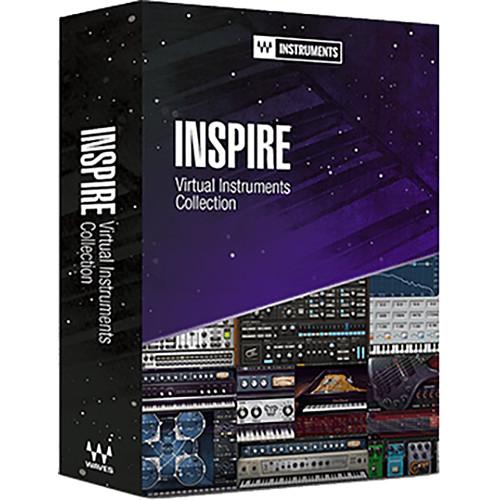 Contents of the user manual for the Waves Inspire Virtual Instruments Collection
- Product category: Virtual Instruments Waves
- Brand: Waves
- Description and content of package
- Technical information and basic settings
- Frequently asked questions – FAQ
- Troubleshooting (does not switch on, does not respond, error message, what do I do if...)
- Authorized service for Waves Virtual Instruments
 |
User manual for the Waves Inspire Virtual Instruments Collection contain basic instructions
that need to be followed during installation and operation.
Before starting your appliance, the user manual should be read through carefully.
Follow all the safety instructions and warnings, and be guided by the given recommendations.
User manual is an integral part of any Waves product,
and if it is sold or transferred, they should be handed over jointly with the product.
Following the instructions for use is an essential prerequisite for protecting
health and property during use, as well as recognition of liability on the part of the manufacturer
for possible defects should you make a warranty claim. Download an official Waves user manual in which you will find instructions on how to install, use, maintain and service your product.
And do not forget – unsuitable use of a Waves product will considerably shorten its lifespan!
|
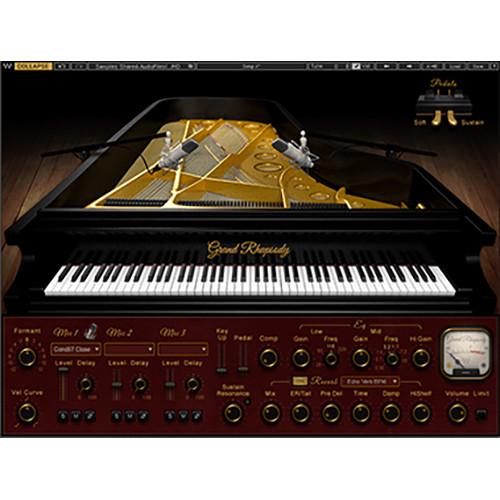
Product description The Inspire Virtual Instruments Collection brings you ten, cutting-edge virtual instrument plug-ins handpicked by the creative team at Waves. Whether you are a producer, beatmaker, or songwriter working on stage or in the studio, this collection places legendary acoustic & electric pianos, stunningly realistic-sounding bass, and cutting-edge synthesizers at your fingertips, for when the inspiration strikes.The instruments can be used as plug-ins or in standalone mode. They come with both high-definition and standard sample libraries and are NKS-ready for NI Komplete Kontrol and Maschine.The collection includes Grand Rhapsody Piano, Electric 88 Piano, Electric 200 Piano, Electric Grand 80 Piano, Clavinet, Flow Motion FM Synth, Element 2.0 Virtual Analog Synth, Codex Wavetable Synth, Morphoder, and Bass Slapper. - Grand Rhapsody Piano - Virtual Instrument Plug-in (Download) The Grand Rhapsody Piano from Waves is a stereo virtual piano plug-in offering the sounds of the Fazioli F228 piano used on Grammy-winning hits such as Adele's "Hello." It features flexible controls, and is well-suited for multiple genres, from solo piano to contemporary pop. Recorded with eight stereo pairs of microphones by Yoad Nevo in Studio A at Metropolis Studios in London, the sound libraries are available in high- and standard-definition.Play the Grand Rhapsody Piano from the built-in virtual keyboard or an external MIDI controller. Choose from up to three stereo pairs of microphones and blend them with dedicated level sliders. Delay and polarity controls allow adjustment of the phase relationship of the mics. Soft and sustain pedals are supported, and a level control is provided for the volume of the piano's pedal noise. Change the velocity curve, formant, and sympathetic string resonance to suit different playing styles and sonic preferences. Featuring on-board compression, limiting, EQ, and reverb processing, the plug-in is effectively multiple processors in one.Run the Grand Rhapsody Piano in a host that supports AAX Native, Audio Units, or VST plug-in formats. Or use it as a standalone application, ideal for live performances where simple configurations are desired.
-
- Stereo piano virtual instrument
- Sampled from the Fazioli F228 grand piano used for Grammy-winning hits such as Adele's "Hello"
- Engineered and produced by Yoad Nevo in Studio A at Metropolis Sound Studios in London
- Recorded with eight stereo pairs of microphones: AKG C451, B&K 4007, Coles 4038, Neumann KM84, Neumann U87, Royer R-121, Shure SM57, and SE RN17
- Choose up to three stereo pairs of microphones to blend together
- Mix the microphones using controls for level, delay, and polarity
- Adjustable sympathetic string resonance
- Soft and sustain pedal support with built-in pedal controls
- Variable velocity response curve and formant
- Controls for compression, reverb, and 3-band EQ
- Reverb based upon the Waves H-Reverb
- Adjustable output level
- Selectable limiter to prevent clipping
- VU and peak metering
- Built-in virtual keyboard can be played or will follow a MIDI input device
- MIDI control assignable
- Supports sample rates up to 96 kHz
- Use as a plug-in or standalone application
- Supports AAX Native, Audio Units, and VST
- Compatible with Mac OS X and Windows
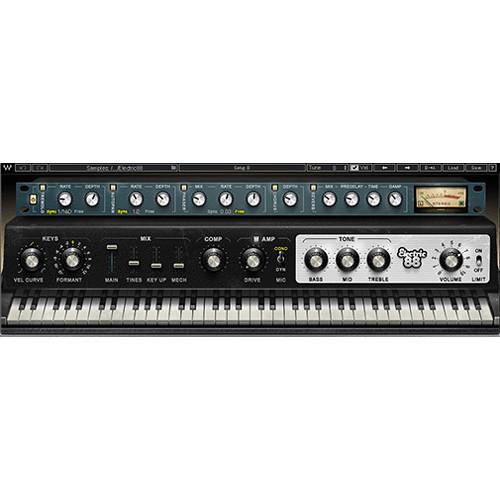
- Electric 88 Piano Virtual Instrument (Native/SoundGrid, Download) The Electric 88 Piano virtual instrument from Waves is designed to bring you the musical character of a well-used, road-worn Mark 1 88-key vintage electric piano, combined with the flexibility and control of a software instrument. Every element of the instrument's sound, including the non-linearity of the individual keys, is captured to recreate the magic realism of the original.The instrument can be used as a plug-in or stand-alone, and comes equipped with the tools to create classic or adventurous sounds. The mix section gives you control over formants, sample shifting, and internal mechanics such as tines and key-up sound. Also included are high-quality tremolo, autopan, phaser, chorus, and reverb effects, as well as controls for boosting bass, mid, and treble frequencies.A vintage-style compressor and an amplified cabinet that was sampled with both a condenser a dynamic mic let you further tweak your sound to achieve tones ranging from mellow jazz flavors to distorted rock riffs.
- Unique instrument sampled from a well-used, road-worn Mark 1 88-key vintage electric piano
- Non-linear sampling for an individual sound and human feel
- Mix section, compressor, amp, and effects for creating classic and adventurous sounds
- Includes tremolo, autopan, phaser, chorus, and reverb
- Can be used as a plug-in or as a stand-alone instrument
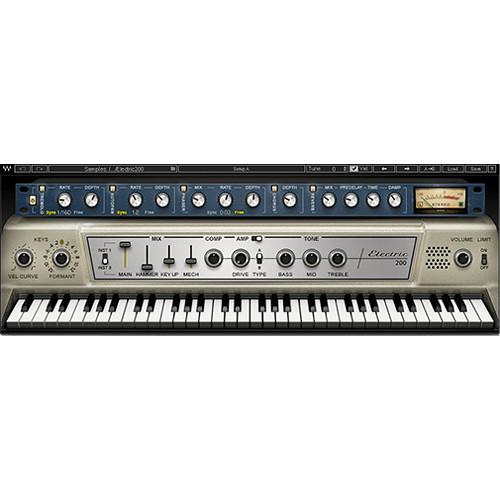
- Electric 200 Piano - Virtual Electric Piano (Download) The Electric 200 Piano from Waves is a virtual instrument that recreates the sound of an iconic 70s electric piano, one that had a huge impact on the rock, jazz, RnB, and electronic music of the day. The reed tone of the electric piano model used on classic recordings by Ray Charles, Pink Floyd, Steely Dan and many more, is recreated from sampling two original models, each with a distinctive sound. For added customization, the software provides for mixing in the sound of the internal piano mechanisms, such as hammer strike, key up, etc. A relevant suite of effects is included.
- Sampled from two vintage electric pianos of the same 200 model
- Mix section for adding different sampled sounds from the originals (hammer, key up, mechanics)
- Compressor, limiter and amp
- Effects include tremolo, autopan, phaser, chorus, reverb
- Use Electric 88 presets in the Electric 200
- Up to 24-bit/96 kHz resolution
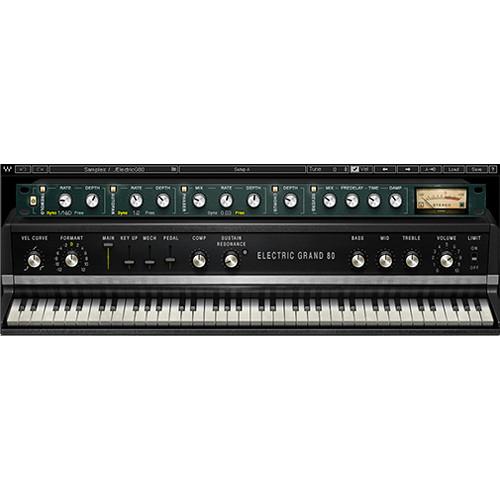
- Electric Grand 80 Piano – Virtual Instrument Plug-In (Download) The Electric Grand 80 Piano from Waves brings you the musical character of a faithfully-sampled CP-80 electric grand piano with the flexibility and control of a virtual instrument plug-in. It combines the sonic characteristics of acoustic piano mechanics and electric-guitar-style pickups to recreate the distinctive tone of the original instrument, heard on a multitude of pop and R&B hits throughout the 80's.The Electric Grand 80 Piano can be used as a plug-in or standalone. It comes with EQ and tremolo controls found on the CP-80, and includes effects such as compression, autopan, phaser, chorus, and reverb. The instrument features a mix section that lets you combine four separately sampled sound (main, key up, internal mechanics, sustain pedal), for added nuances and realism. Furthermore, the Sustain Resonance knob lets you blend in the sound produced by sympathetic resonance of un-played strings when the sustain pedal is pressed, adding depth to long chords and solos alike.
- Virtual instrument plug-in sampled from the classic CP-80 electric grand piano – combines acoustic piano mechanics and electric-guitar-style pickups
- Includes tone controls from the original instrument
- Mix section for blending four separately sampled sounds from the original piano – main sound, key up, internal mechanics, sustain pedal
- Sustain Resonance – recreates ethereal sound produced by sympathetic resonance of un-played strings when the sustain pedal is pressed
- Compressor and limiter included
- Effects include tremolo, autopan, phaser, chorus, reverb
- Can be played as plug-in or standalone instrument
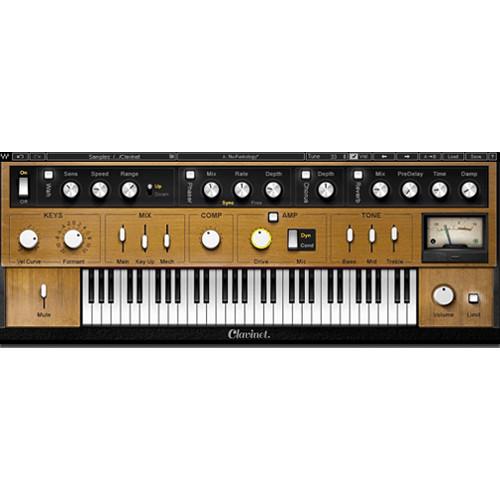
- Clavinet Virtual Instrument Plug-In (Download) The Waves Clavinet is a stereo, virtual instrument plug-in meticulously sampled from an original model D6 Clavinet. Every texture and articulation of the original instrument, including hammer-tip and string-striking mechanic, were captured in both the muted and unmuted modes to recreate all the dynamic control, feel, and expression of the original funkified icon.The instrument can be used as a plug-in or standalone, and comes equipped with the tools to create classic or modern sounds. The Key section gives you control over formants and velocity-response curves, while the Mix section enables you to control the sound of the keys while releasing, as well as the level of the mechanics sound in the overall mix. Tone shaping tools include a vintage compressor, an amp simulator (with a choice of condenser or dynamic mic), an EQ section, and a brickwall limiter.The Clavinet's FX rack comes with auto-wha, phaser, chorus, and reverb effects. A selection of factory presets offers patches modeled after Stevie Wonder's "Superstition", Billy Preston's "Outta Space", and other classic songs.
-
- Accurately sampled from an original D6 model Clavinet
- Built-in FX section includes advanced auto-wah, phaser, chorus, reverb
- Full velocity-response mix control with key up and mechanics features
- Customizable EQ section for further tone shaping
- Mute slider control for decayed staccato or mellow sustain
- Amp overdrive control with tube condenser and dynamic microphone selectors
- Global tune control—MIDI-assignable
- NKS-ready for use with NI Komplete Kontrol and Maschine
- Can be used as a plug-in or as a standalone instrument
- Powered by the Waves Sampler Engine (WSE)
- Supports sample rates up to 96 kHz
- Use as a plug-in or standalone
- Supports AAX Native, Audio Units, and VST
- Compatible with Mac OS X and Windows
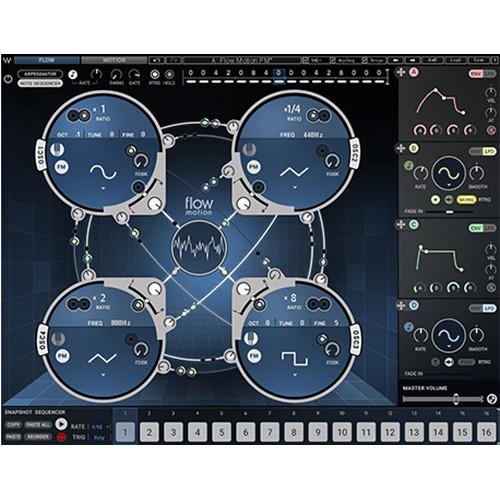
- Flow Motion FM Synth (Native, Download) The Waves Flow Motion FM Synth combines the best elements of frequency modulation (FM) and analog-style subtractive synthesis in one power instrument, well suited for musicians, producers, engineers, or anyone looking for deep basses, screaming leads, rich pads, and growling FX.The instrument's design offers a fluid GUI with a graphic FM modulation matrix that connects four powerful mono/poly oscillators with independent waveform and pan controls. Easily modify assignments between the oscillators, using four independent floating LFO/envelope modulators with intuitive drag-and-drop manipulation. A motion screen offers controls for filters, amplitude, EQ, and FX in a traditional subtractive way for added power and flexibility. An onboard 16-step snapshot sequencer allows you to easily capture up to 16 different states of the synth engine and switch between them in real time. Additionally, a 16-step note sequencer/arpeggiator and built-in studio quality FX allow you to explore new sonic territories.
-
- Hybrid FM synth combining FM and subtractive synthesis
- Intuitive graphic FM modulation matrix with instant visual feedback
- 1000+ strong preset library, including exclusive artist presets
- Four high-resolution oscillators
- Four flexible LFOs and envelope modulators
- 16-step snapshot sequencer
- Sequence up to 16 recallable snapshots per patch
- Built-in note sequencer/arpeggiator
- Studio-quality FX
- Use as standalone instrument or plugin, in the studio or live
- NKS-ready for NI Komplete Kontrol and Maschine
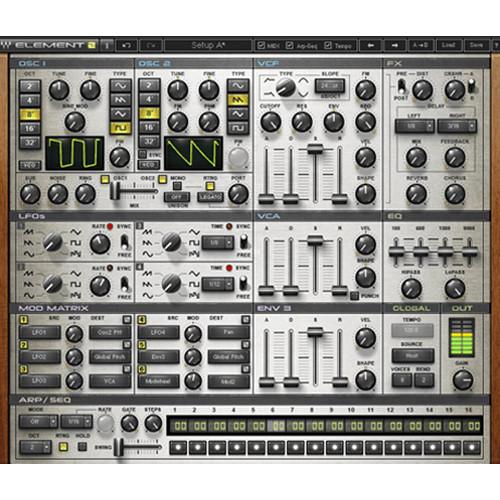
- Element 2.0 - Virtual Analog Synthesizer (Native, Download) Element 2.0 from Waves is an analog-style polyphonic instrument designed to deliver the "fat, warm sounds" of classic analog synthesizers, combined with the flexibility and control of a software instrument. Using the company's Virtual Voltage technology, the instrument includes five integrated effects, a sixteen-step sequencer, MIDI learn for all the controls, and a large, editable preset library. Editing the searing leads, gritty basses, lush pads, electro-percussion, sequential motions, and effects is easy thanks to a single-page user interface.
- High-resolution oscillators and analog envelope behavior
- Filters with zero-delay feedback
- Effects include delay, reverb, distortion, chorus, and two distinct crushers
- Choose between Element 1 and Element 2 modes at the click of a button
- Sixteen-step sequencer with hold and retrigger modes that can be used as a modulation source
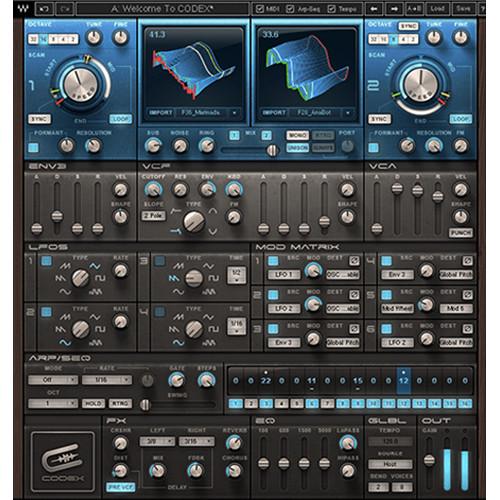
- Codex Wavetable Synth - Synthesizer Software (Native, Download) The Codex Wavetable Synthesizer from Waves is a polyphonic synthesizer offering a range of sounds from analog and acoustic emulations, to intricate and evolving textures. Its sound source is an advanced granular wavetable engine, and the synthesizer functions as a plug-in or standalone. Hundreds of sound presets are included, as is the ability to import custom audio files and transform them into wavetables.
Advanced formant control technology allows Codex to provide direct control over the acoustic resonance of a sound while maintaining its resonance character, and high-resolution FFT-based automatic interpolation technology results in smooth morphing while sweeping through wavetables. The analog subtractive synthesis component offers a more traditional method to further shape the sound using filters, envelopes, LFOs, a modulation matrix, arpeggiator/sequencer, 4-band EQ, and distortion, delay, reverb and chorus effects. - Polyphonic wavetable synthesizer
- Powered by Waves Virtual Voltage Technology
- Innovative oscillators with progressive wavetable scanning capabilities
- Advanced and comprehensive modulation matrix
- Formant Control with direct control over the acoustic resonance of the sound
- Wavetable (sample) importing
- User-replaceable wavetables
- Arpeggiator and 16-step sequencer
- Integrated chorus, delay, reverb, distortion and bit crusher effects
- Up to 24-bit/96 kHz resolution
- Morphoder - Vocoder Plug-In (TDM/Native/SoundGrid, Download) The Morphoder from Waves is a plug-in that redefines the sound of the classic vocoder. The plug-in allows for combining two distinct audio signals to create new and perhaps strange sonic combinations, with unmatched clarity and definition.
At the heart of the plug-in is an eight-voice synthesizer with formant control and a modulator with a Linear Phase EQ. MIDI control is also available. A four-octave virtual keyboard provides note input directly from within the plug-in. - 8-voice stereo synthesizer
- Modulator with Linear Phase EQ
- Up to 24-bit/96 kHz resolution*
*For TDM use, Accel card required for 96 kHz operation - Mono, mono-to-stereo, and stereo components
- SoundGrid license compatible with MultiRack Native, StudioRack Native, MultiRack SoundGrid, StudioRack SoundGrid, and eMotion ST Mixer
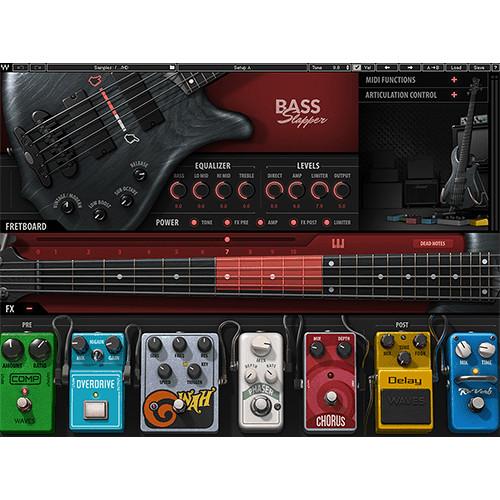
- Bass Slapper - Virtual Instrument (Software) Available for download, Waves Bass Slapper is a virtual instrument that puts the sound of slap-bass under your fingertips, allowing you to achieve funky slaps and plucky patterns by means of your MIDI keyboard. In sampling this virtual instrument, Waves made sure to slap, pop, and more, in various neck-positions, opting to record the notes as a bass player would choose to play them on the fingerboard. This aspect of the sampling process is important, as different positions change the articulation of all those desirable and musical effects surrounding the slap—the thumb pops, hammer-ons, muted hits, and so on. The resulting tones are more authentic as a result of this method.Over 3,700 samples have been utilized in fashioning this virtual instrument, including slaps, pulls (with pointer and index fingers), hammer-ons, hammer-offs, percussive samples, release samples, slides, and special effects. Each of these samples have been recorded at different velocities. Round robin samples are also on hand, so you don’t get that machine-gun effect when you repeat the same note over and over again.Bass Slapper comes with a standard and a high-definition library. The former is more useful for the recording stage, or for rigs where storage space is at a premium. Once you’ve recorded your samples, you can load the high-definition library and use those for mix. Bass Slapper is compatible with Mac and Windows platforms, and is compatible with AU, VST, VSTi, VST3, and AAX formats. The virtual instrument also works as a standalone application.
- Key Features at a Glance
-
- Extensive slap-bass sample library
- 11 interactive playing positions with automatic string switching
- Full 5-string articulations: thumbing, popping, mutes & more
- Real-time MIDI controls
- Customizable Keyswitch Editor
- Studio-quality effects
- Authentic amp simulation
- Detailed tone controls with 4-band EQ, sub octave, and low boost
- Authentic amp and clean-DI tones
- Plug-in or standalone instrument
- NKS-ready for NI Komplete Kontrol and Maschine
In the Box Bundle Items Grand Rhapsody Piano - Virtual Instrument Plug-in (Download) ewarycxztrsdvevsbufxyutyuyxqbeybtf Electric 88 Piano Virtual Instrument (Native/SoundGrid, Download) Electric 200 Piano - Virtual Electric Piano (Download) Electric Grand 80 Piano – Virtual Instrument Plug-In (Download) Clavinet Virtual Instrument Plug-In (Download) Flow Motion FM Synth (Native, Download) Element 2.0 - Virtual Analog Synthesizer (Native, Download) Codex Wavetable Synth - Synthesizer Software (Native, Download) Morphoder - Vocoder Plug-In (TDM/Native/SoundGrid, Download) Bass Slapper - Virtual Instrument (Software) Table of Contents
|
Upload User Manual
Have you got an user manual for the Waves Inspire Virtual Instruments Collection in electronic form? Please send it to us and help us expand our library of instruction manuals.
Thank you, too, on behalf of other users.
To upload the product manual, we first need to check and make sure you are not a robot. After that, your "Submit Link" or "Upload File" will appear.
Technical parameters - Grand Rhapsody Piano - Virtual Instrument Plug-in (Download)
| System Requirements | Mac
Intel Core i5, i7, Xeon
OS X 10.10.5 to 10.12.4
8 GB RAM
8 GB free hard drive space on system drive
1024 x 768 minimum screen resolution (1280 x 1024 or 1600 x 1024 recommended)
USB displays are not supported as the primary display
For Native plug-in use, host software that supports AAX Native, Audio Units, VST, or VST3 formats
Windows
Intel Core i3, i5, i7, and Xeon; AMD Quad-Core
Windows 7 SP1, Windows 8.1, Windows 10 (all 64-bit)
4 GB RAM
8 GB free hard drive space on system drive
1024 x 768 minimum screen resolution (1280 x 1024 or 1600 x 1024 recommended)
For Native plug-in use, host software that supports AAX Native, VST, or VST3 formats | - Electric 88 Piano Virtual Instrument (Native/SoundGrid, Download)
| System Requirements | Memory: 4 GB RAM, 4 GB free disk space
Display Resolution: 1024 x 768 (minimum), 1280 x 1024 / 1600 x 1024 (recommended)
Mac
CPU: Intel Core i3 / i5 / i7 / Xeon
Operating System: 10.9.5 - 10.11.6 / 10.8.5 for ProTools 10 only
Supported Hosts: AAX Native 64-bit, RTAS, Audio Units, VST, VST3
Windows
CPU: Intel Core i3 / i5 / i7 / Xeon
Operating System: Windows 7 with SP1 64 bit, Windows 8.1 64 bit, Windows 10 64 bit
Supported Hosts: AAX Native 64-bit, RTAS, VST, VST3, VSTi | | Latency | Native/SoundGrid
44.1 kHz: 158 samples
48 kHz: 130 samples
88.2 kHz: 185 samples
96 kHz: 188 samples | - Electric 200 Piano - Virtual Electric Piano (Download)
| Mac System Requirements | Intel Core i3, i5, i7, Xeon
OS X 10.9.5 to 10.12.2
10.8.5 for Pro Tools 10 only
4 GB RAM
4 GB free hard drive space
1024 x 768 minimum screen resolution (1280 x 1024, 1600 x 1024 recommended)
USB displays are not supported as the primary display | | Windows System Requirements | Intel Core i3, i5, i7, Xeon, AMD Quad-Core
Windows 7 SP1, Windows 8.1, Windows 10 (all 64-bit)
4 GB RAM
4 GB free hard drive space
1024 x 768 minimum screen resolution (1280 x 1024, 1600 x 1024 recommended) | | Plug-In Compatibility | AAX Native, Audio Units (Mac only), RTAS, VST, VST3 | - Electric Grand 80 Piano – Virtual Instrument Plug-In (Download)
| Windows System Requirements | Intel Core i3 / i5 / i7 / Xeon / AMD Quad-Core
Windows 7 with SP1 64-bit, Windows 8.1 64-bit, or Windows 10 64-bit
4 GB RAM
4 GB free drive space
1024 x 768 minimum display resolution (1280 x 1024 / 1600 x 1024 recommended) | | Mac System Requirements | Intel Core i3 / i5 / i7 / Xeon
OS 10.9.5 - 10.12.2 (10.8.5 for Pro Tools 10 only)
4 GB RAM
4 GB free drive space
1024 x 768 minimum display resolution (1280 x 1024 / 1600 x 1024 recommended) | | Plug-In Compatibility | AAX Native (64-bit), RTAS, Audio Units, VST, VST3, VSTi | | Sample Rate | 96 kHz | | Channel Components | Stereo | | Latency | Native/SoundGrid
44.1 to 48 kHz: 64 samples
88.2 to 96 kHz: 128 samples | - Clavinet Virtual Instrument Plug-In (Download)
| System Requirements | macOS 10.10.5 to 10.12.5
CPU: Intel Core i5 / i7 / Xeon
Memory: 8 GB RAM, 8 GB free disk space
Screen Resolution: 1024 x 768 (minimum), 1280 x 1024 / 1600 x 1024 (recommended)
USB displays are not supported as primary display
Support for Visually Impaired Users:
mac OS Sierra 10.12.4
VoiceOver Utility enabled
Pro Tools 12.7
Logic 10.3.1
Supported Hosts: AAX Native (64-bit), Audio Units, VST (64-bit), VST3
Windows 7 with SP1 64-bit, Windows 8.1 64-bit, Windows 10 64-bit
CPU: Intel Core i3 / i5 / i7 / Xeon / AMD Quad-Core
Memory: 4 GB RAM, 8 GB free disk space
Screen Resolution: 1024 x 768 (minimum), 1280 x 1024 / 1600 x 1024 (recommended)
Supported Hosts: AAX Native (64-bit), VST, VST3, VSTi | | Sample Rate | 96 kHz | | Latency | Native/SoundGrid
44.1 to 48 kHz:
Limiter Off: 85 samples
Limiter On: 149 samples
88.2 to 96 kHz:
Limiter Off: 0 sample
Limiter On: 128 samples | - Flow Motion FM Synth (Native, Download)
| Mac System Requirements | Mac:
Intel Core i3, i5, i7, Xeon
10.11.6 to 10.14
RAM: 8 GB
Free HD Space: 8 GB
Screen Resolution:
Minimum: 1280 x 960
Recommended: 1280 x 1024 / 1600 x 1024
Display: USB Displays are not Supported as the Primary Display
For Plug-In Use: Host Software that Supports AAX Native, Audio Units, RTAS, or VST/VST3/VSTi Formats
Support for Visually Impaired Users:
Mac OS Sierra 10.12.4
VoiceOver Utility Enabled
Pro Tools 12.7
Logic 10.3.1
Currently Not Supported: Waves Central and Preset Management via the WaveSystem Toolbar are
Note: Some presets might be heavy on your CPU. In such a case, please lower the Unison and Polyphony value or increase your buffer size | | Windows System Requirements | CPU: Intel Core i5 / i7 / Xeon / AMD Quad-Core
Memory:
RAM: 8 GB
Free HD Space: 8 GB
Operating System:
Windows 7 with SP1 64 bit
Windows 8.1 64 bit
Windows 10 64 bit
Screen Resolution:
Minimum: 1280 x 960
Recommended: 1280 x 1024 / 1600 x 1024 | - Element 2.0 - Virtual Analog Synthesizer (Native, Download)
| System Requirements | Mac
Intel Core i3, i5, i7, Xeon
OS X 10.9.5 to 10.11.3 (10.8.5 for Pro Tools 10 only)
4 GB RAM
4 GB free hard drive space
1280 x 1024 / 1600 x 1024 minimum screen resolution (1920 x 1080 recommended)
USB displays are not supported as the primary display
For plug-in use, host software that supports AAX Native, Audio Units, RTAS, or VST/VST3/VSTi formats
Windows
Intel Core i3, i5, i7, Xeon
Windows 7 SP1 (64-bit), Windows 8.1 (64-bit), Windows 10 (64-bit)
4 GB RAM
4 GB free hard drive space
1280 x 1024 / 1600 x 1024 minimum screen resolution (1920 x 1080 recommended)
For plug-in use, host software that supports AAX Native, RTAS, or VST/VST3/VSTi formats | - Codex Wavetable Synth - Synthesizer Software (Native, Download)
| System Requirements | Mac
Core Duo 2.3 GHz
OS X 10.7 to 10.10.2
4 GB RAM
1024 x 768 screen resolution
For Native plug-in use, host software that supports AAX Native, Audio Units, RTAS/AudioSuite, or VST formats
PC
Intel Core 2 Duo 2 GHz
Windows 7 SP1, Windows 8, Windows 8.1
4 GB RAM
1024 x 768 32-bit screen resolution
For Native plug-in use, host software that supports AAX Native, RTAS/AudioSuite, or VST formats | - Morphoder - Vocoder Plug-In (TDM/Native/SoundGrid, Download)
| System Requirements | Mac
Core Duo 2.3 GHz
OS X 10.7 to 10.10.3
4 GB RAM
1024 x 768 screen resolution
For Native plug-in use, host software that supports AAX Native, Audio Units, RTAS/Audiosuite, or VST formats
TDM use requires Pro Tools 10.3.8 to 10.3.10
(Avid VENUE not supported)
PC
Intel Core 2 Duo 2 GHz
Windows 7 SP1, Windows 8, Windows 8.1
4 GB RAM
1024 x 768 32-bit screen resolution
For Native plug-in use, host software that supports AAX Native, RTAS/Audiosuite, or VST formats
TDM use requires Pro Tools 10.3.8 to 10.3.10
(Avid VENUE not supported) | - Bass Slapper - Virtual Instrument (Software)
| Mac Requirements | Operating System
Mac OS X 10.10.5 to 10.13.1CPU
Intel Core i5 / i7 / Xeon
Memory
8 GB RAM
8 GB free disk space on the system drive
Screen Resolution
Minimum: 1024 x 768
Recommended: 1280 x 1024 / 1600 x 1024
USB displays are not supported as the primary display
Support for Visually Impaired Users
Mac OS X 10.12.4 Sierra
VoiceOver Utility enabled
Pro Tools 12.7
Logic 10.3.1 | | Windows Requirements | Operating System
Windows 7 with SP1, Windows 8.1, Windows 10 (all 64-bit)CPU
Intel Core i3 / i5 / i7 / Xeon / AMD Quad-Core
Memory
4 GB RAM
8 GB free disk space on the system drive
Screen Resolution
Minimum: 1024 x 768
Recommended: 1280 x 1024 / 1600 x 1024 | | Plug-In Formats | AAX, AU, VST, VSTi, VST3, | | Sample Rate | Up to 96 kHz |
Rating100% users recommend this product to others. And what about you?

This product has already been rated by 95 owners. Add your rating and experience with the product.
Discussion
 Ask our technicians if you have a problem with your settings,
or if anything is unclear in the user manual you have downloaded.
You can make use of our moderated discussion.
The discussion is public and helps other users of our website who may be encountering similar problems.
Ask our technicians if you have a problem with your settings,
or if anything is unclear in the user manual you have downloaded.
You can make use of our moderated discussion.
The discussion is public and helps other users of our website who may be encountering similar problems.
The discussion is empty - enter the first post
Post a new topic / query / comment:
|
|


