User Manual for Waves Masters - Mastering Plug-Ins Bundle Click to enlarge the picture
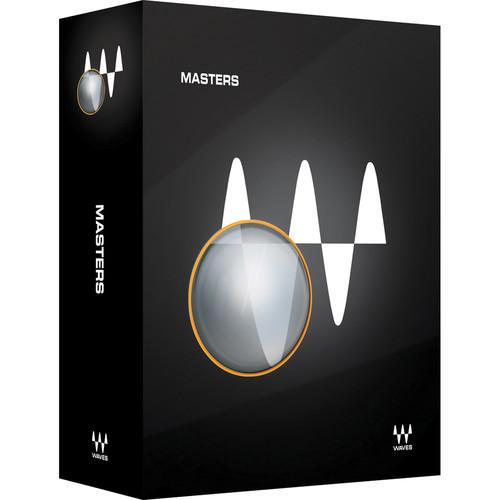 Contents of the user manual for the Waves Masters - Mastering Plug-Ins Bundle
- Product category: Virtual Processor Plug-Ins Waves
- Brand: Waves
- Description and content of package
- Technical information and basic settings
- Frequently asked questions – FAQ
- Troubleshooting (does not switch on, does not respond, error message, what do I do if...)
- Authorized service for Waves Virtual Processor Plug-Ins
 |
User manual for the Waves Masters - Mastering Plug-Ins Bundle contain basic instructions
that need to be followed during installation and operation.
Before starting your appliance, the user manual should be read through carefully.
Follow all the safety instructions and warnings, and be guided by the given recommendations.
User manual is an integral part of any Waves product,
and if it is sold or transferred, they should be handed over jointly with the product.
Following the instructions for use is an essential prerequisite for protecting
health and property during use, as well as recognition of liability on the part of the manufacturer
for possible defects should you make a warranty claim. Download an official Waves user manual in which you will find instructions on how to install, use, maintain and service your product.
And do not forget – unsuitable use of a Waves product will considerably shorten its lifespan!
|
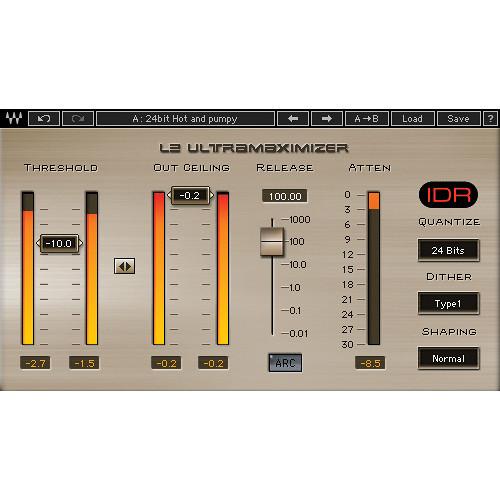
Product description Masters from Waves is a collection of audio processing plug-ins aimed at mastering applications. Linear phase filters provide for transparency, while Waves IDR processing helps increase digital resolution. - L2 Ultramaximizer - Loudness Maximizer Plug-In (Native/SoundGrid, Download) L2 Ultramaximizer from Waves is a plug-in that provides dynamics control for mixing, mastering, and more. The software features look-ahead brickwall peak limiting, level maximization, and ultra high resolution re-quantization for crystal clear level gain.
- Peak limiter/level maximizer plug-in
- Manual and ARC Automatic Release Control
- IDR (Increased Digital Resolution) with double precision bit re-quantization and dither with 9th-order noise shaping filter
- Double precision bit resolution processing
- Up to 24-bit/192 kHz resolution
- Mono and stereo components
- SoundGrid license compatible with MultiRack Native, StudioRack Native, MultiRack SoundGrid, StudioRack SoundGrid, and eMotion ST Mixer
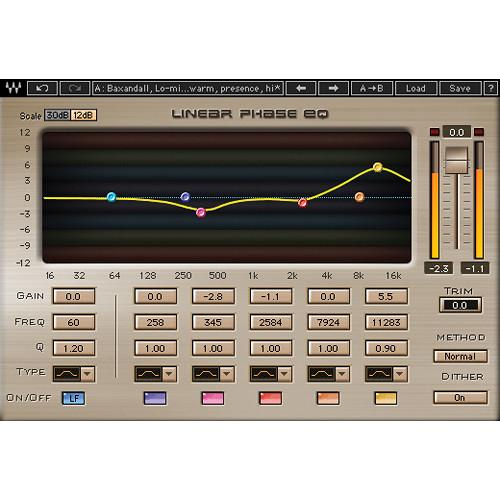
- Linear Phase EQ - Mastering Equalizer Plug-In (Native/SoundGrid, Download) The Linear Phase EQ from Waves is a plug-in created with mastering as its main focus. The linear phase filters preserve the original musical balance with absolutely zero phase shift, while providing precise control over the harmonic spectrum.
- Equalizer plug-in for mastering
- Five user-definable bands of EQ with linear phase crossovers
- Lowband and broadband components*
*When using LinEQ Broadband for TDM, stereo not available at 96 kHz - Nine linear phase filter types
- Ideal for acoustic instruments, stereo sources, transient-heavy tracks, and mastering
- Up to 24-bit/96 kHz resolution*
*For TDM use, Accel card required for 96 kHz - Mono and stereo components
- SoundGrid license compatible with MultiRack Native, StudioRack Native, MultiRack SoundGrid, StudioRack SoundGrid, and eMotion ST Mixer
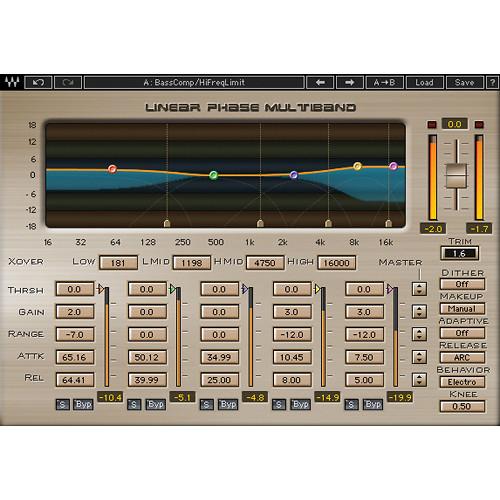
- Linear Phase Multiband Compressor - Multiband Compression Plug-In (TDM/Native/SoundGrid, Download) The Linear Phase Multiband Compressor from Waves is a multiband dynamics plug-in for mixing, mastering, and more. The software utilizes technologies like Adaptive Thresholds, Automatic Makeup Gain, and Finite Response Filters.
The inclusion of linear phase crossovers allows the plug-in to function without any phase-based distortion, and each of the five bands features threshold, gain, range, attack and release controls for transparent multiband compression. - Multiband compressor plug-in for mastering
- Five user-definable bands with linear phase crossovers
- ARC Automatic Release Control
- Ideal for mastering and other high-precision applications
- Up to 24-bit/96 kHz resolution*
*For TDM use, Accel card required for 96 kHz operation - Mono and stereo components
- SoundGrid license compatible with MultiRack Native, StudioRack Native, MultiRack SoundGrid, StudioRack SoundGrid, and eMotion ST Mixer
In the Box Bundle Items L2 Ultramaximizer - Loudness Maximizer Plug-In (Native/SoundGrid, Download) tdcxwqcaexceacfcsswsfsbdctzqsawesaubcq Linear Phase EQ - Mastering Equalizer Plug-In (Native/SoundGrid, Download) Linear Phase Multiband Compressor - Multiband Compression Plug-In (TDM/Native/SoundGrid, Download) Table of Contents
|
Upload User Manual
Have you got an user manual for the Waves Masters - Mastering Plug-Ins Bundle in electronic form? Please send it to us and help us expand our library of instruction manuals.
Thank you, too, on behalf of other users.
To upload the product manual, we first need to check and make sure you are not a robot. After that, your "Submit Link" or "Upload File" will appear.
Technical parameters - L2 Ultramaximizer - Loudness Maximizer Plug-In (Native/SoundGrid, Download)
| System Requirements | Mac
Intel Core i3, i5, i7, Xeon
OS X 10.9.5 to 10.11.4
10.8.5 for Pro Tools 10 only
4 GB RAM
4 GB free hard drive space
1024x768 minimum screen resolution (1280x1024, 1600x1024 recommended)
USB displays are not supported as the primary display
For Native plug-in use, host software that supports AAX Native, Audio Units, RTAS, AudioSuite, VST, or VST3 formats
Windows
Intel Core i3, i5, i7, Xeon
Windows 7 SP1, Windows 8.1, Windows 10 (all 64-bit)
4 GB RAM
4 GB free hard drive space
1024x768 minimum screen resolution (1280x1024, 1600x1024 recommended)
For Native plug-in use, host software that supports AAX Native, RTAS, AudioSuite, VST, or VST3 formats | - Linear Phase EQ - Mastering Equalizer Plug-In (Native/SoundGrid, Download)
| System Requirements | Mac
Intel Core i3, i5, i7, Xeon
OS X 10.9.5 to 10.11.4
10.8.5 for Pro Tools 10 only
4 GB RAM
4 GB free hard drive space
1024x768 minimum screen resolution (1280x1024, 1600x1024 recommended)
USB displays are not supported as the primary display
For Native plug-in use, host software that supports AAX Native, Audio Units, RTAS, AudioSuite, VST, or VST3 formats
Windows
Intel Core i3, i5, i7, Xeon
Windows 7 SP1, Windows 8.1, Windows 10 (all 64-bit)
4 GB RAM
4 GB free hard drive space
1024x768 minimum screen resolution (1280x1024, 1600x1024 recommended)
For Native plug-in use, host software that supports AAX Native, RTAS, AudioSuite, VST, or VST3 formats | - Linear Phase Multiband Compressor - Multiband Compression Plug-In (TDM/Native/SoundGrid, Download)
| System Requirements | Mac
Core Duo 2.3 GHz
OS X 10.7 to 10.10.3
4 GB RAM
1024 x 768 screen resolution
For Native plug-in use, host software that supports AAX Native, Audio Units, RTAS/Audiosuite, or VST formats
TDM use requires Pro Tools 10.3.8 to 10.3.10
(Avid VENUE not supported)
PC
Intel Core 2 Duo 2 GHz
Windows 7 SP1, Windows 8, Windows 8.1
4 GB RAM
1024 x 768 32-bit screen resolution
For Native plug-in use, host software that supports AAX Native, RTAS/Audiosuite, or VST formats
TDM use requires Pro Tools 10.3.8 to 10.3.10
(Avid VENUE not supported) |
Rating90% users recommend this product to others. And what about you?

This product has already been rated by 73 owners. Add your rating and experience with the product.
Discussion
 Ask our technicians if you have a problem with your settings,
or if anything is unclear in the user manual you have downloaded.
You can make use of our moderated discussion.
The discussion is public and helps other users of our website who may be encountering similar problems.
Ask our technicians if you have a problem with your settings,
or if anything is unclear in the user manual you have downloaded.
You can make use of our moderated discussion.
The discussion is public and helps other users of our website who may be encountering similar problems.
The discussion is empty - enter the first post
Post a new topic / query / comment:
|
|


