User Manual for Waves Pro Show - Complete Plug-In Bundle for SoundGrid Systems Click to enlarge the picture
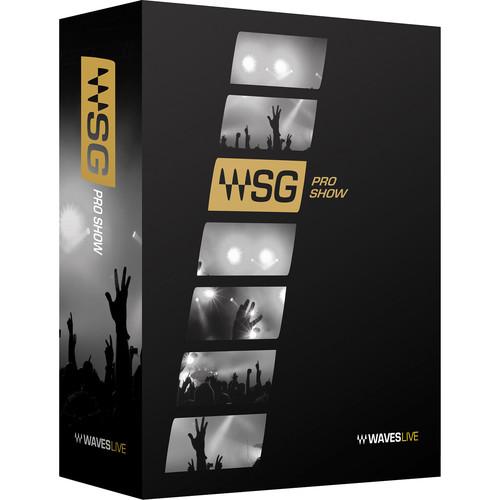 Contents of the user manual for the Waves Pro Show - Complete Plug-In
- Product category: Virtual Processor Plug-Ins Waves
- Brand: Waves
- Description and content of package
- Technical information and basic settings
- Frequently asked questions – FAQ
- Troubleshooting (does not switch on, does not respond, error message, what do I do if...)
- Authorized service for Waves Virtual Processor Plug-Ins
|
User manual for the Waves Pro Show - Complete Plug-In contain basic instructions
that need to be followed during installation and operation.
Before starting your appliance, the user manual should be read through carefully.
Follow all the safety instructions and warnings, and be guided by the given recommendations.
User manual is an integral part of any Waves product,
and if it is sold or transferred, they should be handed over jointly with the product.
Following the instructions for use is an essential prerequisite for protecting
health and property during use, as well as recognition of liability on the part of the manufacturer
for possible defects should you make a warranty claim. Download an official Waves user manual in which you will find instructions on how to install, use, maintain and service your product.
And do not forget – unsuitable use of a Waves product will considerably shorten its lifespan!
|
Product description Ideal for live-sound applications, Waves Pro Show bundles over 120 SoundGrid-compatible audio processing plug-ins specifically designed for SoundGrid-enabled consoles. Featuring the API and SSL 4000 Collections, CLA Classic Compressors, and JJP Analog Legends among others, this complete bundle includes EQ, compression, reverb, delay, modulation, vocal tools, drum tools, guitar tools, bass extension, level maximization, limiting plug-ins, and more. - Aphex Vintage Aural Exciter - Audio Enhancement Plug-In (Native/SoundGrid, Download) The Aphex Vintage Aural Exciter from Waves is a plug-in that recreates the Aphex Aural Exciter process, as delivered by the original hardware from the mid-70s. The hardware unit was so well received at the time that it was even credited as a "session player" on best-selling albums by the likes of Jackson Browne, Linda Ronstadt and James Taylor.
The original unit provided the ability to increase and enhance presence, brightness, and vibrancy on vocal and instrumental tracks alike, without raising levels. This was particularly useful because multiple passes of tape during multi-tracking would eventually dull some of the high-end details.
Modeled on one of only a few tube-powered units ever made, the Aphex Vintage Aural Exciter plug-in delivers all the unique character of the rare original unit, but with all the advantages of software. The plug-in includes Native and SoundGrid licenses. - Faithful model of the rare tube-powered original
- Adds brightness, vibrancy and depth
- Increases presence without raising levels
- Perfect for vocal and instrumental tracks alike
- Mix and AX modes for insert or send configurations
- Up to 24-bit/192 kHz resolution (Native) and up to 96 kHz (TDM)*
*Accel card required for 96 kHz operation - Mono and stereo components
- SoundGrid license compatible with MultiRack Native, StudioRack Native, MultiRack SoundGrid, StudioRack SoundGrid, and eMotion ST Mixer
- API 2500 - Stereo Compressor Plug-In (Native/SoundGrid, Download) The API 2500 from Waves is a dynamics plug-in that features the classic punch of API hardware, while allowing for shaping the tone of mixes with absolute accuracy. Its dual channel design lets it function as two separate mono channels via a single compression setting.
Its auto-makeup gain function provides the ability to adjust threshold or ratio while automatically maintaining a constant output level. With a choice of an old style "feed back," or the new style "feed forward" compression types, the software delivers a wide range of very musical parameters, making it a favorite of engineers everywhere. - Switchable three-position Thrust high-pass filter
- Variable-link left and right channels
- Three variable-link filter types
- Three compression modes - soft, medium, and hard knee
- Six release settings - five fixed, one continuous
- Up to 24-bit/96 kHz resolution
- Mono and stereo* components
*For TDM use, Accel card required for stereo 96 kHz operation - SoundGrid license compatible with MultiRack Native, StudioRack Native, MultiRack SoundGrid, StudioRack SoundGrid, and eMotion ST Mixer
- API 550 - Classic Equalizer Plug-Ins (Native/SoundGrid, Download) The API 550 from Waves is a plug-in developed in association with API that models two classic API equalization modules. The API 550A module is modeled on the legendary late '60s hardware and provides reciprocal and repeatable equalization at fifteen points in five steps of boost, divided into three overlapping ranges. The high and low frequency ranges are individually selectable as either peaking or shelving, and a band-pass filter can be inserted independently of all other settings.
The API 550B functions both as a problem solver and a sweetening device, and provides four overlapped EQ bands with seven switchable filter frequencies spanning up to five octaves per band. "Proportional Q" automatically widens the filter bandwidth at minimal settings and narrows it at higher settings. The EQ can undo previous processing, or even perform reverse tonal modifications. - API 550A
- Five selected frequency centers per band
Maximum 12 dB of boost/cut per band in 2-3 dB steps
"Proportional Q" narrows filter Q at extremes
High headroom, +30 dB clip level - API 550B
- Seven selected frequency centers
12 dB of boost/cut per band
Bands 1 and 4 offer shelf/peak switching
High headroom, +30 dB clip level - General
- Modeled vintage EQ plug-ins
Up to 24-bit/96 kHz resolution
Mono and stereo components
SoundGrid license compatible with MultiRack Native, StudioRack Native, MultiRack SoundGrid, StudioRack SoundGrid, and eMotion ST Mixer - API 560 - Graphic EQ Plug-In (Native/SoundGrid, Download) The API 560 from Waves is a plug-in based on the classic hardware EQ module from API, providing 10-bands of graphic EQ featuring precision filtering and high headroom, ideal for signal enhancement and room tuning.
The original's "Proportional Q" design intuitively widens the filter bandwidth at lower boost/cut levels and narrows it at higher settings. And since boost and cut characteristics are identical, previous actions can be easily undone. - Ten-band graphic EQ with customary one octave centers
- 12 dB of boost/cut per band
- "Proportional Q" narrows filter Q at extreme filter settings
- Additional resolution in the critical +/-4 dB region
- Clip level greater than +28 dBu
- Up to 24-bit/192 kHz resolution*
*For TDM use, Accel card required for stereo 96 and 192 kHz operation - Mono and stereo components*
*No stereo at 96 and 192 kHz in TDM mode - use multi-mono instead - SoundGrid license compatible with MultiRack Native, StudioRack Native, MultiRack SoundGrid, StudioRack SoundGrid, and eMotion ST Mixer
- AudioTrack - Multi-Processor Plug-In (Native/SoundGrid, Download) AudioTrack from Waves is a plug-in that features three complete processors in a single, easy-to-use interface. Ideal for multimedia, voiceovers, project studios, and more, the plug-in contains a four-band EQ, compressor/expander, and a gate.
- Peak reference compression with automatic gain compensation
- Gate with adjustable attack and release
- Double precision bit resolution processing
- Up to 24-bit/192 kHz resolution
- Mono and stereo components
- SoundGrid license compatible with MultiRack Native, StudioRack Native, MultiRack SoundGrid, StudioRack SoundGrid, and eMotion ST Mixer
- Bass Rider - Automatic Bass Leveling Plug-In (Native/SoundGrid, Download) Bass Rider from Waves is a plug-in that rides bass levels automatically, without changing the natural sound of the instrument. Optimized for the frequency range and envelope characteristics of bass instruments, the plug-in functions equally well on any bass tracks, DI, amplified, acoustic, synthesizer, upright, etc. Unlike a compressor, the processor works note by note without disturbing the inner dynamics, allowing for natural sustain and decay.
- Automatic level riding plug-in
- Optimized for bass instruments
- Retains the natural character of the bass
- Dedicated studio and live components
- Up to 24-bit/192 kHz resolution (Native) and 96 kHz (TDM)
- Mono and stereo components
- SoundGrid license compatible with MultiRack Native, StudioRack Native, MultiRack SoundGrid, StudioRack SoundGrid, and eMotion ST Mixer
- Brauer Motion - Circular Stereo Auto-Panning Software for Mixing and Sound Design (Download) Available for download, Waves Brauer Motion is a stereo effects tool that takes its inspiration from its eponymous codesigner, Michael Brauer, an engineer recognized for creating particularly moving mixes for artists including Bob Dylan, Coldplay, and others.
The plug-in works by giving you two different auto-panners that can be made to move around each other in various, interesting ways. They can also be synced to each other, or be made to move independently. Either way, you can sync the panning operation to a host tempo or operate in free mode, in which the speed parameter controls the rate of panning. You can also choose input mode, wherein the signal's amplitude dictates the rate of movement. In this mode, positive amplitudes (level boosts) will result in moving a selected panner forward along its path of trajectory, while losses in level will cause the effect to reverse course and move in the opposite direction. Four different panning modes are on hand for each panner, and four different trigger modes give you various ways of directing the motion of the effect. Classic mode provides standard left to right panning, while Circle gives you a more spherical path. Circle Phase is much like Circle, but the signal flips out of phase halfway through the path, giving you the illusion that the sound is moving behind your head. X-Lights mode provides hard, alternate left to right panning.A dynamics section is on hand to compress or clip the signal's level, while other parameters give you the ability to manipulate speed, width, and depth of each panning effect. A master section with gain and mix controls is also provided. You'll also note the sphere display, which shows how the sounds are moving by putting them on a large visible globe. This plug-in can work on stereo sources, panning them around in interesting ways, or it can effectively stereoize a mono source. Presets are included from some of the industry's most respected mix engineers, including Ross Hogarth, Tony Maserati, and more. - Key Features at a Glance
-
- Created in collaboration with Grammy-winning mixer Michael Brauer
- 4 different panning modes
- 5 different trigger modes
- Two separate panners with full control
- Precise control over speed, width, and depth
- Dynamics section
- Motion filter
- Master section with gain and wet/dry control
- Mix presets from Michael Brauer, Dave Pensado, Tony Maserati, Ross Hogarth, and more
- BSS DPR-402 - Dynamics Processor Plug-In (Native/SoundGrid, Download) The BSS DPR-402 from Waves is an accurate software model of the hardware BSS DPR-402 dynamics processor, a long-time favorite of studio, live, and broadcast engineers. The dynamics processor is known for its punch, versatility, and the explosive sound it delivered on countless rock, dance, and hip-hop hits since the 80s.
Although it can be used as a straightforward compressor, limiter, or de-esser, the unit really excels when the processes are combined, and when used to selectively process individual parts of the audio band. The possibilities range from low-frequency expansion and narrow-band compression, to general dynamic equalization, or creating surprising enhancement effects.
Five features not found on the original have been added to the plug-in. These include an MS matrix to separately process the mid and the sides, a mix control to balance the processed and unprocessed signal, a noise control to add or remove the modeled noise of the original unit, a gain reduction control, and an option for separate L/R metering. - Precise software model of the versatile BSS DPR-402 Compressor/Peak Limiter/De-Esser
- Created in association with BSS Audio
- Separately control the dynamics of selected frequency ranges
- Twelve modes providing quick access to diverse combinations of dynamics processing
- Two independent sidechains per channel for extra flexibility
- Auto mode for program-dependent attack and release control
- MS matrix for separate mid-sides processing
- Up to 24-bit/192 kHz resolution
- Mono and stereo components
- SoundGrid license compatible with MultiRack Native, MultiRack SoundGrid, StudioRack Native, StudioRack SoundGrid, eMotion ST Mixer, and eMotion LV1 Mixer
- Butch Vig Vocals - Vocal Processing Plug-In (Native/SoundGrid, Download) Butch Vig Vocals from Waves is a plug-in designed in collaboration with producer Butch Vig that accurately captures his signature vocal sound, presented within a single interface. The plug-in features EQ controls, a compressor and a de-esser, and several tools for coloring the vocals in numerous shades, including tube and solid state saturation, and a focus knob in the 1 and 2 kHz ranges.
- Created in collaboration with producer Butch Vig
- Signature vocal sound in a single plug-in
- 3-band EQ with a distinct frequency character
- Lo-cut, hi-cut and mid-dip filters for removing unwanted frequencies
- Tube and solid state saturation with lo-cut and hi-cut controls and a blend option
- Focus control for focusing on the 1 and 2 kHz frequency range
- Up to 24-bit/96 kHz resolution
- Mono and stereo components
- SoundGrid license compatible with MultiRack Native, StudioRack Native, MultiRack SoundGrid, StudioRack SoundGrid, and eMotion ST Mixer
- C1 Compressor - Dynamics Plug-In (Native/SoundGrid, Download) C1 Compressor from Waves is a dynamics processor plug-in featuring three distinct modules. The compressor/expander, gate/expander, filter/EQ sections allow the plug-in to fulfill multiple functions, either as separate processors, or combined for maximum flexibility. The plug-in includes Native, SoundGrid and TDM licenses.
- Compressor plug-in with gate and sidechain
- Compressor/expander, gate/expander, filter/EQ modules
- Internal and external side-chaining
- Look-ahead feature for precision transient processing
- Up to 24-bit/192 kHz resolution
- Mono and stereo components
- SoundGrid license compatible with MultiRack Native, StudioRack Native, MultiRack SoundGrid, StudioRack SoundGrid, and eMotion ST Mixer
- C4 Multiband Compressor Dynamics Processor Plug-In (Native/SoundGrid, Download) C4 Multiband from Waves is a multiband dynamics processor plug-in that features four bands of up and down expansion, limiting, and compression, along with dynamic and standard EQ. By combining the technologies from the Renaissance Compressor and the C1 Parametric Compander, the plug-in provides comprehensive and transparent control over the contours of a mix.
- Multiband compressor plug-in
- Sculpt vocal frequency and dynamic response with pinpoint precision
- Control, compress, and accentuate different parts of drum kits
- Shape mixes dynamically using frequency-based compression and expansion
- Supports sample rates up to 192 kHz
- Mono and stereo components
- SoundGrid license compatible with MultiRack Native, MultiRack SoundGrid, DiGiCo, StudioRack Native, StudioRack SoundGrid, eMotion ST Mixer, and eMotion LV1 Mixer
- C6 - Multiband Compressor (Native/SoundGrid, Download) The C6 from Waves is a plug-in based on the company's C4 processor. The C6 takes the functionality of the C4, and adds two additional floating bands, plus a sidechain feature for one-stop vocal and instrument shaping. Perfect for de-essing and de-popping in the studio or onstage, the C6 provides all the multi-band compression and dynamic equalization needed to control, tame and shape sound.
For mixing and mastering in the studio, the C6 allows for creative compression, dynamic EQ, flexible side chaining, and more. For FOH and monitor mixers, the plug-in provides control over dynamics and EQ, from reducing crowd ambience to in-depth vocal shaping. For auto-ducking of music and ambience under speech in post, the C6 sidechain provides the ability to carve out just the vocal frequency range, instead of attenuating the entire signal. - Internal/external sidechain per band
- Individual band Listen mode
- Four crossover bands plus two floating bands
- Dynamic EQ, compression and expansion
- Double precision bit resolution processing
- Up to 24-bit/192 kHz resolution*
*TDM use requires an Accel card for 96 and 192 kHz operation - C6 with sidechain restricted to 48 kHz - Mono and stereo components*
*No stereo at 96 and 192 kHz in TDM mode - use multi-mono instead - SoundGrid license compatible with MultiRack Native, StudioRack Native, MultiRack SoundGrid, StudioRack SoundGrid, and eMotion ST Mixer
- Center - Spatial Imaging Adjustment Plug-In (Native/SoundGrid, Download) Center from Waves is a plug-in useful for fine tuning final mixes and for mastering applications. The software allows for separating the phantom center in stereo sources from the side (L/R) content in order to bring out or bring down the vocals, or whatever occupies the center space, without affecting everything else.
Conversely, it is possible to widen or narrow the side content without disturbing the center, aiding post-production engineers as well as DJs, to reposition, isolate, and even eliminate elements from a mix. - Change lead vocal levels during mastering
- Add high-end sparkle to side content without affecting center information like vocal, kick, and snare
- Accentuate or tame the overheads in a drum submix
- Bring out just the kick and snare in a drum loop
- Enhance the room ambience on stereo percussion tracks
- Add punch to the kick and snare in an already mixed track
- In post production, focus dialogue captured with stereo microphones
- Lower vocals in songs for karaoke versions
- Up to 24-bit/192 kHz resolution (Native) and 96 kHz (TDM)*
*Accel card required for 96 kHz operation - SoundGrid license compatible with MultiRack Native, StudioRack Native, MultiRack SoundGrid, StudioRack SoundGrid, and eMotion ST Mixer
- CLA Bass - Bass Processing Plug-In (Native/SoundGrid, Download) CLA Bass from Waves is a plug-in that aids in processing bass content and helps in establishing a firm foundation for a song or track. It includes six essential effects - bass, treble, compression, sub, distortion, and chorus/flange. The software covers whatever style of bass is required, and the plug-in includes both Native and SoundGrid licenses.
- Complete all-in-one processing chains
- Up to 24-bit/96 kHz resolution
- Mono-to-stereo and stereo components
- SoundGrid license compatible with MultiRack Native, StudioRack Native, MultiRack SoundGrid, StudioRack SoundGrid, and eMotion ST Mixer
- CLA Drums - Drums Processing Plug-In (Native/SoundGrid, Download) CLA Drums from Waves is an easy-to-use plug-in that can be used to enhance any kind of drum tracks. Six modes are provided for the common drum kit components, and three color-coded presets are available for controlling bass EQ, treble EQ, compression, reverb, and a noise gate.
A phase switch allows for finding the best setting for the kit, and individual faders provide control over the amount of each effect. The plug-in includes both Native and SoundGrid licenses. - Complete all-in-one processing chains
- Up to 24-bit/96 kHz resolution
- Mono-to-stereo and stereo components
- SoundGrid license compatible with MultiRack Native, StudioRack Native, MultiRack SoundGrid, StudioRack SoundGrid, and eMotion ST Mixer
- CLA Effects - Multi Effects Plug-In (Native/SoundGrid, Download) CLA Effects from Waves is a complete set of vocal effects in a single interface. Effects include EQ, distortion, reverb, short delay, long delay and pitch. Each effect has of choice of three variations, providing a variety of complete all-in-one processing chains.
An interesting addition is the echo throw section. By hitting the throw button it's possible to add long delays to any choice of words with a single click. And all tempos are matched to the session BPM, cutting out any the guesswork as to delay times. - Complete all-in-one processing chains
- Created in collaboration with mixing engineer Chris Lord-Alge
- Up to 24-bit/96 kHz resolution
- Mono-to-stereo and stereo components
- SoundGrid license compatible with MultiRack Native, StudioRack Native, MultiRack SoundGrid, StudioRack SoundGrid, and eMotion ST Mixer
- CLA Guitars - Guitar Processing Plug-In (Native/SoundGrid, Download) CLA Guitars from Waves is a plug-in that delivers a wide variety of guitar tones that can be used for any kind of song production. It includes six essential effects, each with three color coded presets - bass, treble, compression, reverb, delay, and pitch (chorusing/doubling).
The plug-in includes both Native and SoundGrid licenses. - Complete all-in-one processing chains
- Three modes - clean, crunch, and heavy, with DI and re-amping modes for each
- Up to 24-bit/96 kHz resolution
- Mono-to-stereo and stereo components
- SoundGrid license compatible with MultiRack Native, StudioRack Native, MultiRack SoundGrid, StudioRack SoundGrid, and eMotion ST Mixer
- CLA MixDown - Audio Software for Mix-Buss Processing (Download) Available for download, Waves CLA MixDown is part of their Artist Signature Series collection and is designed to sit on your master buss in a relatively set-and-forget kind of way. In fact, Waves recommends that you instantiate the plug-in at the beginning of the mixing phase and perform all subsequent decisions through its processing.Its GUI gives you six faders, some controlling a whole host of under-the-hood parameters, others performing simpler functions. Input and output are relatively straightforward to grasp; however, above the input fader you’ll find a virtual LED which goes from green to yellow to red. Waves recommends that you aim for yellow on the input stage to better achieve the drive and warmth by which Chris Lorde-Alge—this plug-in’s namesake—is known.The four faders between MixDown’s I/O stage give you control over Bass, Treble, Glue, and Drive. Bass and Treble emphasize/de-emphasize their respective frequency bands, through bass has an effect on the compressor as well. In a broader way, Glue is your one-stop compression shop, with two switchable compressor circuits provided—one modern and punchy, the other giving you a longer time constant for less pumping. Drive, on the other hand, dictates the level of harmonic distortion applied to the overall signal; this control is said to emulate driving signal (quite heartily) into the mix buss of an SSL console.At unity, these faders have not been set to transparency, but rather, to Chris Lorde-Alge’s specific predilections (as one might mix into a Pultec equalizer and an SSL compressor, with settings already dialed in). Adjusting a fader does boost or attenuate a parameter, but unity does not zero out any processing; it merely returns the processing to CLA’s preferred default. MixDown, which is compatible with Mac and Windows platforms, also works as a processor for stereo-instrument busses (for instance, drums). Mono instances are also available. The plug-in operates in AAX, AU, Audiosuite, VST, and VST3 formats.
- Key Features at a Glance
- Simple-to-use mix buss plugin for finalizing and enriching your mixesCreated in collaboration with well-regarded mixer Chris Lord-AlgeFour faders for enhancing the color, dynamics and drive of your mix:
- Bass fader: Controls the richness of the mix
- Treble fader: Increases or decreases high-frequency presence
- Glue: Two flavors of compression for holding the mix together
- Drive: Analog console overdrive for increasing harmonic distortion
- CLA Unplugged - Processing Plug-In (Native/SoundGrid, Download) CLA Unplugged from Waves is an effects plug-in designed by Chris Lord-Alge primarily for use on "acoustic" sources such as vocals, strings, piano, acoustic guitars, and nylon guitar solos. It includes six effects, each with three color coded presets - bass, treble, compression, reverb 1, reverb 2, and delay. The plug-in includes both Native and SoundGrid licenses.
- Complete all-in-one processing chains
- Three presets for each processor
- Dedicated pre-delay controls for both reverb sections
- Mono-to-stereo and stereo components
- Up to 24-bit/96 kHz resolution
- SoundGrid license compatible with MultiRack Native, StudioRack Native, MultiRack SoundGrid, StudioRack SoundGrid, and eMotion ST Mixer
- CLA Vocals - Vocal Processing Plug-In (Native/SoundGrid, Download) CLA Vocal from Waves is a plug-in that features Chris Lord-Alge's favorite vocal processor settings for mixing vocals. It works for all styles of singers and includes six essential effects, each with three color coded presets - bass, treble, compression, reverb, delay, and pitch (chorusing/doubling). The plug-in includes both Native and SoundGrid licenses.
- Complete all-in-one processing chains
- Three presets for each processor
- Up to 24-bit/96 kHz resolution
- Mono-to-stereo and stereo components
- SoundGrid license compatible with MultiRack Native, StudioRack Native, MultiRack SoundGrid, StudioRack SoundGrid, and eMotion ST Mixer
- CLA-2A Compressor/Limiter - Dynamics Plug-In (Native/SoundGrid, Download) The CLA-2A from Waves is a plug-in modeled after the legendary classic compressor/limiter. Like the original electro-optical tube compressor, the plug-in retains the smooth, frequency-dependent behavior that has made the hardware a favorite of engineers everywhere.
The plug-in can also be used on guitars and bass, and shines on vocal performances. The software contains presets developed by Chris Lord-Alge, providing a huge choice of settings for obtaining classic sounding compression and limiting. - Compressor and limiter modes
- Great on guitar, bass, and vocals
- Sidechain frequency filter
- Up to 24-bit/192 kHz resolution (Native) and 96 kHz (TDM)*
*Accel card required for 88.2 and 96 kHz operation - Mono and stereo components
- SoundGrid license compatible with MultiRack Native, StudioRack Native, MultiRack SoundGrid, StudioRack SoundGrid, and eMotion ST Mixer
- CLA-3A Compressor/Limiter - Dynamics Plug-In (Native/SoundGrid, Download) The CLA-3A from Waves is a plug-in modeled after a famous early 70's solid-state compressor that was originally known for its unique and highly transparent compression curve. Features of the original included a quick response and the subtle harmonic distortion, both of which are faithfully recreated in the software version. The plug-in is especially useful on bass, as well as on guitars and vocals.
- Modeled compressor plug-in based on the early '70s solid-state unit
- Compressor and limiter modes
- Great on bass and electric guitars
- Sidechain frequency filter
- Up to 24-bit/192 kHz resolution (Native) and 96 kHz (TDM)*
*Accel card required for 88.2 and 96 kHz operation - Mono and stereo components
- SoundGrid license compatible with MultiRack Native, StudioRack Native, MultiRack SoundGrid, StudioRack SoundGrid, and eMotion ST Mixer
- CLA-76 Compressor/Limiter - Dynamics Plug-In (Native/SoundGrid, Download) The CLA-76 from Waves is a plug-in that features models ("Blacky" and "Bluey") of the famed mid-'60s Class A line level limiting amplifier. A favorite studio tool, the original hardware had a super fast attack, as quick as 50 microseconds, that is reproduced in the software model. The plug-in can be used on numerous sources, but really shines when processing drums.
Also featured is the "All Ratio Buttons In" setting that provided the trademark overdriven tone of the original, along with modeled pre-amp distortion. The original hardware underwent numerous revisions after it was first introduced with a blue strip on a silver faceplate. The black face version added low-noise circuits on additional circuit boards and reduced distortion. Both versions are represented here. - Modeled compressor plug-in based on the famed mid-'60s Class A line level limiting amplifier
- Sounds excellent on drums
- Recreates renowned All Ratio Buttons In function
- Pre-amp distortion modeling
- Up to 24-bit/192 kHz resolution*
*For TDM use, Accel card required for stereo 88.2 and 96 kHz operation. At 176.4 kHz and 192 kHz, Accel card required for mono (stereo not supported). - Mono and stereo components
- SoundGrid license compatible with MultiRack Native, StudioRack Native, MultiRack SoundGrid, StudioRack SoundGrid, and eMotion ST Mixer
- Cobalt Saphira - Harmonics Shaping Plug-In (Native/SoundGrid, Download) Cobalt Saphira from Waves is an advanced harmonics shaping plug-in tool for mixing and mastering that allows for adding rich harmonics to tracks in order to impart an analog musicality, depth, and "glue," without resorting to compression. Excelling on groups & sub-mixes and in mastering situations, the software provides rich harmonic enhancement that can be creatively tailored to taste.
Four control sections include Edge and Warmth for separately controlling and balancing even and odd harmonics, and a 4-band EQ for shaping the frequency spectrum of each type of harmonics. Seven different harmonics modes with graphical representation provide visual feedback of changes made in the harmonic structure, while tape modeling with five tape speeds allows for adding wow and flutter modulation for extra "musicality and depth." - Analog harmonic enhancement with full digital control
- Edge and Warmth controls for balancing tube, solid-state, and transformer qualities in order to achieve various levels of even and odd harmonic enhancement
- 4-band EQ for separate control of the frequency spectrum of the even (Edge) and odd (Warmth) harmonics
- Seven different harmonics modes
- Tape depth with five different tape speeds
- Useful for "gluing" sub-groups and the master buss
- SoundGrid license compatible with MultiRack Native, StudioRack Native, MultiRack SoundGrid, StudioRack SoundGrid, eMotion ST Mixer, and eMotion LV1 mixer.
- dbx 160 Compressor/Limiter - Dynamics Plug-In (Native/SoundGrid, Download) The dbx 160 from Waves is a plug-in modeling the classic dbx 160 hardware VCA compressor/limiter, a staple for processing drums, guitar, bass, and vocals in recording studios in the 1970s and '80s.Coordinating with dbx in the creation of the Waves dbx 160 plug-in, Waves added features not available on the original hardware unit. Stereo and Mid-Side functionality allow for easy group and mix bus processing. Parallel compression can be achieved by blending the uncompressed “dry” signal with the compressed “wet” signal via the Mix control. The Noise knob controls the level of hum and noise produced by the plug-in.
-
- Mono and stereo components
- Selectable stereo compressor modes: ST (L/R linked), Duo (L/R independent), and MS (Mid-Side mode)
- Mix control to blend dry and compressed signals for parallel compression
- Adjustable input gain and compression ratio
- Noise control to add noise and hum
- Selectable on/off switch to apply a 90 Hz high-pass filter to the sidechain
- VU meter with selectable meter source and adjustable calibration
- LED indicators for peak clipping, signal above threshold, and signal below threshold
- Supports sample rates up to 192 kHz
- Supports AAX Native, AudioSuite, Audio Units, VST, and SoundGrid
- Compatible with MultiRack Native, StudioRack Native, MultiRack SoundGrid, StudioRack SoundGrid, eMotion ST Mixer, eMotion LV1 Mixer, and DiGiCo
- Compatible with Mac OS X and Windows
- DeEsser - Sibilance Removal Plug-In (Native/SoundGrid, Download) DeEsser from Waves is a plug-in used to reduce excessive sibilance ("ess" and "shh" sounds) from vocal tracks. Inspired by vintage gear for precision de-essing and high frequency limiting, the plug-in delivers smooth and natural output without complicated adjustments.
- Wide-band or split compression modes
- Audio (source) or side-chain monitoring
- Up to 24-bit/192 kHz resolution
- Mono and stereo components
- SoundGrid license compatible with MultiRack Native, StudioRack Native, MultiRack SoundGrid, StudioRack SoundGrid, and eMotion ST Mixer
- Doppler - Doppler Effect Plug-In (Native/SoundGrid, Download) Doppler from Waves is a plug-in that produces the sonic effect of a sound source moving towards or away from a listener, simulating the classic Doppler effect. The plug-in allows for control of the frequency change, speed, and distance from the sonic source with pinpoint accuracy.
- Auto-detection or manual triggering
- Creative "click and drag" simplicity
- Energy, manual, continuous cycling and one-shot modes
- Reverb with time and brightness controls
- Up to 24-bit/96 kHz resolution (Native) and up to 48 kHz (TDM)
- Mono-to-stereo and stereo components
- SoundGrid license compatible with MultiRack Native, StudioRack Native, MultiRack SoundGrid, StudioRack SoundGrid, and eMotion ST Mixer
- Doubler - Double Tracking Effects Plug-In (Native/SoundGrid, Download) Doubler from Waves is a plug-in that can automatically create a double-track effect, especially useful for vocals. Using adjustable delay and pitch modulation, the plug-in adds a rich texture on vocals, but works equally well on polyphonic instruments and full mixes.
- Double-tracking/chorus plug-in
- Create '80s harmonizer and pitch detune effect
- Two- and four-voice components
- Double vocal parts automatically
- Add flam-like effects to drums
- Up to 24-bit/192 kHz resolution (Native) and 96 kHz (TDM)*
*Accel card required for 96 kHz operation with only 2 voices mono or m/s available at 96 kHz - Mono, mono-to-stereo, and stereo components
- SoundGrid license compatible with MultiRack Native, StudioRack Native, MultiRack SoundGrid, StudioRack SoundGrid, and eMotion ST Mixer
- Eddie Kramer Bass Channel - Bass Processing Plug-In (Native/SoundGrid, Download) The Eddie Kramer Bass Channel from Waves is a plug-in designed to achieve a fat bass sound with a lot of presence, that cuts through a mix without being overbearing. By accentuating the low-mid frequencies, the plug-in allows the bass part to be heard clearly, even at low volumes on small speakers.
Aside from EQ, and compression, the software provides two input modes, Bass1 and Bass2. Bass1 is less compressed for a more dynamic sound that has room to breathe, while Bass2 delivers a more aggressive sound with increased compression. The plug-in includes both Native and SoundGrid licenses. - Complete all-in-one processing chains
- The classic rock sound of the '60s and '70s
- Mono and stereo components
- Up to 24-bit/96 kHz resolution
- SoundGrid license compatible with MultiRack Native, StudioRack Native, MultiRack SoundGrid, StudioRack SoundGrid, and eMotion ST Mixer
- Eddie Kramer Drum Channel - Drum Processing Plug-In (Native/SoundGrid, Download) The Eddie Kramer Drum Channel from Waves is a plug-in that features Eddie Kramer's favorite processor settings for achieving his signature sounding drum tracks. Whether bigger than life drum sounds are required or something drier or heavily squashed, the plug-in can deliver.
Since there are individual modes for each drum that makes up a standard kit, it's possible to mix things and to create custom hybrid drum kits, using favorite elements from each. The plug-in includes both Native and SoundGrid licenses. - Complete all-in-one processing chains
- The classic rock sound of the '60s and '70s
- Individual modes for bass drums, snares, etc.,
- Mono and stereo components
- Up to 24-bit/96 kHz resolution
- SoundGrid license compatible with MultiRack Native, StudioRack Native, MultiRack SoundGrid, StudioRack SoundGrid, and eMotion ST Mixer
- Eddie Kramer Effects Channel - Delay with Reverb Processing Plug-In (Native/SoundGrid, Download) The Eddie Kramer Effects Channel from Waves is a plug-in which features processor settings that Kramer has used over the years. Basically, the software includes a delay and reverb processor with a choice of two starting points. Controls for delay time and reverb size are provided.
H-Slap is a shorter delay that emulates tape at 15 inches per second, with some EMT plate reverb at a medium setting. Z-Slap features a longer delay reminiscent of tape running at 7.5 inches per second with a bit of feedback, with a longer setting on the EMT plate reverb. The plug-in includes both Native and SoundGrid licenses. - Complete all-in-one processing chains
- Two delay processing flavors
- The classic rock sound of the '60s and '70s
- Mono-to-stereo and stereo components
- Up to 24-bit/96 kHz resolution
- SoundGrid license compatible with MultiRack Native, StudioRack Native, MultiRack SoundGrid, StudioRack SoundGrid, and eMotion ST Mixer
- Eddie Kramer Guitar Channel - Guitar Processing Plug-In (Native/SoundGrid, Download) The Eddie Kramer Guitar Channel from Waves is a plug-in designed to processes guitar tracks and features settings for lead guitars and two types of rhythm guitars. Aside from EQ, compression, reverb, delay, and flange, the software provides three input modes, Rhythm 1, Rhythm 2, and Lead.
For the rhythm guitars, the processing allows them to be "upfront" without sounding over processed. And for the lead guitars, the software delivers enough processing options to have them be exciting and to come "alive." The plug-in includes both Native and SoundGrid licenses. - Complete all-in-one processing chains
- The classic rock sound of the '60s and '70s
- Mono-to-stereo and stereo components
- Up to 24-bit/96 kHz resolution
- SoundGrid license compatible with MultiRack Native, StudioRack Native, MultiRack SoundGrid, StudioRack SoundGrid, and eMotion ST Mixer
- Eddie Kramer Vocal Channel - Vocal Processing Plug-In (Native/SoundGrid, Download) The Eddie Kramer Vocal Channel from Waves is a plug-in that features processor settings to help achieve a seamless blending of the vocal track with the rest of the instrumentation, while still allowing the vocal to retain all of its original clarity and presence.
Processors include EQ and compression, along with reverb and delay. There are two base settings; Vocal 1 is designed for classic rock vocals with a lot of dynamic range and intensity. Vocals 2 is for gentler vocal performances that stay at smoother, steadier levels.
The plug-in includes both Native and SoundGrid licenses. - All-in-one multi-effect vocal plug-in
- Two vocal processing flavors
- The classic rock sound of the '60s and '70s
- Mono-to-stereo and stereo components
- Up to 24-bit/96 kHz resolution
- SoundGrid license compatible with MultiRack Native, StudioRack Native, MultiRack SoundGrid, StudioRack SoundGrid, and eMotion ST Mixer
- eMO D5 Dynamics - Dynamics Processors Plug-In (Native/SoundGrid, Download) eMO D5 Dynamics from Waves is a plug-in featuring a gate, leveler, deEsser, compressor, and limiter, all in one easy-to-use interface. The 5-in-1 multi-dynamics use the company's Parallel Detection technology, where each of the five processors responds to the original signal, and to each of the other processed signals simultaneously. This provides instant control over the total dynamic change introduced by the different processors, ensuring that the final sound achieves maximum clarity without over-compression.
The plug-in also provides a combined gain-reduction meter for the leveler, compressor and limiter, making it even easier to monitor and control levels. The single-page GUI allows for setting up a dynamically balanced mix with maximum efficiency, saving time by not having to open and tweak different dynamic processors. With its zero latency and low CPU consumption, the plug-in is equally useful for both live and studio engineers. - Five dynamics processors in one plug-in with parallel detection
- Gate and compressor with dedicated high-/low-pass filters and an external sidechain option
- Limiter with zero latency and sharp attack
- DeEsser with pre-/post-compressor routing
- C-weighted leveler with an adjustable range
- Combined gain-reduction meter for the leveler, compressor, and limiter
- Fully compatible with touchscreens
- Can be used on its own, or as part of the eMotion LV1 live mixer channel strip
- Up to 24-bit/96 kHz resolution
- Mono and stereo components
- SoundGrid license compatible with MultiRack Native, MultiRack SoundGrid, StudioRack Native, StudioRack SoundGrid, eMotion ST Mixer, and eMotion LV1 Mixer
- eMo F2 - High and Low-Pass Filter Plug-In (Native/SoundGrid, Download) The eMo F2 from Waves is a filter plug-in designed to provide a simple interface for filtering out unwanted high and low frequencies without inducing noise or artifacts. It can be used in a variety of hosts and platforms, including the eMotion LV1 mixing console.It features 18 dB per octave high-pass and low-pass filters with low CPU usage and zero latency. When used in stereo, left and right filter controls can be adjusted independently or linked together. Multi-touch functionality makes the eMo F2 ideal for use with multi-touch screens. With all controls clearly accessible in one window, it is well suited for fast-paced mixing situations in live sound and studio environments.
-
- Mono and stereo components
- 18 dB per octave high-pass and low-pass filters
- Adjustable filter frequency
- Supports sample rates up to 192 kHz
- Supports AAX Native, AudioSuite, Audio Units, VST, and SoundGrid
- Compatible with MultiRack Native, StudioRack Native, MultiRack SoundGrid, StudioRack SoundGrid, eMotion ST Mixer, eMotion LV1 Mixer, and DiGiCo
- Compatible with Mac OS X and Windows
- eMo Generator - Signal Generator Plug-In (Native/SoundGrid, Download) The eMo Generator from Waves is a utility plug-in that creates test tones for live and studio applications, while offering a simple interface, touch compatibility, and zero latency.The signal type can be set to generate a sine wave signal, white noise, or pink noise. Sine waves are commonly used when tuning instruments and checking specific frequencies. White noise is helpful when taking SPL measurements. Pink noise is preferred when setting up and tuning PA systems. When the signal type is set to Sine, sweepable frequency and gain controls are available. In stereo mode, the output signal can be routed to the left, right, or both. Also in stereo mode, the phase can be flipped between the left and right channels.
-
- Mono and stereo components
- Selectable signal type (Sine, White, Pink)
- Sweepable frequency and gain for sine wave signal
- Preset selectors for sine wave frequency and gain
- On/off button
- Touch compatible
- Supports sample rates up to 96 kHz
- Supports AAX Native, AudioSuite, Audio Units, VST, and SoundGrid
- Compatible with MultiRack Native, StudioRack Native, MultiRack SoundGrid, StudioRack SoundGrid, eMotion ST Mixer, eMotion LV1 Mixer, and DiGiCo
- Compatible with Mac OS X and Windows
- eMo Q4 - 4-Band Paragraphic Equalizer Plug-In (Native/SoundGrid, Download) The eMo Q4 from Waves is a 4-band equalizer plug-in designed to provide flexible EQ options via a simple interface, while offering low CPU usage and zero latency. It can be used in a variety of hosts and platforms, including the eMotion LV1 mixing console.The frequency for each of the four bands is sweepable from 16 to 21,357 Hz. Adjust gain per band with up to 18 dB of boost or cut. Flexible bandwidth options are available with Q values ranging from 0.05 to 6.50. Additionally, each band features a selectable type to change the slope of the EQ band. When used in stereo, left and right controls can be adjusted independently or linked together. Multi-touch functionality make the eMo Q4 ideal for use with multi-touch screens.
-
- Mono and stereo components
- Separate or linked controls in stereo mode
- 4 bands of EQ
- Selectable EQ slopes
- Adjustable frequency and gain for all EQ bands
- Adjustable bandwidth for bell and shelf slopes
- Fixed bandwidth for high-pass and low-pass filters
- Output metering with peak indicator
- Supports sample rates up to 192 kHz
- Supports AAX Native, AudioSuite, Audio Units, VST, and SoundGrid
- Compatible with MultiRack Native, StudioRack Native, MultiRack SoundGrid, StudioRack SoundGrid, eMotion ST Mixer, eMotion LV1 Mixer, and DiGiCo
- Compatible with Mac OS X and Windows
- Enigma - Multi-Effects Modulation Plug-In (Native/SoundGrid, Download) Enigma from Waves is a plug-in that allows for twisting, bending, and mangling of sounds with effects that go beyond phasing and flanging. The software uses a combination of filters, short delay feedback loops, reverb, LFO modulation, and more to create radical, and unusual sonic textures.
- Three plug-in modules - notch, modulator, and feedback
- Up to 24-bit/192 kHz resolution
- Mono-to-stero and stereo components
- SoundGrid license compatible with MultiRack Native, StudioRack Native, MultiRack SoundGrid, StudioRack SoundGrid, and eMotion ST Mixer
- F6 Floating-Band Dynamic Equalizer Plug-In (Native/SoundGrid, Download) The F6 from Waves is a 6-band dynamic equalizer designed to provide versatile equalization, compression, expansion, and de-essing, while offering low CPU usage and zero latency. It can be used in mono or stereo in a variety of hosts and platforms, including the eMotion LV1 mixing console.This dynamic EQ allows you to configure its bands to respond to the dynamics of your track, enabling threshold- and frequency-dependent processing. Each of the six EQ bands is parametric and free-floating, with controls for type, gain, Q, and frequency. Every band provides adjustable threshold, attack, and release. The per-band Range control can be set to positive or negative values, allowing expansion or compression.Each sidechain can be keyed internally or externally in filtered or wide-range mode. Use the variable high- and low-pass filters to remove rumble or sizzle without sacrificing EQ bands. When the F6 is in stereo mode, each band includes a selectable Mid-Side mode (stereo, Mid, or Side), useful for audio surgery and mastering.The F6 also offers a mix control for easy parallel compression, and global output gain with stereo metering.
-
- Mono and stereo components
- Built-in dynamics processor triggers equalization
- Six parametric, overlapping, free-floating EQ bands
- Solo individual bands
- Per-band controls for EQ, compression, and expansion
- Variable high-pass and low-pass filters
- Adjustable EQ frequency, type, Q, and gain
- Each band offers configurable attack, release, threshold, and range
- Selectable Mid-Side processing modes
- Sidechain with selectable frequency modes
- Global automatic or manual release
- Global and per-band bypass
- Mix control for parallel processing
- Output gain and meters
- Touch compatible
- Zero latency
- Supports sample rates up to 192 kHz
- Supports AAX Native, AudioSuite, Audio Units, VST, and SoundGrid
- Compatible with MultiRack Native, StudioRack Native, MultiRack SoundGrid, StudioRack SoundGrid, eMotion ST Mixer, and eMotion LV1 Mixer
- Compatible with Mac OS X and Windows
- GEQ Graphic Equalizer - EQ Plug-In (Native/SoundGrid, Download) The GEQ Graphic Equalizer from Waves is a thirty-band graphic equalizer featuring classic and modern, mono and stereo, components. Each component contains the thirty bands plus high and low pass filters, a high-precision floating parametric EQ bell filter, and real-time analyzer. Although a staple of live sound, the graphic equalizer is equally at home in a studio.
The classic components use traditional proportional Q filters based on the DN series 1/3 octave equalizers, which narrow the filter width of a band as gain is increased. The modern components utilize special flat-top filters, which eliminate the artifacts associated with band interaction, and provide perfect plateau and stair-stepped responses.
Band gains can be set one by one, or drawn via touch-screen or mouse. Additionally, the integrated real-time analyzer allows for comparing the difference between two sources. The plug-in includes both Native and SoundGrid licenses. - Zero latency graphic equalizer
- Thirty ISO bands with selectable 6, 12, 18 dB scales
- Independent high-pass, low-pass, and parametric bell filters per side
- Classic component with Proportional Q filters
- Modern component with non-interactive Flat-Top filters
- Up to 24-bit/96 kHz resolution
- Mono and stereo components
- SoundGrid license compatible with MultiRack Native, StudioRack Native, MultiRack SoundGrid, StudioRack SoundGrid, and eMotion ST Mixer
- Greg Wells MixCentric - Mix Enhancement Plug-In (Native/SoundGrid, Download) Greg Wells MixCentric from Waves is a plug-in that provides a simple way to enhance and balance the tonality of a mix. Developed with collaboration from producer, songwriter, and mixer Greg Wells (Adele, Katy Perry, OneRepublic), the plug-in uses EQ, compression, and harmonic distortion to process material on a master buss or groups. Despite its deceptively simple single-knob interface, when paired with a limiter of choice, the software is capable of bringing a mix up to par with fully mastered and released material.
- Created with Greg Wells, multiple GRAMMY-nominated producer, songwriter, and mixing engineer
- Insert MixCentric on the master buss and quickly finalize a mix
- Combine MixCentric with a limiter of choice, and bring the mix up to par with fully mastered tracks
- Up to 24-bit/96 kHz resolution
- Mono and stereo components
- SoundGrid license compatible with MultiRack Native, MultiRack SoundGrid, StudioRack Native, StudioRack SoundGrid, eMotion ST Mixer, and eMotion LV1 Mixer
- Greg Wells PianoCentric - Mix-Ready Piano Sound Plug-In (Native/SoundGrid, Download) Greg Wells PianoCentric from Waves is a plug-in that provides a simple way to achieve mix-ready piano sounds, from an instrument that is otherwise tricky to mix due to its wide frequency range and varying dynamics. Developed with collaboration from producer, songwriter, and mixer Greg Wells (Adele, Katy Perry, OneRepublic), the plug-in delivers diverse results despite its deceptively simple single-knob interface, varying from a gorgeous full-range piano to lo-fi filtered sounds. The software includes a customized delay and doubler section for further enhancements.
- Created with Greg Wells, multiple GRAMMY-nominated producer, songwriter, and mixing engineer
- Get a mix-ready piano sound in seconds
- Diverse results ranging from beautifully rich tones to lo-fi processing
- Customized delay and doubler
- Up to 24-bit/96 kHz resolution
- Mono, stereo, and mono-to-stereo components
- SoundGrid license compatible with MultiRack Native, MultiRack SoundGrid, StudioRack Native, StudioRack SoundGrid, eMotion ST Mixer, and eMotion LV1 Mixer
- Greg Wells ToneCentric - Harmonic Enhancement Plug-In (Download) Greg Wells ToneCentric from Waves is a musical harmonic enhancer plug-in that can add rich analog tone to individual tracks or entire mixes. Developed with collaboration from producer, songwriter, and mixing engineer Greg Wells (Adele, Katy Perry, OneRepublic), the plug-in provides easy access to Wells' signature harmonic enhancement techniques, which include running audio through healthy vacuum tubes and transformers wound the right way, and recorded to a great tape machine.
- Harmonic enhancement plug-in for adding rich analog tone
- Created with Greg Wells, multiple GRAMMY-nominated producer, songwriter, and mixing engineer
- For use in the studio or live
- Up to 24-bit/96 kHz resolution
- Mono and stereo components
- SoundGrid license compatible with MultiRack Native, MultiRack SoundGrid, DiGiCo, StudioRack Native, StudioRack SoundGrid, eMotion ST Mixer, and eMotion LV1 Mixer
- Greg Wells VoiceCentric - Mix-Ready Vocals Plug-In (Native/SoundGrid, Download) Greg Wells VocalCentric from Waves is a plug-in that provides a quick and simple way to achieve mix-ready vocal sounds. Developed with collaboration from producer, songwriter, and mixer Greg Wells (Adele, Katy Perry, OneRepublic), the plug-in delivers "A-level" vocal tones and includes customized delay, doubler, and reverb sections for further vocal enhancement.
- Created with Greg Wells, multiple GRAMMY-nominated producer, songwriter, and mixing engineer
- Get a mix-ready vocal sound in seconds
- Customized delay, doubler, and reverb controls
- Up to 24-bit/96 kHz resolution
- Mono, stereo, and mono-to-stereo components
- SoundGrid license compatible with MultiRack Native, MultiRack SoundGrid, StudioRack Native, StudioRack SoundGrid, eMotion ST Mixer, and eMotion LV1 Mixer
- H-Comp Hybrid Compressor - Dynamics Plug-In (Native/SoundGrid, Download) H-Comp from Waves is a hybrid compressor plug-in that models the behavior of transformer, tube, and transistor circuits, and combines them with the repeatability of software. The compressor's release performance is specifically modeled on the corresponding analog behavior, while a wet/dry control allows for parallel compression.
Other features include multiple sync functions, an output limiter, and access to the compressor circuitry via an external side-chain for additional compression control. - Hybrid compressor plug-in
- Analog modeled release behavior
- Wet/dry mix for easy parallel compression
- Transient pass-through punch control
- BPM-sync release function
- Output limiter/clipper modes
- External side-chain support
- Up to 24-bit/192 kHz resolution*
*For TDM use Accel card required for 192 kHz operation - Mono and stereo components
- SoundGrid license compatible with MultiRack Native, StudioRack Native, MultiRack SoundGrid, StudioRack SoundGrid, and eMotion ST Mixer
- H-Delay Hybrid Delay Delay Plug-In (Native/SoundGrid, Download) H-Delay from Waves is a hybrid delay plug-in that features old school PCM42-style effects like filtering, flanging, and phasing, along with slap-back echo, ping-pong delay, and tempo-sync with modulation. The plug-in has full MIDI support.
An intuitive interface aids in quickly creating an effect using a comprehensive set of controls and includes a tap tempo pad for manually tapping in a tempo. Internal or host-to sync is also available, and the high- and low-pass filters can be linked. - Up to 3.5 seconds delay time
- Variable pitch delay time behavior
- Analog character and LoFi modes
- Infinite feedback support
- LFO-controlled pitch modulation
- Tap Pad for easy delay time setting
- Sync-to-host or manual BPM
- Supports sample rates up to 96 kHz
- Mono, mono-to-stereo, and stereo components
- SoundGrid license compatible with Mul
|
Upload User Manual
Have you got an user manual for the Waves Pro Show - Complete Plug-In Bundle for SoundGrid Systems in electronic form? Please send it to us and help us expand our library of instruction manuals.
Thank you, too, on behalf of other users.
To upload the product manual, we first need to check and make sure you are not a robot. After that, your "Submit Link" or "Upload File" will appear.
Technical parameters - Aphex Vintage Aural Exciter - Audio Enhancement Plug-In (Native/SoundGrid, Download)
| System Requirements | Mac
Intel Core i3, i5, i7, Xeon
OS X 10.9.5 to 10.11.4
10.8.5 for Pro Tools 10 only
4 GB RAM
4 GB free hard drive space
1024x768 minimum screen resolution (1280x1024, 1600x1024 recommended)
USB displays are not supported as the primary display
For Native plug-in use, host software that supports AAX Native, Audio Units, RTAS, AudioSuite, VST, or VST3 formats
Windows
Intel Core i3, i5, i7, Xeon
Windows 7 SP1, Windows 8.1, Windows 10 (all 64-bit)
4 GB RAM
4 GB free hard drive space
1024x768 minimum screen resolution (1280x1024, 1600x1024 recommended)
For Native plug-in use, host software that supports AAX Native, RTAS, AudioSuite, VST, or VST3 formats | - API 2500 - Stereo Compressor Plug-In (Native/SoundGrid, Download)
| System Requirements | Mac
Intel Core i3, i5, i7, Xeon
OS X 10.9.5 to 10.11.4
10.8.5 for Pro Tools 10 only
4 GB RAM
4 GB free hard drive space
1024x768 minimum screen resolution (1280x1024, 1600x1024 recommended)
USB displays are not supported as the primary display
For Native plug-in use, host software that supports AAX Native, Audio Units, RTAS, AudioSuite, VST, or VST3 formats
Windows
Intel Core i3, i5, i7, Xeon
Windows 7 SP1, Windows 8.1, Windows 10 (all 64-bit)
4 GB RAM
4 GB free hard drive space
1024x768 minimum screen resolution (1280x1024, 1600x1024 recommended)
For Native plug-in use, host software that supports AAX Native, RTAS, AudioSuite, VST, or VST3 formats | - API 550 - Classic Equalizer Plug-Ins (Native/SoundGrid, Download)
| System Requirements | Mac
Intel Core i3, i5, i7, Xeon
OS X 10.9.5 to 10.11.4
10.8.5 for Pro Tools 10 only
4 GB RAM
4 GB free hard drive space
1024x768 minimum screen resolution (1280x1024, 1600x1024 recommended)
USB displays are not supported as the primary display
For Native plug-in use, host software that supports AAX Native, Audio Units, RTAS, AudioSuite, VST, or VST3 formats
Windows
Intel Core i3, i5, i7, Xeon
Windows 7 SP1, Windows 8.1, Windows 10 (all 64-bit)
4 GB RAM
4 GB free hard drive space
1024x768 minimum screen resolution (1280x1024, 1600x1024 recommended)
For Native plug-in use, host software that supports AAX Native, RTAS, AudioSuite, VST, or VST3 formats | - API 560 - Graphic EQ Plug-In (Native/SoundGrid, Download)
| System Requirements | Mac
Intel Core i3, i5, i7, Xeon
OS X 10.9.5 to 10.11.4
10.8.5 for Pro Tools 10 only
4 GB RAM
4 GB free hard drive space
1024x768 minimum screen resolution (1280x1024, 1600x1024 recommended)
USB displays are not supported as the primary display
For Native plug-in use, host software that supports AAX Native, Audio Units, RTAS, AudioSuite, VST, or VST3 formats
Windows
Intel Core i3, i5, i7, Xeon
Windows 7 SP1, Windows 8.1, Windows 10 (all 64-bit)
4 GB RAM
4 GB free hard drive space
1024x768 minimum screen resolution (1280x1024, 1600x1024 recommended)
For Native plug-in use, host software that supports AAX Native, RTAS, AudioSuite, VST, or VST3 formats | - AudioTrack - Multi-Processor Plug-In (Native/SoundGrid, Download)
| System Requirements | Mac
Intel Core i3, i5, i7, Xeon
OS X 10.9.5 to 10.11.4
10.8.5 for Pro Tools 10 only
4 GB RAM
4 GB free hard drive space
1024x768 minimum screen resolution (1280x1024, 1600x1024 recommended)
USB displays are not supported as the primary display
For Native plug-in use, host software that supports AAX Native, Audio Units, RTAS, AudioSuite, VST, or VST3 formats
Windows
Intel Core i3, i5, i7, Xeon
Windows 7 SP1, Windows 8.1, Windows 10 (all 64-bit)
4 GB RAM
4 GB free hard drive space
1024x768 minimum screen resolution (1280x1024, 1600x1024 recommended)
For Native plug-in use, host software that supports AAX Native, RTAS, AudioSuite, VST, or VST3 formats | - Bass Rider - Automatic Bass Leveling Plug-In (Native/SoundGrid, Download)
| System Requirements | Mac
Intel Core i3, i5, i7, Xeon
OS X 10.9.5 to 10.11.4
10.8.5 for Pro Tools 10 only
4 GB RAM
4 GB free hard drive space
1024x768 minimum screen resolution (1280x1024, 1600x1024 recommended)
USB displays are not supported as the primary display
For Native plug-in use, host software that supports AAX Native, Audio Units, RTAS, AudioSuite, VST, or VST3 formats
Windows
Intel Core i3, i5, i7, Xeon
Windows 7 SP1, Windows 8.1, Windows 10 (all 64-bit)
4 GB RAM
4 GB free hard drive space
1024x768 minimum screen resolution (1280x1024, 1600x1024 recommended)
For Native plug-in use, host software that supports AAX Native, RTAS, AudioSuite, VST, or VST3 formats | - Brauer Motion - Circular Stereo Auto-Panning Software for Mixing and Sound Design (Download)
| System Requirements (Mac) | CPU
Intel Core i5 / i7 / Xeon
Memory
8 GB RAM
8 GB free hard-disk space
Operating System
10.10.5 and later
Screen Resolution
Minimum: 1024x768
Recommended: 1280x1024 / 1600x1024
USB displays are not supported as the primary display.
Support for Visually Impaired Users
Mac OS Sierra 10.12.4
VoiceOver Utility enabled
Pro Tools 12.7
Logic 10.3.1 | | System Requirements (Windows) | CPU
Intel Core i3 / i5 / i7 / Xeon / AMD Quad-Core
Memory
4 GB RAM
8 GB free hard-disk space
Operating System
Windows 7 with SP1, 64-bit
Windows 8.1, 64-bit
Windows 10, 64-bit
Screen Resolution
Minimum: 1024x768
Recommended: 1280x1024 / 1600x1024 | | Supported Plug-In Formats | AU, VST, VST3, AAX, Audiosuite | | Sample Rate | Supports up to 96 kHz | | Operation | Mono, stereo | - BSS DPR-402 - Dynamics Processor Plug-In (Native/SoundGrid, Download)
| System Requirements | Mac
Intel Core i3, i5, i7, Xeon
OS X 10.9.5 to 10.11.4
10.8.5 for Pro Tools 10 only
4 GB RAM
4 GB free hard drive space
1024x768 minimum screen resolution (1280x1024, 1600x1024 recommended)
USB displays are not supported as the primary display
For Native plug-in use, host software that supports AAX Native, Audio Units, RTAS, AudioSuite, VST, or VST3 formats
Windows
Intel Core i3, i5, i7, Xeon
Windows 7 SP1, Windows 8.1, Windows 10 (all 64-bit)
4 GB RAM
4 GB free hard drive space
1024x768 minimum screen resolution (1280x1024, 1600x1024 recommended)
For Native plug-in use, host software that supports AAX Native, RTAS, AudioSuite, VST, or VST3 formats | - Butch Vig Vocals - Vocal Processing Plug-In (Native/SoundGrid, Download)
| System Requirements | Mac
Core Duo 2.3 GHz
OS X 10.8.5 to 10.10.3
4 GB RAM
1024 x 768 screen resolution
For Native plug-in use, host software that supports AAX Native, Audio Units, RTAS/AudioSuite, or VST formats
PC
Intel Core 2 Duo 2 GHz
Windows 7 SP1, Windows 8, Windows 8.1
4 GB RAM
1024 x 768 32-bit screen resolution
For Native plug-in use, host software that supports AAX Native, RTAS/AudioSuite, or VST formats | - C1 Compressor - Dynamics Plug-In (Native/SoundGrid, Download)
| System Requirements | Mac
Intel Core i3, i5, i7, Xeon
OS X 10.9.5 to 10.11.4
10.8.5 for Pro Tools 10 only
4 GB RAM
4 GB free hard drive space
1024x768 minimum screen resolution (1280x1024, 1600x1024 recommended)
USB displays are not supported as the primary display
For Native plug-in use, host software that supports AAX Native, Audio Units, RTAS, AudioSuite, VST, or VST3 formats
Windows
Intel Core i3, i5, i7, Xeon
Windows 7 SP1, Windows 8.1, Windows 10 (all 64-bit)
4 GB RAM
4 GB free hard drive space
1024x768 minimum screen resolution (1280x1024, 1600x1024 recommended)
For Native plug-in use, host software that supports AAX Native, RTAS, AudioSuite, VST, or VST3 formats | - C4 Multiband Compressor Dynamics Processor Plug-In (Native/SoundGrid, Download)
| System Requirements | macOS 10.10.5 to 10.12.5
Intel Core i5, i7, Xeon
8 GB RAM
8 GB free hard drive space on system drive
1024 x 768 minimum screen resolution (1280 x 1024 or 1600 x 1024 recommended)
USB displays are not supported as the primary display
For Native plug-in use, host software that supports AAX Native, Audio Units, AudioSuite, VST, or VST3 formats
Windows 7 SP1, Windows 8.1, Windows 10 (all 64-bit)
Intel Core i3, i5, i7, and Xeon; AMD Quad-Core
4 GB RAM
8 GB free hard drive space on system drive
1024 x 768 minimum screen resolution (1280 x 1024 or 1600 x 1024 recommended)
For Native plug-in use, host software that supports AAX Native, AudioSuite, VST, or VST3 formats
Support for Visually Impaired Users
macOS X Sierra 10.12.4
VoiceOver Utility enabled
Pro Tools 12.7
Logic 10.3.1
Note: Preset management via the WaveSystem Toolbar is currently not supported | - C6 - Multiband Compressor (Native/SoundGrid, Download)
| System Requirements | Mac
Intel Core i3, i5, i7, Xeon
OS X 10.9.5 to 10.11.4
10.8.5 for Pro Tools 10 only
4 GB RAM
4 GB free hard drive space
1024x768 minimum screen resolution (1280x1024, 1600x1024 recommended)
USB displays are not supported as the primary display
For Native plug-in use, host software that supports AAX Native, Audio Units, RTAS, AudioSuite, VST, or VST3 formats
Windows
Intel Core i3, i5, i7, Xeon
Windows 7 SP1, Windows 8.1, Windows 10 (all 64-bit)
4 GB RAM
4 GB free hard drive space
1024x768 minimum screen resolution (1280x1024, 1600x1024 recommended)
For Native plug-in use, host software that supports AAX Native, RTAS, AudioSuite, VST, or VST3 formats | - Center - Spatial Imaging Adjustment Plug-In (Native/SoundGrid, Download)
| System Requirements | Mac
Intel Core i3, i5, i7, Xeon
OS X 10.9.5 to 10.11.4
10.8.5 for Pro Tools 10 only
4 GB RAM
4 GB free hard drive space
1024x768 minimum screen resolution (1280x1024, 1600x1024 recommended)
USB displays are not supported as the primary display
For Native plug-in use, host software that supports AAX Native, Audio Units, RTAS, AudioSuite, VST, or VST3 formats
Windows
Intel Core i3, i5, i7, Xeon
Windows 7 SP1, Windows 8.1, Windows 10 (all 64-bit)
4 GB RAM
4 GB free hard drive space
1024x768 minimum screen resolution (1280x1024, 1600x1024 recommended)
For Native plug-in use, host software that supports AAX Native, RTAS, AudioSuite, VST, or VST3 formats | - CLA Bass - Bass Processing Plug-In (Native/SoundGrid, Download)
| System Requirements | Mac
Core Duo 2.3 GHz
OS X 10.7 to 10.10.2
4 GB RAM
1024 x 768 screen resolution
For Native plug-in use, host software that supports AAX Native, Audio Units, RTAS/Audiosuite, or VST formats
PC
Intel Core 2 Duo 2GHz
Windows 7 SP1, Windows 8, Windows 8.1
4 GB RAM
1024 x 768 32-bit screen resolution
For Native plug-in use, host software that supports AAX Native, RTAS/Audiosuite, or VST formats | - CLA Drums - Drums Processing Plug-In (Native/SoundGrid, Download)
| System Requirements | Mac
Core Duo 2.3 GHz
OS X 10.7 to 10.10.2
4 GB RAM
1024 x 768 screen resolution
For Native plug-in use, host software that supports AAX Native, Audio Units, RTAS/Audiosuite, or VST formats
PC
Intel Core 2 Duo 2GHz
Windows 7 SP1, Windows 8, Windows 8.1
4 GB RAM
1024 x 768 32-bit screen resolution
For Native plug-in use, host software that supports AAX Native, RTAS/Audiosuite, or VST formats | - CLA Effects - Multi Effects Plug-In (Native/SoundGrid, Download)
| System Requirements | Mac
Core Duo 2.3 GHz
OS X 10.7 to 10.10.2
4 GB RAM
1024 x 768 screen resolution
For Native plug-in use, host software that supports AAX Native, Audio Units, RTAS/AudioSuite, or VST formats
PC
Intel Core 2 Duo 2GHz
Windows 7 SP1, Windows 8, Windows 8.1
4 GB RAM
1024 x 768 32-bit screen resolution
For Native plug-in use, host software that supports AAX Native, RTAS/AudioSuite, or VST formats | - CLA Guitars - Guitar Processing Plug-In (Native/SoundGrid, Download)
| System Requirements | Mac
Core Duo 2.3 GHz
OS X 10.7 to 10.10.3
4 GB RAM
1024 x 768 screen resolution
For Native plug-in use, host software that supports AAX Native, Audio Units, RTAS/AudioSuite, or VST formats
PC
Intel Core 2 Duo 2GHz
Windows 7 SP1, Windows 8, Windows 8.1
4 GB RAM
1024 x 768 32-bit screen resolution
For Native plug-in use, host software that supports AAX Native, RTAS/AudioSuite, or VST formats | - CLA MixDown - Audio Software for Mix-Buss Processing (Download)
| Mac Requirements | macOS 10.10.5 and laterCPU
Intel Core i5 / i7 / Xeon
Memory
8 GB RAM
8 GB free hard disk space
Screen Resolution
Minimum: 1024x768
Recommended: 1280x1024 / 1600x1024
USB displays are not supported as the primary display.
Support for Visually Impaired Users
macOS Sierra 10.12.4
VoiceOver Utility enabled
Pro Tools 12.7
Logic 10.3.1 | | System Requirements (Windows) | Windows 7 with SP1, 64-bit
Windows 8.1, 64-bit
Windows 10, 64-bitCPU
Intel Core i3 / i5 / i7 / Xeon / AMD Quad-Core
Memory
4 GB RAM
8 GB free hard disk space
Screen Resolution
Minimum: 1024x768
Recommended: 1280x1024 / 1600x1024 | | Supported Plug-In Formats | AU, VST, VST3, AAX, Audiosuite, | | Sample Rate | Supports up to 96 kHz | | Operation | Mono, stereo | - CLA Unplugged - Processing Plug-In (Native/SoundGrid, Download)
| System Requirements | Mac
Core Duo 2.3 GHz
OS X 10.7 to 10.10.2
4 GB RAM
1024 x 768 screen resolution
For Native plug-in use, host software that supports AAX Native, Audio Units, RTAS/AudioSuite, or VST formats
PC
Intel Core 2 Duo 2GHz
Windows 7 SP1, Windows 8, Windows 8.1
4 GB RAM
1024 x 768 32-bit screen resolution
For Native plug-in use, host software that supports AAX Native, RTAS/AudioSuite, or VST formats | - CLA Vocals - Vocal Processing Plug-In (Native/SoundGrid, Download)
| System Requirements | Mac
Core Duo 2.3 GHz
OS X 10.7 to 10.10.2
4 GB RAM
1024 x 768 screen resolution
For Native plug-in use, host software that supports AAX Native, Audio Units, RTAS/AudioSuite, or VST formats
PC
Intel Core 2 Duo 2GHz
Windows 7 SP1, Windows 8, Windows 8.1
4 GB RAM
1024 x 768 32-bit screen resolution
For Native plug-in use, host software that supports AAX Native, RTAS/AudioSuite, or VST formats | - CLA-2A Compressor/Limiter - Dynamics Plug-In (Native/SoundGrid, Download)
| System Requirements | Mac
Intel Core i3, i5, i7, Xeon
OS X 10.9.5 to 10.11.4
10.8.5 for Pro Tools 10 only
4 GB RAM
4 GB free hard drive space
1024x768 minimum screen resolution (1280x1024, 1600x1024 recommended)
USB displays are not supported as the primary display
For Native plug-in use, host software that supports AAX Native, Audio Units, RTAS, AudioSuite, VST, or VST3 formats
Windows
Intel Core i3, i5, i7, Xeon
Windows 7 SP1, Windows 8.1, Windows 10 (all 64-bit)
4 GB RAM
4 GB free hard drive space
1024x768 minimum screen resolution (1280x1024, 1600x1024 recommended)
For Native plug-in use, host software that supports AAX Native, RTAS, AudioSuite, VST, or VST3 formats | - CLA-3A Compressor/Limiter - Dynamics Plug-In (Native/SoundGrid, Download)
| System Requirements | Mac
Intel Core i3, i5, i7, Xeon
OS X 10.9.5 to 10.11.4
10.8.5 for Pro Tools 10 only
4 GB RAM
4 GB free hard drive space
1024x768 minimum screen resolution (1280x1024, 1600x1024 recommended)
USB displays are not supported as the primary display
For Native plug-in use, host software that supports AAX Native, Audio Units, RTAS, AudioSuite, VST, or VST3 formats
Windows
Intel Core i3, i5, i7, Xeon
Windows 7 SP1, Windows 8.1, Windows 10 (all 64-bit)
4 GB RAM
4 GB free hard drive space
1024x768 minimum screen resolution (1280x1024, 1600x1024 recommended)
For Native plug-in use, host software that supports AAX Native, RTAS, AudioSuite, VST, or VST3 formats | - CLA-76 Compressor/Limiter - Dynamics Plug-In (Native/SoundGrid, Download)
| System Requirements | Mac
Intel Core i3, i5, i7, Xeon
OS X 10.9.5 to 10.11.4
10.8.5 for Pro Tools 10 only
4 GB RAM
4 GB free hard drive space
1024x768 minimum screen resolution (1280x1024, 1600x1024 recommended)
USB displays are not supported as the primary display
For Native plug-in use, host software that supports AAX Native, Audio Units, RTAS, AudioSuite, VST, or VST3 formats
Windows
Intel Core i3, i5, i7, Xeon
Windows 7 SP1, Windows 8.1, Windows 10 (all 64-bit)
4 GB RAM
4 GB free hard drive space
1024x768 minimum screen resolution (1280x1024, 1600x1024 recommended)
For Native plug-in use, host software that supports AAX Native, RTAS, AudioSuite, VST, or VST3 formats | - Cobalt Saphira - Harmonics Shaping Plug-In (Native/SoundGrid, Download)
| System Requirements | Mac
Intel Core i3, i5, i7, Xeon
OS X 10.9.5 to 10.11.3 (10.8.5 for Pro Tools 10 only)
4 GB RAM
4 GB free hard drive space
1024 x 768 minimum screen resolution (1280 x 1024 / 1600 x 1024 recommended)
USB displays are not supported as the primary display
Host software that supports AAX Native, Audio Units, RTAS/AudioSuite, or VST/VST3 plug-in formats
Windows
Intel Core i3, i5, i7, Xeon
Windows 7 SP1 (64-bit), Windows 8.1 (64-bit), Windows 10 (64-bit)
4 GB RAM
4 GB free hard drive space
1024 x 768 minimum screen resolution (1280 x 1024 / 1600 x 1024 recommended)
Host software that supports AAX Native, RTAS/AudioSuite, or VST/VST3 plug-in formats | - dbx 160 Compressor/Limiter - Dynamics Plug-In (Native/SoundGrid, Download)
| System Requirements | Mac
Intel Core i5, i7, Xeon
OS X 10.10.5 to 10.12.4
8 GB RAM
8 GB free hard drive space on system drive
1024 x 768 minimum screen resolution (1280 x 1024 or 1600 x 1024 recommended)
USB displays are not supported as the primary display
For Native plug-in use, host software that supports AAX Native, Audio Units, AudioSuite, VST, or VST3 formats
Windows
Intel Core i3, i5, i7, and Xeon; AMD Quad-Core
Windows 7 SP1, Windows 8.1, Windows 10 (all 64-bit)
4 GB RAM
8 GB free hard drive space on system drive
1024 x 768 minimum screen resolution (1280 x 1024 or 1600 x 1024 recommended)
For Native plug-in use, host software that supports AAX Native, AudioSuite, VST, or VST3 formats | - DeEsser - Sibilance Removal Plug-In (Native/SoundGrid, Download)
| System Requirements | Mac
Intel Core i3, i5, i7, Xeon
OS X 10.9.5 to 10.11.4
10.8.5 for Pro Tools 10 only
4 GB RAM
4 GB free hard drive space
1024x768 minimum screen resolution (1280x1024, 1600x1024 recommended)
USB displays are not supported as the primary display
For Native plug-in use, host software that supports AAX Native, Audio Units, RTAS, AudioSuite, VST, or VST3 formats
Windows
Intel Core i3, i5, i7, Xeon
Windows 7 SP1, Windows 8.1, Windows 10 (all 64-bit)
4 GB RAM
4 GB free hard drive space
1024x768 minimum screen resolution (1280x1024, 1600x1024 recommended)
For Native plug-in use, host software that supports AAX Native, RTAS, AudioSuite, VST, or VST3 formats | - Doppler - Doppler Effect Plug-In (Native/SoundGrid, Download)
| System Requirements | Mac
Intel Core i3, i5, i7, Xeon
OS X 10.9.5 to 10.11.4
10.8.5 for Pro Tools 10 only
4 GB RAM
4 GB free hard drive space
1024x768 minimum screen resolution (1280x1024, 1600x1024 recommended)
USB displays are not supported as the primary display
For Native plug-in use, host software that supports AAX Native, Audio Units, RTAS, AudioSuite, VST, or VST3 formats
Windows
Intel Core i3, i5, i7, Xeon
Windows 7 SP1, Windows 8.1, Windows 10 (all 64-bit)
4 GB RAM
4 GB free hard drive space
1024x768 minimum screen resolution (1280x1024, 1600x1024 recommended)
For Native plug-in use, host software that supports AAX Native, RTAS, AudioSuite, VST, or VST3 formats | - Doubler - Double Tracking Effects Plug-In (Native/SoundGrid, Download)
| System Requirements | Mac
Intel Core i3, i5, i7, Xeon
OS X 10.9.5 to 10.11.4
10.8.5 for Pro Tools 10 only
4 GB RAM
4 GB free hard drive space
1024x768 minimum screen resolution (1280x1024, 1600x1024 recommended)
USB displays are not supported as the primary display
For Native plug-in use, host software that supports AAX Native, Audio Units, RTAS, AudioSuite, VST, or VST3 formats
Windows
Intel Core i3, i5, i7, Xeon
Windows 7 SP1, Windows 8.1, Windows 10 (all 64-bit)
4 GB RAM
4 GB free hard drive space
1024x768 minimum screen resolution (1280x1024, 1600x1024 recommended)
For Native plug-in use, host software that supports AAX Native, RTAS, AudioSuite, VST, or VST3 formats | - Eddie Kramer Bass Channel - Bass Processing Plug-In (Native/SoundGrid, Download)
| System Requirements | Mac
Core Duo 2.3 GHz
OS X 10.7 to 10.10.2
4 GB RAM
1024 x 768 screen resolution
For Native plug-in use, host software that supports AAX Native, Audio Units, RTAS/Audiosuite, or VST formats
PC
Intel Core 2 Duo 2GHz
Windows 7 SP1, Windows 8, Windows 8.1
4 GB RAM
1024 x 768 32-bit screen resolution
For Native plug-in use, host software that supports AAX Native, RTAS/Audiosuite, or VST formats | - Eddie Kramer Drum Channel - Drum Processing Plug-In (Native/SoundGrid, Download)
| System Requirements | Mac
Core Duo 2.3 GHz
OS X 10.7 to 10.10.2
4 GB RAM
1024 x 768 screen resolution
For Native plug-in use, host software that supports AAX Native, Audio Units, RTAS/Audiosuite, or VST formats
PC
Intel Core 2 Duo 2 GHz
Windows 7 SP1, Windows 8, Windows 8.1
4 GB RAM
1024 x 768 32-bit screen resolution
For Native plug-in use, host software that supports AAX Native, RTAS/Audiosuite, or VST formats | - Eddie Kramer Effects Channel - Delay with Reverb Processing Plug-In (Native/SoundGrid, Download)
| System Requirements | Mac
Core Duo 2.3 GHz
OS X 10.7 to 10.10.2
4 GB RAM
1024 x 768 screen resolution
For Native plug-in use, host software that supports AAX Native, Audio Units, RTAS/AudioSuite, or VST formats
PC
Intel Core 2 Duo 2 GHz
Windows 7 SP1, Windows 8, Windows 8.1
4 GB RAM
1024 x 768 32-bit screen resolution
For Native plug-in use, host software that supports AAX Native, RTAS/AudioSuite, or VST formats | - Eddie Kramer Guitar Channel - Guitar Processing Plug-In (Native/SoundGrid, Download)
| System Requirements | Mac
Core Duo 2.3 GHz
OS X 10.7 to 10.10.2
4 GB RAM
1024 x 768 screen resolution
For Native plug-in use, host software that supports AAX Native, Audio Units, RTAS/AudioSuite, or VST formats
PC
Intel Core 2 Duo 2 GHz
Windows 7 SP1, Windows 8, Windows 8.1
4 GB RAM
1024 x 768 32-bit screen resolution
For Native plug-in use, host software that supports AAX Native, RTAS/AudioSuite, or VST formats | - Eddie Kramer Vocal Channel - Vocal Processing Plug-In (Native/SoundGrid, Download)
| System Requirements | Mac
Core Duo 2.3 GHz
OS X 10.7 to 10.10.2
4 GB RAM
1024 x 768 screen resolution
For Native plug-in use, host software that supports AAX Native, Audio Units, RTAS/AudioSuite, or VST formats
PC
Intel Core 2 Duo 2 GHz
Windows 7 SP1, Windows 8, Windows 8.1
4 GB RAM
1024 x 768 32-bit screen resolution
For Native plug-in use, host software that supports AAX Native, RTAS/AudioSuite, or VST formats | - eMO D5 Dynamics - Dynamics Processors Plug-In (Native/SoundGrid, Download)
| System Requirements | Mac
Intel Core i3, i5, i7, Xeon
OS X 10.9.5 to 10.11.4
10.8.5 for Pro Tools 10 only
4 GB RAM
4 GB free hard drive space
1024x768 minimum screen resolution (1280x1024, 1600x1024 recommended)
USB displays are not supported as the primary display
For Native plug-in use, host software that supports AAX Native, Audio Units, RTAS/AudioSuite, VST, or VST3 formats
Windows
Intel Core i3, i5, i7, Xeon
Windows 7 SP1, Windows 8.1, Windows 10 (all 64-bit)
4 GB RAM
4 GB free hard drive space
1024x768 minimum screen resolution (1280x1024, 1600x1024 recommended)
For Native plug-in use, host software that supports AAX Native, RTAS/AudioSuite, VST, or VST3 formats | - eMo F2 - High and Low-Pass Filter Plug-In (Native/SoundGrid, Download)
| System Requirements | Mac
Intel Core i5, i7, Xeon
OS X 10.10.5 to 10.12.4
8 GB RAM
8 GB free hard drive space on system drive
1024 x 768 minimum screen resolution (1280 x 1024 or 1600 x 1024 recommended)
USB displays are not supported as the primary display
For Native plug-in use, host software that supports AAX Native, Audio Units, AudioSuite, VST, or VST3 formats
Windows
Intel Core i3, i5, i7, and Xeon; AMD Quad-Core
Windows 7 SP1, Windows 8.1, Windows 10 (all 64-bit)
4 GB RAM
8 GB free hard drive space on system drive
1024 x 768 minimum screen resolution (1280 x 1024 or 1600 x 1024 recommended)
For Native plug-in use, host software that supports AAX Native, AudioSuite, VST, or VST3 formats | - eMo Generator - Signal Generator Plug-In (Native/SoundGrid, Download)
| System Requirements | Mac
Intel Core i5, i7, Xeon
OS X 10.10.5 to 10.12.4
8 GB RAM
8 GB free hard drive space on system drive
1024 x 768 minimum screen resolution (1280 x 1024 or 1600 x 1024 recommended)
USB displays are not supported as the primary display
For Native plug-in use, host software that supports AAX Native, Audio Units, AudioSuite, VST, or VST3 formats
Windows
Intel Core i3, i5, i7, and Xeon; AMD Quad-Core
Windows 7 SP1, Windows 8.1, Windows 10 (all 64-bit)
4 GB RAM
8 GB free hard drive space on system drive
1024 x 768 minimum screen resolution (1280 x 1024 or 1600 x 1024 recommended)
For Native plug-in use, host software that supports AAX Native, AudioSuite, VST, or VST3 formats | - eMo Q4 - 4-Band Paragraphic Equalizer Plug-In (Native/SoundGrid, Download)
| System Requirements | Mac
Intel Core i5, i7, Xeon
OS X 10.10.5 to 10.12.4
8 GB RAM
8 GB free hard drive space on system drive
1024 x 768 minimum screen resolution (1280 x 1024 or 1600 x 1024 recommended)
USB displays are not supported as the primary display
For Native plug-in use, host software that supports AAX Native, Audio Units, AudioSuite, VST, or VST3 formats
Windows
Intel Core i3, i5, i7, and Xeon; AMD Quad-Core
Windows 7 SP1, Windows 8.1, Windows 10 (all 64-bit)
4 GB RAM
8 GB free hard drive space on system drive
1024 x 768 minimum screen resolution (1280 x 1024 or 1600 x 1024 recommended)
For Native plug-in use, host software that supports AAX Native, AudioSuite, VST, or VST3 formats | - Enigma - Multi-Effects Modulation Plug-In (Native/SoundGrid, Download)
| System Requirements | Mac
Intel Core i3, i5, i7, Xeon
OS X 10.9.5 to 10.11.4
10.8.5 for Pro Tools 10 only
4 GB RAM
4 GB free hard drive space
1024x768 minimum screen resolution (1280x1024, 1600x1024 recommended)
USB displays are not supported as the primary display
For Native plug-in use, host software that supports AAX Native, Audio Units, RTAS, AudioSuite, VST, or VST3 formats
Windows
Intel Core i3, i5, i7, Xeon
Windows 7 SP1, Windows 8.1, Windows 10 (all 64-bit)
4 GB RAM
4 GB free hard drive space
1024x768 minimum screen resolution (1280x1024, 1600x1024 recommended)
For Native plug-in use, host software that supports AAX Native, RTAS, AudioSuite, VST, or VST3 formats | - F6 Floating-Band Dynamic Equalizer Plug-In (Native/SoundGrid, Download)
| System Requirements | Mac
Intel Core i5, i7, Xeon
OS X 10.10.5 to 10.12.4
8 GB RAM
8 GB free hard drive space on system drive
1024 x 768 minimum screen resolution (1280 x 1024 or 1600 x 1024 recommended)
USB displays are not supported as the primary display
For Native plug-in use, host software that supports AAX Native, Audio Units, AudioSuite, VST, or VST3 formats Support for Visually Impaired Users
Mac OS X Sierra 10.12.4
VoiceOver Utility enabled
Pro Tools 12.7
Note: Preset management via the WaveSystem Toolbar is currently not supported Windows
Intel Core i3, i5, i7, and Xeon; AMD Quad-Core
Windows 7 SP1, Windows 8.1, Windows 10 (all 64-bit)
4 GB RAM
8 GB free hard drive space on system drive
1024 x 768 minimum screen resolution (1280 x 1024 or 1600 x 1024 recommended)
For Native plug-in use, host software that supports AAX Native, AudioSuite, VST, or VST3 formats | - GEQ Graphic Equalizer - EQ Plug-In (Native/SoundGrid, Download)
| System Requirements | Mac
Core Duo 2.3 GHz
OS X 10.7 to 10.10.2
4 GB RAM
1024 x 768 screen resolution
For Native plug-in use, host software that supports AAX Native, Audio Units, RTAS/AudioSuite, or VST formats
PC
Intel Core 2 Duo 2GHz
Windows 7 SP1, Windows 8, Windows 8.1
4 GB RAM
1024 x 768 32-bit screen resolution
For Native plug-in use, host software that supports AAX Native, RTAS/AudioSuite, or VST formats | - Greg Wells MixCentric - Mix Enhancement Plug-In (Native/SoundGrid, Download)
| System Requirements | Mac
Intel Core i3, i5, i7, Xeon
OS X 10.9.5 to 10.11.4
10.8.5 for Pro Tools 10 only
4 GB RAM
4 GB free hard drive space
1024x768 minimum screen resolution (1280x1024, 1600x1024 recommended)
USB displays are not supported as the primary display
For Native plug-in use, host software that supports AAX Native, Audio Units, RTAS, AudioSuite, VST, or VST3 formats
Windows
Intel Core i3, i5, i7, Xeon
Windows 7 SP1, Windows 8.1, Windows 10 (all 64-bit)
4 GB RAM
4 GB free hard drive space
1024x768 minimum screen resolution (1280x1024, 1600x1024 recommended)
For Native plug-in use, host software that supports AAX Native, RTAS, AudioSuite, VST, or VST3 formats | - Greg Wells PianoCentric - Mix-Ready Piano Sound Plug-In (Native/SoundGrid, Download)
| System Requirements | Mac
Intel Core i3, i5, i7, Xeon
OS X 10.9.5 to 10.11.4
10.8.5 for Pro Tools 10 only
4 GB RAM
4 GB free hard drive space
1024x768 minimum screen resolution (1280x1024, 1600x1024 recommended)
USB displays are not supported as the primary display
For Native plug-in use, host software that supports AAX Native, Audio Units, RTAS, AudioSuite, VST, or VST3 formats
Windows
Intel Core i3, i5, i7, Xeon
Windows 7 SP1, Windows 8.1, Windows 10 (all 64-bit)
4 GB RAM
4 GB free hard drive space
1024x768 minimum screen resolution (1280x1024, 1600x1024 recommended)
For Native plug-in use, host software that supports AAX Native, RTAS, AudioSuite, VST, or VST3 formats | - Greg Wells ToneCentric - Harmonic Enhancement Plug-In (Download)
| Mac System Requirements | Intel Core i3, i5, i7, Xeon
OS X 10.9.5 to 10.12.1
10.8.5 for Pro Tools 10 only
4 GB RAM
4 GB free hard drive space
1024 x 768 minimum screen resolution (1280 x 1024, 1600 x 1024 recommended)
USB displays are not supported as the primary display | | Windows System Requirements | Intel Core i3, i5, i7, Xeon, AMD Quad-Core
Windows 7 SP1, Windows 8.1, Windows 10 (all 64-bit)
4 GB RAM
4 GB free hard drive space
1024 x 768 minimum screen resolution (1280 x 1024, 1600 x 1024 recommended) | | Plug-In Compatibility | AAX Native, Audio Units (Mac only), RTAS, AudioSuite, VST, VST3 | - Greg Wells VoiceCentric - Mix-Ready Vocals Plug-In (Native/SoundGrid, Download)
| System Requirements | Mac
Intel Core i3, i5, i7, Xeon
OS X 10.9.5 to 10.11.4
10.8.5 for Pro Tools 10 only
4 GB RAM
4 GB free hard drive space
1024x768 minimum screen resolution (1280x1024, 1600x1024 recommended)
USB displays are not supported as the primary display
For Native plug-in use, host software that supports AAX Native, Audio Units, RTAS, AudioSuite, VST, or VST3 formats
Windows
Intel Core i3, i5, i7, Xeon
Windows 7 SP1, Windows 8.1, Windows 10 (all 64-bit)
4 GB RAM
4 GB free hard drive space
1024x768 minimum screen resolution (1280x1024, 1600x1024 recommended)
For Native plug-in use, host software that supports AAX Native, RTAS, AudioSuite, VST, or VST3 formats | - H-Comp Hybrid Compressor - Dynamics Plug-In (Native/SoundGrid, Download)
| System Requirements | Mac
Intel Core i3, i5, i7, Xeon
OS X 10.9.5 to 10.11.4
10.8.5 for Pro Tools 10 only
4 GB RAM
4 GB free hard drive space
1024x768 minimum screen resolution (1280x1024, 1600x1024 recommended)
USB displays are not supported as the primary display
For Native plug-in use, host software that supports AAX Native, Audio Units, RTAS, AudioSuite, VST, or VST3 formats
Windows
Intel Core i3, i5, i7, Xeon
Windows 7 SP1, Windows 8.1, Windows 10 (all 64-bit)
4 GB RAM
4 GB free hard drive space
1024x768 minimum screen resolution (1280x1024, 1600x1024 recommended)
For Native plug-in use, host software that supports AAX Native, RTAS, AudioSuite, VST, or VST3 formats | - H-Delay Hybrid Delay Delay Plug-In (Native/SoundGrid, Download)
| System Requirements | macOS 10.10.5 to 10.12.5
Intel Core i5, i7, Xeon
8 GB RAM
8 GB free hard drive space on system drive
1024 x 768 minimum screen resolution (1280 x 1024 or 1600 x 1024 recommended)
USB displays are not supported as the primary display
For Native plug-in use, host software that supports AAX Native, Audio Units, AudioSuite, VST, or VST3 formats
Windows 7 SP1, Windows 8.1, Windows 10 (all 64-bit)
Intel Core i3, i5, i7, and Xeon; AMD Quad-Core
4 GB RAM
8 GB free hard drive space on system drive
1024 x 768 minimum screen resolution (1280 x 1024 or 1600 x 1024 recommended)
For Native plug-in use, host software that supports AAX Native, AudioSuite, VST, or VST3 formats
Support for Visually Impaired Users
macOS Sierra 10.12.4
VoiceOver Utility enabled
Pro Tools 12.7
Logic 10.3.1
Note: Preset management via the WaveSystem Toolbar is currently not supported | - H-EQ Hybrid Equalizer - EQ Plug-In (Native/SoundGrid/Venue, Download)
| System Requirements | Mac
Intel Core i3, i5, i7, Xeon
OS X 10.9.5 to 10.11.6
OS X 10.8.5 for Pro Tools 10 only
4 GB RAM
4 GB free hard drive space
1024 x 768 minimum screen resolution (1280 x1024, 1600 x1024 recommended)
USB displays are not supported as the primary display
For Native plug-in use, host software that supports AAX Native, Audio Units, RTAS, AudioSuite, VST, or VST3 formats
Windows
Intel Core i3, i5, i7, Xeon
Windows 7 SP1, Windows 8.1, Windows 10 (all 64-bit)
4 GB RAM
4 GB free hard drive space
1024 x 768 minimum screen resolution (1280 x 1024, 1600 x 1024 recommended)
For Native plug-in use, host software that supports AAX Native, RTAS, AudioSuite, VST, or VST3 formats | - H-Reverb - Hybrid Reverb Plug-In (Native/SoundGrid, Download)
| System Requirements | Mac
Core Duo 2.3 GHz
OS X 10.7 to 10.10.2
4 GB RAM
1024 x 768 screen resolution
For Native plug-in use, host software that supports AAX Native, Audio Units, RTAS/AudioSuite, or VST formats
PC
Intel Core 2 Duo 2 GHz
Windows 7 SP1, Windows 8, Windows 8.1
4 GB RAM
1024 x 768 32-bit screen resolution
For Native plug-in use, host software that supports AAX Native, RTAS/AudioSuite, or VST formats | - InPhase - Phase Correction Plug-In (Native/SoundGrid, Download)
| System Requirements | Mac
Intel Core i3, i5, i7, Xeon
OS X 10.9.5 to 10.11.4
10.8.5 for Pro Tools 10 only
4 GB RAM
4 GB free hard drive space
1024x768 minimum screen resolution (1280x1024, 1600x1024 recommended)
USB displays are not supported as the primary display
For Native plug-in use, host software that supports AAX Native, Audio Units, RTAS, AudioSuite, VST, or VST3 formats
Windows
Intel Core i3, i5, i7, Xeon
Windows 7 SP1, Windows 8.1, Windows 10 (all 64-bit)
4 GB RAM
4 GB free hard drive space
1024x768 minimum screen resolution (1280x1024, 1600x1024 recommended)
For Native plug-in use, host software that supports AAX Native, RTAS, AudioSuite, VST, or VST3 formats | - InPhase LT - Simplified Phase Correction Plug-In (Native/SoundGrid, Download)
| System Requirements | Mac
Intel Core i3, i5, i7, Xeon
OS X 10.9.5 to 10.11.4
10.8.5 for Pro Tools 10 only
4 GB RAM
4 GB free hard drive space
1024x768 minimum screen resolution (1280x1024, 1600x1024 recommended)
USB displays are not supported as the primary display
For Native plug-in use, host software that supports AAX Native, Audio Units, RTAS, AudioSuite, VST, or VST3 formats
Windows
Intel Core i3, i5, i7, Xeon
Windows 7 SP1, Windows 8.1, Windows 10 (all 64-bit)
4 GB RAM
4 GB free hard drive space
1024x768 minimum screen resolution (1280x1024, 1600x1024 recommended)
For Native plug-in use, host software that supports AAX Native, RTAS, AudioSuite, VST, or VST3 formats | - IR-Live Convolution Reverb - IR-Based Reverb Plug-In (Native/SoundGrid, Download)
| System Requirements | Mac
Core Duo 2.3 GHz
OS X 10.7 to 10.10.3
4 GB RAM
1024 x 768 screen resolution
For Native plug-in use, host software that supports AAX Native, Audio Units, RTAS/AudioSuite, or VST formats
PC
Intel Core 2 Duo 2 GHz
Windows 7 SP1, Windows 8, Windows 8.1
4 GB RAM
1024 x 768 32-bit screen resolution
For Native plug-in use, host software that supports AAX Native, RTAS/AudioSuite, or VST formats | - JJP Bass - Bass Processing Plug-In (Native/SoundGrid, Download)
| System Requirements | Mac
Core Duo 2.3 GHz
OS X 10.7 to 10.10.2
4 GB RAM
1024 x 768 screen resolution
For Native plug-in use, host software that supports AAX Native, Audio Units, RTAS/AudioSuite, or VST formats
PC
Intel Core 2 Duo 2 GHz
Windows 7 SP1, Windows 8, Windows 8.1
4 GB RAM
1024 x 768 32-bit screen resolution
For Native plug-in use, host software that supports AAX Native, RTAS/AudioSuite, or VST formats | - JJP Cymbals & Percussion - Percussion Processing Plug-In (Native/SoundGrid, Download)
| System Requirements | Mac
Core Duo 2.3 GHz
OS X 10.7 to 10.10.2
4 GB RAM
1024 x 768 screen resolution
For Native plug-in use, host software that supports AAX Native, Audio Units, RTAS/AudioSuite, or VST formats
PC
Intel Core 2 Duo 2 GHz
Windows 7 SP1, Windows 8, Windows 8.1
4 GB RAM
1024 x 768 32-bit screen resolution
For Native plug-in use, host software that supports AAX Native, RTAS/AudioSuite, or VST formats | - JJP Drums - Drum Processing Plug-In (Native/SoundGrid, Download)
| System Requirements | Mac
Core Duo 2.3 GHz
OS X 10.7 to 10.10.2
4 GB RAM
1024 x 768 screen resolution
For Native plug-in use, host software that supports AAX Native, Audio Units, RTAS/Audiosuite, or VST formats
PC
Intel Core 2 Duo 2GHz
Windows 7 SP1, Windows 8, Windows 8.1
4 GB RAM
1024 x 768 32-bit screen resolution
For Native plug-in use, host software that supports AAX Native, RTAS/Audiosuite, or VST formats | - JJP Guitars - Guitar Processing Plug-In (Native/SoundGrid, Download)
| System Requirements | Mac
Core Duo 2.3 GHz
OS X 10.7 to 10.10.2
4 GB RAM
1024 x 768 screen resolution
For Native plug-in use, host software that supports AAX Native, Audio Units, RTAS/Audiosuite, or VST formats
PC
Intel Core 2 Duo 2GHz
Windows 7 SP1, Windows 8, Windows 8.1
4 GB RAM
1024 x 768 32-bit screen resolution
For Native plug-in use, host software that supports AAX Native, RTAS/Audiosuite, or VST formats | - JJP Strings & Keys - Synth and Keyboard Processing Plug-In (Native/SoundGrid, Download)
| System Requirements | Mac
Core Duo 2.3 GHz
OS X 10.7 to 10.10.2
4 GB RAM
1024 x 768 screen resolution
For Native plug-in use, host software that supports AAX Native, Audio Units, RTAS/Audiosuite, or VST formats
PC
Intel Core 2 Duo 2GHz
Windows 7 SP1, Windows 8, Windows 8.1
4 GB RAM
1024 x 768 32-bit screen resolution
For Native plug-in use, host software that supports AAX Native, RTAS/Audiosuite, or VST formats | - JJP Vocals - Vocal Processing Plug-In (Native/SoundGrid, Download)
| System Requirements | Mac
Core Duo 2.3 GHz
OS X 10.7 to 10.10.2
4 GB RAM
1024 x 768 screen resolution
For Native plug-in use, host software that supports AAX Native, Audio Units, RTAS/Audiosuite, or VST formats
PC
Intel Core 2 Duo 2GHz
Windows 7 SP1, Windows 8, Windows 8.1
4 GB RAM
1024 x 768 32-bit screen resolution
For Native plug-in use, host software that supports AAX Native, RTAS/Audiosuite, or VST formats | - Kramer HLS Channel - Modeled Helios Console Channel (Native/SoundGrid, Download)
| System Requirements | Mac
Intel Core i3, i5, i7, Xeon
OS X 10.9.5 to 10.11.4
10.8.5 for Pro Tools 10 only
4 GB RAM
4 GB free hard drive space
1024x768 minimum screen resolution (1280x1024, 1600x1024 recommended)
USB displays are not supported as the primary display
For Native plug-in use, host software that supports AAX Native, Audio Units, RTAS, AudioSuite, VST, or VST3 formats
Windows
Intel Core i3, i5, i7, Xeon
Windows 7 SP1, Windows 8.1, Windows 10 (all 64-bit)
4 GB RAM
4 GB free hard drive space
1024x768 minimum screen resolution (1280x1024, 1600x1024 recommended)
For Native plug-in use, host software that supports AAX Native, RTAS, AudioSuite, VST, or VST3 formats | - Kramer Master Tape - Tape Saturation Plug-In (Native/SoundGrid, Download)
| System Requirements | Mac
Intel Core i3, i5, i7, Xeon
OS X 10.9.5 to 10.11.4
10.8.5 for Pro Tools 10 only
4 GB RAM
4 GB free hard drive space
1024x768 minimum screen resolution (1280x1024, 1600x1024 recommended)
USB displays are not supported as the primary display
For Native plug-in use, host software that supports AAX Native, Audio Units, RTAS, AudioSuite, VST, or VST3 formats
Windows
Intel Core i3, i5, i7, Xeon
Windows 7 SP1, Windows 8.1, Windows 10 (all 64-bit)
4 GB RAM
4 GB free hard drive space
1024x768 minimum screen resolution (1280x1024, 1600x1024 recommended)
For Native plug-in use, host software that supports AAX Native, RTAS, AudioSuite, VST, or VST3 formats | - Kramer PIE Compressor - Dynamics Plug-In (Native/SoundGrid, Download)
| System Requirements | Mac
Intel Core i3, i5, i7, Xeon
OS X 10.9.5 to 10.11.4
10.8.5 for Pro Tools 10 only
4 GB RAM
4 GB free hard drive space
1024x768 minimum screen resolution (1280x1024, 1600x1024 recommended)
USB displays are not supported as the primary display
For Native plug-in use, host software that supports AAX Native, Audio Units, RTAS, AudioSuite, VST, or VST3 formats
Windows
Intel Core i3, i5, i7, Xeon
Windows 7 SP1, Windows 8.1, Windows 10 (all 64-bit)
4 GB RAM
4 GB free hard drive space
1024x768 minimum screen resolution (1280x1024, 1600x1024 recommended)
For Native plug-in use, host software that supports AAX Native, RTAS, AudioSuite, VST, or VST3 formats | - L1 Ultramaximizer - Loudness Maximizer Plug-In (Native/SoundGrid, Download)
| System Requirements | Mac
Intel Core i3, i5, i7, Xeon
OS X 10.9.5 to 10.11.4
10.8.5 for Pro Tools 10 only
4 GB RAM
4 GB free hard drive space
1024x768 minimum screen resolution (1280x1024, 1600x1024 recommended)
USB displays are not supported as the primary display
For Native plug-in use, host software that supports AAX Native, Audio Units, RTAS, AudioSuite, VST, or VST3 formats
Windows
Intel Core i3, i5, i7, Xeon
Windows 7 SP1, Windows 8.1, Windows 10 (all 64-bit)
4 GB RAM
4 GB free hard drive space
1024x768 minimum screen resolution (1280x1024, 1600x1024 recommended)
For Native plug-in use, host software that supports AAX Native, RTAS, AudioSuite, VST, or VST3 formats | - L2 Ultramaximizer - Loudness Maximizer Plug-In (Native/SoundGrid, Download)
| System Requirements | Mac
Intel Core i3, i5, i7, Xeon
OS X 10.9.5 to 10.11.4
10.8.5 for Pro Tools 10 only
4 GB RAM
4 GB free hard drive space
1024x768 minimum screen resolution (1280x1024, 1600x1024 recommended)
USB displays are not supported as the primary display
For Native plug-in use, host software that supports AAX Native, Audio Units, RTAS, AudioSuite, VST, or VST3 formats
Windows
Intel Core i3, i5, i7, Xeon
Windows 7 SP1, Windows 8.1, Windows 10 (all 64-bit)
4 GB RAM
4 GB free hard drive space
1024x768 minimum screen resolution (1280x1024, 1600x1024 recommended)
For Native plug-in use, host software that supports AAX Native, RTAS, AudioSuite, VST, or VST3 formats | - L3 Multimaximizer - Multi-Band Limiter Plug-In (Native/SoundGrid, Download)
| System Requirements | Mac
Intel Core i3, i5, i7, Xeon
OS X 10.9.5 to 10.11.4
10.8.5 for Pro Tools 10 only
4 GB RAM
4 GB free hard drive space
1024x768 minimum screen resolution (1280x1024, 1600x1024 recommended)
USB displays are not supported as the primary display
For Native plug-in use, host software that supports AAX Native, Audio Units, RTAS, AudioSuite, VST, or VST3 formats
Windows
Intel Core i3, i5, i7, Xeon
Windows 7 SP1, Windows 8.1, Windows 10 (all 64-bit)
4 GB RAM
4 GB free hard drive space
1024x768 minimum screen resolution (1280x1024, 1600x1024 recommended)
For Native plug-in use, host software that supports AAX Native, RTAS, AudioSuite, VST, or VST3 formats | - Linear Phase EQ - Mastering Equalizer Plug-In (Native/SoundGrid, Download)
| System Requirements | Mac
Intel Core i3, i5, i7, Xeon
OS X 10.9.5 to 10.11.4
10.8.5 for Pro Tools 10 only
4 GB RAM
4 GB free hard drive space
1024x768 minimum screen resolution (1280x1024, 1600x1024 recommended)
USB displays are not supported as the primary display
For Native plug-in use, host software that supports AAX Native, Audio Units, RTAS, AudioSuite, VST, or VST3 formats
Windows
Intel Core i3, i5, i7, Xeon
Windows 7 SP1, Windows 8.1, Windows 10 (all 64-bit)
4 GB RAM
4 GB free hard drive space
1024x768 minimum screen resolution (1280x1024, 1600x1024 recommended)
For Native plug-in use, host software that supports AAX Native, RTAS, AudioSuite, VST, or VST3 formats | - Linear Phase Multiband Compressor - Multiband Compression Plug-In (TDM/Native/SoundGrid, Download)
| System Requirements | Mac
Core Duo 2.3 GHz
OS X 10.7 to 10.10.3
4 GB RAM
1024 x 768 screen resolution
For Native plug-in use, host software that supports AAX Native, Audio Units, RTAS/Audiosuite, or VST formats
TDM use requires Pro Tools 10.3.8 to 10.3.10
(Avid VENUE not supported)
PC
Intel Core 2 Duo 2 GHz
Windows 7 SP1, Windows 8, Windows 8.1
4 GB RAM
1024 x 768 32-bit screen resolution
For Native plug-in use, host software that supports AAX Native, RTAS/Audiosuite, or VST formats
TDM use requires Pro Tools 10.3.8 to 10.3.10
(Avid VENUE not supported) | - LoAir - Subharmonic Synthesizer Plug-In (Native/SoundGrid, Download)
| System Requirements | Mac
Intel Core i3, i5, i7, Xeon
OS X 10.9.5 to 10.11.4
10.8.5 for Pro Tools 10 only
4 GB RAM
4 GB free hard drive space
1024x768 minimum screen resolution (1280x1024, 1600x1024 recommended)
USB displays are not supported as the primary display
For Native plug-in use, host software that supports AAX Native, Audio Units, RTAS, AudioSuite, VST, or VST3 formats
Windows
Intel Core i3, i5, i7, Xeon
Windows 7 SP1, Windows 8.1, Windows 10 (all 64-bit)
4 GB RAM
4 GB free hard drive space
1024x768 minimum screen resolution (1280x1024, 1600x1024 recommended)
For Native plug-in use, host software that supports AAX Native, RTAS, AudioSuite, VST, or VST3 formats | - Manny Marroquin Delay - Delay Plug-In (Native/SoundGrid, Download)
| System Requirements | Mac
Core Duo 2.3 GHz
OS X 10.7 to 10.10.2
4 GB RAM
1024 x 768 screen resolution
For Native plug-in use, host software that supports AAX Native, Audio Units, RTAS/AudioSuite, or VST formats
PC
Intel Core 2 Duo 2 GHz
Windows 7 SP1, Windows 8, Windows 8.1
4 GB RAM
1024 x 768 32-bit screen resolution
For Native plug-in use, host software that supports AAX Native, RTAS/AudioSuite, or VST formats | - Manny Marroquin Distortion - Distortion Plug-In (Native/SoundGrid, Download)
| System Requirements | Mac
Core Duo 2.3 GHz
OS X 10.7 to 10.10.2
4 GB RAM
1024 x 768 screen resolution
For Native plug-in use, host software that supports AAX Native, Audio Units, RTAS/AudioSuite, or VST formats
PC
Intel Core 2 Duo 2 GHz
Windows 7 SP1, Windows 8, Windows 8.1
4 GB RAM
1024 x 768 32-bit screen resolution
For Native plug-in use, host software that supports AAX Native, RTAS/AudioSuite, or VST formats | - Manny Marroquin EQ - EQ Plug-In (Native/SoundGrid, Download)
| System Requirements | Mac
Core Duo 2.3 GHz
OS X 10.7 to 10.10.2
4 GB RAM
1024 x 768 screen resolution
For Native plug-in use, host software that supports AAX Native, Audio Units, RTAS/AudioSuite, or VST formats
PC
Intel Core 2 Duo 2 GHz
Windows 7 SP1, Windows 8, Windows 8.1
4 GB RAM
1024 x 768 32-bit screen resolution
For Native plug-in use, host software that supports AAX Native, RTAS/AudioSuite, or VST formats | - Manny Marroquin Reverb - Reverb Plug-In (Native/SoundGrid, Download)
| System Requirements | Mac
Core Duo 2.3 GHz
OS X 10.7 to 10.10.2
4 GB RAM
1024 x 768 screen resolution
For Native plug-in use, host software that supports AAX Native, Audio Units, RTAS/AudioSuite, or VST formats
PC
Intel Core 2 Duo 2 GHz
Windows 7 SP1, Windows 8, Windows 8.1
4 GB RAM
1024 x 768 32-bit screen resolution
For Native plug-in use, host software that supports AAX Native, RTAS/AudioSuite, or VST formats | - Manny Marroquin Triple D - Vocal Cleanup Plug-In (Native/SoundGrid, Download)
| System Requirements | Mac
Core Duo 2.3 GHz
OS X 10.7 to 10.10.2
4 GB RAM
1024 x 768 screen resolution
For Native plug-in use, host software that supports AAX Native, Audio Units, RTAS/AudioSuite, or VST formats
PC
Intel Core 2 Duo 2 GHz
Windows 7 SP1, Windows 8, Windows 8.1
4 GB RAM
1024 x 768 32-bit screen resolution
For Native plug-in use, host software that supports AAX Native, RTAS/AudioSuite, or VST formats | - Maserati ACG - Acoustic Guitar Processing Plug-In (Native/SoundGrid, Download)
| System Requirements | Mac
Core Duo 2.3 GHz
OS X 10.7 to 10.10.2
4 GB RAM
1024 x 768 screen resolution
For Native plug-in use, host software that supports AAX Native, Audio Units, RTAS/AudioSuite, or VST formats
PC
Intel Core 2 Duo 2GHz
Windows 7 SP1, Windows 8, Windows 8.1
4 GB RAM
1024 x 768 32-bit screen resolution
For Native plug-in use, host software that supports AAX Native, RTAS/AudioSuite, or VST formats | - Maserati B72 - Bass Phattener Plug-In (Native/SoundGrid, Download)
| System Requirements | Mac
Core Duo 2.3 GHz
OS X 10.7 to 10.10.2
4 GB RAM
1024 x 768 screen resolution
For Native plug-in use, host software that supports AAX Native, Audio Units, RTAS/AudioSuite, or VST formats
PC
Intel Core 2 Duo 2GHz
Windows 7 SP1, Windows 8, Windows 8.1
4 GB RAM
1024 x 768 32-bit screen resolution
For Native plug-in use, host software that supports AAX Native, RTAS/AudioSuite, or VST formats | - Maserati DRM - Drum Slammer Plug-In (Native/SoundGrid, Download)
| System Requirements | Mac
Core Duo 2.3 GHz
OS X 10.7 to 10.10.2
4 GB RAM
1024 x 768 screen resolution
For Native plug-in use, host software that supports AAX Native, Audio Units, RTAS/AudioSuite, or VST formats
PC
Intel Core 2 Duo 2GHz
Windows 7 SP1, Windows 8, Windows 8.1
4 GB RAM
1024 x 768 32-bit screen resolution
For Native plug-in use, host software that supports AAX Native, RTAS/AudioSuite, or VST formats | - Maserati GRP - Group Processor Plug-In (Native/SoundGrid, Download)
| System Requirements | Mac
Core Duo 2.3 GHz
OS X 10.7 to 10.10.2
4 GB RAM
1024 x 768 screen resolution
For Native plug-in use, host software that supports AAX Native, Audio Units, RTAS/AudioSuite, or VST formats
PC
Intel Core 2 Duo 2GHz
Windows 7 SP1, Windows 8, Windows 8.1
4 GB RAM
1024 x 768 32-bit screen resolution
For Native plug-in use, host software that supports AAX Native, RTAS/AudioSuite, or VST formats | - Maserati GTi - Guitar Toner Plug-In (Native/SoundGrid, Download)
| System Requirements | Mac
Core Duo 2.3 GHz
OS X 10.7 to 10.10.2
4 GB RAM
1024 x 768 screen resolution
For Native plug-in use, host software that supports AAX Native, Audio Units, RTAS/AudioSuite, or VST formats
PC
Intel Core 2 Duo 2GHz
Windows 7 SP1, Windows 8, Windows 8.1
4 GB RAM
1024 x 768 32-bit screen resolution
For Native plug-in use, host software that supports AAX Native, RTAS/AudioSuite, or VST formats | - Maserati HMX - Harmonic Generator Plug-In (Native/SoundGrid, Download)
| System Requirements | Mac
Core Duo 2.3 GHz
OS X 10.7 to 10.10.2
4 GB RAM
1024 x 768 screen resolution
For Native plug-in use, host software that supports AAX Native, Audio Units, RTAS/AudioSuite, or VST formats
PC
Intel Core 2 Duo 2GHz
Windows 7 SP1, Windows 8, Windows 8.1
4 GB RAM
1024 x 768 32-bit screen resolution
For Native plug-in use, host software that supports AAX Native, RTAS/AudioSuite, or VST formats | - Maserati VX1 - Vocal Enhancing Plug-In (Native/SoundGrid, Download)
| System Requirements | Mac
Core Duo 2.3 GHz
OS X 10.7 to 10.10.2
4 GB RAM
1024 x 768 screen resolution
For Native plug-in use, host software that supports AAX Native, Audio Units, RTAS/AudioSuite, or VST formats
PC
Intel Core 2 Duo 2GHz
Windows 7 SP1, Windows 8, Windows 8.1
4 GB RAM
1024 x 768 32-bit screen resolution
For Native plug-in use, host software that supports AAX Native, RTAS/AudioSuite, or VST formats | - MaxxBass - Bass Enhancement Plug-In (Native/SoundGrid, Download)
| System Requirements | Mac
Intel Core i3, i5, i7, Xeon
OS X 10.9.5 to 10.11.4
10.8.5 for Pro Tools 10 only
4 GB RAM
4 GB free hard drive space
1024x768 minimum screen resolution (1280x1024, 1600x1024 recommended)
USB displays are not supported as the primary display
For Native plug-in use, host software that supports AAX Native, Audio Units, RTAS, AudioSuite, VST, or VST3 formats
Windows
Intel Core i3, i5, i7, Xeon
Windows 7 SP1, Windows 8.1, Windows 10 (all 64-bit)
4 GB RAM
4 GB free hard drive space
1024x768 minimum screen resolution (1280x1024, 1600x1024 recommended)
For Native plug-in use, host software that supports AAX Native, RTAS, AudioSuite, VST, or VST3 formats | - MaxxVolume - Dynamics Plug-In (Native/SoundGrid, Download)
| System Requirements | Mac
Intel Core i3, i5, i7, Xeon
OS X 10.9.5 to 10.11.4
10.8.5 for Pro Tools 10 only
4 GB RAM
4 GB free hard drive space
1024x768 minimum screen resolution (1280x1024, 1600x1024 recommended)
USB displays are not supported as the primary display
For Native plug-in use, host software that supports AAX Native, Audio Units, RTAS, AudioSuite, VST, or VST3 formats
Windows
Intel Core i3, i5, i7, Xeon
Windows 7 SP1, Windows 8.1, Windows 10 (all 64-bit)
4 GB RAM
4 GB free hard drive space
1024x768 minimum screen resolution (1280x1024, 1600x1024 recommended)
For Native plug-in use, host software that supports AAX Native, RTAS, AudioSuite, VST, or VST3 formats | - MetaFlanger - Flanger Plug-In (Native/SoundGrid, Download)
| System Requirements | Mac
Rating90% users recommend this product to others. And what about you?

This product has already been rated by 16 owners. Add your rating and experience with the product.
Discussion
 Ask our technicians if you have a problem with your settings,
or if anything is unclear in the user manual you have downloaded.
You can make use of our moderated discussion.
The discussion is public and helps other users of our website who may be encountering similar problems.
Ask our technicians if you have a problem with your settings,
or if anything is unclear in the user manual you have downloaded.
You can make use of our moderated discussion.
The discussion is public and helps other users of our website who may be encountering similar problems.
The discussion is empty - enter the first post
Post a new topic / query / comment:
|
|
|
| Request for user manual |
You can’t find the operation manual you are looking for? Let us know and we will try to add the missing manual:
I’m looking for a manual / Request for manual
Current requests for instruction manuals:
Call Of Duty World War Two For Xbox...
controller stratus XL...
stratus XL...
smart whatch serie S11 42mm...
Allen & Heath SQ-6 manual...
|
| Discussion |
Latest contributions to the discussion:
AEW R 4100
Name: MAURICIO ANGARITA
Audio-Technica AEW-R4100 UHF Diversity Receiver for
AEW R 4100 has the mute function blocked and does not allow audio to pass. I tried several times to turn off the mute from the transmitter but it does nothing, the mute stays on. Solution?
Thank you...
Instructions for assembling the 2015 Forecast Image Master Consoles GC3-A
Name: mike elam
Forecast Consoles GC3-A ImageMaster Editing Console
Looking for instructions for assembling this console. ...
EMPTY TONER ERROR MESSAGE AFTER REPLACING TONER
Name: LINDA BAD YELLOW EYES
Brother TN223BK Standard-Yield Toner
I HAD TO CHANGE OUT ALL THREE TONERS DUE TO LEAKS IN THE YELLOW AND CYAN. AFTER I REPLACED THEM, THE MACHINE KEEPS GIVING ME AN EMPTY TONER ERROR MESSAGE. HELP!!...
PS480D 20/24 pin Switching 480W Power Supply
Name: swkargo
Logisys 480W Power Supply
This item states in can run -5vdc .It is NOT listed on the board or I beleive is r4 is missing the resitior. Any body have thid issue. Shawn
...
Help needed
Name: Ann Carter
SanDisk 1TB Extreme Portable USB 3.1
When I click the link to download the user manual for my Sandisk Extreme external hard drive, it gives me the manual for the LG Cricket. Can you please change the link so I can download the Sandisk manual and begin using this drive? Thank you....
|
|


