User Manual for Waves Renaissance MAXX - Recording and Mixing Plug-Ins Bundle Click to enlarge the picture
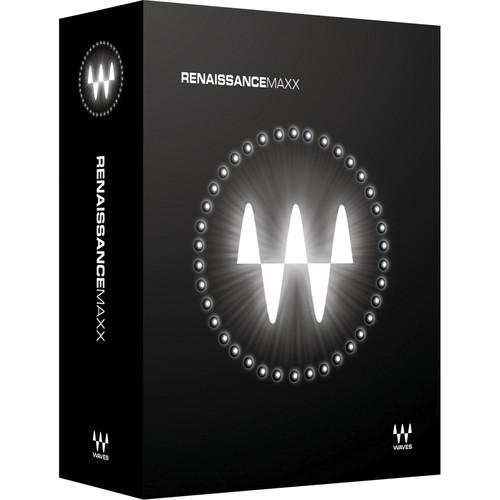 Contents of the user manual for the Waves Renaissance MAXX - Recording and
- Product category: Virtual Processor Plug-Ins Waves
- Brand: Waves
- Description and content of package
- Technical information and basic settings
- Frequently asked questions – FAQ
- Troubleshooting (does not switch on, does not respond, error message, what do I do if...)
- Authorized service for Waves Virtual Processor Plug-Ins
|
User manual for the Waves Renaissance MAXX - Recording and contain basic instructions
that need to be followed during installation and operation.
Before starting your appliance, the user manual should be read through carefully.
Follow all the safety instructions and warnings, and be guided by the given recommendations.
User manual is an integral part of any Waves product,
and if it is sold or transferred, they should be handed over jointly with the product.
Following the instructions for use is an essential prerequisite for protecting
health and property during use, as well as recognition of liability on the part of the manufacturer
for possible defects should you make a warranty claim. Download an official Waves user manual in which you will find instructions on how to install, use, maintain and service your product.
And do not forget – unsuitable use of a Waves product will considerably shorten its lifespan!
|
Product description Renaissance MAXX from Waves is a collection of ten plug-ins designed to emulate the warmth of analog vintage gear while providing the flexibility and the precise control of digital software. The bundle includes compressors, EQ, reverbs, bass enhancement, and more. Note: IR-L Convolution Reverb and Waves Tune LT do not have TDM components. - IR-L Convolution Reverb - Stereo Reverb Plug-In (Native/SoundGrid, Download) IR-L Convolution Reverb from Waves is a convolution based, stereo reverb plug-in that is capable of recreating the sound of real acoustic spaces. Over 100 impulse responses are provided, editable via the easy and efficient, streamlined interface. Unlike some convolution reverbs that deliver a static response, the IR-L has the ability to extended the RT60 decay time of a particular space without affecting the reverb's envelope and frequency content.
- Easy-to-use convolution reverb plug-in
- Delivers the sampled sound of world-famous venues
- Includes over 100 impulse responses of spaces and devices
- Up to 24-bit/96 kHz resolution
- Mono, mono-to-stereo, and stereo components
- SoundGrid license compatible with MultiRack Native and StudioRack Native only
- Renaissance Axx - Dynamics Plug-In (Native/SoundGrid, Download) The Renaissance Axx from Waves is a dynamics plug-in engineered especially for guitar and bass. Settings can be dialed in very easily via a three-parameter interface that includes a fixed ratio curve, automatic release value, and an output limiter to prevent clipping.
- Easy-to-use compressor plug-in
- Ideal for guitar and bass
- Streamlined 3 parameter control
- Up to 24-bit/192 kHz resolution
- Mono and stereo components
- SoundGrid license compatible with MultiRack Native, StudioRack Native, MultiRack SoundGrid, StudioRack SoundGrid, and eMotion ST Mixer
- Renaissance Bass - Bass Enhancement Plug-In (Native/SoundGrid, Download) The Renaissance Bass from Waves is a bass enhancement plug-in featuring the company's MaxxBass psycho-acoustic technology. Tightening up the bass component of mix, or any material for that matter, has never been easier, while at the same time providing the ability to extend the perceived bass depth by up to 1.5 octaves without stressing the speaker system.
- Bigger, tighter bass from any system
- Extends perceived bass response by up to 1.5 octaves
- Up to 24-bit/192 kHz resolution
- Mono and stereo components
- SoundGrid license compatible with MultiRack Native, StudioRack Native, MultiRack SoundGrid, StudioRack SoundGrid, and eMotion ST Mixer
- Renaissance Channel - Channel Strip Plug-In (Native/SoundGrid, Download) Renaissance Channel from Waves is a channel strip plug-in featuring equalization, compression, limiting, and gating in a single convenient interface. Borrowing processors from the company's Renaissance line of plug-ins, the channel strip can function equally well during tracking and mixing.
- EQ, compression, gating, and limiting in one plug-in
- Selectable EQ/dynamics signal flow
- Up to 24-bit/192 kHz resolution (Native) and 96 kHz (TDM)
- Mono, mono-to-stereo, and stereo components
- SoundGrid license compatible with MultiRack Native, StudioRack Native, MultiRack SoundGrid, StudioRack SoundGrid, and eMotion ST Mixer
- Renaissance Compressor - Dynamics Plug-In (Native/SoundGrid, Download) The Renaissance Compressor from Waves is a compressor plug-in that features two compression modes: vintage opto and modern electro. Featuring a streamlined interface, the plug-in utilizes technologies from both the company's C1 Parametric Compander, along with the L1 Ultramaximizer.
- Vintage opto and modern electro compression modes
- Internal brickwall limiting for clip-free output
- ARC (Auto Release Control) for increased RMS levels
- Up to 24-bit/192 kHz resolution
- Mono and stereo components
- SoundGrid license compatible with MultiRack Native, StudioRack Native, MultiRack SoundGrid, StudioRack SoundGrid, and eMotion ST Mixer
- Renaissance DeEsser Channel Strip Plug-In (Native/SoundGrid, Download) The Renaissance DeEsser from Waves is a plug-in used to reduce excess sibilance (ess and shh sounds) from vocal tracks. A sibilance attenuator reduces undesirable high frequencies while preserving the integrity of the source. A variety of presets for both male and female voices along with the functionality of audio or side-chain monitoring, allows for spotting problem areas and fixing them with accuracy and ease.
- Ideal for tracking, mastering, live sound, and broadcast
- Adaptive threshold and adjustable gain reduction
- Phase compensated crossover
- Audio or side-chain monitoring
- Supports sample rates up to 192 kHz
- Mono and stereo components
- SoundGrid license compatible with MultiRack Native, StudioRack Native, MultiRack SoundGrid, StudioRack SoundGrid, and eMotion ST Mixer
- Renaissance Equalizer - EQ Plug-In (Native/SoundGrid, Download) The Renaissance Equalizer from Waves is a paragraphic EQ plug-in that features real-time EQ graphing, vintage-modeled filter curves, and extended internal headroom.
- 2, 4, and 6 band components
- Filter-curves based on vintage analog equalizers
- Up to 24-bit/192 kHz resolution
- Mono and stereo components
- SoundGrid license compatible with MultiRack Native, StudioRack Native, MultiRack SoundGrid, StudioRack SoundGrid, and eMotion ST Mixer
- Renaissance Reverb - Classic Reverb Plug-In (Native/SoundGrid, Download) The Renaissance Reverb from Waves is a reverb plug-in that features the classic, rich reverb tails of high-end hardware reverbs, while delivering precise control over all aspects of the reverb simulation.
The software provides an advanced early reflection system, and dual-band EQ and damping controls. An interesting feature of the early reflections is the ability to input negative values, thus delaying the dry signal. This can create an interesting bloom effect before the onset of the dry signal. - De-correlation for subtle early reflections changes and fine tuning
- Negative predelay value delays the dry signal
- Supports sample rates up to 96 kHz
- Mono to stereo and stereo components
- SoundGrid license compatible with MultiRack Native, StudioRack Native, MultiRack SoundGrid, StudioRack SoundGrid, and eMotion ST Mixer
- Renaissance Vox - Dynamics Processor Plug-In (Native/SoundGrid, Download) Renaissance Vox from Waves is a plug-in that provides optimized dynamics control for vocals. The interface features simple, streamlined controls for compression, gate/expansion, limiting, and level maximization. With just a few adjustments, vocals can take on a vivid and smooth sound.
- Compression, gating, limiting, and level maximization in one plug-in
- Soft-knee compressor with auto make-up gain
- Gentle downward expander for noise gating
- Up to 24-bit/192 kHz resolution
- Mono and stereo components
- SoundGrid license compatible with MultiRack Native, StudioRack Native, MultiRack SoundGrid, StudioRack SoundGrid, and eMotion ST Mixer
- Waves Tune LT - Pitch Transforming Plug-In (Native, Download) Waves Tune LT from Waves is a "lite" edition of Waves Tune and uses an intuitive interface and simplified controls. Like its big brother, it will automatically tune a vocal track, making the changes as gentle or as aggressive as required, using default parameters or custom settings. Selecting the root note and scale allows the plug-in to correct to the notes in that key. In addition to dozens of preset scales, custom scales can be created.
- "Lite" version of Waves Tune
- Operates in sync and controls host transport using ReWire
- Pitch edit graph with waveform overview, timeline, piano roll and pitch editor
- Three timeline modes including bars/beats, minutes/seconds and samples
- Up to 24-bit/96 kHz resolution
- Mono and stereo components
In the Box Bundle Items IR-L Convolution Reverb - Stereo Reverb Plug-In (Native/SoundGrid, Download) vtubtywqzvfccxsrareczs Renaissance Axx - Dynamics Plug-In (Native/SoundGrid, Download) Renaissance Bass - Bass Enhancement Plug-In (Native/SoundGrid, Download) Renaissance Channel - Channel Strip Plug-In (Native/SoundGrid, Download) Renaissance Compressor - Dynamics Plug-In (Native/SoundGrid, Download) Renaissance DeEsser Channel Strip Plug-In (Native/SoundGrid, Download) Renaissance Equalizer - EQ Plug-In (Native/SoundGrid, Download) Renaissance Reverb - Classic Reverb Plug-In (Native/SoundGrid, Download) Renaissance Vox - Dynamics Processor Plug-In (Native/SoundGrid, Download) Waves Tune LT - Pitch Transforming Plug-In (Native, Download) vtubtywqzvfccxsrareczs Table of Contents
|
Upload User Manual
Have you got an user manual for the Waves Renaissance MAXX - Recording and Mixing Plug-Ins Bundle in electronic form? Please send it to us and help us expand our library of instruction manuals.
Thank you, too, on behalf of other users.
To upload the product manual, we first need to check and make sure you are not a robot. After that, your "Submit Link" or "Upload File" will appear.
Technical parameters - IR-L Convolution Reverb - Stereo Reverb Plug-In (Native/SoundGrid, Download)
| System Requirements | Mac
Core Duo 2.3 GHz
OS X 10.7 to 10.10.3
4 GB RAM
1024 x 768 screen resolution
For Native plug-in use, host software that supports AAX Native, Audio Units, RTAS/AudioSuite, or VST formats
PC
Intel Core 2 Duo 2 GHz
Windows 7 SP1, Windows 8, Windows 8.1
4 GB RAM
1024 x 768 32-bit screen resolution
For Native plug-in use, host software that supports AAX Native, RTAS/AudioSuite, or VST formats | - Renaissance Axx - Dynamics Plug-In (Native/SoundGrid, Download)
| System Requirements | Mac
Intel Core i3, i5, i7, Xeon
OS X 10.9.5 to 10.11.4
10.8.5 for Pro Tools 10 only
4 GB RAM
4 GB free hard drive space
1024x768 minimum screen resolution (1280x1024, 1600x1024 recommended)
USB displays are not supported as the primary display
For Native plug-in use, host software that supports AAX Native, Audio Units, RTAS, AudioSuite, VST, or VST3 formats
Windows
Intel Core i3, i5, i7, Xeon
Windows 7 SP1, Windows 8.1, Windows 10 (all 64-bit)
4 GB RAM
4 GB free hard drive space
1024x768 minimum screen resolution (1280x1024, 1600x1024 recommended)
For Native plug-in use, host software that supports AAX Native, RTAS, AudioSuite, VST, or VST3 formats | - Renaissance Bass - Bass Enhancement Plug-In (Native/SoundGrid, Download)
| System Requirements | Mac
Intel Core i3, i5, i7, Xeon
OS X 10.9.5 to 10.11.4
10.8.5 for Pro Tools 10 only
4 GB RAM
4 GB free hard drive space
1024x768 minimum screen resolution (1280x1024, 1600x1024 recommended)
USB displays are not supported as the primary display
For Native plug-in use, host software that supports AAX Native, Audio Units, RTAS, AudioSuite, VST, or VST3 formats
Windows
Intel Core i3, i5, i7, Xeon
Windows 7 SP1, Windows 8.1, Windows 10 (all 64-bit)
4 GB RAM
4 GB free hard drive space
1024x768 minimum screen resolution (1280x1024, 1600x1024 recommended)
For Native plug-in use, host software that supports AAX Native, RTAS, AudioSuite, VST, or VST3 formats | - Renaissance Channel - Channel Strip Plug-In (Native/SoundGrid, Download)
| System Requirements | Mac
Intel Core i3, i5, i7, Xeon
OS X 10.9.5 to 10.11.4
10.8.5 for Pro Tools 10 only
4 GB RAM
4 GB free hard drive space
1024x768 minimum screen resolution (1280x1024, 1600x1024 recommended)
USB displays are not supported as the primary display
For Native plug-in use, host software that supports AAX Native, Audio Units, RTAS, AudioSuite, VST, or VST3 formats
Windows
Intel Core i3, i5, i7, Xeon
Windows 7 SP1, Windows 8.1, Windows 10 (all 64-bit)
4 GB RAM
4 GB free hard drive space
1024x768 minimum screen resolution (1280x1024, 1600x1024 recommended)
For Native plug-in use, host software that supports AAX Native, RTAS, AudioSuite, VST, or VST3 formats | - Renaissance Compressor - Dynamics Plug-In (Native/SoundGrid, Download)
| System Requirements | Mac
Intel Core i3, i5, i7, Xeon
OS X 10.9.5 to 10.11.4
10.8.5 for Pro Tools 10 only
4 GB RAM
4 GB free hard drive space
1024x768 minimum screen resolution (1280x1024, 1600x1024 recommended)
USB displays are not supported as the primary display
For Native plug-in use, host software that supports AAX Native, Audio Units, RTAS, AudioSuite, VST, or VST3 formats
Windows
Intel Core i3, i5, i7, Xeon
Windows 7 SP1, Windows 8.1, Windows 10 (all 64-bit)
4 GB RAM
4 GB free hard drive space
1024x768 minimum screen resolution (1280x1024, 1600x1024 recommended)
For Native plug-in use, host software that supports AAX Native, RTAS, AudioSuite, VST, or VST3 formats | - Renaissance DeEsser Channel Strip Plug-In (Native/SoundGrid, Download)
| System Requirements | macOS X 10.10.5 to 10.12.5
Intel Core i5, i7, Xeon
8 GB RAM
8 GB free hard drive space on system drive
1024 x 768 minimum screen resolution (1280 x 1024 or 1600 x 1024 recommended)
USB displays are not supported as the primary display
For Native plug-in use, host software that supports AAX Native, Audio Units, AudioSuite, VST, or VST3 formats
Windows 7 SP1, Windows 8.1, Windows 10 (all 64-bit)
Intel Core i3, i5, i7, and Xeon; AMD Quad-Core
4 GB RAM
8 GB free hard drive space on system drive
1024 x 768 minimum screen resolution (1280 x 1024 or 1600 x 1024 recommended)
For Native plug-in use, host software that supports AAX Native, AudioSuite, VST, or VST3 formats
Support for Visually Impaired Users
macOS X Sierra 10.12.4
VoiceOver Utility enabled
Pro Tools 12.7
Logic 10.3.1
Note: Preset management via the WaveSystem Toolbar is currently not supported | - Renaissance Equalizer - EQ Plug-In (Native/SoundGrid, Download)
| System Requirements | Mac
Intel Core i3, i5, i7, Xeon
OS X 10.9.5 to 10.11.4
10.8.5 for Pro Tools 10 only
4 GB RAM
4 GB free hard drive space
1024x768 minimum screen resolution (1280x1024, 1600x1024 recommended)
USB displays are not supported as the primary display
For Native plug-in use, host software that supports AAX Native, Audio Units, RTAS, AudioSuite, VST, or VST3 formats
Windows
Intel Core i3, i5, i7, Xeon
Windows 7 SP1, Windows 8.1, Windows 10 (all 64-bit)
4 GB RAM
4 GB free hard drive space
1024x768 minimum screen resolution (1280x1024, 1600x1024 recommended)
For Native plug-in use, host software that supports AAX Native, RTAS, AudioSuite, VST, or VST3 formats | - Renaissance Reverb - Classic Reverb Plug-In (Native/SoundGrid, Download)
| System Requirements | macOS X 10.10.5 to 10.12.5
Intel Core i5, i7, Xeon
8 GB RAM
8 GB free hard drive space on system drive
1024 x 768 minimum screen resolution (1280 x 1024 or 1600 x 1024 recommended)
USB displays are not supported as the primary display
For Native plug-in use, host software that supports AAX Native, Audio Units, AudioSuite, VST, or VST3 formats
Windows 7 SP1, Windows 8.1, Windows 10 (all 64-bit)
Intel Core i3, i5, i7, and Xeon; AMD Quad-Core
4 GB RAM
8 GB free hard drive space on system drive
1024 x 768 minimum screen resolution (1280 x 1024 or 1600 x 1024 recommended)
For Native plug-in use, host software that supports AAX Native, AudioSuite, VST, or VST3 formats
Support for Visually Impaired Users
macOS X Sierra 10.12.4
VoiceOver Utility enabled
Pro Tools 12.7
Logic 10.3.1
Note: Preset management via the WaveSystem Toolbar is currently not supported | - Renaissance Vox - Dynamics Processor Plug-In (Native/SoundGrid, Download)
| System Requirements | Mac
Intel Core i3, i5, i7, Xeon
OS X 10.9.5 to 10.11.4
10.8.5 for Pro Tools 10 only
4 GB RAM
4 GB free hard drive space
1024x768 minimum screen resolution (1280x1024, 1600x1024 recommended)
USB displays are not supported as the primary display
For Native plug-in use, host software that supports AAX Native, Audio Units, RTAS, AudioSuite, VST, or VST3 formats
Windows
Intel Core i3, i5, i7, Xeon
Windows 7 SP1, Windows 8.1, Windows 10 (all 64-bit)
4 GB RAM
4 GB free hard drive space
1024x768 minimum screen resolution (1280x1024, 1600x1024 recommended)
For Native plug-in use, host software that supports AAX Native, RTAS, AudioSuite, VST, or VST3 formats | - Waves Tune LT - Pitch Transforming Plug-In (Native, Download)
| System Requirements | Mac
Core Duo 2.3 GHz
OS X 10.7 to 10.10.3
4 GB RAM
1024 x 768 screen resolution
For Native plug-in use, host software that supports AAX Native, Audio Units, RTAS/AudioSuite, or VST formats
PC
Intel Core 2 Duo 2 GHz
Windows 7 SP1, Windows 8, Windows 8.1
4 GB RAM
1024 x 768 32-bit screen resolution
For Native plug-in use, host software that supports AAX Native, RTAS/AudioSuite, or VST formats |
Rating60% users recommend this product to others. And what about you?

This product has already been rated by 39 owners. Add your rating and experience with the product.
Discussion
 Ask our technicians if you have a problem with your settings,
or if anything is unclear in the user manual you have downloaded.
You can make use of our moderated discussion.
The discussion is public and helps other users of our website who may be encountering similar problems.
Ask our technicians if you have a problem with your settings,
or if anything is unclear in the user manual you have downloaded.
You can make use of our moderated discussion.
The discussion is public and helps other users of our website who may be encountering similar problems.
The discussion is empty - enter the first post
Post a new topic / query / comment:
|
|


