User Manual for Wondershare DVD Creator v2 Click to enlarge the picture
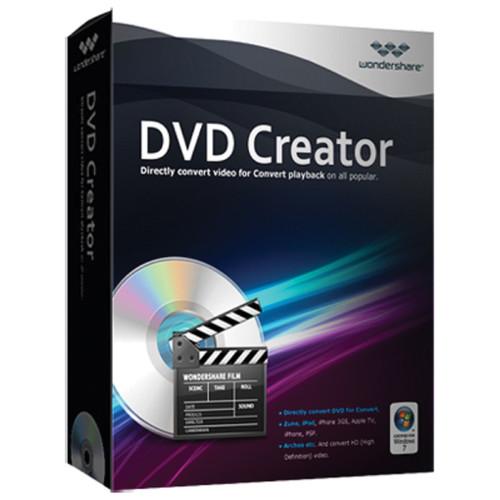 Contents of the user manual for the Wondershare DVD Creator v2
- Product category: Optical Media Burning & Ripping Software Wondershare
- Brand: Wondershare
- Description and content of package
- Technical information and basic settings
- Frequently asked questions – FAQ
- Troubleshooting (does not switch on, does not respond, error message, what do I do if...)
- Authorized service for Wondershare Optical Media Burning & Ripping Software
|
User manual for the Wondershare DVD Creator v2 contain basic instructions
that need to be followed during installation and operation.
Before starting your appliance, the user manual should be read through carefully.
Follow all the safety instructions and warnings, and be guided by the given recommendations.
User manual is an integral part of any Wondershare product,
and if it is sold or transferred, they should be handed over jointly with the product.
Following the instructions for use is an essential prerequisite for protecting
health and property during use, as well as recognition of liability on the part of the manufacturer
for possible defects should you make a warranty claim. Download an official Wondershare user manual in which you will find instructions on how to install, use, maintain and service your product.
And do not forget – unsuitable use of a Wondershare product will considerably shorten its lifespan!
|
Product description Wondershare's DVD Creator downloadable Windows software program lets you create your own DVD movie or slideshow using your own photos, music, and videos. It comes with a built-in editor that allows you to rotate, trim, and crop your media files. For a better visual experience, you can enhance the video's brightness, contrast, and saturation as well as add in special effects. When you want to share your latest vacation trip with friends and family, just drag and drop the vacation photos and insert background music and text. Over 40 DVD menu templates are included to personalize your DVD with customizable thumbnails, buttons, frames, and more. Once you have your masterpiece, you can preview it on your computer before you burn it to a DVD disc. In addition, it also lets you save the final project into a DVD folder or an ISO file to burn later. - Supported Formats
-
- Burn video to DVD from popular SD video formats, including AVI, MP4, MPG, MPEG, 3GP, WMV, ASF, RM, RMVB, DAT, MOV, and more
- Burn HD video like MTS, M2TS(AVCHD H.264), TS(MPEG-2), HD MKV(H.264, MPEG-2 HD), HD WMV(VC-1), HD MOV(H.264, MPEG-4), and others
- Make photo DVD slideshows from BMP, JPEG, PNG, TIFF, GIF, etc. You can also combine photos and videos together to preserve your memories
- Built-in Editor Touches up Films or Craft Your Own
-
- Rotate, crop, and trim video files to remove letterboxing. You can also crop or capture your favorite clips
- Adjust video brightness, contrast, saturation, and other special effects for a better visual experience
- Add image and text watermarks to videos to identify each film as yours
- Rotate photos, add text to photos, add photo transition effects, and insert background music
- Customize Your Creation with Free DVD Menu Templates
-
- 40 free static and dynamic DVD menu templates are included, or just leave off the menu entirely
- Customize the thumbnails, buttons, frames, and text of your DVD menu
- Personalize the DVD menu background image and music with your favorite picture and song
- Preview and Burn Your Movies
-
- Preview your DVD project before burning with a built-in player to ensure everything is perfect
- Choose from 3 output formats that are DVD disc, DVD folder, and ISO files to burn
- Supported Recordable Disc Types: DVD-5 and DVD-9; DVD-R, DVD+R, DVD-RW, DVD+RW, DVD+R DL, DVD-R DL, and DVD-RAM
- More Features
- Real-time Preview: view videos and photos while editing
Set Video Aspect Ratio: set the video aspect ratio as 16:9 or 4:3 to fit player screen size before burning
Adjust Volume: adjust the volume of videos and background music for better effects Table of Contents
|
Upload User Manual
Have you got an user manual for the Wondershare DVD Creator v2 in electronic form? Please send it to us and help us expand our library of instruction manuals.
Thank you, too, on behalf of other users.
To upload the product manual, we first need to check and make sure you are not a robot. After that, your "Submit Link" or "Upload File" will appear.
Technical parametersWondershare 10176625 Specs | | | Supported Operating Systems | Windows XP
Windows 2003
Windows Vista
Windows 7
Windows 8 | | Memory Requirement | 256 MB | | Storage Requirement | 100 MB | | CPU Requirement | 750 MHz Intel and Faster
AMD |
Rating100% users recommend this product to others. And what about you?

This product has already been rated by 74 owners. Add your rating and experience with the product.
Discussion
 Ask our technicians if you have a problem with your settings,
or if anything is unclear in the user manual you have downloaded.
You can make use of our moderated discussion.
The discussion is public and helps other users of our website who may be encountering similar problems.
Ask our technicians if you have a problem with your settings,
or if anything is unclear in the user manual you have downloaded.
You can make use of our moderated discussion.
The discussion is public and helps other users of our website who may be encountering similar problems.
Post new comment to Wondershare DVD Creator v2
| Subject: user manual for dvd creator | | Date: 29.01.2022 02:23:23 | Name: Tony | | i would like to review the manual for dvd creator. I'm trying a trial version and cannot get it to do what i need. i want to make sure it can before i puchase. | | Post reply |
Post a new topic / query / comment:
|
|


