User Manual for Wondershare MobileTrans Click to enlarge the picture
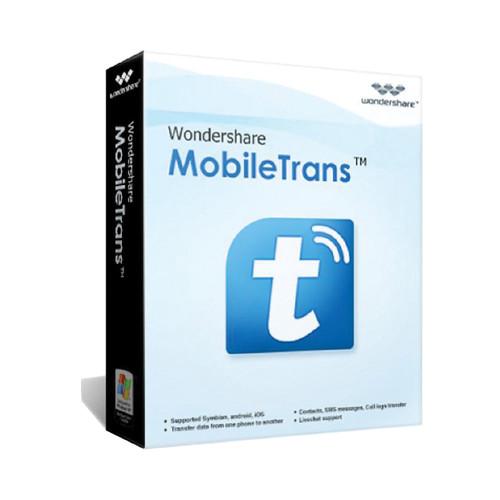 Contents of the user manual for the Wondershare MobileTrans
- Product category: Home & Office Wondershare
- Brand: Wondershare
- Description and content of package
- Technical information and basic settings
- Frequently asked questions – FAQ
- Troubleshooting (does not switch on, does not respond, error message, what do I do if...)
- Authorized service for Wondershare Home & Office
|
User manual for the Wondershare MobileTrans contain basic instructions
that need to be followed during installation and operation.
Before starting your appliance, the user manual should be read through carefully.
Follow all the safety instructions and warnings, and be guided by the given recommendations.
User manual is an integral part of any Wondershare product,
and if it is sold or transferred, they should be handed over jointly with the product.
Following the instructions for use is an essential prerequisite for protecting
health and property during use, as well as recognition of liability on the part of the manufacturer
for possible defects should you make a warranty claim. Download an official Wondershare user manual in which you will find instructions on how to install, use, maintain and service your product.
And do not forget – unsuitable use of a Wondershare product will considerably shorten its lifespan!
|
Product description The downloadable Wondershare MobileTrans Windows software program lets you transfer contacts, text messages, call logs, apps, and more between the iPhone, Android, Nokia (Symbian), and BlackBerry phones. For keeping your data safe and secure, it backs up the contents from your phone to a computer. This program allows you to retrieve backups created by MobileGo, Samsung Kies, and BlackBerry Desktop Suite so you can transfer the information to an iPhone or Android phone. It even transfers backups from iTunes to an Android phone and any of the supported 3,000 devices. Furthermore, when you want to sell or donate your device, Wondershare MobileTrans helps to protect your personal data by erasing it from your iPhone, iPad, iPod touch, or Android phone, safely and permanently. The personal use license supports up to 5 phones on one computer and provides lifetime updates. - 1-Click Content Transfer
- Wondershare MobileTrans makes it easy for you to take everything, including contacts, photos, text messages, music, calendar, video, apps, and call logs, with you in 1-click. It's safe and risk-free, and all content it transfers is the same as the original one.
- Transfer Content between iOS, Android, and Nokia Symbian
- MobileTrans transfers content between phones running iOS, Android, and Nokia Symbian. When transferring contacts, this program transfers names, numbers, job title, email address, company name, and more.
Supported transfers from one phone to another
Android to Android: contacts, messages, videos, photos, audio, call logs, apps, and calendar
iOS to Android: contacts, messages, videos, photos, audio, and calendar
Nokia to Android: contacts, messages, videos, photos, and audio
iOS to iOS: contacts, messages, videos, photos, audio, and calendar
iOS to Nokia: contacts
Nokia to iOS: contacts, messages, videos, photos, and audio
Nokia to Nokia: contacts - Backup and Restore Later
- You can backup your phone to the PC first and then restore to any other supported phone whenever you want.
- Keep Phone Data Secured
- You can easily back up the data on your iPhone/iPad/iPod touch, Android phone, or Nokia (Symbian) phone to the PC, keeping all the important data safe and secured.
- Retrieve Phone Backup for iPhone/Android Phone
- MobileTrans lets you retrieve backups created by MobileGo, Samsung Kies, and BlackBerry Desktop Suite, and transfer contacts, messages, etc. to iPhone and Android phone.
- Transfer iTunes to A Supported Device
- You can transfer songs and playlists from iTunes to an Android phone, iPhone, iPad and iPod touch. In addition, you can also retrieve iTunes Backup and transfer contacts, text messages, photos, video, etc. to a supported mobile device.
- Permanently Erase Your Old Phone
- To keep your personal data out of the wrong hands, Wondershare MobileTrans helps to protect your data by erasing it from your old iPhone, iPad, iPod touch or Android phone when you decide to sell or donate the device.
Erase existing data: Wipe off everything on your iDevice or Android phone in 1-click.
Erase deleted data: Deeply scan your iDevice or Android phone and erase all deleted data in the phone memory. Table of Contents
|
Upload User Manual
Have you got an user manual for the Wondershare MobileTrans in electronic form? Please send it to us and help us expand our library of instruction manuals.
Thank you, too, on behalf of other users.
To upload the product manual, we first need to check and make sure you are not a robot. After that, your "Submit Link" or "Upload File" will appear.
Technical parametersWondershare 20121218 Specs | | | Supported OS Versions | Windows 7, 8, 8.1, Vista, XP | | Storage Requirements | 200 MB | | Processor Requirement | 750 MHz | | RAM Requirement | 256 MB | | | | Audio Formats Supported | 3G2, AAC, AC3, AIFF, AMR, APE, AU, FLAC, M4A, M4B, M4P, M4R, MKA, MP2, MP3, MPA, OGG, WAV, WMA | | Video Formats Supported | 3GP, ASF, AVI, DAT, FLV, M4V, MKV, MOV, MP4, MPEG, MPG, VOB, WMV |
Rating70% users recommend this product to others. And what about you?

This product has already been rated by 21 owners. Add your rating and experience with the product.
Discussion
 Ask our technicians if you have a problem with your settings,
or if anything is unclear in the user manual you have downloaded.
You can make use of our moderated discussion.
The discussion is public and helps other users of our website who may be encountering similar problems.
Ask our technicians if you have a problem with your settings,
or if anything is unclear in the user manual you have downloaded.
You can make use of our moderated discussion.
The discussion is public and helps other users of our website who may be encountering similar problems.
The discussion is empty - enter the first post
Post a new topic / query / comment:
|
|


