|
User Manual for X-Rite i1Publish Pro 2 Software Click to enlarge the picture
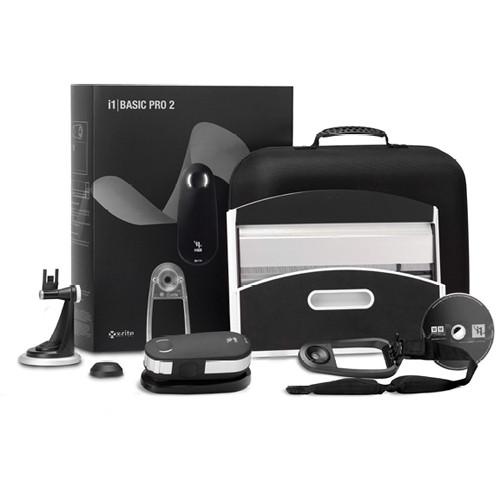 Contents of the user manual for the X-Rite i1Publish Pro 2 Software
- Product category: Calibration X-Rite
- Brand: X-Rite
- Description and content of package
- Technical information and basic settings
- Frequently asked questions – FAQ
- Troubleshooting (does not switch on, does not respond, error message, what do I do if...)
- Authorized service for X-Rite Calibration
 |
User manual for the X-Rite i1Publish Pro 2 Software contain basic instructions
that need to be followed during installation and operation.
Before starting your appliance, the user manual should be read through carefully.
Follow all the safety instructions and warnings, and be guided by the given recommendations.
User manual is an integral part of any X-Rite product,
and if it is sold or transferred, they should be handed over jointly with the product.
Following the instructions for use is an essential prerequisite for protecting
health and property during use, as well as recognition of liability on the part of the manufacturer
for possible defects should you make a warranty claim. Download an official X-Rite user manual in which you will find instructions on how to install, use, maintain and service your product.
And do not forget – unsuitable use of a X-Rite product will considerably shorten its lifespan!
|
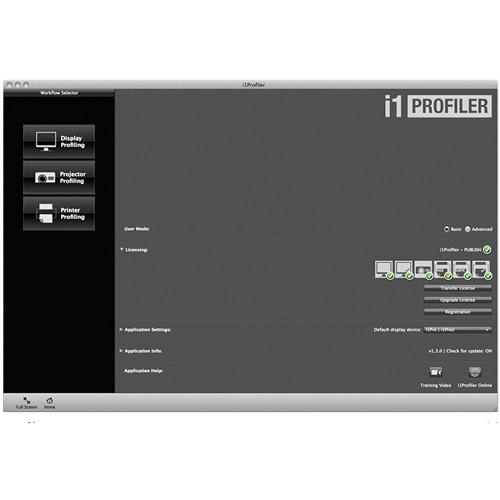
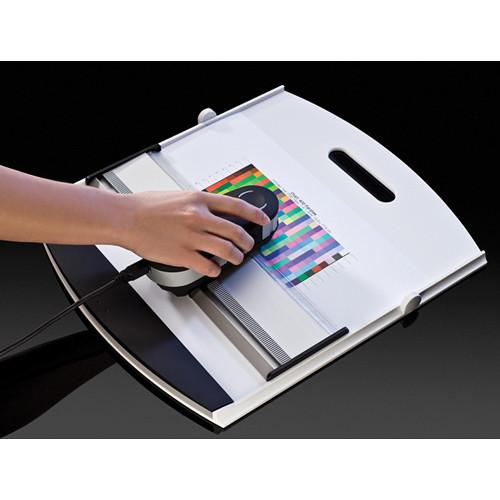
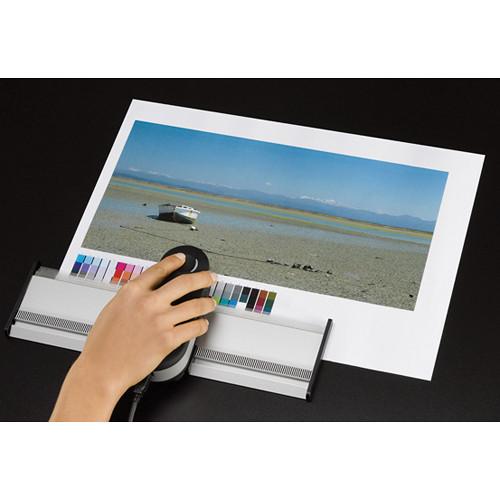
Product description The i1Publish Pro 2 Software (Upgrade A) from X-Rite is a software suite with an upgrade solution for ultimate, professional level color management. It includes the i1Profiler v1.x, ColorChecker Camera Calibration, PANTONE Color Manager, ColorChecker Classic target [mini] and ColorChecker Proof target softwares. Its reliability, versatility and accurate color calibrating software helps save time, ink, paper and provides all the functionalities featured in i1Publish Pro 2 solution. The upgrade package includes i1Basic Pro 2 and i1Publish Software Upgrade.
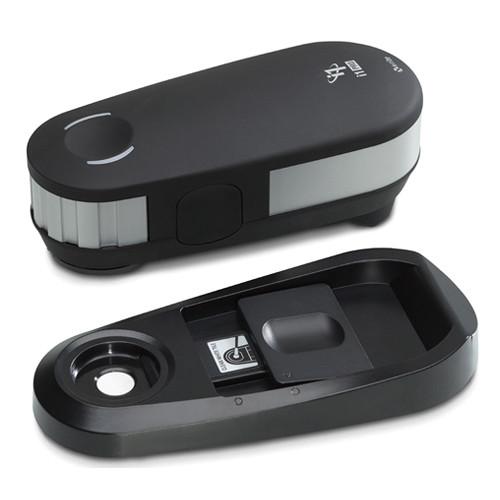
To be eligible for this upgrade you must own one of the following: i1Basic, i1Design LT or i1Photo LT with any additional i1Match module added, i1Photo, i1Photo SG, i1Photo Pro, i1Proof, i1XT,i1Xtreme, ProfileMaker 5*, MonacoPROFILER 4* If you originally purchased i1Photo, i1Photo SG, i1Proof, i1xt or i1xtreme - buy i1Publish Upgrade A to get full i1Publish Pro functionality. All profilemaker 5 packages are eligible for the upgrade - purchase i1Publish Pro 2 Upgrade A (Use your existing Hasp4 dongles, still keep your license flags for profilemaker 5 software and receive all the new software, hardware and components.) Note: *During the upgrade process, i1Profiler will check if the license flags on the instrument qualify for the level of purchased upgrade. MonacoPROFILER 4.x owners are also eligible for this upgrade, but need to submit their dongle serial number to X-Rite prior to ordering. For further assistance, please contact a phone sales representative. - The iPublish Pro 2 hardware and software delivers an increased level of color accuracy across all devices. Its new illuminant design allows for 3 standard measurement conditions (ISO 13655 M0: Tungsten; ISO 13655 M1: D50; ISO 13655 M2: UV Cut) and Optical Brightener Compensation (OBC) without changing filters or needing a second instrument.
- The enhanced Optical Brightener Compensation (OBC) allows accurate profiling for enhanced range of substrates. Using a single hand-held device, photographers can predict what colors printed on an optically brightened paper will look like under both standard and specific light conditions. With M1 measurement capability, imaging professionals can rely on consistent measurement for visual matching under emerging industry standard viewing conditions.
- The Positioning Detection Sensor provides a more robust scanning experience on special substrates and low-resolution printers. It allows for the measurement of smaller patch sizes (as low as 7mm) in manual mode, thus saving time and money on consumables and enabling dual measurement workflows for OBC, M1 and M2.
- Its status LED guides users through the measurement process and provides feedback on device status, improving user experience and saving time. Moreover, its ergonomic design allows for greater usability, flexibility, cleaning, protection and storage of the precision i1Pro 2 device, thereby assuring high levels of reliability and productivity.
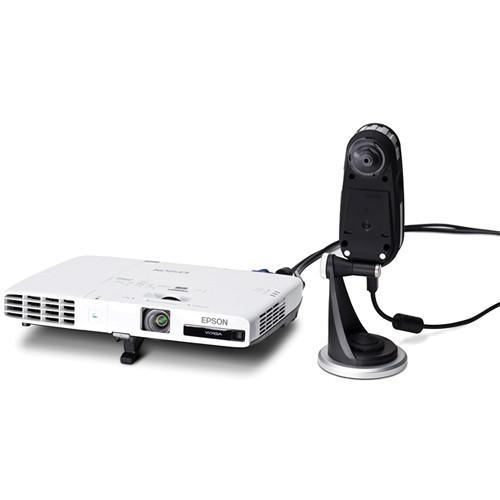
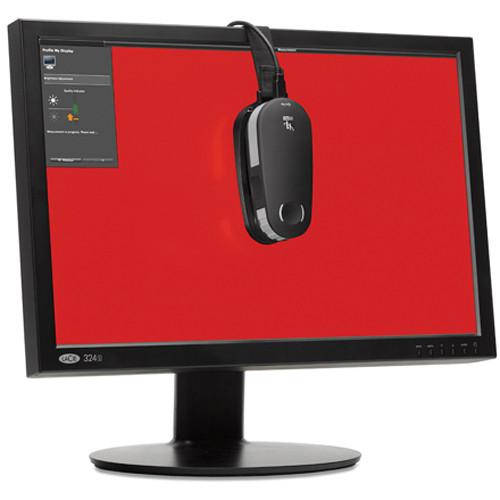
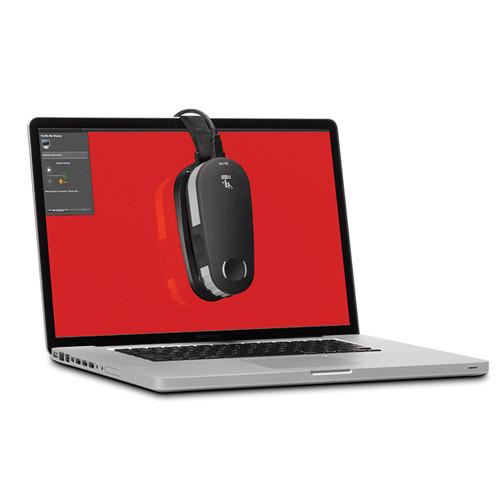
- i1Pro 2 provides better temperature stability and high brightness levels which improve emissive measurement. This results in best possible calibration and profiling of monitors and projectors. The built-in wavelength calibration technology allows for self-diagnosis of optical grating in relation to sensor during white calibration (with automatic correction and notifications). The user does not have to worry about the device's measurement accuracy.
- Maintaining and protecting the device is easy as the self-cleanable aperture protection glass and calibration white tile cover provide additional built-in protection from dust and dirt.
- i1Pro 2 is equipped with the X-Rite Graphic Arts Standard (XRGA) to make it quicker and easier for companies and professionals involved in digital production printing to adhere to ISO standards.
- With the i1Profiler software, X-Rite has developed a next generation toolset that combines the best features of its i1Match, ProfileMaker and MonacoPROFILER solutions. i1Profiler software offers an unprecedented level of flexibility to address the needs of digital imaging workflows. It features a number of unique color management capabilities, adding to users' power and control in creating professional quality profiles. Users can choose between a "basic," wizard-driven interface or an "advanced," user-driven interface to create high-quality, precise, custom color profiles for monitors, projectors, printers and presses. At the core of i1Profiler is X-Rite's i1Prism engine, whose unique iterative profiling technology lets users build printer profiles for up to 8-color workflows (RGB, CMYK and CMYK plus any 4). This reliable technology is extremely robust, allowing for further profile optimization based on any combination of images, spot colors or captured colors. Users can select from any of the digital PANTONE color libraries, including the PANTONE PLUS SERIES. This results in superlative image quality and color accuracy. By using just one software tool, users can optimize their profiles, build profiles with ambient light measurements, correct for optical brighteners in their papers and utilize simple yet advanced controls for black separation. i1Profiler lets users save and reuse assets or preferred settings with drag-and-drop functionality. This enables profile generation workflows to be created or shared with others quickly, easily, and efficiently. The exchange functionality also allows users to communicate palette information and other color data across the office or across the globe using X-Rite's Color Exchange Format (CxF) for the most comprehensive digital color data exchange.
- PANTONE Color Manager
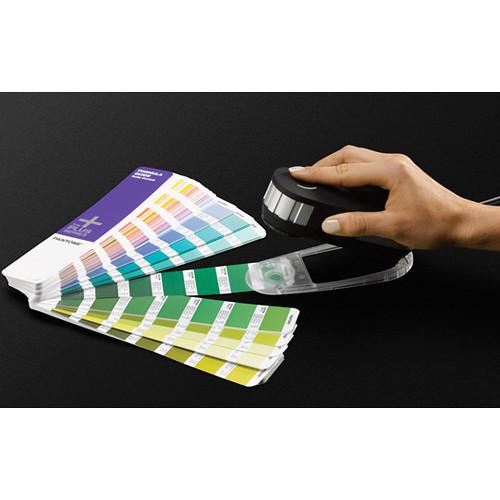
- PANTONE Color Manager will dynamically keep all digital PANTONE libraries up to date, accurate and ready to use in Adobe and Quark creative applications. The tight integration of i1Profiler with PANTONE Color Manager swatch bridging software gives users seamless access to all PANTONE colors for precise spot color matching and unparalleled accuracy of spot color reproduction. It also makes multiple color space selections simple for easy color translation to multiple applications. Thus, it is ideal for imaging professionals working with brand color specifications. PANTONE Color Manager includes a unique feature that simplifies the creation and distribution of corporate brand style guides. Designers can include palette information, digital color data, and output profiles to ensure that their brand color is faithfully reproduced in any print production process around the corner or across the globe.
- ColorChecker Proof
- To help users perform a visual color evaluation of their results using physical standards, i1Publish includes the new ColorChecker Proof, a 24-patch ColorChecker Classic target pre-cut for direct viewing against a printed target. When used in proper lighting conditions, this offers a much more precise visual verification of output quality, so that the user can quickly determine if any adjustment is needed.
- ColorChecker Passport Software and Mini Classic Target
- With the ColorChecker Passport Camera Calibration Application and Lightroom plug-in, users can quickly and easily build DNG (Digital Negative) profiles for Adobe Imaging solutions including Lightroom, Photoshop, Photoshop Elements, Camera Raw (ACR) and Adobe Bridge. This advanced camera profiling technology provides excellent results with the mini 24-patch ColorChecker Classic target. It produces DNG profiles that work exceptionally well, even in unusual or artificial light sources. Software auto-detection will locate the target automatically. Whether shooting with just one camera or multiple cameras, photographers can easily establish an accurate color foundation and maintain control of their colors.
- Availability
- i1Profiler 1.4 is available for immediate download from xrite.com and xritephoto.com websites. If a current owner has auto update activated, they will receive the update next time they launch the software.
- Version 1.4
- i1Profiler offers an increased level of flexibility and features a number of unique color management capabilities. Now, with the version 1.4 update, i1Profiler includes scanner profiling, the latest OS support, and several other improvements. All current i1Profiler users are eligible for a free update.
- Scanner Profiler
- Scan the target to generate a high quality custom ICC profile. The software will automatically detect and crop the target.
Supports the following targets:
ColorChecker Classic
ColorChecker Digital SG
Reflective IT 8.7/2
Transmissive 4x5 and 35mm IT 8.7/1 In the Box X-Rite i1Publish Pro 2 Software (Upgrade A) i1Pro 2 Spectrophotometer (Measurement Device) Calibration Plate Ambient Light Measurement Head Monitor Holder Positioning Target Scanning Ruler Backup Board USB Cable i1Profiler v1.x Software for Monitors, Projectors & RGB/CMYK+ Printers ColorChecker Camera Calibration Software PANTONE Color Manager Software ColorChecker Classic Target [Mini] ColorChecker Proof Target Soft-sided Storage Case Table of Contents
|
Upload User Manual
Have you got an user manual for the X-Rite i1Publish Pro 2 Software in electronic form? Please send it to us and help us expand our library of instruction manuals.
Thank you, too, on behalf of other users.
To upload the product manual, we first need to check and make sure you are not a robot. After that, your "Submit Link" or "Upload File" will appear.
Technical parametersX-Rite i1Basic Pro 2 Specs | Hardware | Spectral engine: i1 technology with built-in wavelengths check Spectral analyzer: Holographic diffraction grating with 128-pixel diode array Spectral Range: 380 - 730 nm Physical sampling interval: 3.5 nm Optical resolution: 10 nm Spectral reporting: 380 to 730 nm in 10 nm steps Measurement Frequency in scanning mode: 200 measurements per second | | Interface | USB 1.1 | | Power Supply | Device powered by USB. No additional charger or battery required | | Optics | Measurement geometry: 45°/0° ring illumination optics, ISO 13655:2009 Measurement aperture: 0.18" (4.5 mm) diameter (effective measurement aperture during scanning is dependent on the patch size and measurement speed) Illumination Spot Size: 0.14" (3.5 mm) Light source: Gas-filled tungsten (illuminant type A) and UV LED | | Data Format | Spectral Reflectance [dimensionless] | | Measurement | UV included - ISO 13655:2009 measurement condition M0 D50 - ISO 13655:2009 measurement condition M1 UV excluded Filter - ISO 13655:2009 measurement condition M2 OBC: Optical Brightener Compensation (OBC) with i1Profiler software Calibration: Manual on external ceramic white reference Measurement Background: white, ISO 13655:2009; for measurements on backup board Maximum Media Thickness: 0.12" (3 mm) on backup board Minimum Patch Size in Scanning Mode: 0.28 x 0.39" (7 x 10 mm) (Width x Height) with sensor ruler 0.39 x 0.39" (10 x 10 mm) (Width x Height) without sensor ruler Inter-instrument agreement: 0.4 ∆E94* average, 1.0 ∆E94* max. Short-term repeatability: 0.1 ∆E94** on white *deviation from X-Rite manufacturing standard at a temperature of 73.4ºF on 12 BCRA tiles (D50, 2º) **D50, 2°, mean of 10 measurements every 3 secs on white | | Emissions | Data format: Spectral radiance (mW/nm/m2 /sr); Luminance Y (cd/m2) Measurement range: 0.2 - 1200 cd/m2 on a typical LCD-Monitor Short-term repeatability: x,y: +/- 0.002 typical (5000°K, 80 cd/m2) | | Ambient Modes | Data Format: spectral irradiance [mW/nm/m2], illuminance [lux] Type: Cosine-corrected diffuse light measurement head | | Operating Temperature | 50 to 95°F (10 to 35°C) | | Operating Humidity | 0% to 80% non-condensing | | System Requirements | Macintosh Mac OS X 10.6.x, 10.7.x and 10.8x
(with the latest updates installed) 1GB RAM Intel Processor Up to 2GB of available disk space (depending on components installed) Powered USB Port Monitor resolution of 1024x768 pixels or higher Dual display support requires either 2 video cards or a dual head video card that supports dual video LUTs being loaded DVD drive or high-speed internet connection required for software installation, download and automatic software update Windows Microsoft Windows: XP 32 bit, Vista 32 or 64 bit, Windows 7 32 or 64 bit, Windows 8 32 or 64 bit
(with latest service pack installed) 1GB RAM Intel Pentium IV or AMD Athlon XP or better CPU Up to 2GB of available disk space (depending on components installed) Powered USB Port Monitor resolution of 1024x768 pixels or higher Dual display support requires either 2 video cards or a dual head video card that supports dual video LUTs being loaded Network adaptor installed and driver loaded DVD drive or high-speed internet connection required for software installation, download and automatic software update | | Languages | Chinese (Simplified), English, French, German, Italian, Japanese, Portuguese, Spanish, Russian | | Physical Dimensions | i1Pro device (L x W x H): 6.1 x 2.6 x 2.6" (155 x 66 x 67 mm) i1 Ruler (L x W): 13.3 x 4.0" (337 x102 mm) i1 Backup Board: 14.0 x 10.4" (355 x 265 mm) folded/ 14.0 x 15.7" (355 x 400 mm) unfolded | | Weight | i1Pro device: 8.6 oz (245 g) | | | | Package Weight | 9.8 lb | | Box Dimensions (LxWxH) | 17.0 x 14.0 x 6.0" |
Rating100% users recommend this product to others. And what about you?

This product has already been rated by 26 owners. Add your rating and experience with the product.
Discussion
 Ask our technicians if you have a problem with your settings,
or if anything is unclear in the user manual you have downloaded.
You can make use of our moderated discussion.
The discussion is public and helps other users of our website who may be encountering similar problems.
Ask our technicians if you have a problem with your settings,
or if anything is unclear in the user manual you have downloaded.
You can make use of our moderated discussion.
The discussion is public and helps other users of our website who may be encountering similar problems.
The discussion is empty - enter the first post
Post a new topic / query / comment:
|
|
|
| Request for user manual |
You can’t find the operation manual you are looking for? Let us know and we will try to add the missing manual:
I’m looking for a manual / Request for manual
Current requests for instruction manuals:
Call Of Duty World War Two For Xbox...
controller stratus XL...
stratus XL...
smart whatch serie S11 42mm...
Allen & Heath SQ-6 manual...
|
| Discussion |
Latest contributions to the discussion:
AEW R 4100
Name: MAURICIO ANGARITA
Audio-Technica AEW-R4100 UHF Diversity Receiver for
AEW R 4100 has the mute function blocked and does not allow audio to pass. I tried several times to turn off the mute from the transmitter but it does nothing, the mute stays on. Solution?
Thank you...
Instructions for assembling the 2015 Forecast Image Master Consoles GC3-A
Name: mike elam
Forecast Consoles GC3-A ImageMaster Editing Console
Looking for instructions for assembling this console. ...
EMPTY TONER ERROR MESSAGE AFTER REPLACING TONER
Name: LINDA BAD YELLOW EYES
Brother TN223BK Standard-Yield Toner
I HAD TO CHANGE OUT ALL THREE TONERS DUE TO LEAKS IN THE YELLOW AND CYAN. AFTER I REPLACED THEM, THE MACHINE KEEPS GIVING ME AN EMPTY TONER ERROR MESSAGE. HELP!!...
PS480D 20/24 pin Switching 480W Power Supply
Name: swkargo
Logisys 480W Power Supply
This item states in can run -5vdc .It is NOT listed on the board or I beleive is r4 is missing the resitior. Any body have thid issue. Shawn
...
Help needed
Name: Ann Carter
SanDisk 1TB Extreme Portable USB 3.1
When I click the link to download the user manual for my Sandisk Extreme external hard drive, it gives me the manual for the LG Cricket. Can you please change the link so I can download the Sandisk manual and begin using this drive? Thank you....
|
|


