User Manual for Xilisoft iPad Magic Click to enlarge the picture
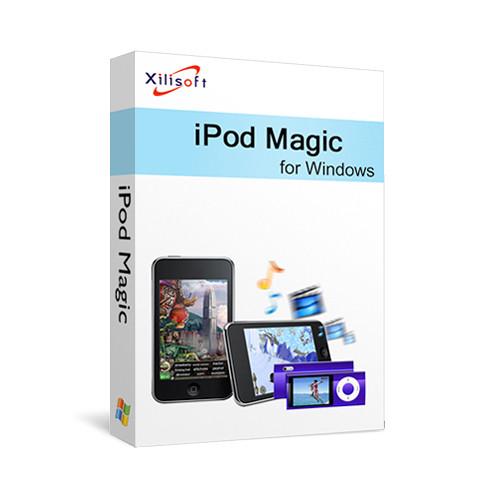 Contents of the user manual for the Xilisoft iPad Magic
- Product category: Encoding Software Xilisoft
- Brand: Xilisoft
- Description and content of package
- Technical information and basic settings
- Frequently asked questions – FAQ
- Troubleshooting (does not switch on, does not respond, error message, what do I do if...)
- Authorized service for Xilisoft Encoding Software
|
User manual for the Xilisoft iPad Magic contain basic instructions
that need to be followed during installation and operation.
Before starting your appliance, the user manual should be read through carefully.
Follow all the safety instructions and warnings, and be guided by the given recommendations.
User manual is an integral part of any Xilisoft product,
and if it is sold or transferred, they should be handed over jointly with the product.
Following the instructions for use is an essential prerequisite for protecting
health and property during use, as well as recognition of liability on the part of the manufacturer
for possible defects should you make a warranty claim. Download an official Xilisoft user manual in which you will find instructions on how to install, use, maintain and service your product.
And do not forget – unsuitable use of a Xilisoft product will considerably shorten its lifespan!
|
Product description iPad Magic from Xilisoft is a downloadable Windows software program that can back up nearly all your content from your iPad, iPhone, and iPod. It transfers your music, photos, PDFs, contacts, and more to your computer. If you lose your iPad, you can transfer all the saved files back to your new iPad.
You can use iPad Magic to convert your DVDs and CDs so you can enjoy the media's content on your iPad. Additionally, it allows you to play unsupported videos and music on your Apple device by converting it to an iOS supported format. iPad Magic offers optimized profiles and adjustments, such as bit rate, frame rate, target format, and more, to help improve the converted media's quality. For performance, it leverages the power of your dedicated NVIDIA graphics card to get the job done faster. Once the conversion process is finished, you can set iPad Magic to close itself automatically along with shutting down or hibernating the computer. - iPad Manager Features
-
- Transfers songs, movies, photos, books (PDF and EPUB formats), and more between your Apple device to a PC
- Backs up all the files to iTunes
- Create photo albums from pictures shot by your Apple device
- Import PDFs and EPUB books to iPad
- Build playlists
- Connect multiple devices simultaneously
- Moves content from your old Apple device to your new Apple device
- Converts CDs and DVDs as well as video, audio, and ISO files to iOS supported formats
- Additional Features
-
- Supports NVIDIA graphics technologies for increased performance
- Preview music, movies, and photos with the built-in resizable media player
- Automatically selects the optimized profiles for imported files
- Create your own profiles with adjustable parameters such as bit rate, frame rate, target format, and more
- Proxy server configuration allows you to configure the network, HTTP and SOCKS 5
- Program can automatically close once the conversion is finished
- Your computer can automatically shut down, hibernate, or enter standby after the job is done
- English, German, Spanish, French, Italian, Japanese, Simplified Chinese, and Traditional Chinese interface languages are optional
Table of Contents
|
Upload User Manual
Have you got an user manual for the Xilisoft iPad Magic in electronic form? Please send it to us and help us expand our library of instruction manuals.
Thank you, too, on behalf of other users.
To upload the product manual, we first need to check and make sure you are not a robot. After that, your "Submit Link" or "Upload File" will appear.
Technical parametersXilisoft XIPADMAGIC Specs | Formats Supported | CD, DVD-Video, DVD folder, ISO File | | File Formats | Videos: 3GP, 3G2, ASF, AVI, DV, DIF, VOB, FLV, M2TS, MTS, M4V, SWF, MKV, DVR-MS, MJPG, CDA, MJPEG, MOD, MPG, MPEG, MPA, DAT, TS, MPV, NSV, MOV, QT, H261, H264, RM, RMVB, WMV, ASF, XWMV
Audio: AAC, AIF, AIFF, AC3, APE, CUE, AU, FLAC, MPA, MP2, MP3, OGG, RA, WAV, WMA, CDA, M4A, MP4
Images: BMP, GIF, JPEG, PNG | | System Requirements | 1 GHz Intel/AMD processor or above
256 MB RAM (512 MB or above recommended)
50 MB free disk space for installation
Super VGA (800 x 600) resolution, 16-bit graphics card or higher
DVD drive
iTunes 8.2 or above | | Operating Systems Supported | Windows XP, Windows Vista, Windows 7 |
Rating100% users recommend this product to others. And what about you?

This product has already been rated by 25 owners. Add your rating and experience with the product.
Discussion
 Ask our technicians if you have a problem with your settings,
or if anything is unclear in the user manual you have downloaded.
You can make use of our moderated discussion.
The discussion is public and helps other users of our website who may be encountering similar problems.
Ask our technicians if you have a problem with your settings,
or if anything is unclear in the user manual you have downloaded.
You can make use of our moderated discussion.
The discussion is public and helps other users of our website who may be encountering similar problems.
The discussion is empty - enter the first post
Post a new topic / query / comment:
|
|


