|
User Manual for XYZprinting Grades 9-12 STEAM Curriculum 1-Year Subscription Click to enlarge the picture
 Contents of the user manual for the XYZprinting Grades 9-12 STEAM Curriculum 1-Year
- Product category: 3D Printer Accessories XYZprinting
- Brand: XYZprinting
- Description and content of package
- Technical information and basic settings
- Frequently asked questions – FAQ
- Troubleshooting (does not switch on, does not respond, error message, what do I do if...)
- Authorized service for XYZprinting 3D Printer Accessories
 |
User manual for the XYZprinting Grades 9-12 STEAM Curriculum 1-Year contain basic instructions
that need to be followed during installation and operation.
Before starting your appliance, the user manual should be read through carefully.
Follow all the safety instructions and warnings, and be guided by the given recommendations.
User manual is an integral part of any XYZprinting product,
and if it is sold or transferred, they should be handed over jointly with the product.
Following the instructions for use is an essential prerequisite for protecting
health and property during use, as well as recognition of liability on the part of the manufacturer
for possible defects should you make a warranty claim. Download an official XYZprinting user manual in which you will find instructions on how to install, use, maintain and service your product.
And do not forget – unsuitable use of a XYZprinting product will considerably shorten its lifespan!
|
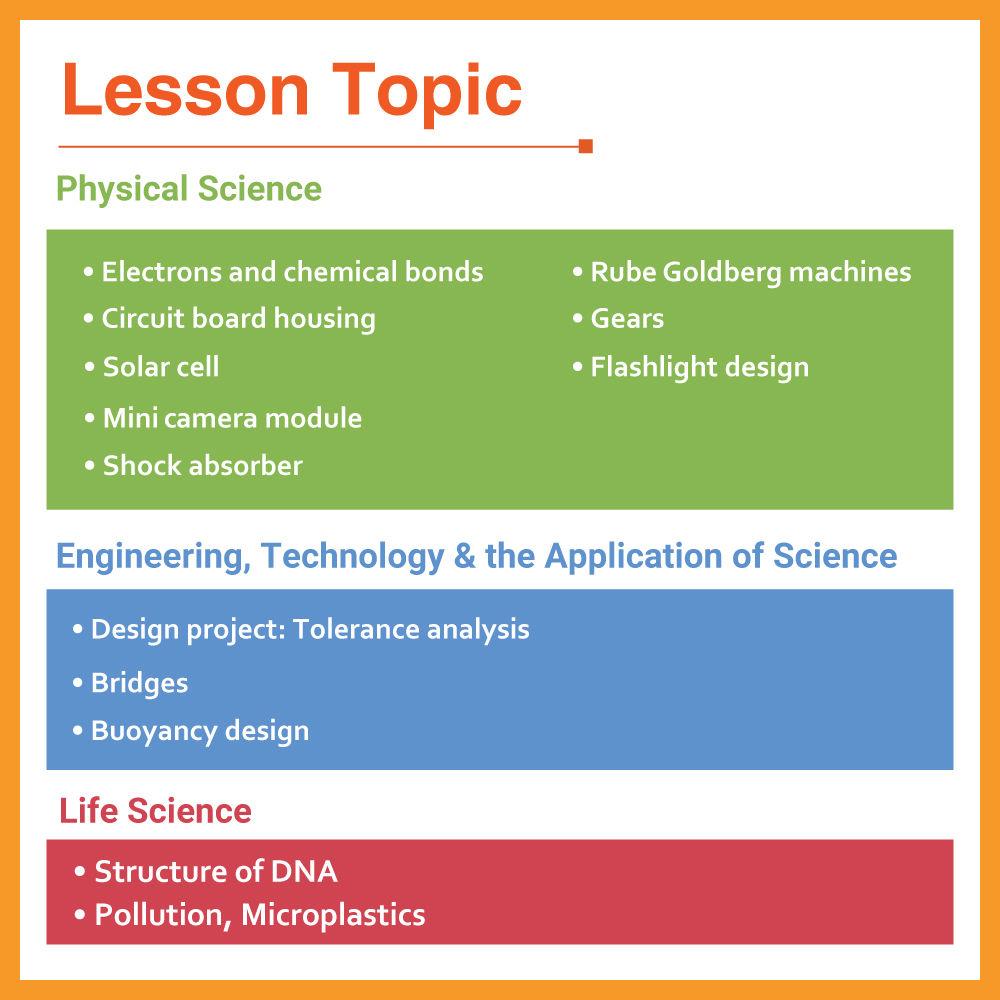
Product description The XYZprinting Grades 9-12 STEAM Curriculum 1-Year Subscription is designed to deliver engaging STEAM-based lessons, using student-friendly 3D software and 3D printers. Created using Next Generation Science Standards (NGSS), the included 13 lessons can be mixed with existing school curricula or work as standalone lessons. The curriculum has an emphasis on teaching 3D design principles and encourages collaborative learning and problem-solving skills. Curriculum 1 - Electrons and Chemical Bonds (Physical Science)
- Students will create atomic models with proper electrons, along with designing models of the chemical bond types that exist between molecules. The visual design method will help students understand the concept and allow them to create physical representations of the molecular structure.
Curriculum 2 - Circuit Board Housing (Physical Science)
- Students will learn about how data is transferred through analog and digital signals. They will discuss the advantages of both types of transmissions and learn that digital data transmission allows for information to be transferred securely and reliably. Students will also learn about the Raspberry Pi, a tiny computer that is used to introduce students to computation and programming. The culminating project in these lessons is a design project where students are asked to 3D model and print a case that will house the latest version of the Raspberry Pi.
Curriculum 3 - Structure of DNA (Life Science)
- Students will learn about the research that led Watson and Crick to their discovery, along with understand how base pairing in DNA occurs. Students will then use their understanding of the DNA helix model and create a 3D version of DNA using computer-aided design (CAD).
Curriculum 4 - Pollution, Microplastics (Life Science)
- Students will learn about the Great Pacific Garbage Patch and do research on how plastics, specifically microplastics, have damaging effects on filter feeders, such as zooplankton and oysters. Students will learn about microplastics and how they are used in abundance in innocuous everyday items, such as toothpaste and facial cleansers. They will then design a sifter that can be used to remove microplastics from ocean sand.
Curriculum 5 - Bridges (Engineering, Technology, and the Application of Science)
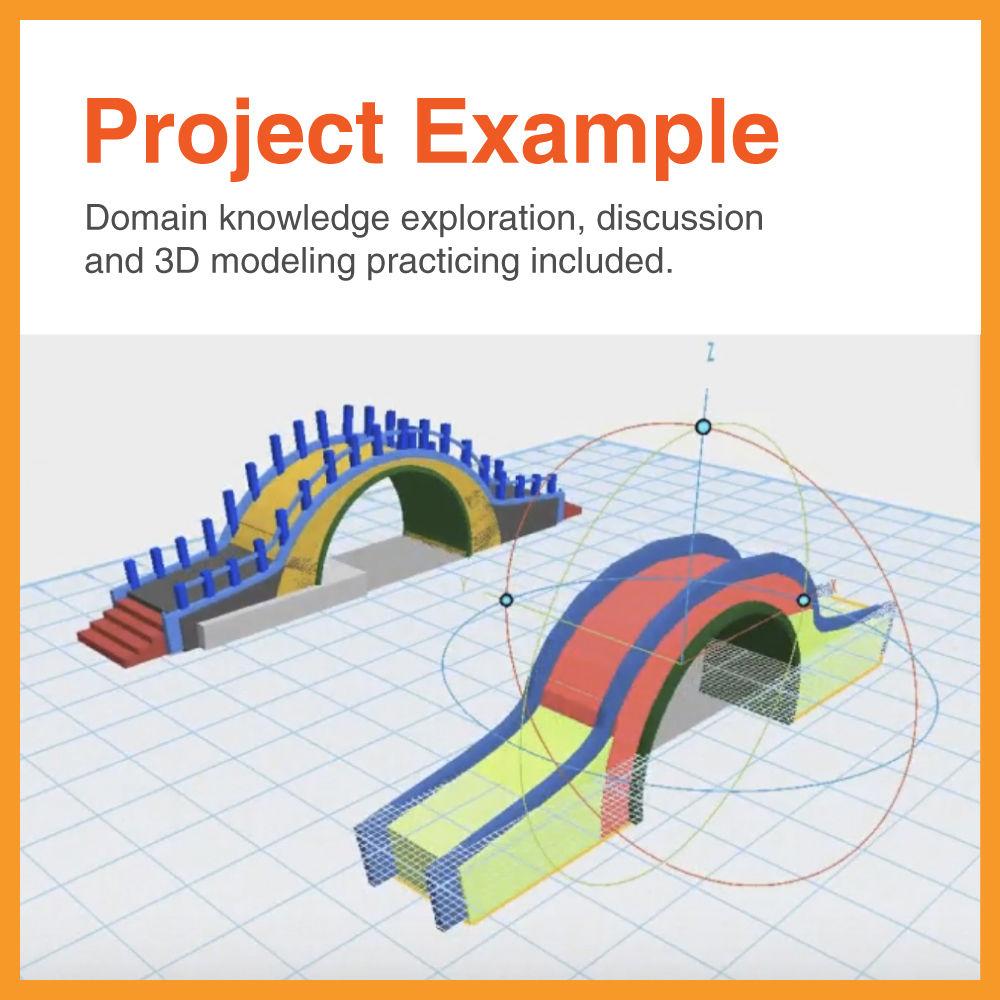
- Students will create a small-scale bridge design using the information they acquire about design parameters. Each piece or structure can be designed and then 3D printed separately and assembled with glue or designed as a solid structure.
Curriculum 6 - Design Project: Tolerance Analysis (Engineering, Technology, and the Application of Science)
- Students will design, create prototypes, and test 3D designs of puzzle cube pieces. Students will conduct finite element analysis (FEA) or other visual studies on the model as needed to validate such tolerance tests.
Curriculum 7 - Solar Cell (Physical Science)
- Reviewing the theory of solar technology and its applications, students will utilize off-the-shelf solar cells to capture sunlight that can provide DC power to a motor, LED, or another power-receiving device. Students will focus on creating a solar cell frame that can be rotated and/or tilted to efficiently capture sunlight at any given angle. The project will be related to photovoltaic power production.
Curriculum 8 - Mini Camera Module (Physical Science)
- Students will utilize a board camera and integrate it with a custom handheld housing to build a custom functional digital camera. Designs can be created for specific experiments or projects or adapted to robotic systems for full integration. Digital files will be stored on an external SD card.
Curriculum 9 - Shock Absorber (Physical Science)
- Students will learn about action and reaction as well as methods to minimize the impact. Using a shock-absorbing design, students will create and test prototypes to determine the effects of each type of solution.
Curriculum 10 - Rube Goldberg Machines (Physical Science)
- Students will learn about the different categories of energy, along with the different types of simple machines. They will be asked to design and create their own complex machine.
Curriculum 11 - Gears (Physical Science)
- Students will learn about different types of gears and their uses. They will learn what dictates the direction of a gear system, how to calculate gear ratios, and how gears convert potential energy (e.g., elastic and gravitational) to kinetic energy in gear systems. Students will also 3D model and print a gear system.
Curriculum 12 - Flashlight Design (Physical Science)
- Students will learn about how 3D printing can be used to create precision objects that are both functional and useful. They will learn about how current flows through a circuit and how symbols can be used to explain different types of circuit configurations. Students will use their understanding of circuit diagrams to design their own circuit that will be used to create a flashlight design, using off-the-shelf components, such as LED, battery, battery holder, wiring, battery contacts, and more. These components will be integrated into a custom housing that the students will design. Each design must integrate these components and fit with precision in order to make the parts function correctly.
Curriculum 13 - Buoyancy Design (Engineering, Technology, and the Application of Science)
- Students will create a simple boat hull design and learn the basic principles of buoyancy, floating and sinking, displacement, density, volume, mass, and area. They will use these principles to design a boat hull that can float using different types of materials.
Table of Contents
|
Upload User Manual
Have you got an user manual for the XYZprinting Grades 9-12 STEAM Curriculum 1-Year Subscription in electronic form? Please send it to us and help us expand our library of instruction manuals.
Thank you, too, on behalf of other users.
To upload the product manual, we first need to check and make sure you are not a robot. After that, your "Submit Link" or "Upload File" will appear.
Rating70% users recommend this product to others. And what about you?

This product has already been rated by 91 owners. Add your rating and experience with the product.
Discussion
 Ask our technicians if you have a problem with your settings,
or if anything is unclear in the user manual you have downloaded.
You can make use of our moderated discussion.
The discussion is public and helps other users of our website who may be encountering similar problems.
Ask our technicians if you have a problem with your settings,
or if anything is unclear in the user manual you have downloaded.
You can make use of our moderated discussion.
The discussion is public and helps other users of our website who may be encountering similar problems.
The discussion is empty - enter the first post
Post a new topic / query / comment:
|
|
|
| Request for user manual |
You can’t find the operation manual you are looking for? Let us know and we will try to add the missing manual:
I’m looking for a manual / Request for manual
Current requests for instruction manuals:
Call Of Duty World War Two For Xbox...
controller stratus XL...
stratus XL...
smart whatch serie S11 42mm...
Allen & Heath SQ-6 manual...
|
| Discussion |
Latest contributions to the discussion:
AEW R 4100
Name: MAURICIO ANGARITA
Audio-Technica AEW-R4100 UHF Diversity Receiver for
AEW R 4100 has the mute function blocked and does not allow audio to pass. I tried several times to turn off the mute from the transmitter but it does nothing, the mute stays on. Solution?
Thank you...
Instructions for assembling the 2015 Forecast Image Master Consoles GC3-A
Name: mike elam
Forecast Consoles GC3-A ImageMaster Editing Console
Looking for instructions for assembling this console. ...
EMPTY TONER ERROR MESSAGE AFTER REPLACING TONER
Name: LINDA BAD YELLOW EYES
Brother TN223BK Standard-Yield Toner
I HAD TO CHANGE OUT ALL THREE TONERS DUE TO LEAKS IN THE YELLOW AND CYAN. AFTER I REPLACED THEM, THE MACHINE KEEPS GIVING ME AN EMPTY TONER ERROR MESSAGE. HELP!!...
PS480D 20/24 pin Switching 480W Power Supply
Name: swkargo
Logisys 480W Power Supply
This item states in can run -5vdc .It is NOT listed on the board or I beleive is r4 is missing the resitior. Any body have thid issue. Shawn
...
Help needed
Name: Ann Carter
SanDisk 1TB Extreme Portable USB 3.1
When I click the link to download the user manual for my Sandisk Extreme external hard drive, it gives me the manual for the LG Cricket. Can you please change the link so I can download the Sandisk manual and begin using this drive? Thank you....
|
|


