|
User Manual for Yamaha CS-700 SP Video Sound Collaboration System with SIP for Huddle Rooms Click to enlarge the picture
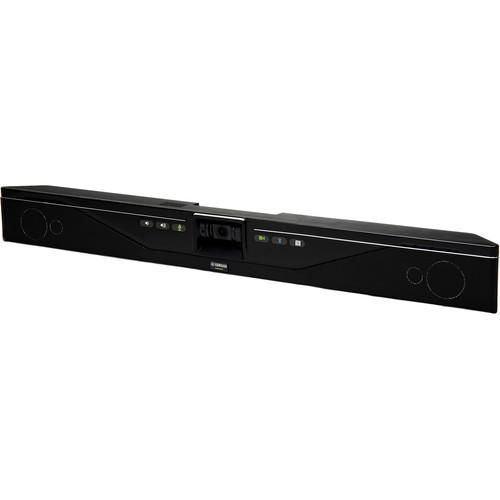 Contents of the user manual for the Yamaha CS-700 SP Video Sound Collaboration
- Product category: Video Conferencing Cameras Yamaha
- Brand: Yamaha
- Description and content of package
- Technical information and basic settings
- Frequently asked questions – FAQ
- Troubleshooting (does not switch on, does not respond, error message, what do I do if...)
- Authorized service for Yamaha Video Conferencing Cameras
 |
User manual for the Yamaha CS-700 SP Video Sound Collaboration contain basic instructions
that need to be followed during installation and operation.
Before starting your appliance, the user manual should be read through carefully.
Follow all the safety instructions and warnings, and be guided by the given recommendations.
User manual is an integral part of any Yamaha product,
and if it is sold or transferred, they should be handed over jointly with the product.
Following the instructions for use is an essential prerequisite for protecting
health and property during use, as well as recognition of liability on the part of the manufacturer
for possible defects should you make a warranty claim. Download an official Yamaha user manual in which you will find instructions on how to install, use, maintain and service your product.
And do not forget – unsuitable use of a Yamaha product will considerably shorten its lifespan!
|
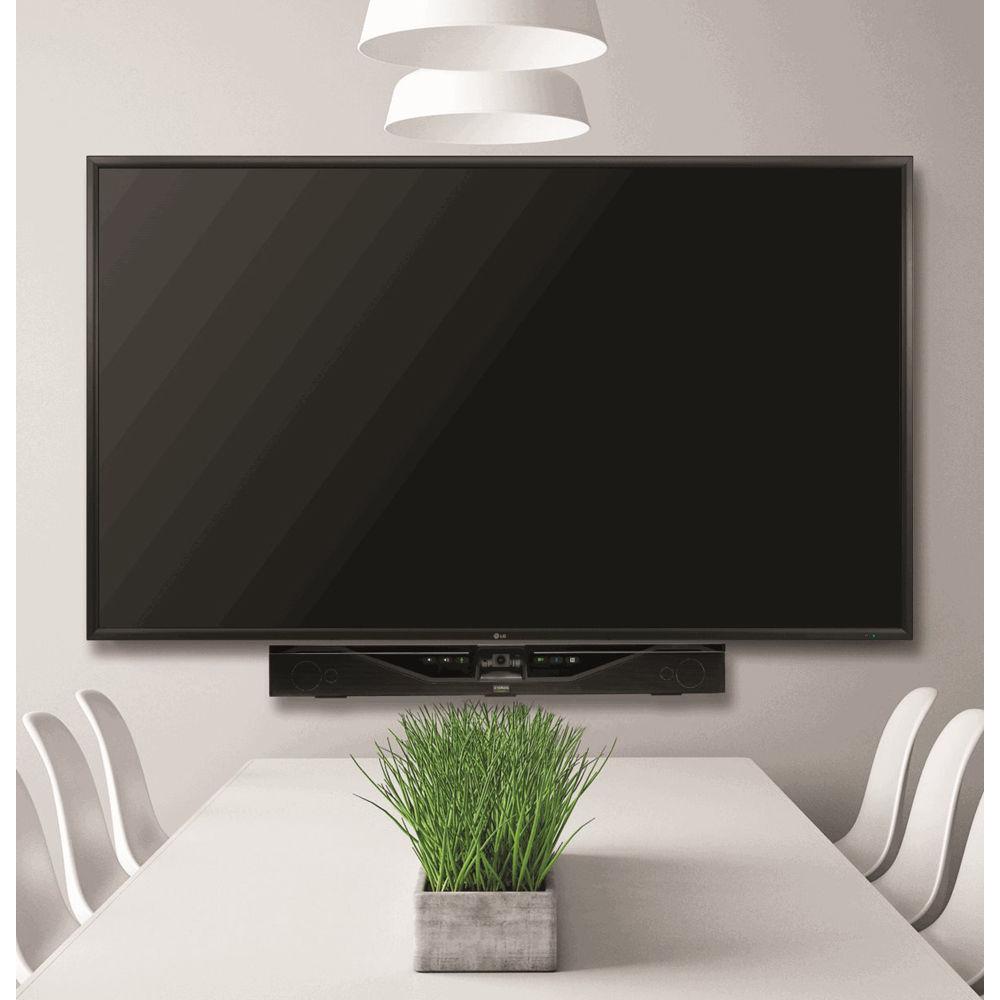
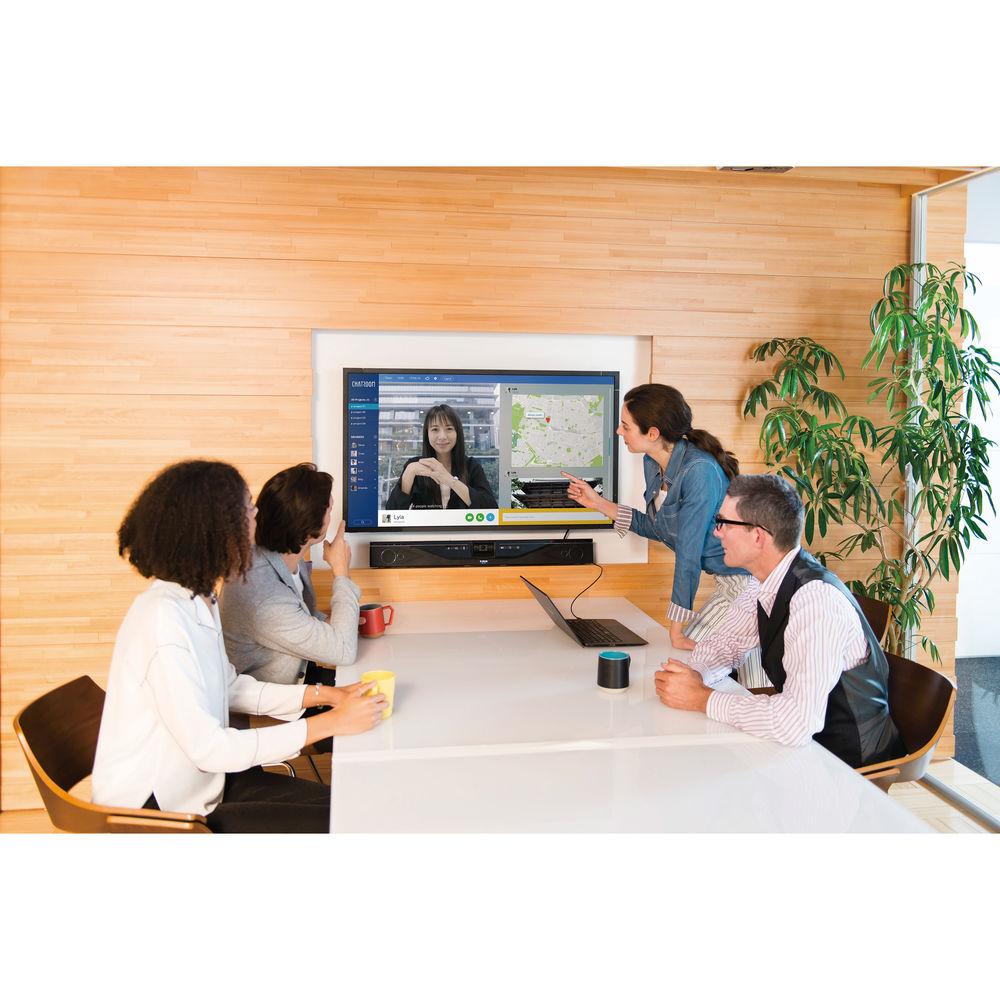
Product description The Yamaha CS-700 SP Video Sound Collaboration System is an all-in-one, 1080p30 huddle room system designed to compensate for common huddle room issues. It mounts right under your display, solving the problem of table space, and uses an ultra-wide 120° lens to capture all the participants within a 10' range. This eliminates the common need to continually pan throughout the room. Furthermore, the system features a beamforming microphone array and a 4-element speaker bar to ensure that everyone in the room can hear one another clearly. By utilizing a single USB connection for both video and audio, the CS-700 SP reduces cable clutter and simplifies installation. Integrated Bluetooth functionality supports easy and efficient audio connections for effortless conference calls. It also provides an SIP interface for call manager integration and offers comprehensive remote management support for IT departments. - Video
- Due to the small size of many huddle rooms, participants sit close to displays and cameras. This requires panning of video cameras to see the whole room. The 120° ultra-wide angle camera of the Yamaha CS-700 is able to capture all meeting participants in its field of view. Additionally, the high pixel count of the CS-700 helps to ensure that every expression of people within 10' of the camera is captured and seen.
- Audio
- The CS-700 features a beamforming microphone array that picks up every word spoken in the room, and a four-element speaker bar delivers audio to the far end of the room. Combine that with renowned audio processing technology integrated in the CS-700, and you get a workflow with natural conversations taking place between the participants.
- USB, Bluetooth, and SIP Support
- The Yamaha CS-700 becomes the one communication device in the room. It supports business communication applications such as Microsoft Skype for Business, Google Chromebox for Meetings, BlueJeans, Zoom, GoToConference, Vidyo, and others. In addition, the CS-700 SP provides an SIP interface to the corporate call manager, replacing the need for a separate conference phone in the huddle room. USB and SIP communications can be bridged by the CS-700, expanding communication opportunities even further. Bluetooth allows for fast and easy audio connections, instantly turning a mobile device or computer call into a conference call.
- Wall Mount
- The CS-700 is a wallmount system, eliminating any need for tabletop equipment in the huddle room. The supplied mount provides for simple installation and makes connecting the wires to the CS-700 easy by using a special pivot design. If you can drill a hole, you can install the CS-700.
- Remote Manageability
- Managing up to hundreds of huddle rooms is a challenge for any IT department. The CS-700 enables remote monitoring and management of the units, as well as configuration of units in bulk. Upgrade them remotely and automatically through the IP interface.
UPC: 040232561368 In the Box Yamaha CS-700 SP Video Sound Collaboration System with SIP for Huddle Rooms Wallmount Bracket 4 x Spacers USB Cable Ethernet Cable External Power Supply 2 x Screws 2 x Cable Ties Limited 1-Year Warranty Table of Contents
|
Upload User Manual
Have you got an user manual for the Yamaha CS-700 SP Video Sound Collaboration System with SIP for Huddle Rooms in electronic form? Please send it to us and help us expand our library of instruction manuals.
Thank you, too, on behalf of other users.
To upload the product manual, we first need to check and make sure you are not a robot. After that, your "Submit Link" or "Upload File" will appear.
Technical parametersYamaha CS700SPNA Specs | | | Speaker Bar | 4 x Speaker Elements (Tweeter and Mid-Woofer per Side) | | Speaker Frequency Response | 160 Hz to 20 kHz | | Max SPL | 90 dB at 3.2' / 1 m | | Microphones | 4-Microphone Beamforming Array | | Microphone Coverage | 180° Audio Pickup | | Microphone Frequency Response | 160 Hz to 16 kHz | | Full Duplex Audio | Yes | | Echo Cancellation | Ultra-Wideband AEC (Adaptive Echo Cancellation) | | LED Indicator | Call Activity and Mute/Unmute | | | | Connector | 1 x USB Type-A
1 x USB Type-B | | Ethernet | 1 x RJ45 | | Bluetooth | HFP and A2DP (Audio Only) | | Audio Input Jack | 1 x 1/8" / 3.5 mm Stereo Aux | | | | Sensor | HD CMOS | | Image Resolution | 1080p at 30 fps (USB 3.0) | | LED Indicators | Camera Activity and Video Stream Mute/Unmute | | UVC Video Class | UVC 1.5 | | Field of View | 120° (Diagonal) | | | | Call Handling | Make, Answer, Hold, Resume, Transfer (Blind and Supervised), Forwarding, Do Not Disturb, Redial, Call Timer, Call ID, Speed Dial, Missed Call Notifications, Voicemail Notifications (Switch Configured) | | Call Bridging | Supports Bridging SIP and USB Calls, Join, Split, Hold, Resume, 2+1+1 Lines (up to 2 SIP Calls, 1 USB Call, and the User) | | Codecs | G.711 (A-Law and μ-Law), G.722, G.726, G.729 | | DTMF Support | RTP Event, SIP In-Band, SIP Info Package | | Security | SRTP/SRTCP Support (RFC 1889), IETF SIP Support (RFC 3261 and Companion RFCs), SSIP, Password-Protected Configuration Files, Password-Protected Login | | Network & Provisioning | DHCP or Static IP, Server-Based Central Provisioning, Web Portal for Individual Unit Configuration | | | | Safety | IEC60065, IEC60950, IEC62368 | | EMC | CISPR13, CISPR22, CISPR32, FCC, J55013, ETSI EN 300 328, ETSI EN 302 291-2, ETSI EN 300 330-2 EN55024, CISPR24 or 35 and ETSI EN 301 489-1 | | Environmental | RoHS, REACH, WEEE | | | | Input Voltage | 100 to 240 VAC | | Input Current | 1 A | | Input Frequency | 50 to 60 Hz | | Power Consumption | 36 W | | Power Cord Length | 10' / 3 m | | Dimensions (H x L x W) | 3.9 x 2.7 x 34" / 10 x 7 x 86 cm | | Weight | 7.3 lb / 3.3 kg | | | | Package Weight | 11.76 lb | | Box Dimensions (LxWxH) | 37.75 x 7.0 x 6.5" |
Rating90% users recommend this product to others. And what about you?

This product has already been rated by 76 owners. Add your rating and experience with the product.
Discussion
 Ask our technicians if you have a problem with your settings,
or if anything is unclear in the user manual you have downloaded.
You can make use of our moderated discussion.
The discussion is public and helps other users of our website who may be encountering similar problems.
Ask our technicians if you have a problem with your settings,
or if anything is unclear in the user manual you have downloaded.
You can make use of our moderated discussion.
The discussion is public and helps other users of our website who may be encountering similar problems.
The discussion is empty - enter the first post
Post a new topic / query / comment:
|
|
|
| Request for user manual |
You can’t find the operation manual you are looking for? Let us know and we will try to add the missing manual:
I’m looking for a manual / Request for manual
Current requests for instruction manuals:
Call Of Duty World War Two For Xbox...
controller stratus XL...
stratus XL...
smart whatch serie S11 42mm...
Allen & Heath SQ-6 manual...
|
| Discussion |
Latest contributions to the discussion:
AEW R 4100
Name: MAURICIO ANGARITA
Audio-Technica AEW-R4100 UHF Diversity Receiver for
AEW R 4100 has the mute function blocked and does not allow audio to pass. I tried several times to turn off the mute from the transmitter but it does nothing, the mute stays on. Solution?
Thank you...
Instructions for assembling the 2015 Forecast Image Master Consoles GC3-A
Name: mike elam
Forecast Consoles GC3-A ImageMaster Editing Console
Looking for instructions for assembling this console. ...
EMPTY TONER ERROR MESSAGE AFTER REPLACING TONER
Name: LINDA BAD YELLOW EYES
Brother TN223BK Standard-Yield Toner
I HAD TO CHANGE OUT ALL THREE TONERS DUE TO LEAKS IN THE YELLOW AND CYAN. AFTER I REPLACED THEM, THE MACHINE KEEPS GIVING ME AN EMPTY TONER ERROR MESSAGE. HELP!!...
PS480D 20/24 pin Switching 480W Power Supply
Name: swkargo
Logisys 480W Power Supply
This item states in can run -5vdc .It is NOT listed on the board or I beleive is r4 is missing the resitior. Any body have thid issue. Shawn
...
Help needed
Name: Ann Carter
SanDisk 1TB Extreme Portable USB 3.1
When I click the link to download the user manual for my Sandisk Extreme external hard drive, it gives me the manual for the LG Cricket. Can you please change the link so I can download the Sandisk manual and begin using this drive? Thank you....
|
|


