|
User Manual for Yamaha TF-Rack Digital Mixing Console Click to enlarge the picture
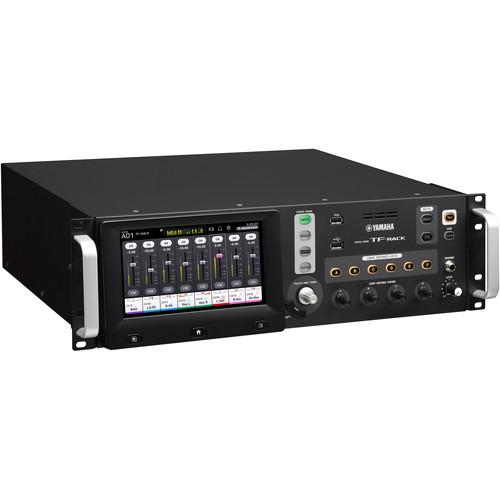 Contents of the user manual for the Yamaha TF-Rack Digital Mixing Console
- Product category: Digital Mixer Accessories Yamaha
- Brand: Yamaha
- Description and content of package
- Technical information and basic settings
- Frequently asked questions – FAQ
- Troubleshooting (does not switch on, does not respond, error message, what do I do if...)
- Authorized service for Yamaha Digital Mixer Accessories
 |
User manual for the Yamaha TF-Rack Digital Mixing Console contain basic instructions
that need to be followed during installation and operation.
Before starting your appliance, the user manual should be read through carefully.
Follow all the safety instructions and warnings, and be guided by the given recommendations.
User manual is an integral part of any Yamaha product,
and if it is sold or transferred, they should be handed over jointly with the product.
Following the instructions for use is an essential prerequisite for protecting
health and property during use, as well as recognition of liability on the part of the manufacturer
for possible defects should you make a warranty claim. Download an official Yamaha user manual in which you will find instructions on how to install, use, maintain and service your product.
And do not forget – unsuitable use of a Yamaha product will considerably shorten its lifespan!
|
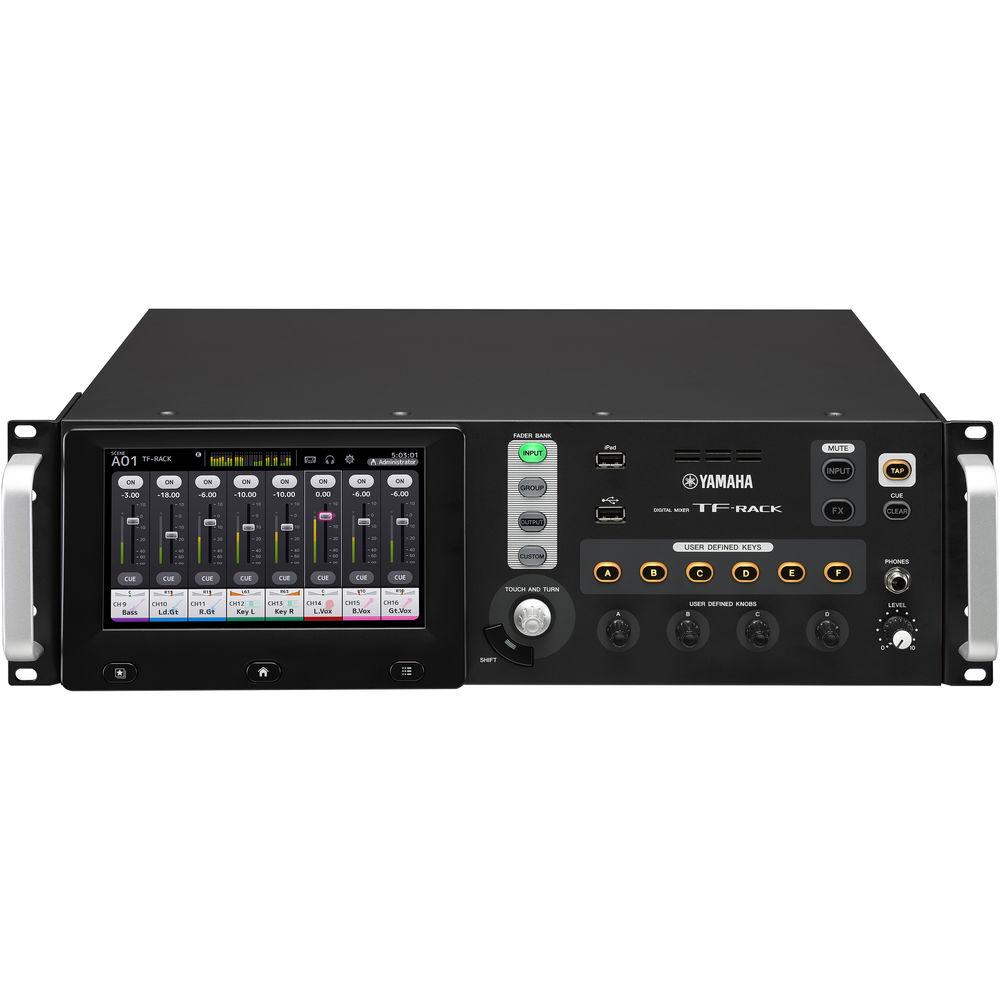
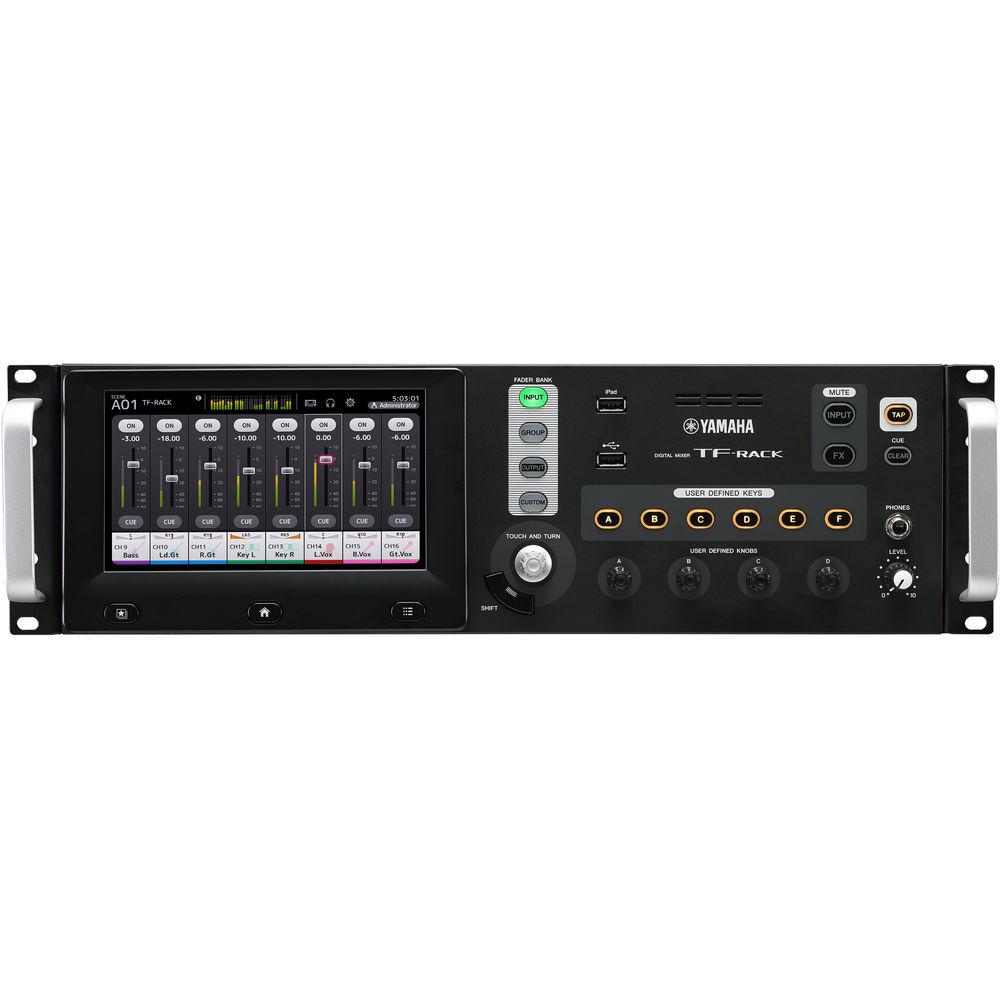
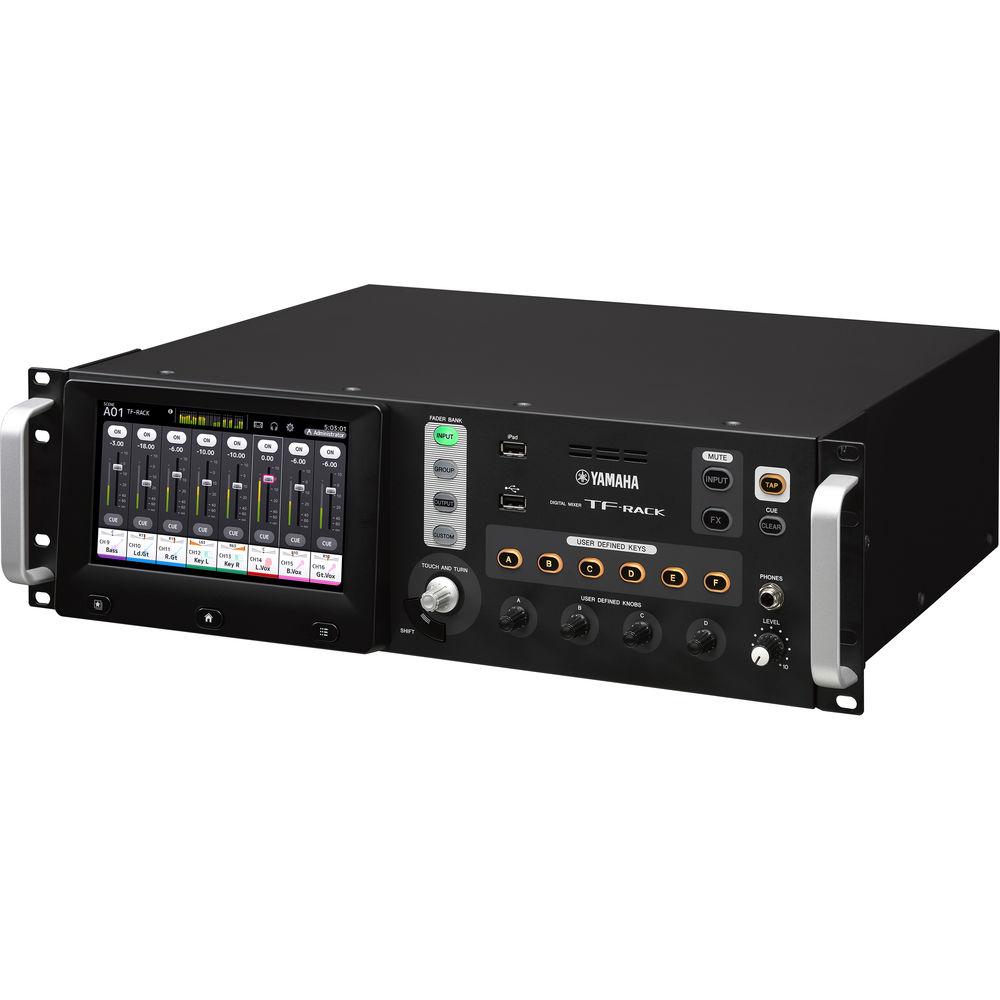
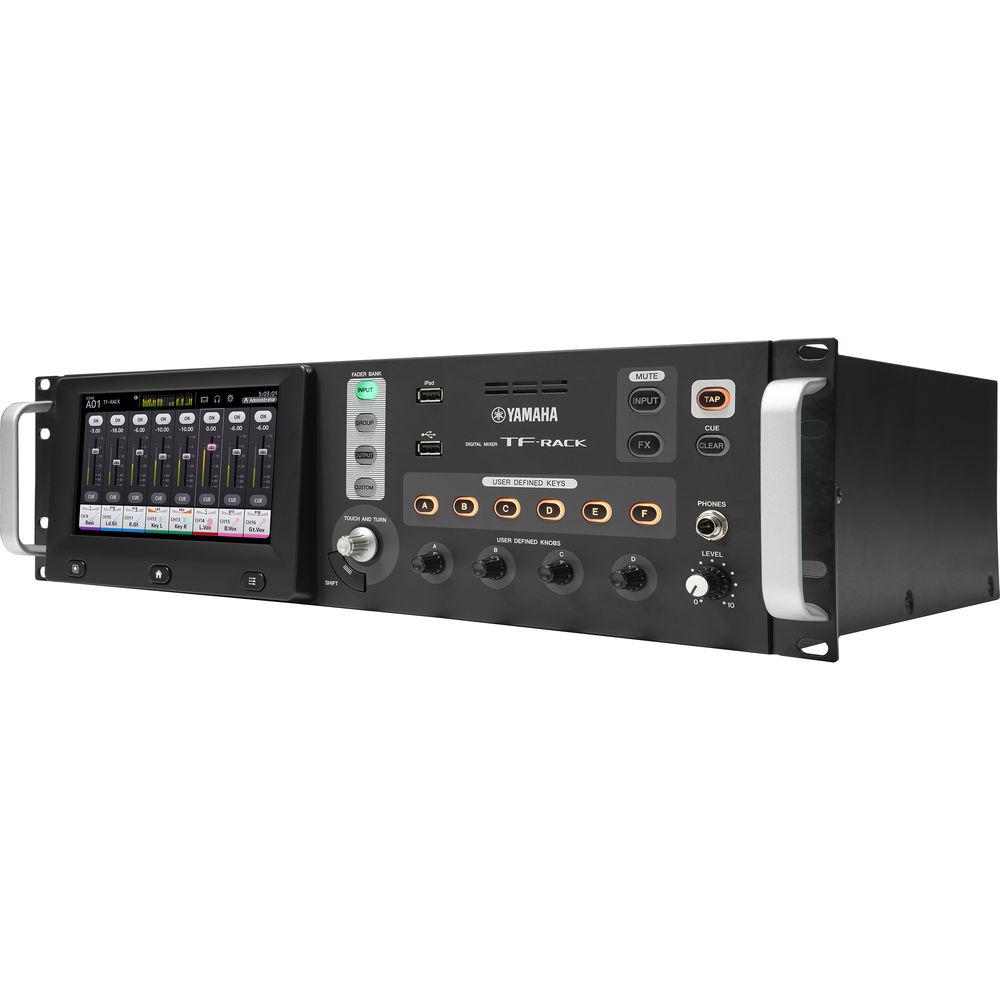
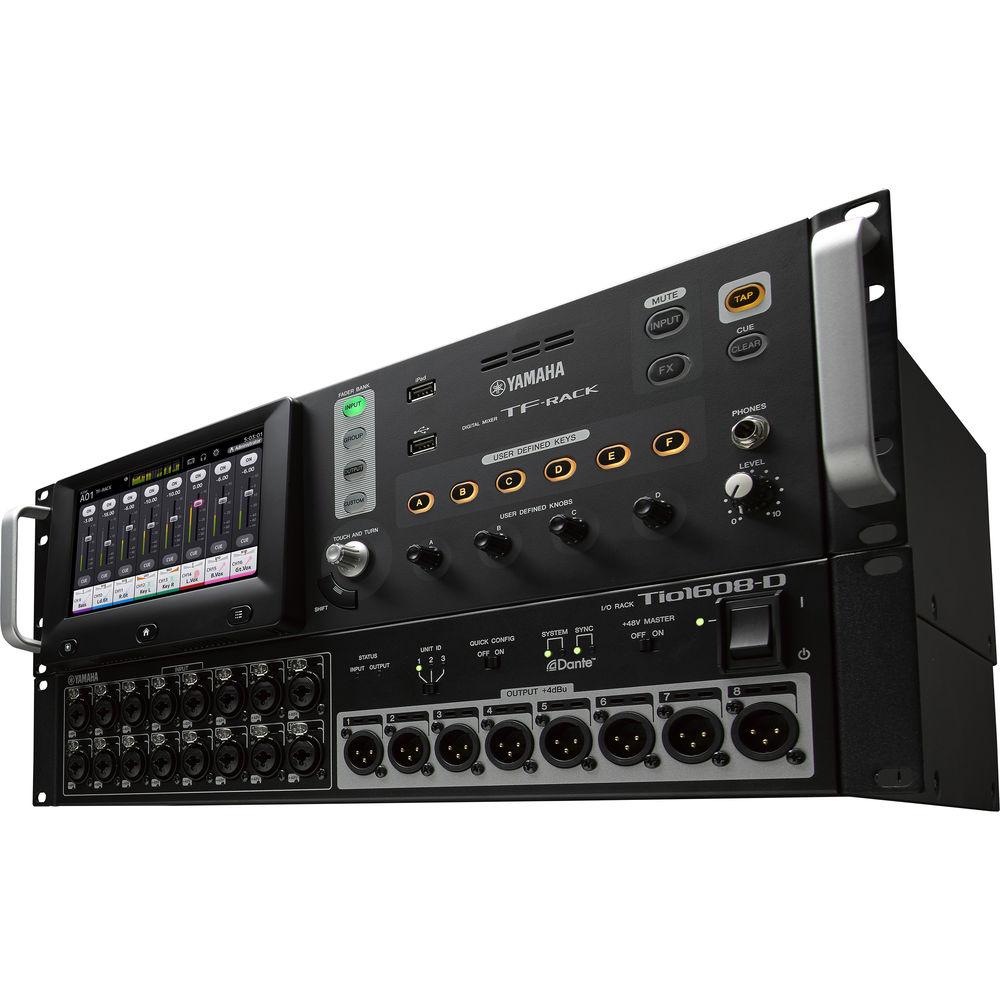
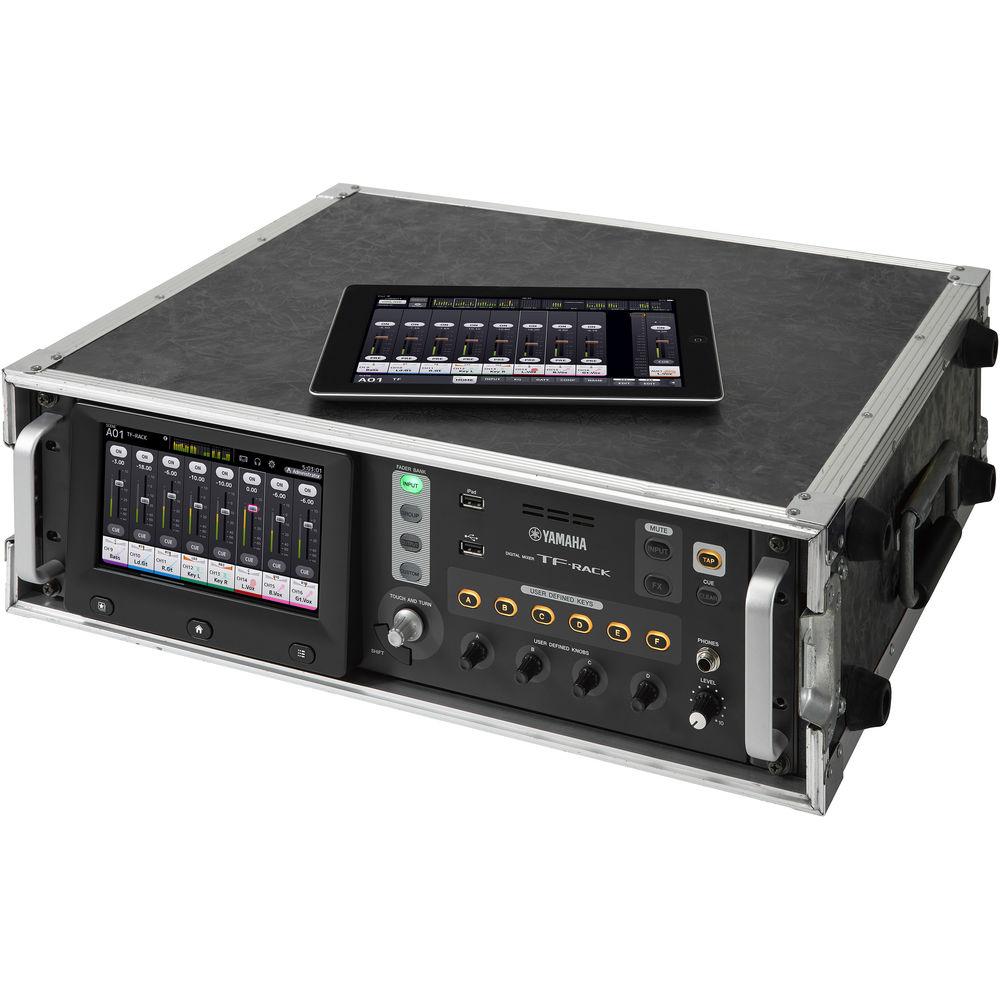
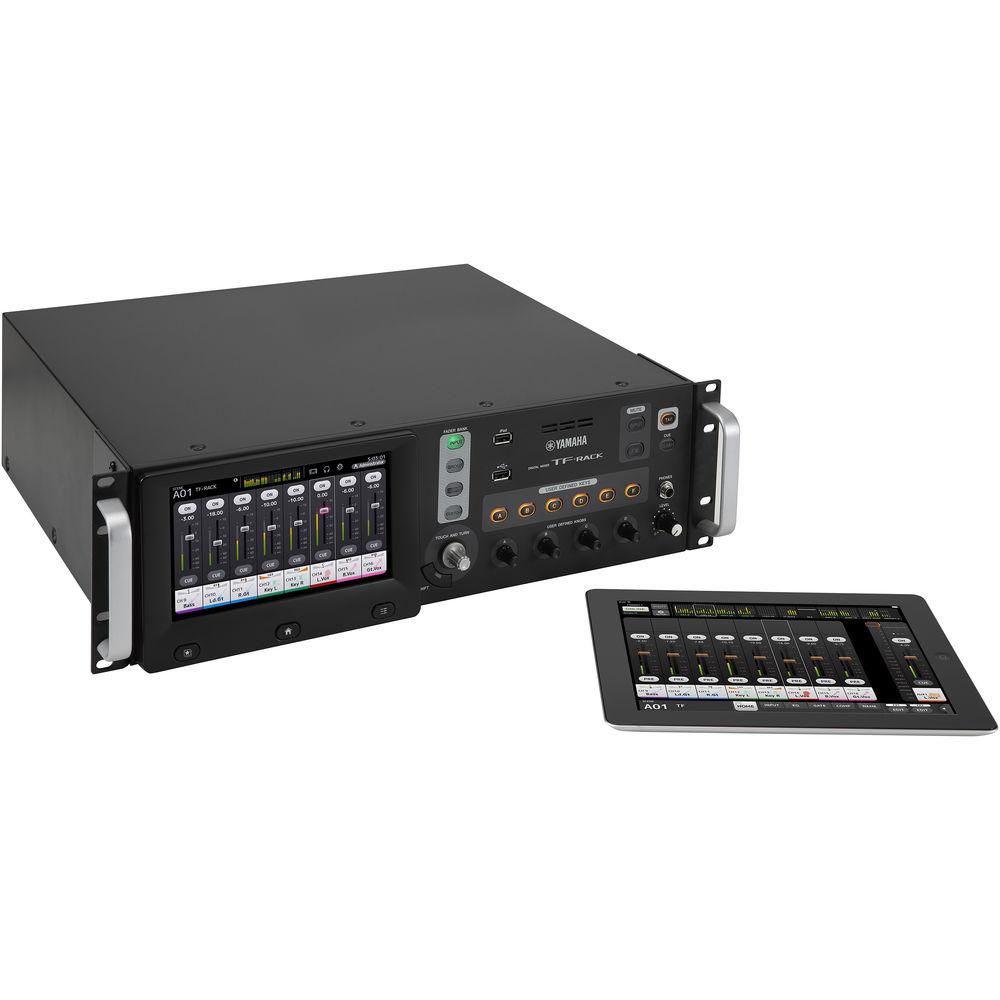
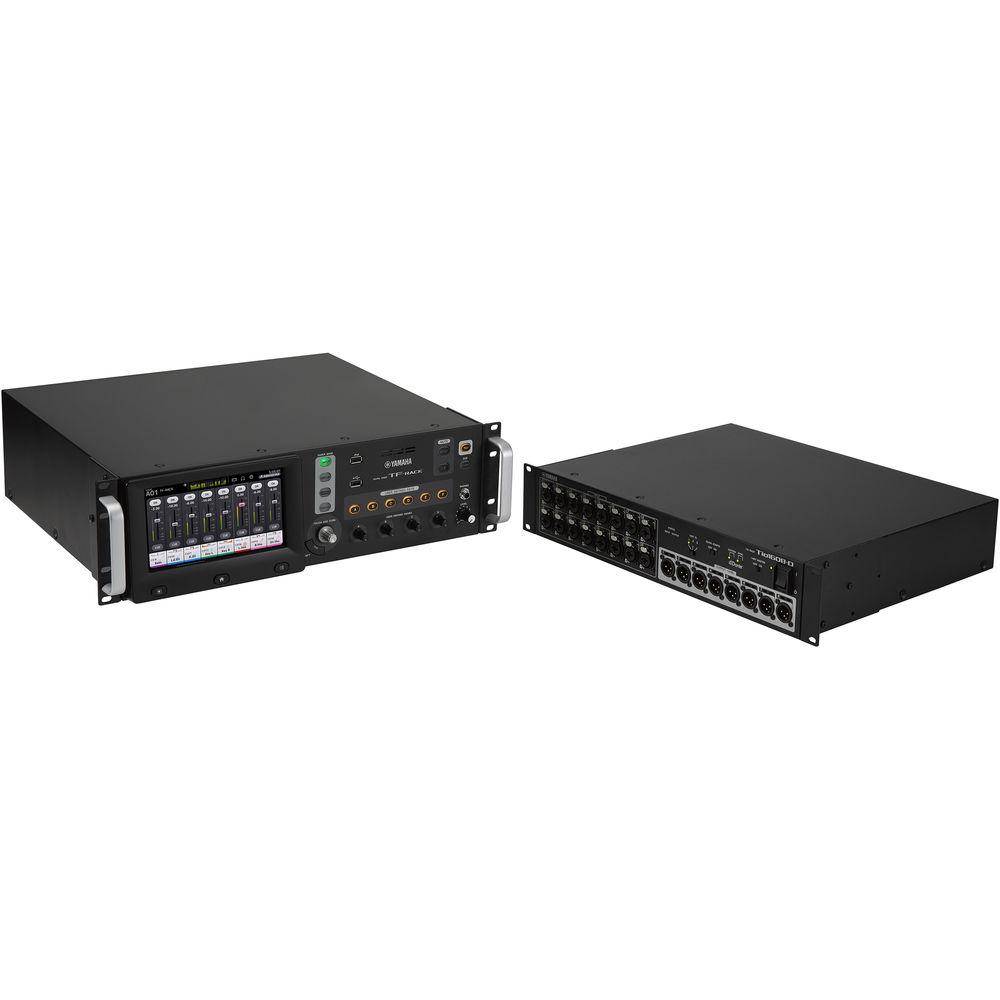
Product description The Yamaha TF-Rack is a rack-mountable digital audio mixing console that features a touchscreen display, and is expandable up to 40 input channels by adding the optional Tio1608-D I/O rack. Ideal for a multitude of live sound reinforcement scenarios, the TF-Rack can also be used for live recording, offering 34x34 channel digital recording and playback via USB 2.0 using a computer and your preferred DAW software, and 2x2 channel recording and playback using any USB storage device.
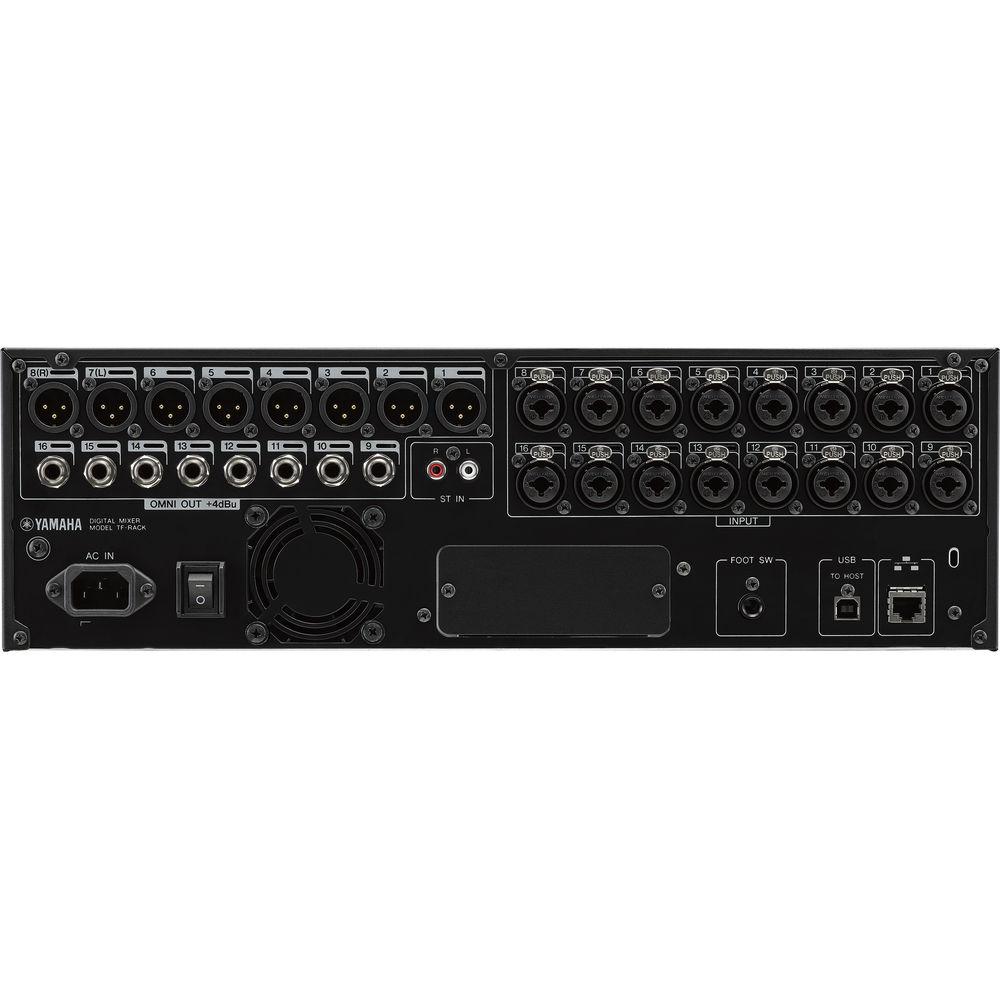
The TF-Rack console itself provides 16 analog XLR/TRS combo mic/line inputs with 48V phantom power, as well as an analog RCA stereo line input, and 16 analog XLR outputs. Each combo input channel features a recallable D-PRE microphone preamp, as well EQ and two dynamics processors. In addition, the console offers eight powerful FX processors with patches ranging from reverb and delay, to modulation effects such as flanger and chorus, to utility processing like 3-band multi-band compression. The TF-Rack ships with Steinberg's Nuendo Live for advanced multi-tracking and virtual sound check capabilities. -
- 16 Mic/Line + 1 Stereo Line Input, 16-Output. Intuitive and Smooth All-in-One Rack-Style Digital Mixer
- All-in-one mixing and processing capability for small to medium scale live sound, corporate speech events, installations, and more
- Packs intuitive user interface, natural control flow, digital effects/processing units and many shortcuts to great sound into a compact, portable rack-style unit
- Scene Memory that Stores Mix Settings for Instant Recall
- 200 scenes (Bank A and Bank B)
- Some scenes are pre-programmed to give users a head start with the 1-knob COMP and 1-knob EQ controls engaged for the easiest possible operation
- Scenes with the 1-knob features disabled for experienced engineers who might want to follow an established procedure
- Banks are great for organizing different types of scenes: one for scenes categorized by music type, and the other by event type
- 1-Knob COMP & 1-Knob EQ
- Single knob to dial in the ideal sound
- Refined functionality allows for quick access to multiple parameters via a single knob
- Both the 1-knob COMP and 1-knob EQ provide quick access to the full compressor and EQ displays, so you can fine tune settings as required
- QuickPro Presets Provide Instant Access to Pro Sound Setups
- A selection of optimized QuickPro Presets for a wide variety of microphones and output equipment by working in collaboration with well-respected engineers and major microphone manufacturers such as Audio-Technica, Sennheiser and Shure
- Input channels: More than 100 presets that range from vocals to drum sets
- Presets were precisely tuned by using a wide range of actual microphones and instruments
- Output channels: Presets for a variety of speaker systems and in-ear monitors with several variations to match different environments and room sizes
- A Natural Sound Foundation with Extra Creative Freedom
- Circuitry and individual components have been reassessed and redesigned where necessary to achieve pure, natural sound
- Solid sonic foundation is backed up by an updated selection of high-performance processors and effects
- Input and output channel processors such as EQ, gates and compressors are complemented by eight processors that provide a broad spectrum of creative capabilities
- Recallable D-Pre Microphone Preamplifiers
- The circuit is based on a discrete inverted Darlington pair configuration that achieves clean, precise amplification with consistently low noise and distortion at all signal levels
- The D-PRE preamplifier has been designed with a flat, wide frequency response that retains the tone and nuance of the original sound so that the essence of the performer’s art is captured intact
- 8 Powerful Processing/Effect Units
- SPX processors with 19 programs
- Delay and Reverb
- Modulation: Flanger and Chorus
- Multi-Band Compression
-
- Applications that Work Seamlessly with the Console
- TF Editor Facilitates Offline Editing Plus Showtime Control
- Provides a complete interface for offline editing and setup of TF consoles, with scene and preset management capabilities plus convenient keyboard entry of channel names
- Can be used online at the same time as the TF StageMix and MonitorMix applications
- Windows 8 PC with a multi-touch screen can use the same gestures as on the console itself
- If using Wi-Fi, a PC can function as a convenient remote-mixing device
- Up to three devices running TF Editor or StageMix can be connected at the same time
- TF StageMix for Wireless Mixing
- iPad application that provides wireless control of TF series consoles, allowing remote mixing from audience seating, in front of floor monitors, or any other listening position
- Designed for similar operation and flow to the console display
- Can be used as an extension of the console’s own interface
- Personal Monitoring with MonitorMix
- Allows individual wireless AUX mixing from up to 10 iPhone, iPad or iPod touch devices simultaneously
- Each performer can have convenient control over the AUX buses assigned to them, without having to deal with complex settings or parameters
- Create personal Group settings for even easier adjustment, such as all levels on one fader
- Intuitive User Interface Optimized for Touch Panel Operation
- Touch Operation for Intimate Control
- Refined for the smoothest possible operation via touch-panel control
- Offers a smooth workflow that can be an advantage in any mixing situation
- Specifically designed for easy, direct accessibility, with a layout that promotes the most natural, efficient mixing
- Touch panel operation is as easy as shaping the sound with your fingertips
- Touch & Turn Knob Offers Extra Control Precision
- When you need extra precision for a fine EQ or other adjustment, the physical Touch & Turn knob is always available right beside the touch panel
- Four User Defined Knobs below the panel that can be assigned to control compressor threshold, EQ gain, or other parameters you need fast, direct access to while mixing
- Knobs always affect the currently selected channel
- Versatile Connectivity for a Wide Range of Applications
- 16 mic/line + 1 stereo line inputs and 16 outputs on its compact body
- Slot to mount optional expansion card NY64-D
- Plug'n play Dante stagebox solution
- Tio1608-D is a Dante-equipped I/O rack with 16 microphone/ line inputs and 8 line outputs
- Add up to three Tio1608-D I/O racks
UPC: 889025106993 In the Box Yamaha TF-Rack Digital Mixing Console Power Cord 4 x Rubber Feet Steinberg's Nuendo Live Limited 1-Year Warranty Table of Contents
|
Upload User Manual
Have you got an user manual for the Yamaha TF-Rack Digital Mixing Console in electronic form? Please send it to us and help us expand our library of instruction manuals.
Thank you, too, on behalf of other users.
To upload the product manual, we first need to check and make sure you are not a robot. After that, your "Submit Link" or "Upload File" will appear.
Technical parametersYamaha TF-RACK Specs | Mixer | Input Channels: 40 (32 mono + 2 stereo + 2 return)
Aux Buses: 20 (8 mono + 6 stereo)
Stereo Buses: 1
Sub Buses: 1
Input Channel Functions: 8 DCA Groups | | I/O | Inputs: 16 mic/line (XLR/TRS combo) + 1 stereo line (RCA pin)
Outputs: 16 (XLR)
Expansion Slots: 1 | | DSP | 8 effects + 10 GEQ | | USB | 34 x 34 USB audio interface, 2-track recording via USB storage device | | Sampling Frequency | 48 kHz, internal | | Signal Delay | Less than 2.6 ms, Input to Omni Out, Fs=48 kHz | | Total Harmonic Distortion | Less than 0.05% 20 Hz - 20 kHz @ +4 dBu into 600 Ohms, Input to Omni Out, input gain = min. (measured with a -18 dB/octave filter @ 80 kHz) | | Frequency Response | +0.5, -1.5 dB 20 Hz - 20 kHz, refer to +4 dBu output @ 1 kHz, Input to Omni Out | | Dynamic Range | 110 dB typ., DA converter, 108 dB typ., Input to Omni Out, input gain = min | | Noise | Equivalent Input Noise: -128 dBu typ., input gain = max. (measured with an A-weight filter)
Residual Output Noise: -85 dBu, ST master off (measured with an A-weight filter) | | Crosstalk | -100 dB (measured with a -30 dB/octave filter @ 22 kHz), adjacent Input/Omni Out channels, input gain = min | | Power Requirements | 100 - 240 VAC 50/60 Hz | | Power Consumption | 85 W | | Analog Inputs | Input Terminals: Input 1-16, ST In 1,2
Gain: -6 dB / +66 dB (Input 1-16)
Load Impedance: 7.5 kOhms (Input 1-16); 10 kOhms (ST In 1,2)
For Use with Nominal: 50 - 600-Ohm mics or 600-Ohm lines (Input 1-16); 600-Ohm lines (ST In 1,2)
Sensitivity: -82 dBu (61.6 μV), -10 dBu (245 mV) (Input 1-16); -30 dBV (31.6 μV) (ST In 1,2)
Nominal: -62 dBu (0.616 mV), +10 dBu (2.45 V) (Input 1-16); -10 dBV (316 mV) (ST In 1,2)
Max. Before Clip: -42 dBu (6.16 mV), +30 dBu (24.5 V) (Input 1-16); +10 dBV (3.16 V) (ST In 1,2)
Connector: Combo Jack (XLR-3-31 type or TRS phone) balanced (Input 1-16); RCA pin jack unbalanced (ST In 1,2) | | Analog Outputs | Output Terminals: Omni Out 1-16, Phones
Source Impedance: 75 Ohms (Omni Out 1-16); 100 Ohms (Phones)
For Use with Nominal: 600-Ohm lines (Omni Out 1-16); 40 Ohms (Phones)
GAIN SW: +24 dBu position (default) (Omni Out 1-16)
Nominal Output Level: +4 dBu (1.23 V) (Omni Out 1-16); 3 mW (Phones)
Max. Output Level Before Clip: +24 dBu (12.3 V) (Omni Out 1-16); 75 mW (Phones)
Connector: XLR-3-32 type balanced (Omni Out 1-16); stereo phone jack (TRS) unbalanced (Phones) | | Digital Input/Output | Terminals: USB (to Host), iPad
Format: USB
Data length 24-bit (USB to Host)
Audio: 34-ch input / 34-ch output, PCM (USB to Host); Playback: MP3 or WAV file data / Record: WAV file data (iPad)
Connector: USB (B-type) (USB to Host); USB (A-type) (iPad) | | Control I/O | Terminals: Network, Foot SW
Format: IEEE802.3 (Network)
Level: 10Base-T/100Base-TX (Network)
Connector: RJ-45 (Network); TS Phone (Foot SW) | | Dimensions (W x H x D) | 18.9 x 5.2 x 16.1" / 48.0 x 13.2 x 40.9 cm | | Net Weight | 20.3 lb / 9.2 kg | | | | Package Weight | 27.9 lb | | Box Dimensions (LxWxH) | 22.4 x 20.5 x 8.9" |
Rating90% users recommend this product to others. And what about you?

This product has already been rated by 66 owners. Add your rating and experience with the product.
Discussion
 Ask our technicians if you have a problem with your settings,
or if anything is unclear in the user manual you have downloaded.
You can make use of our moderated discussion.
The discussion is public and helps other users of our website who may be encountering similar problems.
Ask our technicians if you have a problem with your settings,
or if anything is unclear in the user manual you have downloaded.
You can make use of our moderated discussion.
The discussion is public and helps other users of our website who may be encountering similar problems.
The discussion is empty - enter the first post
Post a new topic / query / comment:
|
|
|
| Request for user manual |
You can’t find the operation manual you are looking for? Let us know and we will try to add the missing manual:
I’m looking for a manual / Request for manual
Current requests for instruction manuals:
Call Of Duty World War Two For Xbox...
controller stratus XL...
stratus XL...
smart whatch serie S11 42mm...
Allen & Heath SQ-6 manual...
|
| Discussion |
Latest contributions to the discussion:
AEW R 4100
Name: MAURICIO ANGARITA
Audio-Technica AEW-R4100 UHF Diversity Receiver for
AEW R 4100 has the mute function blocked and does not allow audio to pass. I tried several times to turn off the mute from the transmitter but it does nothing, the mute stays on. Solution?
Thank you...
Instructions for assembling the 2015 Forecast Image Master Consoles GC3-A
Name: mike elam
Forecast Consoles GC3-A ImageMaster Editing Console
Looking for instructions for assembling this console. ...
EMPTY TONER ERROR MESSAGE AFTER REPLACING TONER
Name: LINDA BAD YELLOW EYES
Brother TN223BK Standard-Yield Toner
I HAD TO CHANGE OUT ALL THREE TONERS DUE TO LEAKS IN THE YELLOW AND CYAN. AFTER I REPLACED THEM, THE MACHINE KEEPS GIVING ME AN EMPTY TONER ERROR MESSAGE. HELP!!...
PS480D 20/24 pin Switching 480W Power Supply
Name: swkargo
Logisys 480W Power Supply
This item states in can run -5vdc .It is NOT listed on the board or I beleive is r4 is missing the resitior. Any body have thid issue. Shawn
...
Help needed
Name: Ann Carter
SanDisk 1TB Extreme Portable USB 3.1
When I click the link to download the user manual for my Sandisk Extreme external hard drive, it gives me the manual for the LG Cricket. Can you please change the link so I can download the Sandisk manual and begin using this drive? Thank you....
|
|


