User Manual for Yamaha THR100HD 100W Guitar Dual Amplifier Head Click to enlarge the picture
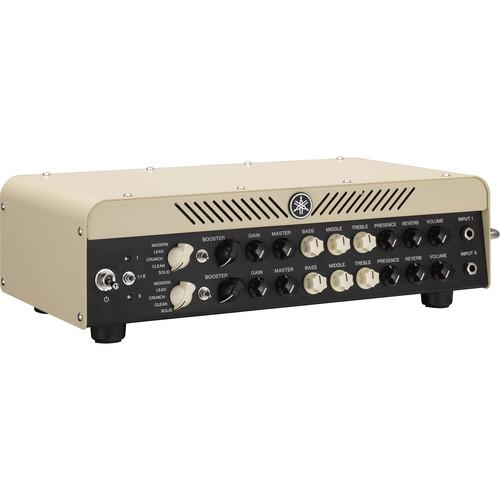 Contents of the user manual for the Yamaha THR100HD 100W Guitar Dual Amplifier
- Product category: Guitar Amplifiers Yamaha
- Brand: Yamaha
- Description and content of package
- Technical information and basic settings
- Frequently asked questions – FAQ
- Troubleshooting (does not switch on, does not respond, error message, what do I do if...)
- Authorized service for Yamaha Guitar Amplifiers
 |
User manual for the Yamaha THR100HD 100W Guitar Dual Amplifier contain basic instructions
that need to be followed during installation and operation.
Before starting your appliance, the user manual should be read through carefully.
Follow all the safety instructions and warnings, and be guided by the given recommendations.
User manual is an integral part of any Yamaha product,
and if it is sold or transferred, they should be handed over jointly with the product.
Following the instructions for use is an essential prerequisite for protecting
health and property during use, as well as recognition of liability on the part of the manufacturer
for possible defects should you make a warranty claim. Download an official Yamaha user manual in which you will find instructions on how to install, use, maintain and service your product.
And do not forget – unsuitable use of a Yamaha product will considerably shorten its lifespan!
|
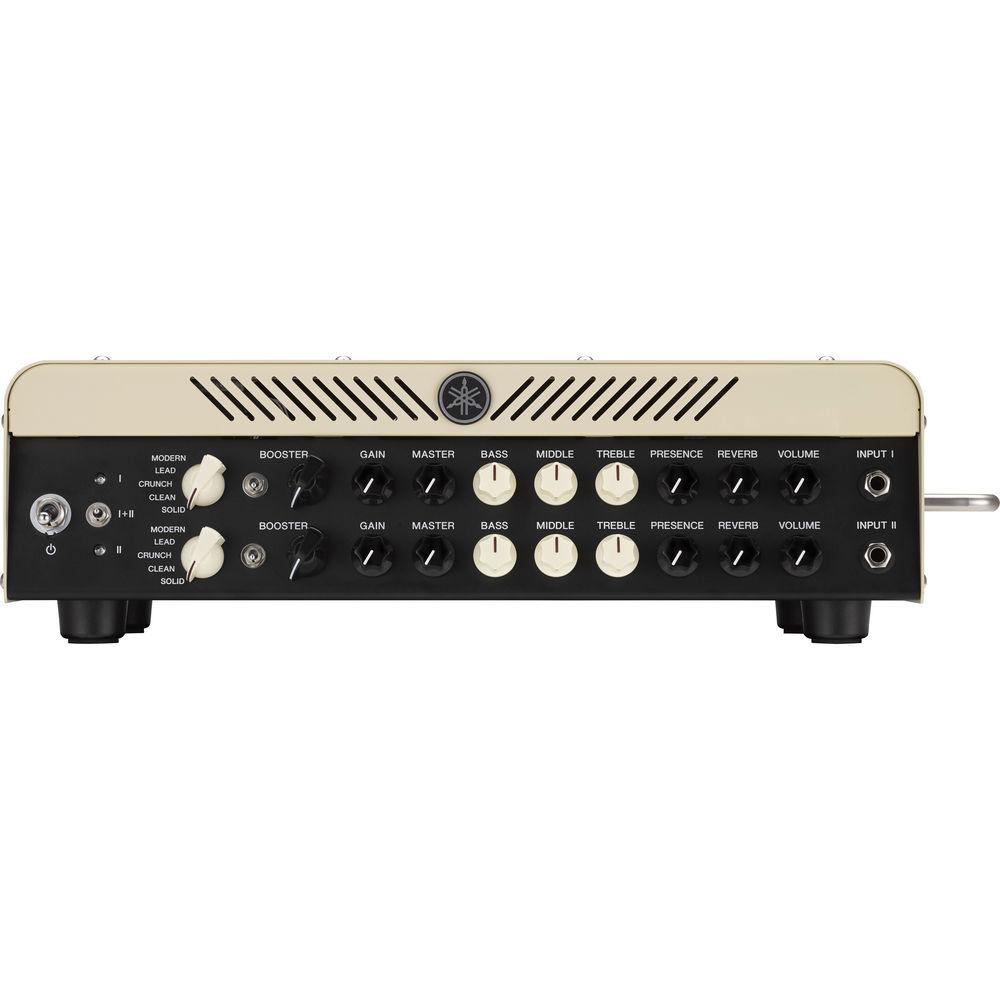
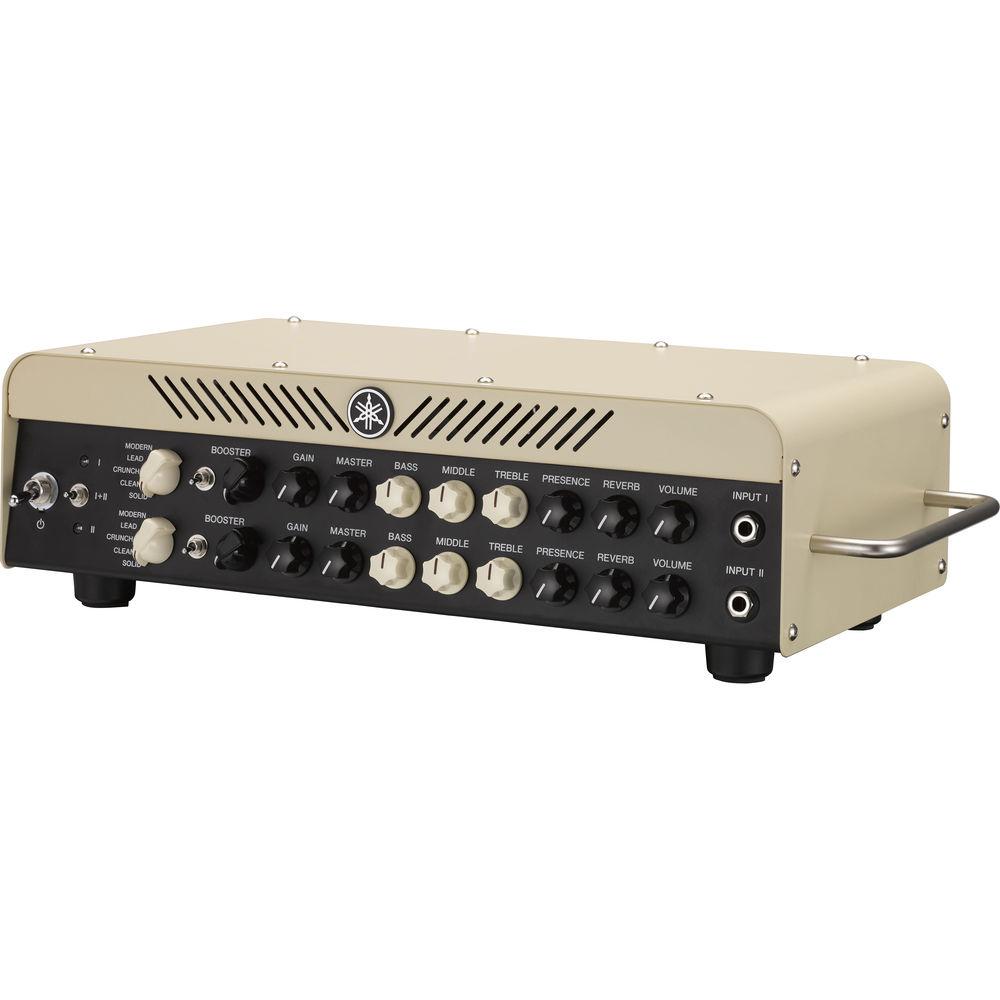
Product description The THR100HD 100W Guitar Dual Amplifier from Yamaha delivers a wide variety of tones in a compact and lightweight package comprised of two separate amplifier heads which have identical features and controls that can be used independently or combined. Each head offers five amp types, including Modern, Lead, Crunch, Clean, and Solid, and incorporates Yamaha’s VCM Technology, which faithfully reproduces the characteristics of power amp tube types, including 6V6, EL84, KT88, 6L6GC, and EL34. USB functionality connects the amp to your computer for quick and easy configuration of the on-board reverb and booster effects, switching between serial and parallel effects setups, and uploading of IR data files. An included dedicated footswitch provides control of boost, reverb, and effects loop functions, while an XLR line output can connect to professional recording or live sound equipment to make the amp further suitable for on-stage performances, band rehearsals, and home practice. -
- Designed to capture the dynamics created by component-level interaction between the speakers and power amp, so you can feel each note and chord, even at low volumes
- Provides five amp types including Modern, Lead, Crunch, Clean, and Solid
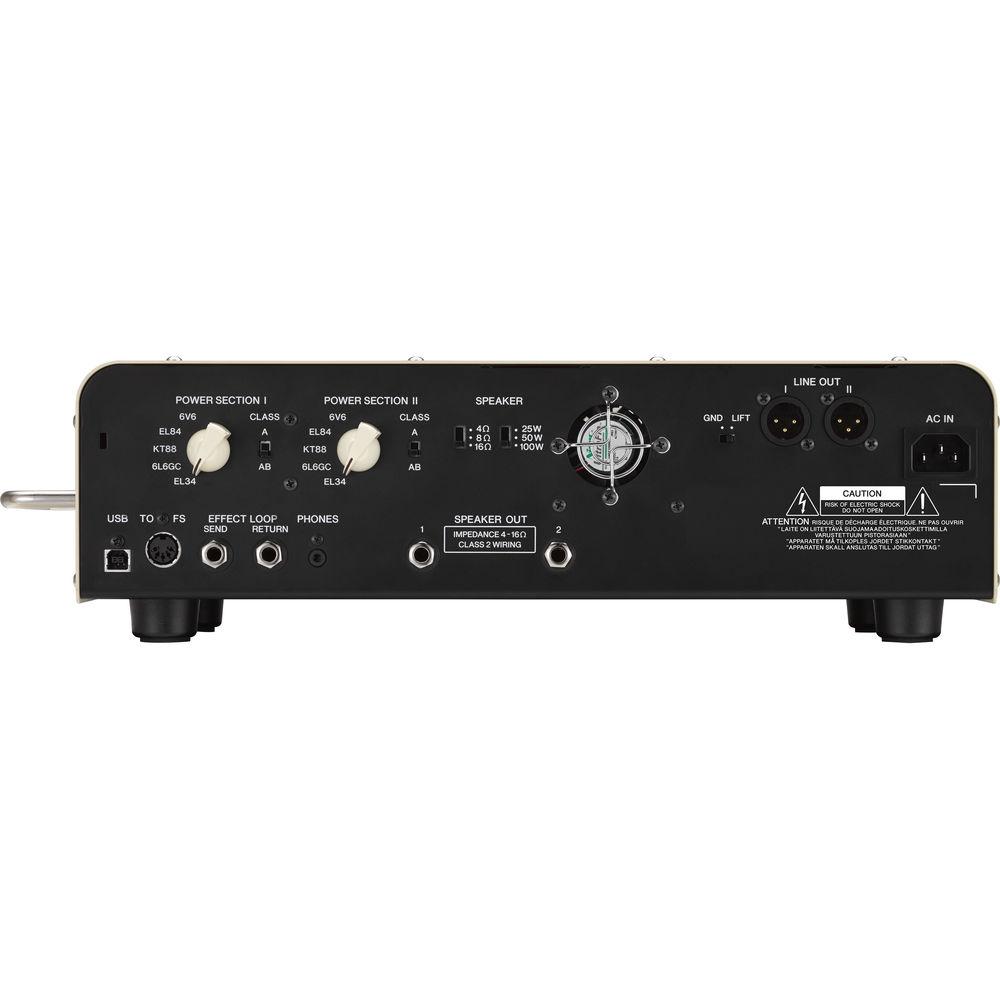
- VCM Technology offers 5 tube types including 6V6, EL84, KT88, 6L6GC, and EL34
- With its versatile range of tones, stage-ready volume, and the playing experience of an amp full of glass tubes and bulky transformers, this lightweight THR head delivers heavyweight sounds
- Equipped with an assignable booster that can be engaged directly from the amp or via the dedicated footswitch
- With 3 incredible sounding VCM boosters, from a clean solo boost to a smooth overdrive, all selectable via the optional utility software, the amp’s boost function is capable of pushing your tone to the next level
- Uses impulse response speaker simulation to drive a DI tone that is comparable to the sound of a mic'd cabinet, with simulations of a range of industry-standard cabinets and mics available via a USB connection with your PC, giving you a host of options
- You can use any IR file available online or use third-party software to create your own - supported IR file formats include .aif, .aiff, and .wav with bit depths of 16-bit, 24-bit, and 32-bit, and a sample rate of 44.1 kHz
- Equipped with XLR line outputs for connection to professional recording or live sound equipment
- Speaker outputs do not require a dummy load, so you can disconnect your speakers for silent recording or on-stage performance without causing any damage to the amp
- Controls on the THR amp head allow quick and easy manipulation of your sound using a familiar control layout along with intuitive response and interaction thanks to VCM technology’s component modeling, you can dial in the exact sound you desire
- An included dedicated footswitch gives you the control you need at home, in the studio, or on-stage, with access to boost, reverb, and FX loop functions, and its industry-standard 5-pin DIN MIDI connectors allow you to replace and extend the footswitch cable easily
- USB functionality lets you connect to your computer for quick and easy configuration of the on-board reverb and booster effects, switching between serial and parallel effects setups, and uploading of IR data files
UPC: 889025101271 In the Box Yamaha THR100HD 100W Guitar Dual Amplifier Head Power Cable Footswitch Footswitch Cable Limited 1-Year Warranty Table of Contents
|
Upload User Manual
Have you got an user manual for the Yamaha THR100HD 100W Guitar Dual Amplifier Head in electronic form? Please send it to us and help us expand our library of instruction manuals.
Thank you, too, on behalf of other users.
To upload the product manual, we first need to check and make sure you are not a robot. After that, your "Submit Link" or "Upload File" will appear.
Technical parametersYamaha THR100HD Specs | | | Amplifier Type | Modeling | | Output Power | 100 W RMS | | Channels | 2 | | Output Impedance | 4/8/16 Ohms Mono | | Effects Loop | Yes | | Built-In Effects | Digital Reverb, Gate | | Master Volume | Yes | | Inputs | 2 x 1/4" Mono Instrument
2 x 1/4" Mono Effects Return
1 x 5-Pin DIN Mono Footswitch | | Outputs | 2 x 1/4" Mono Speaker
1 x 1/8" Stereo Headphone
1 x 1/4" Mono Effects Send
2 x XLR Stereo Line Level
1 x USB Stereo DI | | Tone Section | Channel 1: Bass, Channel Volume, Gain, Mid, Presence, Treble
Channel 2: Bass, Channel Volume, Gain, Mid, Presence, Treble | | | | Dimensions (WxHxD) | 17.5 x 4.9 x 9.8" / 44.5 x 12.5 x 24.8 cm Amplifier | | Weight | 9.2 lb / 4.17 kg Amplifier | | | | Package Weight | 15.5 lb | | Box Dimensions (LxWxH) | 21.0 x 12.0 x 11.0" |
Rating60% users recommend this product to others. And what about you?

This product has already been rated by 99 owners. Add your rating and experience with the product.
Discussion
 Ask our technicians if you have a problem with your settings,
or if anything is unclear in the user manual you have downloaded.
You can make use of our moderated discussion.
The discussion is public and helps other users of our website who may be encountering similar problems.
Ask our technicians if you have a problem with your settings,
or if anything is unclear in the user manual you have downloaded.
You can make use of our moderated discussion.
The discussion is public and helps other users of our website who may be encountering similar problems.
The discussion is empty - enter the first post
Post a new topic / query / comment:
|
|


