|
User Manual for Zoom G3n Multi-Effects Processor for Electric Guitar Click to enlarge the picture
 Contents of the user manual for the Zoom G3n Multi-Effects Processor for Electric
- Product category: Effects Pedals Zoom
- Brand: Zoom
- Description and content of package
- Technical information and basic settings
- Frequently asked questions – FAQ
- Troubleshooting (does not switch on, does not respond, error message, what do I do if...)
- Authorized service for Zoom Effects Pedals
 |
User manual for the Zoom G3n Multi-Effects Processor for Electric contain basic instructions
that need to be followed during installation and operation.
Before starting your appliance, the user manual should be read through carefully.
Follow all the safety instructions and warnings, and be guided by the given recommendations.
User manual is an integral part of any Zoom product,
and if it is sold or transferred, they should be handed over jointly with the product.
Following the instructions for use is an essential prerequisite for protecting
health and property during use, as well as recognition of liability on the part of the manufacturer
for possible defects should you make a warranty claim. Download an official Zoom user manual in which you will find instructions on how to install, use, maintain and service your product.
And do not forget – unsuitable use of a Zoom product will considerably shorten its lifespan!
|
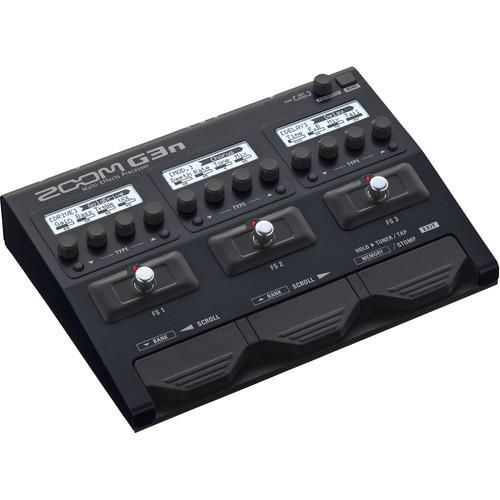
Product description Designed to put a panoply of sonic possibilities beneath the feet of electric guitar players, the Zoom G3n is a multi-effects processor with 68 different effects, up to seven of which can be used simultaneously. Also provided are five amp and cabinet emulations which aim to replicate the sonic signatures of classic setups; every sonic signature from Marshall to Bogner is honored herein.
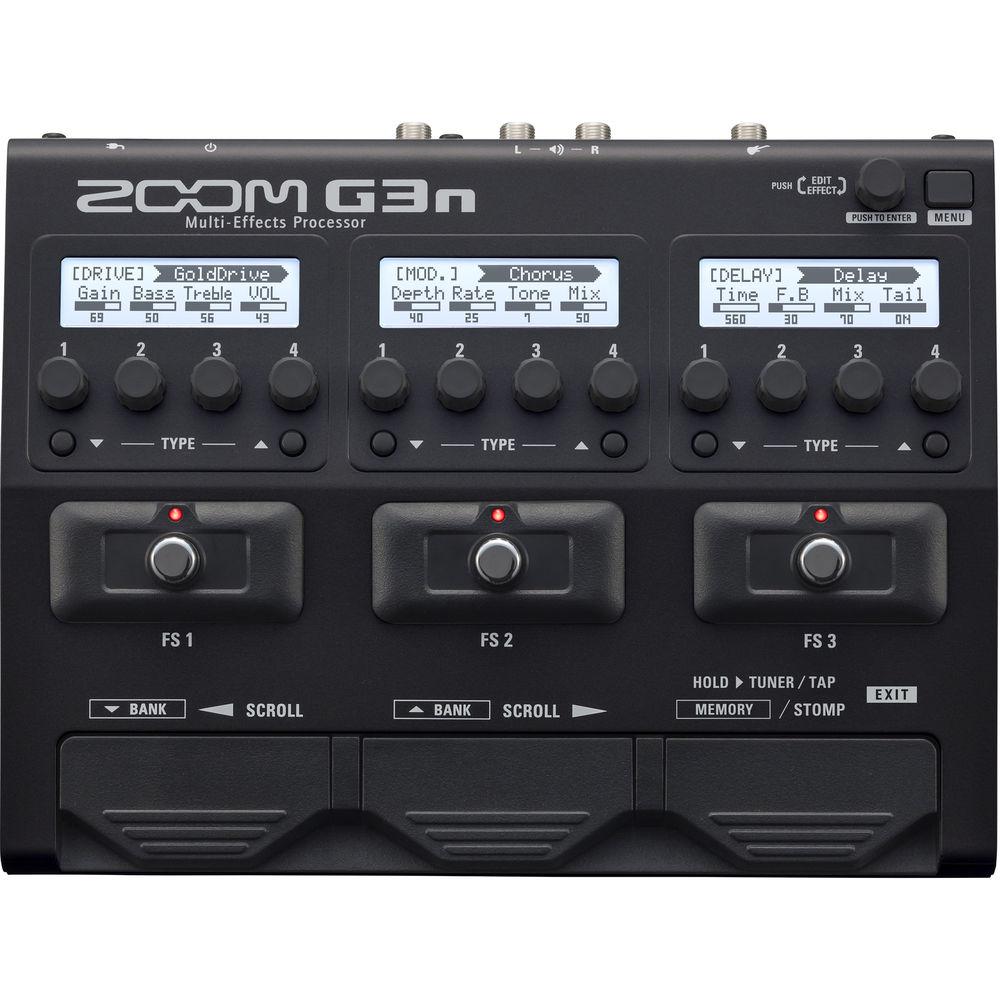
Three footswitches allow you to initiate effects, which are all editable via three separate LCD screens, each of which boasts four dedicated parameter controls, which change depending on the effect you choose. At the bottom of the pedal are three more foot controls: two scroll pedals for cycling through banks, as well as a third control for tap-tempo and tuner regulation. An 80-second phrase looper is also available to you, for all your looping needs.
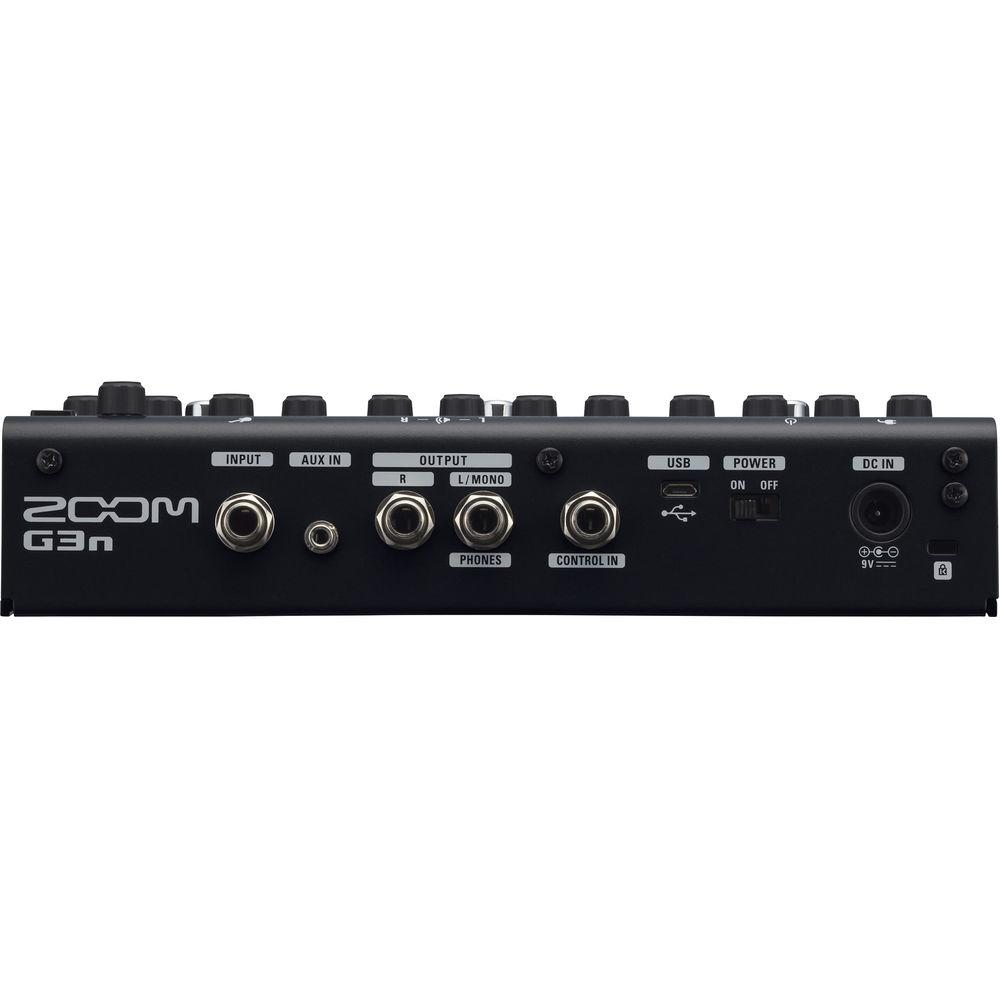
The pedal provides both instrument and auxiliary inputs, and an output section with both a mono 1/4" output and a stereo 1/4" output, useful for monitoring through headphones, implementing stereo effects, or routing stereo signal to interfaces, PAs, mixers, and recording devices. A controller input will allow you to hook in compatible expression control pedals, such as the FP02M. At 7.1 x 9.2 x 2.3", the G3n is portable enough to carry from gig to gig, and at 2.8 lb, it's lightweight enough to present no burden whatsoever. With this pedal, you can easily replace—or augment—your existing pedalboard. - Included Software
- The included Zoom Guitar Lab software for Mac and Windows enables you to manage patches, download new effects, and activate different amp/cabinet emulators. It includes a Patch Manager for effects chains, as well as an Effects Manager with a simple graphic user interface. This provides point-and-click control over re-naming or re-ordering your custom patches.
- Patches from Notable Creators
- With the included Guitar Lab software, you can look for new effects and amp/cabinet emulators, and add new, exclusive patches from a diverse and growing list of creators, including:
- Kyle Bolden (Stevie Wonder)
- Eric Struthers (Aaron Neville)
- Allen Epley (The Life and Times, Shiner)
- Richard Patrick (Filter)
- Jeff Schroeder (Smashing Pumpkins)
- Andrew Elstner (Torche, Tilts, Riddle of Steel)
- Christophe Godin (Mörglbl)
- Luca Colombo
- Vinny Valentino (Steve Smith & Vital Information)
- Kiko Loureiro (Megadeth)
- Tommy Bolan (NYC, Banzai, Warlock)
- Ozielzinho
- Errol Cooney (Christina Aguilera, Stevie Wonder)
- Wes Geer (Korn, hed PE)
- Adam Hawley (Joss Stone)
- Chuck Loeb (Fourplay)
- Dan Spack (Volcano Choir)
- Craig Wedren (Shudder To Think)
- Features at a Glance
-
- 70 (68 effects, 1 looper pedal, and 1 rhythm pedal) onboard high-quality digital effects, including distortion, overdrive, EQ, compression, delay, reverb, flanging, phasing, and chorusing
- 5 amp emulators plus 5 cabinet emulators
- 75 custom-designed factory patches
- 150 available patches for your custom effect chains
- Included Zoom Guitar Lab Mac/Windows software allows downloading of additional effects and patches
- Use up to 7 effects simultaneously, chained together in any order
- 3 stompbox switches allow effects to instantly be brought in and out
- Intuitive user interface
- 3 independent editing displays
- Auto Save function for automatic saving of all patch parameters
- Onboard chromatic tuner with dedicated footswitch supports all standard guitar tunings, including open and drop tunings
- Tuner range of 435 - 445 Hz
- Stereo/mono Looper allows recording of up to 80 seconds of phrase recording
- 68 built-in rhythm patterns that can be used in conjunction with the Looper
- Tap Tempo with dedicated footswitch
- Input jack accepts standard guitar cable
- Auxiliary stereo input jack for connection of smartphones and music players
- Dual output jacks for connection to guitar amps and mono or stereo PA systems
- Dedicated stereo headphone output
- Control input for external expression pedal
- Included AC adapter
UPC: 884354017101 In the Box Zoom G3n Multi-Effects Processor for Electric Guitar Zoom AD-16 AC Adapter Zoom Guitar Lab Software for Mac/Windows Limited 1-Year Warranty Table of Contents
|
Upload User Manual
Have you got an user manual for the Zoom G3n Multi-Effects Processor for Electric Guitar in electronic form? Please send it to us and help us expand our library of instruction manuals.
Thank you, too, on behalf of other users.
To upload the product manual, we first need to check and make sure you are not a robot. After that, your "Submit Link" or "Upload File" will appear.
Technical parametersZoom G3n Specs | Effects Types | 80x: 70 DSP effects, 5 amp emulations, 5 cabinet emulations | | Simultaneous Effects | Up to 7x | | User Banks | 150 banks and patches | | Sampling Frequency | 44.1 kHz | | AD/DA Conversion | 24-bit with 128x oversampling | | Signal Processing | 32-bit | | Frequency Characteristics | 20 Hz to 20 kHz, +1 dB, -3 dB (10-kOhm load) | | LCD Display | 3x 128 x 32 dot-matrix | | Input Connections | 1 x 1/4" phone jack
1 x Stereo 3.5 mm mini jack
1 x Zoom FP02M Control input | | Input Level | 1/4" phone: -20 dBu
3.5 mm mini: -10 dBu | | Input Impedance | 1/4" phone: 470 kOhms (line)
3.5 mm: 10 kOhms (line) | | Output Connections | 1 x 1/4" phone jack, mono
1 x 1/4" phone jack, stereo (combined line / headphone) | | Output Level | Output R: Line +5 dBm (load impedance of 10 kOhms or more)
Output L: Line +5 dBm (load impedance of 10 kOhms or more); headphones 15 mW + 15 mW into 32-Ohm load | | EIN | -119 dBu | | Noise Floor | -100 dBu | | Power | Zoom AD-16 AC adapter: 9 VDC (center minus plug), 500 mA | | USB | USB MIDI, USB Micro-B | | Dimensions (D x W x H) | 7.1 x 9.2 x 2.3" / 18.1 x 23.4 x 5.8 cm | | Weight | 2.8 lb / 1.3 kg | | | | Package Weight | 3.85 lb | | Box Dimensions (LxWxH) | 12.9 x 8.0 x 3.2" |
Rating80% users recommend this product to others. And what about you?

This product has already been rated by 57 owners. Add your rating and experience with the product.
Discussion
 Ask our technicians if you have a problem with your settings,
or if anything is unclear in the user manual you have downloaded.
You can make use of our moderated discussion.
The discussion is public and helps other users of our website who may be encountering similar problems.
Ask our technicians if you have a problem with your settings,
or if anything is unclear in the user manual you have downloaded.
You can make use of our moderated discussion.
The discussion is public and helps other users of our website who may be encountering similar problems.
The discussion is empty - enter the first post
Post a new topic / query / comment:
|
|
|
| Request for user manual |
You can’t find the operation manual you are looking for? Let us know and we will try to add the missing manual:
I’m looking for a manual / Request for manual
Current requests for instruction manuals:
Call Of Duty World War Two For Xbox...
controller stratus XL...
stratus XL...
smart whatch serie S11 42mm...
Allen & Heath SQ-6 manual...
|
| Discussion |
Latest contributions to the discussion:
AEW R 4100
Name: MAURICIO ANGARITA
Audio-Technica AEW-R4100 UHF Diversity Receiver for
AEW R 4100 has the mute function blocked and does not allow audio to pass. I tried several times to turn off the mute from the transmitter but it does nothing, the mute stays on. Solution?
Thank you...
Instructions for assembling the 2015 Forecast Image Master Consoles GC3-A
Name: mike elam
Forecast Consoles GC3-A ImageMaster Editing Console
Looking for instructions for assembling this console. ...
EMPTY TONER ERROR MESSAGE AFTER REPLACING TONER
Name: LINDA BAD YELLOW EYES
Brother TN223BK Standard-Yield Toner
I HAD TO CHANGE OUT ALL THREE TONERS DUE TO LEAKS IN THE YELLOW AND CYAN. AFTER I REPLACED THEM, THE MACHINE KEEPS GIVING ME AN EMPTY TONER ERROR MESSAGE. HELP!!...
PS480D 20/24 pin Switching 480W Power Supply
Name: swkargo
Logisys 480W Power Supply
This item states in can run -5vdc .It is NOT listed on the board or I beleive is r4 is missing the resitior. Any body have thid issue. Shawn
...
Help needed
Name: Ann Carter
SanDisk 1TB Extreme Portable USB 3.1
When I click the link to download the user manual for my Sandisk Extreme external hard drive, it gives me the manual for the LG Cricket. Can you please change the link so I can download the Sandisk manual and begin using this drive? Thank you....
|
|


