|
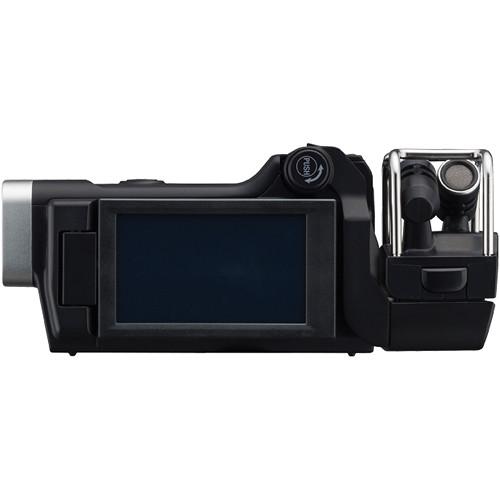
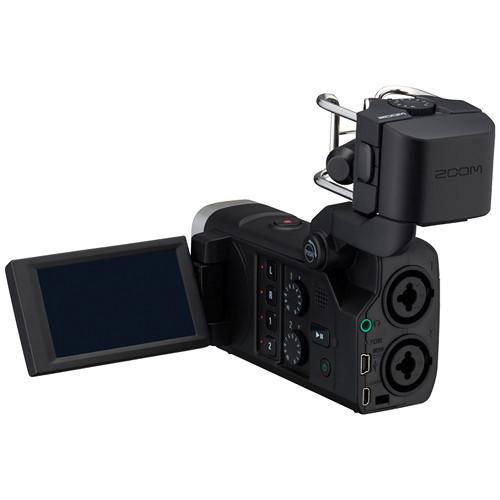
User Manual for Zoom Q8 Handy Video Recorder Click to enlarge the picture
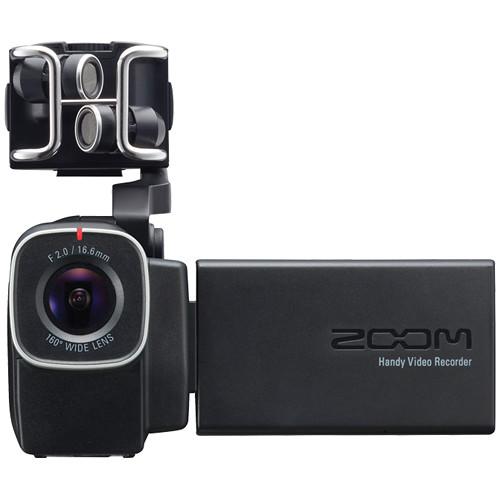 Contents of the user manual for the Zoom Q8 Handy Video Recorder
- Product category: Consumer Camcorders Zoom
- Brand: Zoom
- Description and content of package
- Technical information and basic settings
- Frequently asked questions – FAQ
- Troubleshooting (does not switch on, does not respond, error message, what do I do if...)
- Authorized service for Zoom Consumer Camcorders
 |
User manual for the Zoom Q8 Handy Video Recorder contain basic instructions
that need to be followed during installation and operation.
Before starting your appliance, the user manual should be read through carefully.
Follow all the safety instructions and warnings, and be guided by the given recommendations.
User manual is an integral part of any Zoom product,
and if it is sold or transferred, they should be handed over jointly with the product.
Following the instructions for use is an essential prerequisite for protecting
health and property during use, as well as recognition of liability on the part of the manufacturer
for possible defects should you make a warranty claim. Download an official Zoom user manual in which you will find instructions on how to install, use, maintain and service your product.
And do not forget – unsuitable use of a Zoom product will considerably shorten its lifespan!
|
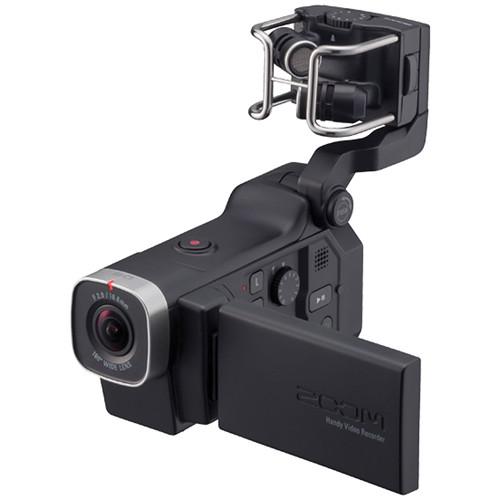
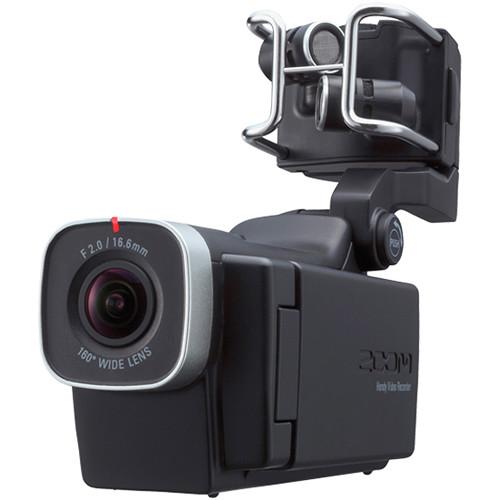
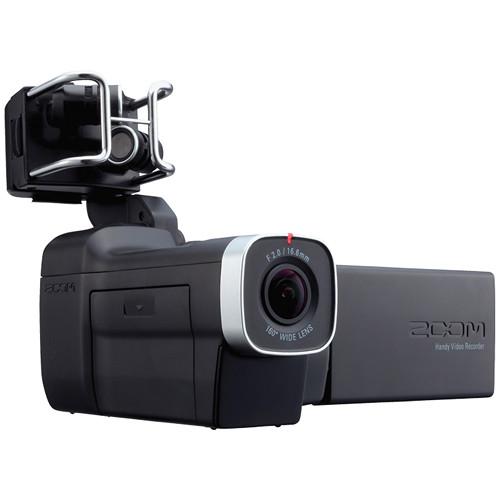
Product description - Zoom Q8 Handy Recorder: Quick Look
- Zoom Q8 Product Video
- Zoom Q8: Firmware Update
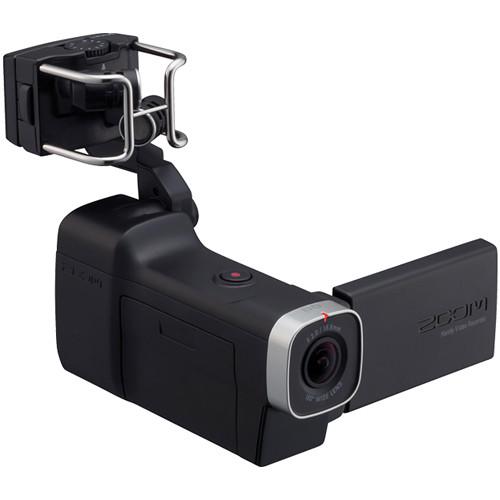
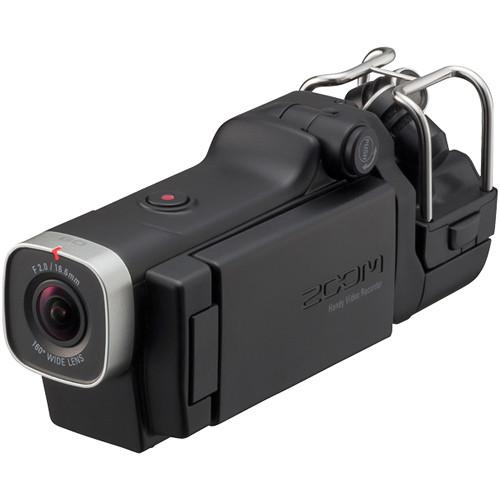
Designed for both music and video creators, the Zoom Q8 Handy Video Recorder combines HD video recording with Zoom's high-quality audio capture technology. It features a wide-angle 160° lens to capture the entire scene or stage, and records beyond Full HD resolution video up to 2304x1296 at 30 fps. On the audio side, the Q8 records up to 24-bit/96 kHz audio and inherits the interchangeable microphone system of Zoom's H5 and H6 recorders, making it compatible with a variety of optional mic capsules. Included with the Q8 is a 120° X/Y stereo condenser microphone capsule well-suited to capturing live events, concerts, or videos of yourself playing with studio-quality sound. The Q8 also features dual XLR/TRS inputs for inputting professional microphone and line-level sources, giving you up to four simultaneous channels of audio when combined with the X/Y mic capsule.
In addition to 2304x2196 video recording, the Q8 can capture 1080p video at 30 fps and 720p video at 60 or 30 fps to SD/SDHC/SDXC memory cards up to 128GB in size. It can also record WVGA video at 60 or 30 fps when lower file sizes are needed. Video can be monitored on a flip-out 2.7" touchscreen LCD, which also provides a convenient interface for adjusting video and audio settings. A micro HDMI port allows you to connect the camcorder to your HDTV to watch your footage. When it comes to recording audio, the Q8 provides a lot of options. When highest-quality audio is needed, you can record using 16 or 24-bit uncompressed WAV formats at 96, 48, or 44.1 kHz. When audio quality isn't as important and you want to save space on your SD card, you can choose to record audio using the compressed AAC format with bit rates from 64 to 320 kbps. A headphone/line output jack is provided for monitoring your audio.
By connecting the Q8 to your computer via USB you can use it as a card reader or a USB microphone. You can even use it as a high-quality USB webcam to stream audio and video. The USB port also provides power for charging the included 1700mAh lithium-ion battery. Also included with the Q8 are a foam windscreen, USB cable, and a 1/4"-20 to three-prong adapter for use with GoPro-style mounting accessories. - Beyond HD Recording
- The Q8 captures up to 2304x1296 video at 30 fps, which gives you more resolution than Full HD 1080p. The extra resolution is useful when you want to crop or reframe a shot. You can also record in standard 1080p at 30 fps, as well as 720p video at 30 or 60 fps. Additionally, you can choose to record lower resolution WVGA formats when smaller file sizes are needed. Video is recorded in the .MOV format.
- 160° Wide-Angle Lens
- With a wide 160° angle of view, the Q8's lens captures nearly everything in front of it. This lets you get the camera closer to the action to record clearer audio of your subject, while still capturing the entire scene. When an ultra-wide perspective isn't what you're after, a step-zoom feature lets you select from five narrower FOV options for tighter-framed shots.
- High-Quality Audio Recording
- The Q8 gives you the same high-quality audio formats as Zoom's dedicated audio recorders. You can record in AAC and WAV formats, up to 24-bit/96 kHz. Outboard audio controls and a touchscreen LCD let you quickly adjust and fine-tune your audio settings, including adjusting volume, gain, and low-cut filter. Audio can be recorded along with video or separately, enabling the Q8 to function as a standalone four-channel audio recorder.
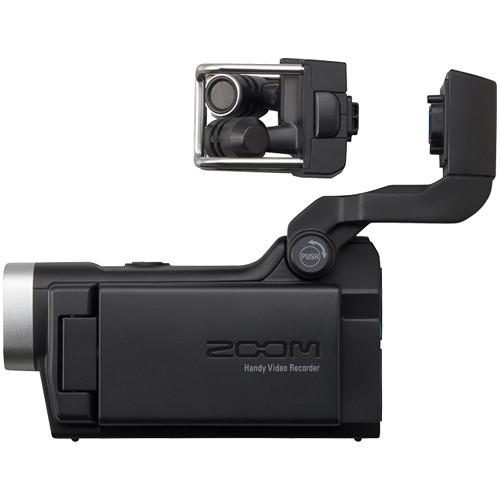
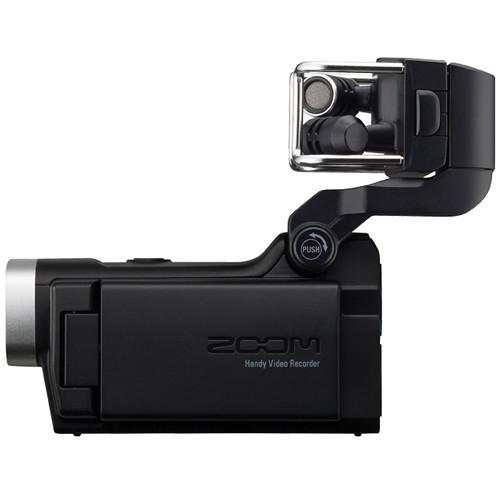
- Detachable Stereo X/Y Condenser Microphone Capsule
- The Q8 comes equipped with a detachable X/Y stereo microphone capsule that features two matched unidirectional condenser microphones set at 120° apart. The microphones feature a maximum sound pressure input of 140 dB SPL and an input gain up to +47 dB. Because the capsule is detachable, the camera is also compatible with other Zoom microphone capsules. This means that if you already own an H5 or H6, you can swap capsules between devices.
Note: EXH-6 TRS/XLR Combo Capsule is not compatible with the Q8. - Dual XLR/TRS Combo Inputs
- Dual XLR/TRS combo jacks let you input audio from external microphones and line-level sources. Each input has selectable phantom power and -20 dB pads.
Input Gain (PAD off): -∞ to 55 dB
Input Gain (PAD on): -∞ to 35 dB
Input Impedance: 1.8 kOhms or more
Maximum Input Level: +22 dBu (PAD on)
Phantom Power: +12 / +24 / +48V
Equivalent Input Noise: -120 dBu or less - 2.7" LCD Touchscreen
- The 2.7" LCD touchscreen can be rotated to be viewed from a variety of angles. When the screen is positioned to face the front of the camera, the image rotates so it is right side up. This is useful when recording videos of yourself playing. The touchscreen interface makes it easy to adjust video and audio settings.
- USB Microphone/Webcam
- By connecting to a computer using a USB cable, you can use this recorder as a card reader or USB mic, as well as a web camera to stream audio and video. You can also connect it to an iPad using the optional Apple Camera Connection Kit. The camera is compatible with Ustream Producer, Flash Live Media Encoder, Skype, and other popular streaming applications.
Operation as Mass Storage: USB 2.0 High Speed
Operation as Audio Interface: Class: USB 2.0 Full Speed, 16-bit/44.1 kHz
Operation as Webcam: WVGA/720p video size, 16-bit/48 kHz audio - Scene Presets
- Choose among three different lighting settings. For most situations, choosing "Auto" will give you the best results, as it adjusts lighting conditions automatically. You can also select "Concert Lighting", which is better suited for live shows, concerts, and other situations with bright lights, or "Night" for maximizing results when recording at night or in dark environments.
- Lighting Settings
- Choose among three different lighting settings. For most situations, choosing "Auto" will give you the best, clearest results, as it adjusts lighting conditions automatically. You can also select "Concert Lighting", which is better suited for live shows, concerts, and other situations with bright lights. Choose "Night" for maximizing results when recording at night or in dark environments.
- Camera Mounting
- In addition to a 1/4"-20 threaded hole, the Zoom Q8 can be used with GoPro-compatible mounts using the included 1/4"-20 to three-prong adapter. This makes it easy to attach the camera to a mic stand, clamp it to a guitar, or place it anywhere onstage or rehearsal room.
- Additional Features
-
- Records to SD/SDHC/SDXC memory cards up to 128GB
- Built-in audio mixer
- Stereo link function
- MS Matrix function converts Mid-Side signal from external mics to standard stereo
- Low-cut filter (80 Hz, 120 Hz, 160 Hz)
- Dynamics control (Limiter, Compressor, Leveler)
- Combo headphones/line output jack for audio monitoring
- Built-in 400MW monaural speaker
- HDMI output for connection to HDTVs; selectable between NTSC and PAL
- 1700mAh Lithium-ion battery provides more than two hours when shooting at 720p 30 fps (longer in audio-only recording)
- Foam windscreen included
UPC: 884354014759 In the Box Zoom Q8 Handy Video Recorder Detachable Stereo X/Y Microphone Capsule Foam Windscreen Rechargeable Lithium-Ion Battery Attachment Screw for Hairy Windscreen USB Cable (3.3') 1/4"-20 to Three-Prong Action Camera Mount Adapter Lens Cover Lens Hood Strap Limited 1-Year Warranty User Manual PDF 9.6mb Table of Contents
|
Upload User Manual
Have you got an user manual for the Zoom Q8 Handy Video Recorder in electronic form? Please send it to us and help us expand our library of instruction manuals.
Thank you, too, on behalf of other users.
To upload the product manual, we first need to check and make sure you are not a robot. After that, your "Submit Link" or "Upload File" will appear.
Technical parametersZoom Q8 Specs | | | Sensor | 1-Chip 1/3" CMOS | | Sensor Resolution | 3 MP | | | | 35mm-Equivalent Focal Length | 16.6 | | Maximum Aperture | f/2 | | Minimum Focusing Distance | 14.2" / 36.0 cm | | Fixed Focus | Yes | | Angle of View | 160° | | Zoom | Digital | | | | System | NTSC | | Recording Media | x SD/SDHC/SDXC (128 GB Maximum) | | Video Format | 2304 x 1296p at 30 fps (24 Mb/s H.264)
1920 x 1080p at 30 fps (H.264)
1280 x 720p at 30/60 fps (H.264)
800 x 480 at 30/60 fps (H.264) | | Aspect Ratio | 16:9 | | Microphone Recording Angle | 120° | | Channels | Stereo | | Audio Format | AAC
WAV | | Sampling Frequency | AAC: 48.0 kHz
WAV: 96.0 kHz
WAV: 48.0 kHz
WAV: 44.1 kHz | | Bit Rate | AAC: 320.0 Kb/s
AAC: 256.0 Kb/s
AAC: 192.0 Kb/s
AAC: 128.0 Kb/s
AAC: 64.0 Kb/s
WAV: 24.0-Bit
WAV: 16.0-Bit | | | | Display Type | LCD | | Touchscreen | Yes | | Screen Size | 2.7" | | | | Scene Modes | Preset: Yes | | Built-In Mic | Yes | | Built-In Speaker | Yes | | Accessory Shoe | None | | Tripod Mount | 1/4" - 20 | | | | Inputs | 2 x XLR / TRS combo jacks | | Outputs | 1 x 1/8" / 3.5 mm Stereo combined line/headphone
1 x Micro-HDMI (Type D)
1 x USB Mini-B USB 2.0 | | Microphone Input | Yes | | Headphone Jack | Yes | | | | Battery | Rechargeable Lithium-Ion Battery Pack, 3.7-4.2 VDC, 1700 mAh
Max Runtime: 2 Hours per Charge | | Charging Method | USB | | Charging Time | 4.5 Hours | | Dimensions (W x H x D) | 6.2 x 1.9 x 2.7" / 15.8 x 4.8 x 6.9 cm Mic lowered
6.2 x 1.9 x 4.7" / 15.8 x 4.8 x 11.9 cm Mic raised
2.0 x 1.5 x 1.3" / 5.0 x 3.7 x 3.2 cm X/Y mic capsule | | Weight | 10.58 oz / 300 g Recorder
1.41 oz / 40 g X/Y mic capsule | | | | Package Weight | 1.65 lb | | Box Dimensions (LxWxH) | 8.9 x 8.2 x 3.0" |
Rating70% users recommend this product to others. And what about you?

This product has already been rated by 75 owners. Add your rating and experience with the product.
Discussion
 Ask our technicians if you have a problem with your settings,
or if anything is unclear in the user manual you have downloaded.
You can make use of our moderated discussion.
The discussion is public and helps other users of our website who may be encountering similar problems.
Ask our technicians if you have a problem with your settings,
or if anything is unclear in the user manual you have downloaded.
You can make use of our moderated discussion.
The discussion is public and helps other users of our website who may be encountering similar problems.
The discussion is empty - enter the first post
Post a new topic / query / comment:
|
|
|
| Request for user manual |
You can’t find the operation manual you are looking for? Let us know and we will try to add the missing manual:
I’m looking for a manual / Request for manual
Current requests for instruction manuals:
Call Of Duty World War Two For Xbox...
controller stratus XL...
stratus XL...
smart whatch serie S11 42mm...
Allen & Heath SQ-6 manual...
|
| Discussion |
Latest contributions to the discussion:
AEW R 4100
Name: MAURICIO ANGARITA
Audio-Technica AEW-R4100 UHF Diversity Receiver for
AEW R 4100 has the mute function blocked and does not allow audio to pass. I tried several times to turn off the mute from the transmitter but it does nothing, the mute stays on. Solution?
Thank you...
Instructions for assembling the 2015 Forecast Image Master Consoles GC3-A
Name: mike elam
Forecast Consoles GC3-A ImageMaster Editing Console
Looking for instructions for assembling this console. ...
EMPTY TONER ERROR MESSAGE AFTER REPLACING TONER
Name: LINDA BAD YELLOW EYES
Brother TN223BK Standard-Yield Toner
I HAD TO CHANGE OUT ALL THREE TONERS DUE TO LEAKS IN THE YELLOW AND CYAN. AFTER I REPLACED THEM, THE MACHINE KEEPS GIVING ME AN EMPTY TONER ERROR MESSAGE. HELP!!...
PS480D 20/24 pin Switching 480W Power Supply
Name: swkargo
Logisys 480W Power Supply
This item states in can run -5vdc .It is NOT listed on the board or I beleive is r4 is missing the resitior. Any body have thid issue. Shawn
...
Help needed
Name: Ann Carter
SanDisk 1TB Extreme Portable USB 3.1
When I click the link to download the user manual for my Sandisk Extreme external hard drive, it gives me the manual for the LG Cricket. Can you please change the link so I can download the Sandisk manual and begin using this drive? Thank you....
|
|


