User Manual for Zynaptiq DESIGN Bundle - Audio Effects Processing Software Suite Click to enlarge the picture
 Contents of the user manual for the Zynaptiq DESIGN Bundle - Audio Effects
- Product category: Virtual Processor Plug-Ins Zynaptiq
- Brand: Zynaptiq
- Description and content of package
- Technical information and basic settings
- Frequently asked questions – FAQ
- Troubleshooting (does not switch on, does not respond, error message, what do I do if...)
- Authorized service for Zynaptiq Virtual Processor Plug-Ins
 |
User manual for the Zynaptiq DESIGN Bundle - Audio Effects contain basic instructions
that need to be followed during installation and operation.
Before starting your appliance, the user manual should be read through carefully.
Follow all the safety instructions and warnings, and be guided by the given recommendations.
User manual is an integral part of any Zynaptiq product,
and if it is sold or transferred, they should be handed over jointly with the product.
Following the instructions for use is an essential prerequisite for protecting
health and property during use, as well as recognition of liability on the part of the manufacturer
for possible defects should you make a warranty claim. Download an official Zynaptiq user manual in which you will find instructions on how to install, use, maintain and service your product.
And do not forget – unsuitable use of a Zynaptiq product will considerably shorten its lifespan!
|
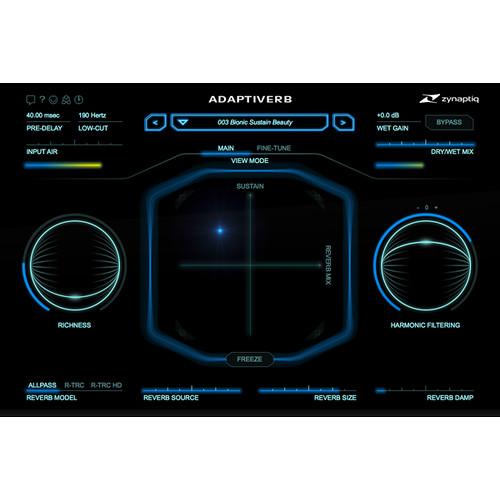
Product description Intended to aid and abet you in the ongoing struggle to process and mangle audio sources to the hilt, the DESIGN Bundle from Zynaptiq gives you three sound design plug-ins in one package. Included are WORMHOLE, which provides pitch-shifting, tone warping, filtering, delays, reverbs, and more, as well as ADAPTIVERB, the company's organically smooth reverb module with tails tuned specifically to input sources. Lastly, MORPH 2 offers five different morphing algorithms to creatively transmogrify sound sources into something of a different timbre entirely. Compatible with Mac and Windows platforms, these plug-ins can operate in Audio Units, RTAS, VST, and AAX formats. - ADAPTIVERB - Harmonic Tracking Resynthesis Reverb (Download) ADAPTIVERB from Zynaptiq is not a traditional algorithmic or impulse-based reverb, rather it uses ray tracing, source separation, and advances in artificial intelligence to produce a reverb response with greater perceived depth, harmonic richness, and smooth tails, all without obscuring the source.
The reverb preserves the tonal definition and directness of a mix, while adding size, glue, and body, characteristics that are perfect for mixing and mastering applications alike. Additionally, the software automatically adapts to the input audio, conforming the reverb tail to the tonality of the input, or a user-defined set of notes.
With its advanced synthesis, cross-filtering, and reverb pitch-processing functions, the plug-in provides ambient artists, film composers, and sound designers with new creative options for making evolving drones, organic pads, lush ambient soundscapes, and more. - New reverberation approach with unique sonic characteristics
- Bionic Sustain Resynthesis creates organic tails, eliminating noisy components from the input for clear, harmonic results free of graininess
- Harmonic Contour Filter (HCF) circuit for removing effect components not in tune with the input, a captured harmonic fingerprint, or a set of notes defined using an onscreen keyboard
- Filtering and pitch quantization based HCF keyboard modes to conform the effect to a specific key
- HCF hold mode for creating cross-filtering effects
- Ray Tracing and all-pass based reverb engines
- Input freeze function for creating drones, pads, or infinite reverb type sounds
- Simplify function that recreates the input's harmonic content with a small amount of oscillators for additive synthesis type sounds, without warbling
- Richness parameter for adding octave, fifth or unison interval harmonics into the reverb
- Preprocessing section including harmonic synthesis based AIR
- More than 400 presets covering a broad range of effects, including bread-and-butter reverbs, invisible reverbs, instrument/voice-colored reverbs, cross-filtering, adaptively filtered delays, and pads/drones that play without input signal
- MIDI control of all key parameters
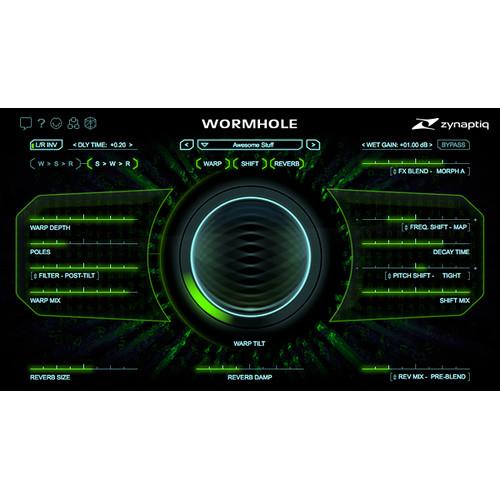
- WORMHOLE - Audio Effects-Processing Software (Download) Available for download, Zynaptiq’s WORMHOLE is an effects processing plug-in that aims to bring warmth, clarity, and alias-free signal manipulation to your sound-design toolbox. As such, the software is equally at home on acoustic instruments, electric instruments, synthetic instruments, and even in post-production scenarios: Guitars can be made to shimmer and warble, pianos can be transformed into space-age celestas, and scary, movie-monster voices can be achieved in one plug-in instead of several.WORMHOLE accomplishes its modulation through dedicated aspects of the plug-in, called Warp, Shift, Reverb, and Delay. Warp provides time-domain spectral warping effects largely free of unnatural artifacts—unless, of course, you want to introduce them yourself. Shift handles both pitch and frequency shifting, giving you the means to detune a sound, apply chorus, and more. It does this in a clean manner, low on artifacts and pitch-jumping. Two reverbs are provided, one for the dry signal and one for the processed sound. These can be combined to your liking. The delay can similarly effect wet and dry signals separately or together. For more descriptions of each effect, please see the features section.This software, compatible with Mac and Windows platforms, requires an iLok account, which can be obtained for free. It is compatible with AU, AAX, VST 2, VST 3, and RTAS formats.
- FX Blend
- Instead of a dry-wet control, WORMHOLE offers an FX Blend section which provides multiple algorithms for combining processed signal with unprocessed signal, thus allowing you to morph seamlessly between your input and the effect you'd wish to use. The net effect is a more natural fusing between dry and wet signal, as well as greater realism for heavily processed effects in sound-design applications (invaluable for yet larger than life-yet realistic-voices for monsters, aliens, or whatever else a production necessitates). Additionally, the FX Blend will allow the harmonics achieved by your effects chain to bloom out of the sound source, rather than fade in.
- Warp
- This module performs a localized time-domain spectral warping effect. Its flavor evokes aspects of ring-modulation, frequency-modulation, frequency-shifting, formant-shifting, modal resonation, and spectral mapping, without sounding like any one of these specific processes. Although Warp, like many of the other facets of this plug-in, does not introduce aliasing, it also includes a tilt control which can add aliasing into the signal to generate grit.
- Shift
- This effect combines +/-4 octaves of pitch-shifting with +/-4 kHz of frequency-shifting into a single processing step, doing so in a manner that is neither delay/grain nor FFT/phase-vocoder based. Therefore, this module exhibits none of the typical artifacts of software pitch-shifting; neither grains, nor flamming, nor aliasing are present here, while pitch-jumping and warbling is minimal. The module offers 4 dedicated algorithms: Smooth, Tight, Detune A, and Detune B. From simple pitch shifting to thickening chorus effects, pitch-shifting will sound warm and organic. The Frequency Shifter is also clean, providing 96 dB of carrier/side-band suppression and operating aliasing-free. You'll note the Decay Time slider, which, discarding signal components that exceed an adjustable duration, unclutters and tightens up the sound. For instance, it can greatly reduce the ringing effect caused by naturally longer decay times in lower frequencies being forcibly shifted into a subjectively louder mid-range. This effect can also be used for special effects, like simulating analog communications circuit sagging and more.
- Reverb
- The Reverb section features two simple, lush-sounding random-modulated hall reverbs with shared controls. One is placed before the FX BLEND, giving you a swath of unusual effects when used in conjunction with dry-wet morphing. The other is placed after the FX BLEND. For flexibility, you can use one reverb or both at the same time.
- Delay
- Living in the slot where other plug-ins might have a pre-delay parameter, WORMHOLE's Delay module can delay the effected signal, the dry signal, or both-and in opposing directions for the left and right channels. You can use the delay to create super-wide effects that are nonetheless fully balanced around the center of the sound stage. In combination with the pitch shifter's Detune modes and the FX Blend, you can achieve a variety of unique effects.
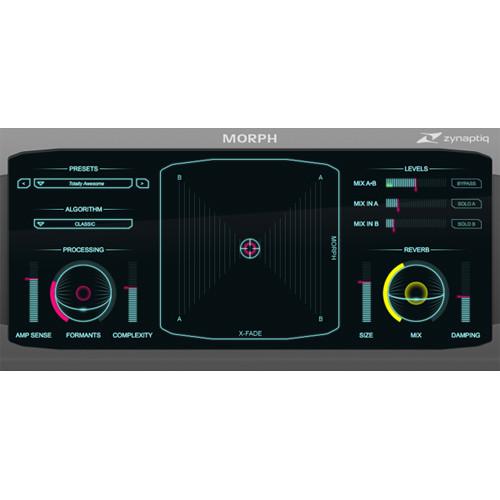
- MORPH 2 - Real-Time Audio Morphing Plug-In (Download) MORPH 2 from Zynaptiq is a real-time plug-in for structural audio morphing, the sonic equivalent of one object slowly changing its shape to become a different object - for example, one face becoming another. Using a selection of five different morphing algorithms, a clean formant shifter as well as reverb, the software can generate a whole new universe of sounds.
Version 2 adds new algorithms over those found in the original version, a damping parameter for the reverb section, a re-designed signal flow in the mixer section, and a new preset manager. The plug-in is perfect for a sound designer for film or games looking for that signature sound, or a music producer or remix artist wanting to create new content from existing recordings. - Five feature-aware structural audio morphing algorithms
- Morphs between two input channels or input and sidechain
- Dual morphing circuits with crossfade option
- High-quality formant shifter
- Both inputs can be mixed into the output or switched to solo
- Real-time processing for immediate results
In the Box Bundle Items ADAPTIVERB - Harmonic Tracking Resynthesis Reverb (Download) xxxrtfqvabszwbwsedvtdxyuuestdsrc WORMHOLE - Audio Effects-Processing Software (Download) MORPH 2 - Real-Time Audio Morphing Plug-In (Download) Table of Contents
|
Upload User Manual
Have you got an user manual for the Zynaptiq DESIGN Bundle - Audio Effects Processing Software Suite in electronic form? Please send it to us and help us expand our library of instruction manuals.
Thank you, too, on behalf of other users.
To upload the product manual, we first need to check and make sure you are not a robot. After that, your "Submit Link" or "Upload File" will appear.
Technical parameters - ADAPTIVERB - Harmonic Tracking Resynthesis Reverb (Download)
| Mac System Requirements | Intel CPU with at least 2 Cores; i7 or faster recommended
OS X 10.8.x or later
iLok.com account for machine or iLok 2 based activation (for full and demo versions)
Internet connection for software activation (though not necessarily on the computer used for audio) | | Windows Requirements | CPU with at least 2 Cores; Intel CPU recommended, i7 or faster recommended
Windows 7 or later
iLok.com account for machine or iLok 2 based activation (for full and demo versions)
Internet connection for software activation (though not necessarily on the computer used for audio) | | Plug-In Compatibility | AAX Native, Audio Units (Mac only), AudioSuite, RTAS, VST 2.4, VST3
For AAX Native 32-bit, the minimum required Pro Tools version is 10.3.6
32- / 64-bit support for all plug-ins except RTAS (32-bit) | - WORMHOLE - Audio Effects-Processing Software (Download)
| Mac System Requirements | OS X 10.8 or later
Intel CPU with at least 2 cores
Compatible host software (AU, VST 2.4, VST 3, RTAS or AAX)
Pro Tools 10.3.6 or later (if using Avid Pro Tools)
iLok account for machine or iLok 2 activation
Internet connection for software activation | | Windows System Requirements | Windows 7 or later
CPU with at least 2 cores
Compatible host software (VST 2.4, VST 3, RTAS or AAX)
Pro Tools 10.3.6 or later (if using Avid Pro Tools)
iLok account for machine or iLok 2 activation
Internet connection for software activation | | Licensing Details | This software uses PACE copy protection, which allows you to place your activation on your machine or on an iLok 2 (available separately). You will need an iLok.com account to use the software. However, you do not necessarily need the iLok 2 dongle if your machine has internet access. | - MORPH 2 - Real-Time Audio Morphing Plug-In (Download)
| System Requirements | Mac
Intel CPU with at least 2 cores
OS X 10.8 or newer
Host software that supports Audio Units (32-/64-bit), VST 2.4 (32-/64-bit), RTAS, AAX Native (32-/64-bit), or AudioSuite (32-/64-bit) plug-in formats
iLok account for computer or iLok 2 based activation
Internet connection for activation (not necessarily on the computer used for audio)
Windows
CPU with at least 2 cores
Windows 7 or newer
Host software that supports VST 2.4 (32-/64-bit), RTAS, AAX Native (32-/64-bit), or AudioSuite (32-/64-bit) plug-in formats
For AAX Native 32-bit, minimum required Pro Tools version is 10.3.6
iLok account for computer or iLok 2 based activation
Internet connection for activation (not necessarily on the computer used for audio) |
Rating50% users recommend this product to others. And what about you?

This product has already been rated by 70 owners. Add your rating and experience with the product.
Discussion
 Ask our technicians if you have a problem with your settings,
or if anything is unclear in the user manual you have downloaded.
You can make use of our moderated discussion.
The discussion is public and helps other users of our website who may be encountering similar problems.
Ask our technicians if you have a problem with your settings,
or if anything is unclear in the user manual you have downloaded.
You can make use of our moderated discussion.
The discussion is public and helps other users of our website who may be encountering similar problems.
The discussion is empty - enter the first post
Post a new topic / query / comment:
|
|


