User Manual for ZyXEL 48-Port GbE L3 Switch with 10 GbE Uplink Click to enlarge the picture
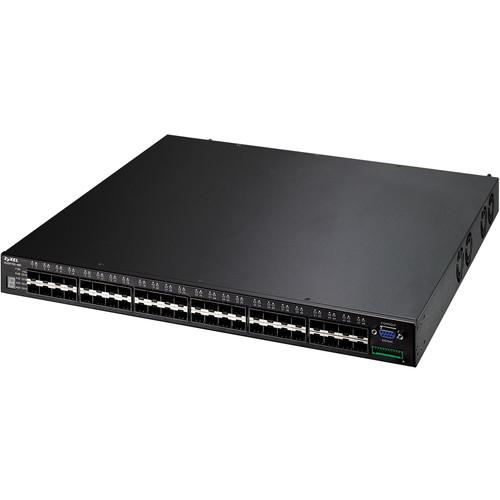 Contents of the user manual for the ZyXEL 48-Port GbE L3 Switch with
- Product category: Network Switches, Bridges & Hubs ZyXEL
- Brand: ZyXEL
- Description and content of package
- Technical information and basic settings
- Frequently asked questions – FAQ
- Troubleshooting (does not switch on, does not respond, error message, what do I do if...)
- Authorized service for ZyXEL Network Switches, Bridges & Hubs
 |
User manual for the ZyXEL 48-Port GbE L3 Switch with contain basic instructions
that need to be followed during installation and operation.
Before starting your appliance, the user manual should be read through carefully.
Follow all the safety instructions and warnings, and be guided by the given recommendations.
User manual is an integral part of any ZyXEL product,
and if it is sold or transferred, they should be handed over jointly with the product.
Following the instructions for use is an essential prerequisite for protecting
health and property during use, as well as recognition of liability on the part of the manufacturer
for possible defects should you make a warranty claim. Download an official ZyXEL user manual in which you will find instructions on how to install, use, maintain and service your product.
And do not forget – unsuitable use of a ZyXEL product will considerably shorten its lifespan!
|
Product description Provided by third party: The ZyXEL XGS series of L3 switches enable enterprise and SMB businesses to deploy high availability networks to meet the need to migrate to a virtualized and consolidated solution.
The XGS4700 series delivers not only robust, reliable enterprise-class L2/L3 switch features but is also designed to accomplish high-availability routing for better utilization of network bandwidth.
- Key Features
-
- High-performance IPv6 and IPv4 routing
- Intelligent QoS for mission critical applications
- Robust and high-availability system design guarantees non-stop operations
- High-performance IPv6 and IPv4 routing
- The ZyXEL XGS4700 series provides businesses with a smooth migration path from IPv4 based networks to a full IPv6 infrastructure, providing investment protection for future network upgrades when a larger installation of connected devices is required. The XGS4700 series utilizes the design technology to provide wire speed communication and full-dynamic IP routing features such as RIP, RIPv2 and OSPF as well as special features such as equal-cost, multi-path routing (ECMP) which load balances network traffic across multiple paths through the network that have the same costing.
- Intelligent QoS for mission critical applications
- In order to ensure the quality of multiple services on a converged network, adopting advanced traffic control technologies to manage different types of traffic flows is critical and necessary to businesses. The ZyXEL XGS4700 series supports intelligent QoS features to regulate network traffic for the best performance. Taking advantage of Class of Service (CoS) and Differentiated Services Code Point (DSCP) support, network designers and administrators can easily classify and enable traffic prioritization for critical business applications such as VoIP and video conferencing.
- High-level security for ultimate network protection
- The ZyXEL XGS4700 series works with an intelligent 3-tier security mechanism that offers complete data and management protection via a wide range of security features to protect subscriber data and deter unauthorized users through effective traffic administration. The 802.1X authentication and port security features provide the ability to stop unauthorized users from accessing the network. To serve specific users such as guests or visitors to the business, the 802.1X Guest VLAN feature allows them to access the Internet via the Guest VLAN without entering the business's internal network.
- Robust and high-availability system design guarantees non-stop operations
- The ZyXEL XGS4700 series supports the VRRP routing protocol for resilience within the network to avoid the failure of transmission. The gigabit connectivity not only gives superb transmission bandwidth, but also allows users to set up gigabit aggregation for secured critical transmission. The IEEE 802.1w Rapid Spanning Tree Protocol (RSTP) also allows immediate recovery from failed links by sending packets via a backup link path. In addition, the XGS4700 series supports CPU protection to provide the switch CPU with automatic protection against malicious network traffic trying to shut down the switch, which ensures priority/mission-critical tasks to be handled without interruption. The CPU protection feature enables the optimization of switch resources and also strengthens network protection considerably.
Table of Contents
|
Upload User Manual
Have you got an user manual for the ZyXEL 48-Port GbE L3 Switch with 10 GbE Uplink in electronic form? Please send it to us and help us expand our library of instruction manuals.
Thank you, too, on behalf of other users.
To upload the product manual, we first need to check and make sure you are not a robot. After that, your "Submit Link" or "Upload File" will appear.
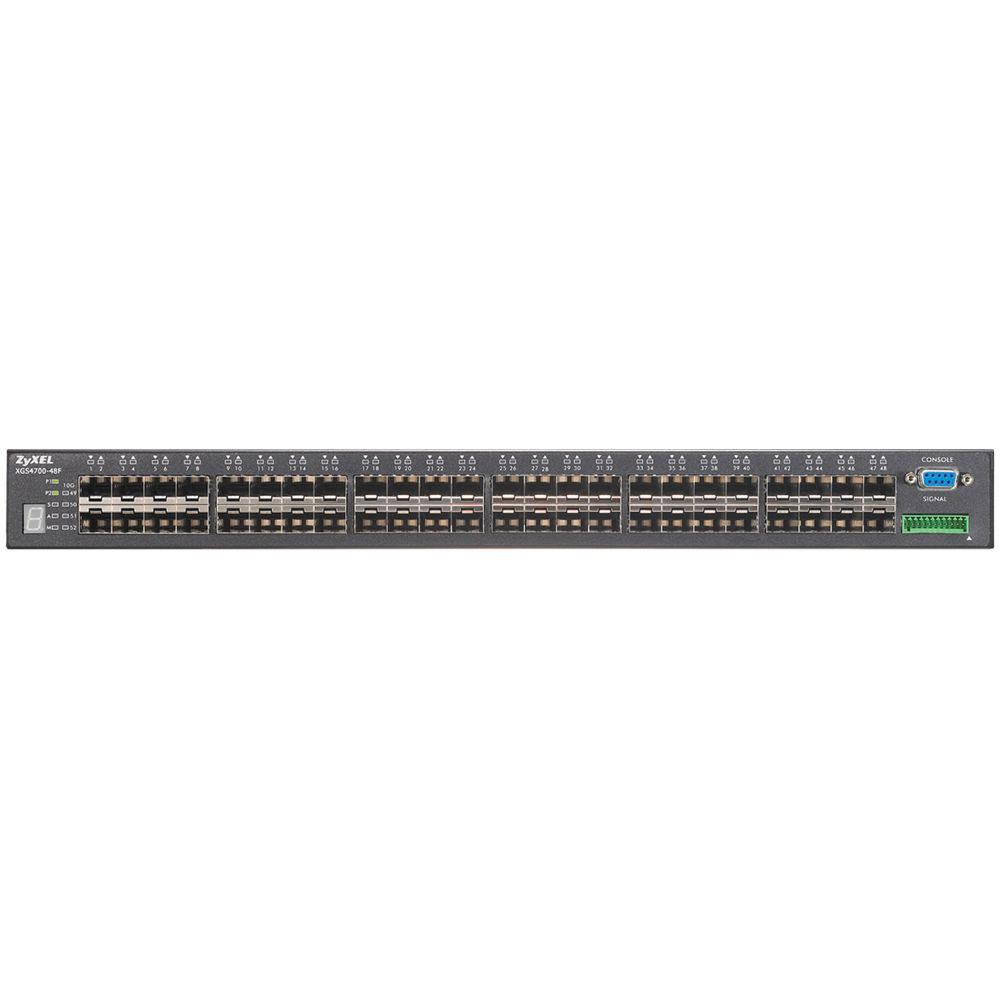
Technical parametersZyXEL XGS4700-48F Specs | | | Device Type | Switch - 48 ports - L3 - managed - stackable | | Enclosure Type | Desktop | | Subtype | Gigabit Ethernet | | Ports | 48 x SFP | | Performance | Switching capacity: 192 Gbps
Forwarding performance: 143 Mpps | | Capacity | Host table entries (IPv4): 8000
Routing table entries: 12000
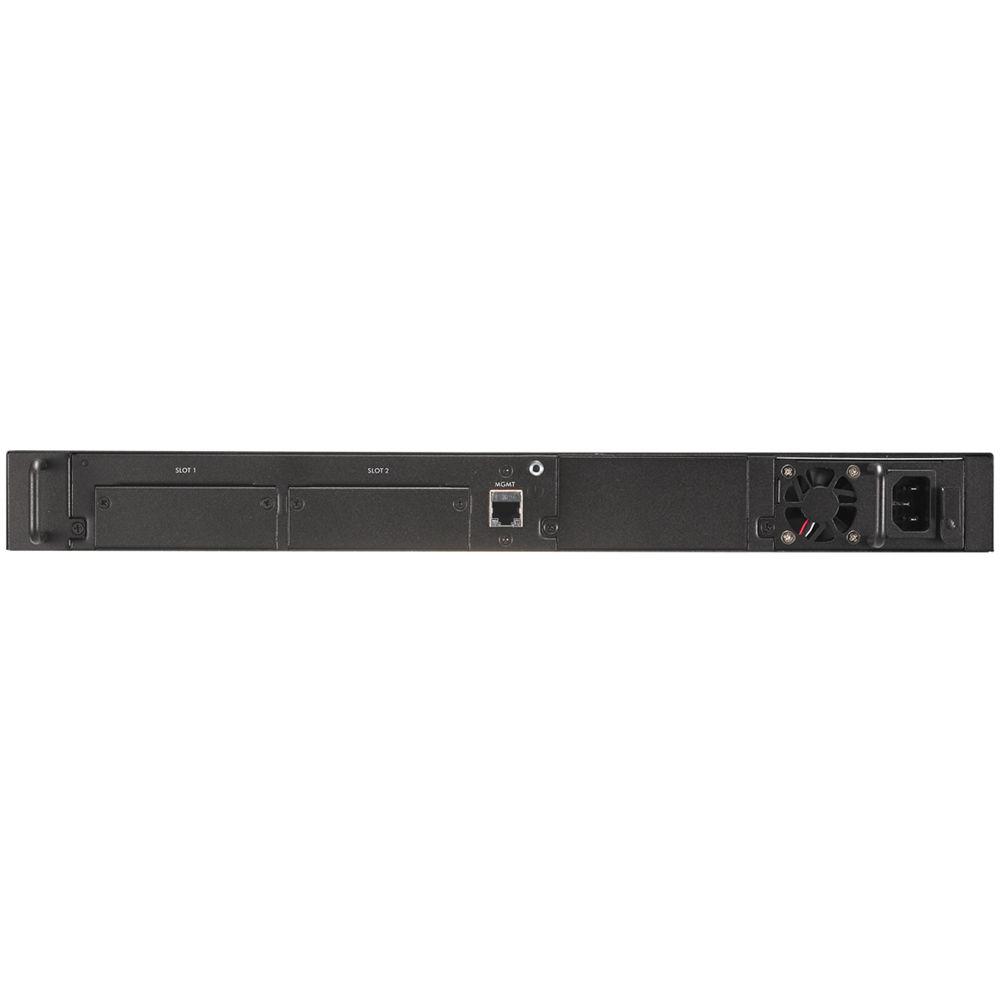
Routing domains: 128 | | MAC Address Table Size | 32K entries | | Routing Protocol | OSPF, RIP, RIP-2, IGMPv2, IGMP, DVMRP, VRRP, IGMPv3, static IPv4 routing, static IPv6 routing, ECMP | | Remote Management Protocol | SNMP 1, RMON 1, RMON 2, RMON 3, RMON 9, Telnet, SNMP 3, SNMP 2c, HTTP, SSH, SSH-2, CLI | | Encryption Algorithm | SSL, TLS | | Authentication Method | Secure Shell (SSH), RADIUS, TACACS+, Secure Shell v.2 (SSH2) | | Features | Flow control, routing, layer 3 switching, layer 2 switching, auto-negotiation, trunking, load balancing, VLAN support, auto-uplink (auto MDI/MDI-X), IGMP snooping, port mirroring, DiffServ support, Weighted Round Robin (WRR) queuing, MAC address filtering, Broadcast Storm Control, IPv6 support, IP address filtering, Weighted Fair Queuing (WFQ), Digital Diagnostics Monitoring Interface (DDMI), ZyXEL iStacking Technology, sFlow, Spanning Tree Protocol (STP) support, Rapid Spanning Tree Protocol (RSTP) support, Multiple Spanning Tree Protocol (MSTP) support, priority-based flow control, Access Control List (ACL) support, Quality of Service (QoS), RADIUS support, DHCP server, bandwidth control, LLDP support, DHCP relay, Link Aggregation Control Protocol (LACP), Port Security, Traffic Control, DHCP client, Multicast VLAN Registration (MVR) | | Compliant Standards | IEEE 802.3, IEEE 802.3u, IEEE 802.1D, IEEE 802.1Q, IEEE 802.3ab, IEEE 802.1p, IEEE 802.3x, IEEE 802.3ad (LACP), IEEE 802.1w, IEEE 802.1x, IEEE 802.1s, IEEE 802.1ag, IEEE 802.1ab (LLDP) | | RAM | 2 MB | | Status Indicators | Port status, power, system, alarm, link/activity | | | | Interfaces | 48 x SFP (mini-GBIC)
1 x RJ-45 management
1 x serial (RS-232) DB-9 management
1 x alarm - terminal block | | Expansion Slots | 2 (total) / 2 (free) x expansion slot | | | | Power Device | Internal power supply | | Installed Qty | 1 (installed) / 2 (max) | | Power Redundancy | Optional | | Voltage Required | AC 120/230 V / DC -36 -72 V (50/60 Hz) | | | | Compliant Standards | EMC, RoHS, UL 60950-1, IEC 60950-1, EN 60950-1, FCC Part 15 A, CSA C22.2 No. 60950-1 | | | | Width | 17.3 in | | Depth | 16.7 in | | Height | 1.8 in | | Weight | 11.9 lbs | | | | Min Operating Temperature | 32
Rating50% users recommend this product to others. And what about you?

This product has already been rated by 00 owners. Add your rating and experience with the product.
Discussion
 Ask our technicians if you have a problem with your settings,
or if anything is unclear in the user manual you have downloaded.
You can make use of our moderated discussion.
The discussion is public and helps other users of our website who may be encountering similar problems.
Ask our technicians if you have a problem with your settings,
or if anything is unclear in the user manual you have downloaded.
You can make use of our moderated discussion.
The discussion is public and helps other users of our website who may be encountering similar problems.
The discussion is empty - enter the first post
Post a new topic / query / comment:
|
|
|
| Request for user manual |
You can’t find the operation manual you are looking for? Let us know and we will try to add the missing manual:
I’m looking for a manual / Request for manual
Current requests for instruction manuals:
Call Of Duty World War Two For Xbox...
controller stratus XL...
stratus XL...
smart whatch serie S11 42mm...
Allen & Heath SQ-6 manual...
|
| Discussion |
Latest contributions to the discussion:
AEW R 4100
Name: MAURICIO ANGARITA
Audio-Technica AEW-R4100 UHF Diversity Receiver for
AEW R 4100 has the mute function blocked and does not allow audio to pass. I tried several times to turn off the mute from the transmitter but it does nothing, the mute stays on. Solution?
Thank you...
Instructions for assembling the 2015 Forecast Image Master Consoles GC3-A
Name: mike elam
Forecast Consoles GC3-A ImageMaster Editing Console
Looking for instructions for assembling this console. ...
EMPTY TONER ERROR MESSAGE AFTER REPLACING TONER
Name: LINDA BAD YELLOW EYES
Brother TN223BK Standard-Yield Toner
I HAD TO CHANGE OUT ALL THREE TONERS DUE TO LEAKS IN THE YELLOW AND CYAN. AFTER I REPLACED THEM, THE MACHINE KEEPS GIVING ME AN EMPTY TONER ERROR MESSAGE. HELP!!...
PS480D 20/24 pin Switching 480W Power Supply
Name: swkargo
Logisys 480W Power Supply
This item states in can run -5vdc .It is NOT listed on the board or I beleive is r4 is missing the resitior. Any body have thid issue. Shawn
...
Help needed
Name: Ann Carter
SanDisk 1TB Extreme Portable USB 3.1
When I click the link to download the user manual for my Sandisk Extreme external hard drive, it gives me the manual for the LG Cricket. Can you please change the link so I can download the Sandisk manual and begin using this drive? Thank you....
|
|


