|
User Manuals for Computer PeripheralsYou have selected the product series Computers - Computer Peripherals. Now choose the brand, model or product code you are looking for. If it is not available, you can request it from customer support.
Sub-categories – select a sub-category:
Keyboards & Accessories - KVM - Mice & Pointing devices - Speakers, Headsets, Mics & Webcams
| Showing: 201-210 products | Total: 3561 products | | 1 ... 19 | 20 | 21 | 22 | 23 ... 357 |
|
ROCCAT Score Full Spectrum Dual Driver |

 Designed for active gamers, the ROCCAT Score Full Spectrum Dual Driver In-Ear Headset provides full spectrum sound with deep bass. The unique dual-driver design features a 10mm driver for bass and a 6.8mm driver that hones in on the precise mids and highs—both made of neodymium magnets. The specially developed acoustic chamber blends the two...
|
|
ROCCAT Horde AIMO Membranical RGB Gaming |

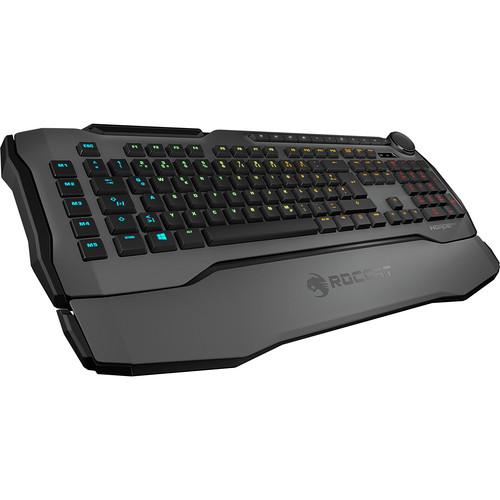 Enjoy the best of both worlds with the gray Horde AIMO Membranical RGB Gaming Keyboard from ROCCAT. Combining aspects of both membrane and mechanical keyboard technology, the Horde promises to provide a fast, yet silent, keyboarding experience. The Horde AIMO is compatible with Windows-based PCs, and provides a full-sized keyboard layout, includi...
|
|
COUGAR Immersa Pro Ti Headset |

 The Immersa Pro Ti Gaming Headset from COUGAR is designed with the performance, aesthetics, and comfort that PC, mobile, and console gamers need. It features 50mm titanium-coated driver diaphragms, ultra-thick 35mm memory foam ear pads with an extra-large 100mm opening, and a durable braided cable. Moreover, the Immersa Pro Ti comes with customiza...
|
|
IOGEAR 4-Port 4K Dual View DisplayPort |
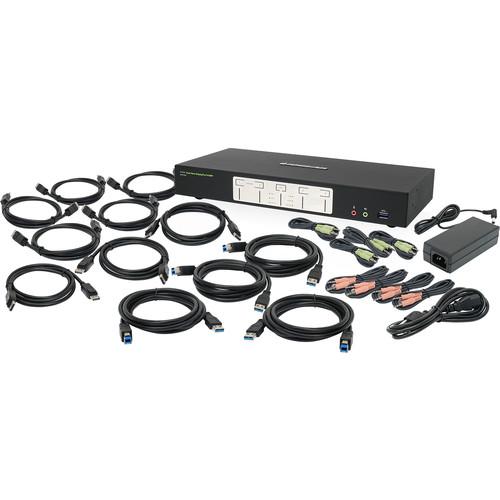 Multi-Monitors: Maximizing Multitasking Read More The 4-Port 4K Dual View DisplayPort KVMP Switch from IOGEAR lets you control four desktop computers using a single set of peripherals, which consists of two monitors along with a keyboard, mouse, and set of speakers. The switch supports up to 4K resolutions and is compatible with DisplayPort-equipp...
|
|
IOGEAR 16-Port USB HDMI KVMP Switch |

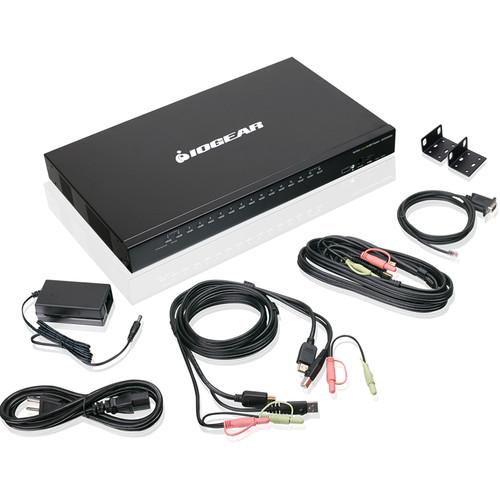 Multi-Monitors: Maximizing Multitasking Read More Control up to 16 computers using a single HDMI monitor, keyboard, and mouse with the 16-Port USB HDMI KVMP Switch from IOGEAR. Boasting 16 HDMI inputs and capable of video resolution up to 1920 x 1200, the 16-port switch supports 2.1 stereo surround audio, and it allows you to control up to 256 com...
|
|
IOGEAR 8-Port USB HDMI KVMP Switch |

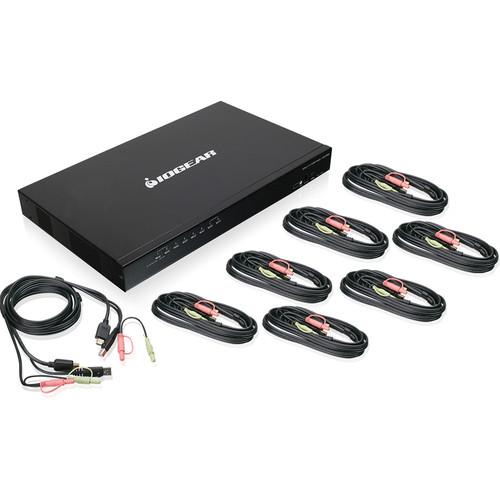 Multi-Monitors: Maximizing Multitasking Read More Control up to 8 computers using a single HDMI monitor, keyboard, and mouse with the 8-Port USB HDMI KVMP Switch from IOGEAR. Boasting 8 HDMI inputs and capable of video resolution up to 1920 x 1200, the 8-port switch supports 2.1 stereo surround audio, and it allows you to control up to 512 compute...
|
|
Logitech C920s HD Pro Webcam |
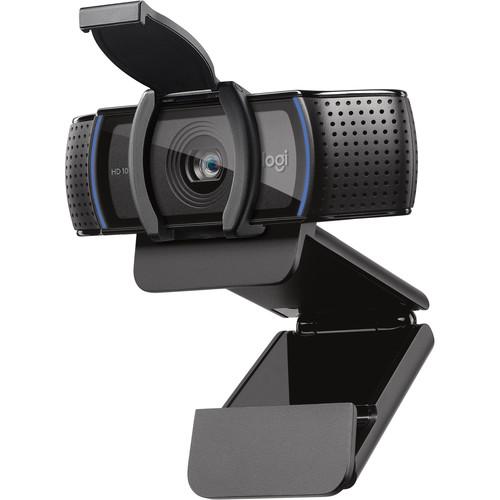 Chat, stream, and record with the C920s HD Pro Webcam from Logitech. This webcam supports up to 1080p video at 30 fps and features HD auto-focus and automatic light correction for clear details whether you're in dimly- or brightly-lit environments. Thanks to its dual microphones, your voice will sound natural and clear. Also, an included privacy c...
|
|
Logitech KEYS-TO-GO Wireless Keyboard |
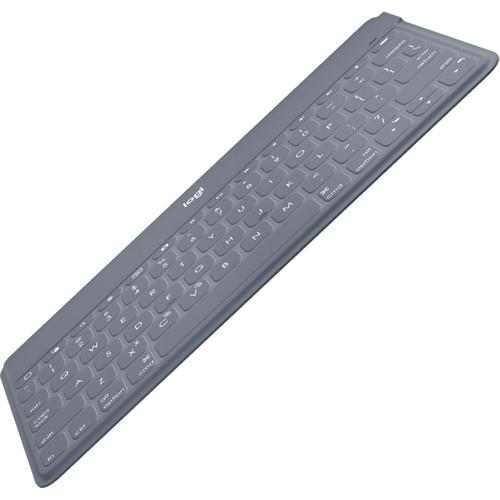 Connect to your Apple iPhone, iPad, Apple TV, and more with the stone Logitech KEYS-TO-GO Wireless Keyboard via Bluetooth. Its ultra-slim design features scissor keys for responsive yet quiet keystrokes. There are also dedicated iOS shortcut keys for easy access to app switching, volume controls, and screen capture. The keyboard also features a li...
|
|
Wacom Link Plus |
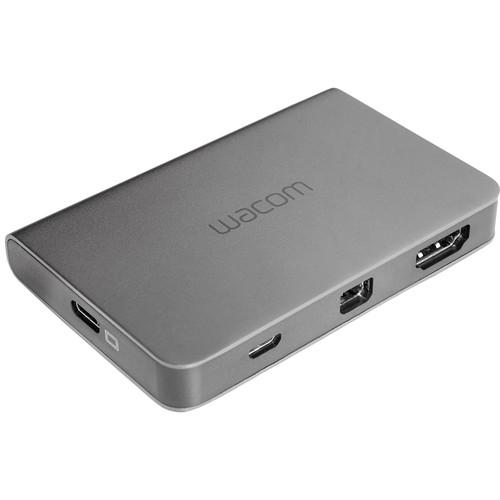 Connect your 13" or 16" Wacom Cintiq Pro to your computer with the Wacom Link Plus. For up to a 3840 x 2160 4K UHD resolution, use a single USB Type-C cable or a Mini DisplayPort connection paired with USB Type-A. Otherwise, an HDMI and USB Type-A connection supports up to 2560 x 1440 QHD. For your convenience, you can also connect your Cintiq Pro...
|
|
Sennheiser UI 10 BL Busy Light |
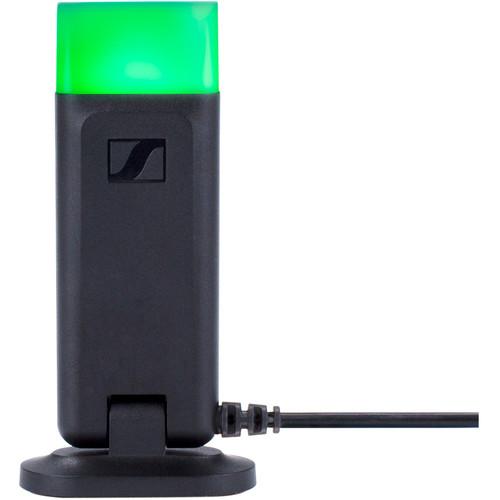 The UI 10 BL Busy Light with 2.5mm Jack Plug for SDW 5000 Series from Sennheiser is designed to signal you from a distance with four color light options. Green stands for available, red stands for busy, yellow stands for away, and white stands for the connected device is off. Simply connect your UI 10 BL Busy Light to your system's 2.5mm jack and ...
|
|
| 1 ... 19 | 20 | 21 | 22 | 23 ... 357 | | Showing: 201-210 products | Total: 3561 products |
|
|
| Request for user manual |
You can’t find the operation manual you are looking for? Let us know and we will try to add the missing manual:
I’m looking for a manual / Request for manual
Current requests for instruction manuals:
Call Of Duty World War Two For Xbox...
controller stratus XL...
stratus XL...
smart whatch serie S11 42mm...
Allen & Heath SQ-6 manual...
|
| Discussion |
Latest contributions to the discussion:
AEW R 4100
Name: MAURICIO ANGARITA
Audio-Technica AEW-R4100 UHF Diversity Receiver for
AEW R 4100 has the mute function blocked and does not allow audio to pass. I tried several times to turn off the mute from the transmitter but it does nothing, the mute stays on. Solution?
Thank you...
Instructions for assembling the 2015 Forecast Image Master Consoles GC3-A
Name: mike elam
Forecast Consoles GC3-A ImageMaster Editing Console
Looking for instructions for assembling this console. ...
EMPTY TONER ERROR MESSAGE AFTER REPLACING TONER
Name: LINDA BAD YELLOW EYES
Brother TN223BK Standard-Yield Toner
I HAD TO CHANGE OUT ALL THREE TONERS DUE TO LEAKS IN THE YELLOW AND CYAN. AFTER I REPLACED THEM, THE MACHINE KEEPS GIVING ME AN EMPTY TONER ERROR MESSAGE. HELP!!...
PS480D 20/24 pin Switching 480W Power Supply
Name: swkargo
Logisys 480W Power Supply
This item states in can run -5vdc .It is NOT listed on the board or I beleive is r4 is missing the resitior. Any body have thid issue. Shawn
...
Help needed
Name: Ann Carter
SanDisk 1TB Extreme Portable USB 3.1
When I click the link to download the user manual for my Sandisk Extreme external hard drive, it gives me the manual for the LG Cricket. Can you please change the link so I can download the Sandisk manual and begin using this drive? Thank you....
|
|
