|
User Manual for xFold rigs TRAVEL X8 Octocopter Click to enlarge the picture
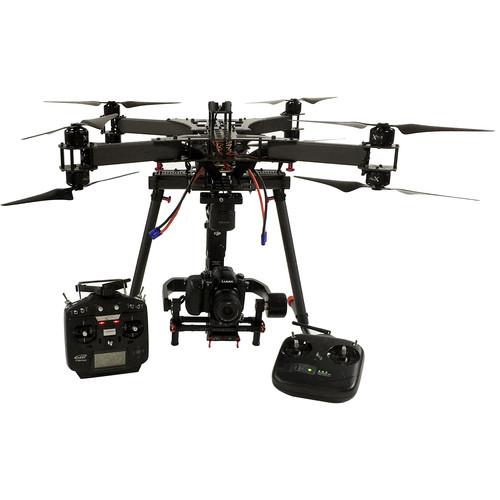 Contents of the user manual for the xFold rigs TRAVEL X8 Octocopter
- Product category: See All Drones xFold rigs
- Brand: xFold rigs
- Description and content of package
- Technical information and basic settings
- Frequently asked questions – FAQ
- Troubleshooting (does not switch on, does not respond, error message, what do I do if...)
- Authorized service for xFold rigs See All Drones
 |
User manual for the xFold rigs TRAVEL X8 Octocopter contain basic instructions
that need to be followed during installation and operation.
Before starting your appliance, the user manual should be read through carefully.
Follow all the safety instructions and warnings, and be guided by the given recommendations.
User manual is an integral part of any xFold rigs product,
and if it is sold or transferred, they should be handed over jointly with the product.
Following the instructions for use is an essential prerequisite for protecting
health and property during use, as well as recognition of liability on the part of the manufacturer
for possible defects should you make a warranty claim. Download an official xFold rigs user manual in which you will find instructions on how to install, use, maintain and service your product.
And do not forget – unsuitable use of a xFold rigs product will considerably shorten its lifespan!
|
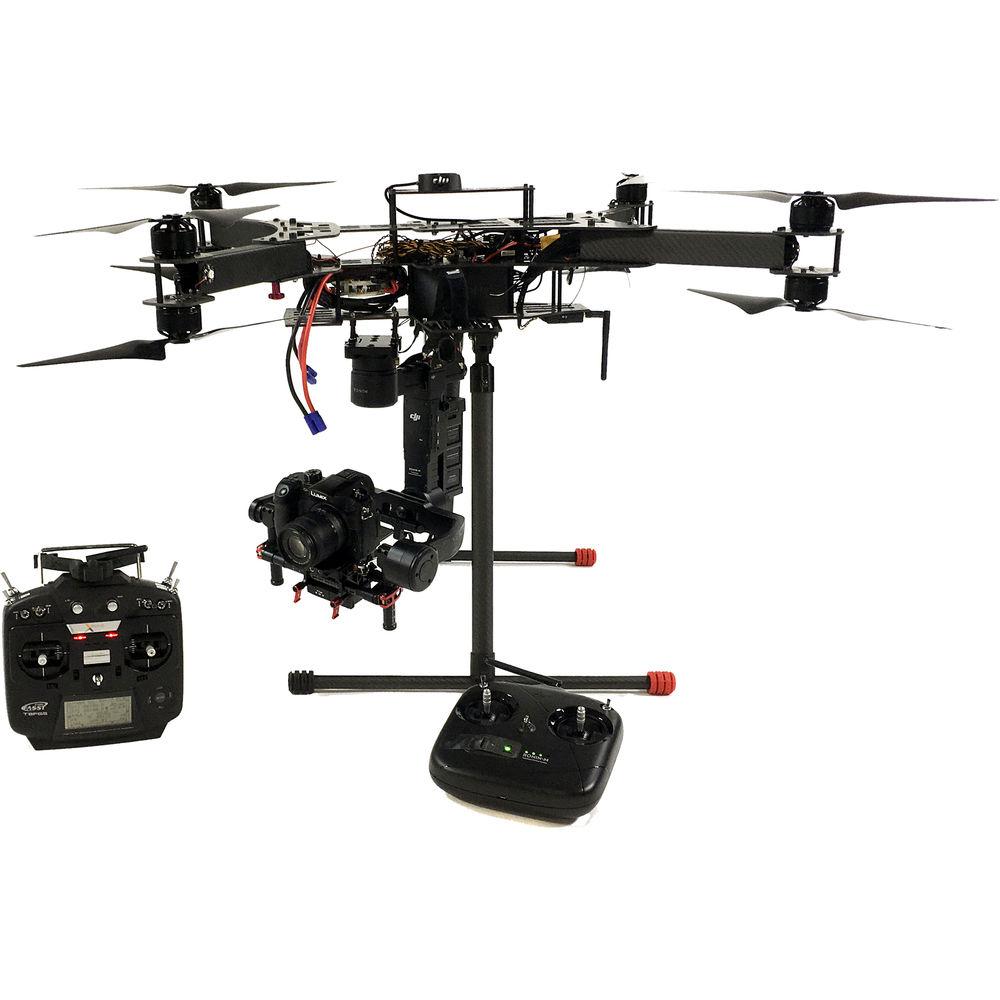
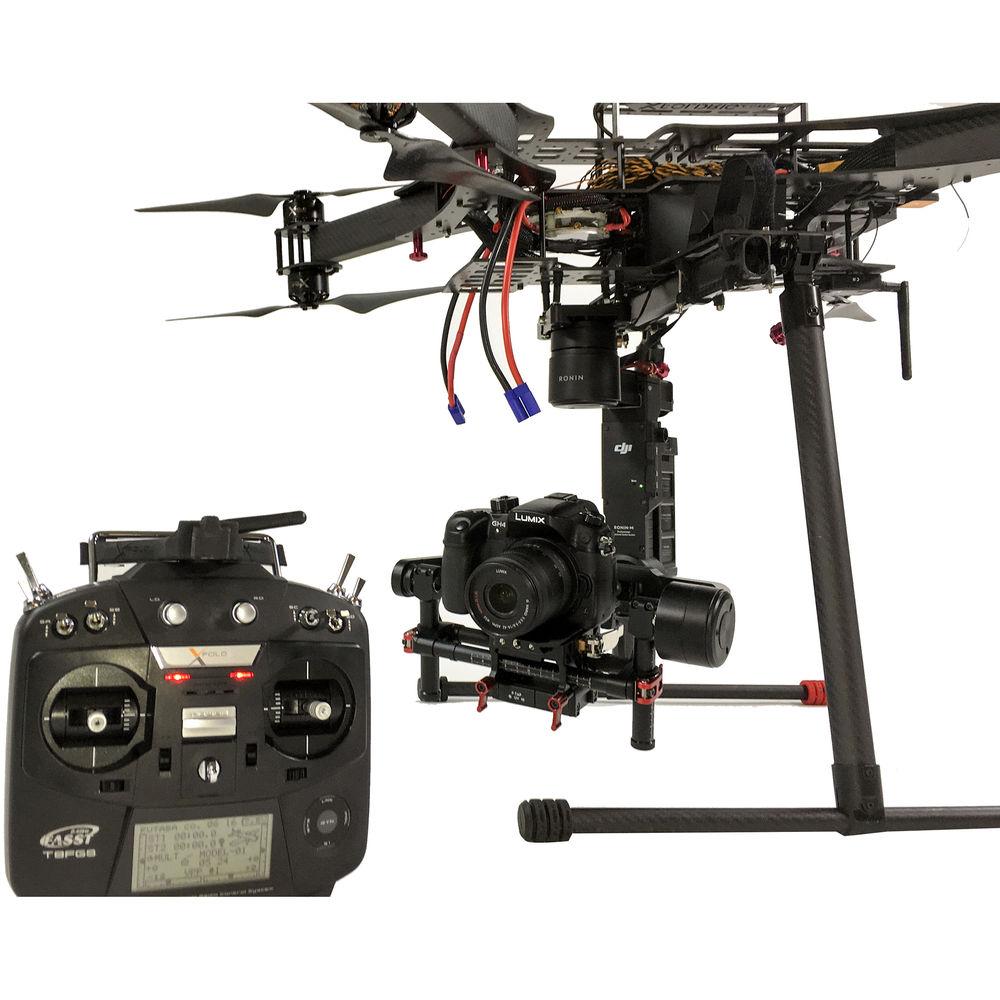
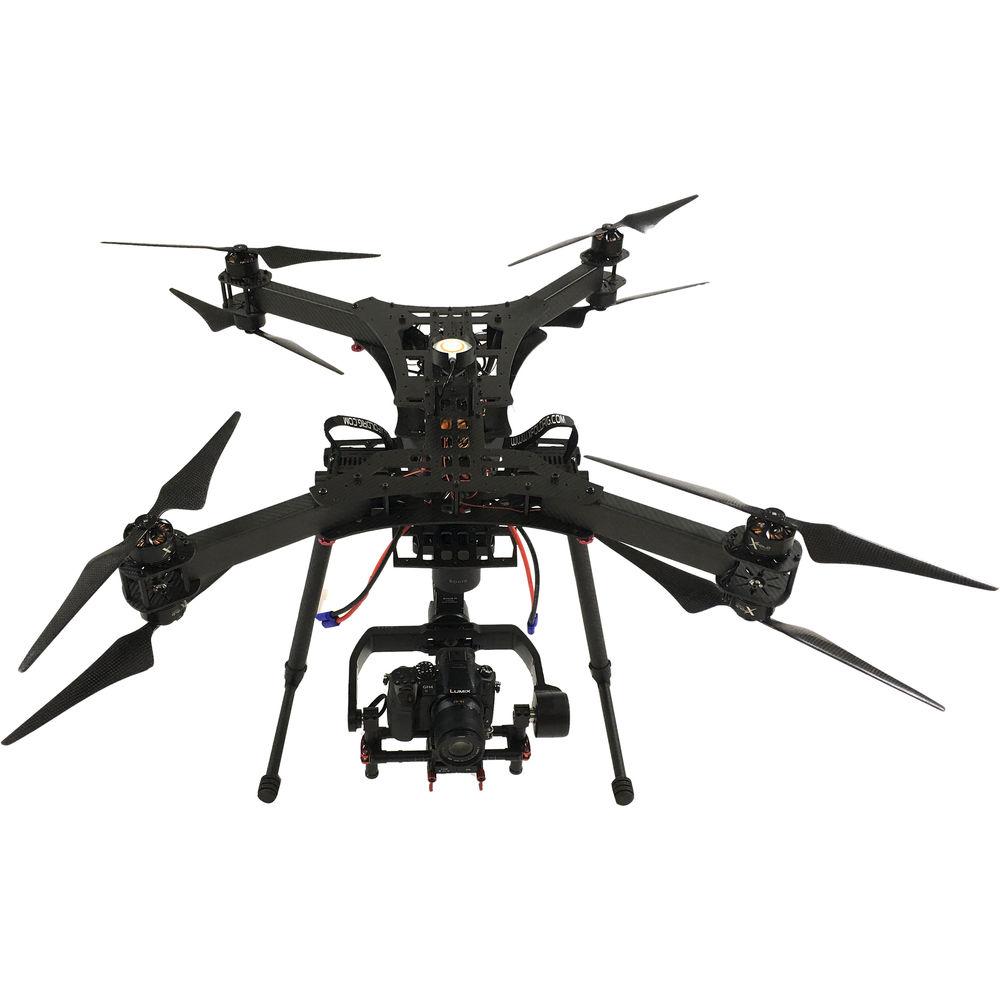
Product description Aerial Photography and Drone Glossary Read More The TRAVEL X8 Octocopter from xFold is designed to strike a balance between versatility and portability. It features a 3-axis gimbal that will support cameras weighing up to 3.7 pounds. This makes it perfect for most DSLRs, mirrorless cameras, and compact video cameras such as action cameras. Thanks to the inclusion of two 14-channel transmitters (radio controllers), single- and dual-operator modes are supported. With two operators, one will pilot the aircraft while the other will operate the gimbal and camera. The Amimon CONNEX Full HD video link is included for the camera operator to see a high-quality feed in real time. In addition, there is a 5.8 GHz analog downlink as well as two 7" field monitors, which can be used for FPV (first-person view).
In addition to the video downlinks, monitor, and gimbals, this ready-to-fly (RTF) bundle includes two LiPo flight batteries and one hardshell travel case.
Note: FPV goggles available separately. Aircraft - Toray 3k Weave Carbon Fiber Frame
- The main airframe is constructed from carbon fiber to take advantage of the material's high strength-to-weight ratio. 3k-width weave is the same weave commonly found on bicycle frames, as it is strong while still providing a degree of flexibility.
Gimbal Stabilizer and Video Downlink - 3-Axis Gimbal for 3.7lb Camera
- The included gimbal is compatible with a DSLR, mirrorless camera, or action camera weighing up to 3.7 pounds. The gimbal provides image stabilization while helping isolate the camera from vibration caused by the motors. Its three axes keep the camera horizontally and vertically level while still allowing the camera to pan left and right.
- Amimon CONNEX Wireless HD Video Link
- With the CONNEX downlink, you can view a live, near-zero latency feed from the camera at up to 1080p60 resolution. Suitable for monitoring, FPV, and gimbal operation, the system features a range of up to 3300' line-of-sight (depending on conditions). It incorporates an S.BUS relay, so that gimbal controls for S.BUS-compatible gimbals can be relayed to back to the aircraft, and can display OSD data from MAVLINK telemetry modules (telemetry system available separately). The video transmission is encrypted to help prevent eavesdropping. The transmitter can link to up to four receivers, which allows, for example, the pilot and camera operator to each have their own monitor (two are included) or FPV goggles (not included).
- FPV Camera with 5.8 GHz Video Downlink
- In addition to the HD feed provided by the CONNEX, an FPV camera and 5.8 GHz analog video transmitter are included for the sake of the pilot or drone operator. The feed can be viewed on the included FPV monitors or a separately available set of FPV glasses.
- 7" FPV Monitor with IPS Panel
- To monitor a live feed, either from the acquisition camera using the CONNEX system or from the FPV camera, two 7" field monitors are included. Each features a 1280 x 800 resolution panel with IPS technology to help improve the off-axis viewing angle. A 32-channel dual diversity receiver is built in for receiving the signal from the 5.8 GHz downlink.
DJI Naza-M V2 Flight Controller with GPS - Supports DJI Ground Station
- By adding the separately available Bluetooth Datalink to the flight control system, you can plot waypoint-based autopilot courses using an iPad app or Windows software.
- Software-Based Aircraft Stabilization
- The system works with or without GPS and helps keep the aircraft stable and on course by taking data from gyros and other sensors and applying it to any pilot inputs. Naza-M V2 features GPS course correction plus GPS and compass interference monitoring, which combine to prevent the aircraft drifting off course do to magnetic interference that may throw off the compass (the GPS must be enabled and properly calibrated for this feature to work).
- Takeoff Assistance
- Helps ensure a stable, drift-free take off even on uneven surfaces.
- Intelligent Orientation Control (IOC)
- Because multi-rotors are virtually symmetrical, it can be easy to lose track of which end is the "front". IOC features two modes to help make flying more intuitive:
- Core Lock: "Forward" is always the same as the direction the nose was pointing when the aircraft first took-off, regardless of the actual orientation of the aircraft.
- Home Lock: "Forward" is always away from the origin defined by the Home Point that was established during GPS calibration. In other words, "forward" will be away from the Home Point (pilot) and "back" always toward the Home Point. Moving the stick right or left will cause the aircraft to follow a circular path around the Home Point.
- Motor Failure Protection
- When an octo-rotor equipped with a Naza-M V2 suffers a single motor failure in flight while in attitude or GPS mode, it will maintain its altitude and rotate around the stopped motor. This allows it to fly safely back to home and land.
- Failsafe and Auto Go Home Support
- If the connection between the multi-rotor and the remote control (transmitter) are disconnected during flight, a failsafe system will activate. Provided there was enough GPS signal at the time of the disconnection, the multi-rotor will fly back to its point of takeoff and land automatically. This feature can also be triggered manually using the One-Key Go-Home function activated using Assistant software.
- Assistant Software for Mobile Devices
- Using an iOS mobile device with Bluetooth LE support, parameters can be adjusted at any time the multi-rotor is within range. Connection records are automatically stored by the Bluetooth module and protected by password. Where Internet access is available, parameters can be automatically synchronized to the cloud and restored immediately if you switch to a different mobile device.
- Built-in Functions
-
- Multiple autopilot control modes
- Enhanced fail-safe
- Low voltage protection
- S-Bus receiver support
- PPM receiver support
- Independent PMU module
- 2-axis gimbal support
DJI iOSD Module - The included iOSD module superimposes flight telemetry data over the FPV video feed being sent to the ground-end via the 5.8 GHz transmitter. This allows you to keep apprised of vital flight stats, such as remaining battery voltage, speed, and altitude.
In the Box xFold rigs TRAVEL X8 Octocopter (RTF) 2 x xFold / Futaba Commercial 14 Transmitter (Radio Controller) DJI Naza-M V2 Flight Controller 3-Axis Gimbal for Camera up to 3.7lb CONNEX Wireless HD Video Link for UAVs 2 x 7" FPV Monitor with 32-Channel Diversity Receiver FPV Flight Camera 5.8 GHz FPV Video Downlink 2 x 8000 mAh LiPo Flight Batteries Hardshell Travel Case Camera in the Sky: Using Drones in Wedding Photography and Videos Peter Ward_1 02/29/2016 Some Good News for Photographers and Filmmakers Who Use Drones Peter Ward_1 02/23/2015 Quick start Guide PDF 1.5mb Table of Contents
|
Upload User Manual
Have you got an user manual for the xFold rigs TRAVEL X8 Octocopter in electronic form? Please send it to us and help us expand our library of instruction manuals.
Thank you, too, on behalf of other users.
To upload the product manual, we first need to check and make sure you are not a robot. After that, your "Submit Link" or "Upload File" will appear.
Technical parametersxFold rigs X8 U5 Specs | | | Payload Capacity | Optimal: 6.6 lb / 3 kg
Maximum: 21.8 lb / 9.9 kg | | Flight Time | Up to 15 minutes (depending battery capacity and conditions) | | | | Model | xFold / Futaba T8FG Super | | Frequency | 2.4 GHz | | Number of Channels | 14 | | Battery | 7.2 VDC NiMH | | | | Model | xFold / Gremsy H3 | | Number of Axes | 3 | | Capacity | 3.7 lb / 1.7 kg | | Camera Compatibility | DSLR, mirrorless camera, or compact video camera up to 3.7 lb (1.7 kg) | | | | Resolution | Not specified by manufacturer | | | | Frequency | 5.8 GHz | | Transmit Power | 600 mW | | | | Model | Amimon CONNEX | | Range | 3300' / 1000m (outdoor; line-of-sight) | | Latency | > 1 ms | | Frequency | 5.1 to 5.8 GHz | | Channel Selection | Automatic frequency selection (AFS) | | Multicast Mode | Up to 4 receivers with no delay or quality degradation (requires separately available additional ground unit(s)) | | Encryption | AES-128 and RSA 1024 for key exchange | | Supported Resolutions | 1080p: 60, 50, 30, 25, 24 fps
1080i: 60, 50 fps
525i: 60 fps (NTSC)
625i: 50 fps (PAL) | | OSD Support | MAVLINK telemetry-based | | Connectivity | Video
Air Unit:
1 x mini HDMI
Ground Unit:
1 x HDMI (Type A)
Antenna
Air Unit:
2 x MMCX
Ground Unit:
5 x SMA
Power
Air Unit:
8 to 26 VDC (3S to 6S)
Ground Unit:
7 to 19 VDC | | Operating Temperature | 32 to 113°F / 0 to 45°C | | Dimensions | Air Unit:
4 x 2.5 x 0.6" / 102 x 63.6 x 15.6 mm
Ground Unit:
5.1 x 3.5 x 0.8" / 129 x 89 x 20 mm | | Weight | Air Unit:
4.6 oz / 130 g
Ground Unit:
9.2 oz / 260 g | | | | Size | 7" | | Panel | IPS | | Brightness | 400 cd/m² | | Contrast Ratio | 800:1 | | Resolution | 1280 x 800 | | Receiver | Type: Dual diversity
Number of Channels: 32 | | | | Supported ESC Output | 400 Hz refresh frequency | | Supported Transmitters | PCM or 2.4 GHz radio with at least 4 channels | | Working Range | MC: 4.8 to 5.5 V
VU Input: 7.4 to 26.0 V (2S to 6S LiPo recommended)
Output (V-SEN Port Red Wire): 3 A at 5 V (burst current: 7.5 A) | | Power Consumption | MAX: 1.5 W (0.3 A at 5 V)
Normal: 0.6 W (0.12 A at 5V) | | Operating Temperature | 14 to 122°F / -10 to 50°C | | System Requirements | Assistant Software: Windows 8, 7, XP SP3 | | Hovering Accuracy (GPS Mode) | Vertical: ±2.6' / ±0.8 m
Horizontal: ±8.2' / ±2.5 m | | Max Angular Speed | 200°/s | | Max Tilt Angle | 35° | | Ascent/Descent | Ascent: 19.7 ft/s / 6 m/s
Descent: 14.8 ft/s / 4.5 m/s | | Weight | MC: 1 oz / 27 g
PMU: 1 oz / 28 g
GPS: 1 oz / 27 g
LED: 0.5 oz / 13 g | | Dimensions | MC: 1.8 x 1.3 x 1.3" / 45.5 x 32.5 x 18.5 mm
PMU: 1.6 x 1.1 x 0.4" / 39.5 x 27.5 x 10 mm
GPS & Compass: 1.8 (diameter) x 0.4" / 46 (diameter) x 10 mm
LED: 1 x 1 x 0.3" / 25 x 25 x 7.0 mm | | | | Model | DJI iOSD Mini | | Video Format | NTSC
PAL | | Supported Flight Control Systems | WooKong-M
Naza-M
Naza-M V2 | | Power Requirement | 6 V | | Working Current | 180 mA at 6 V (typical value) | | Operating Temperature | -4 to 140 °F / -20 to 60°C | | Weight | 0.5 oz / 14 g | | | | Configuration | Dual-battery configuration | | Chemistry | Lithium-ion polymer (LiPo) | | Capacity | Included: 8000 mAh (per battery)
Minimum Supported: 6000 mAh
Maximum Supported: 16,000 mAh | | Configuration | 6S | | Discharge Rate | 35C | | | | Model | xFold / T-Motor 4014 | | Motor Velocity Constant | 330 Kv | | ESC | 40 A | | | | Size | Recommended: 12 to 15"
Included: 16 x 4.5 (top) / 15 x 4.5 (bottom) | | | | Configuration | X8 | | Dimensions | Flight Configuration: 23.6 x 22.6 x 24" / 59.9 x 57.4 x 61 cm
Folded: 17.9 x 11.7" / 45.5 x 29.7 cm | | Weight | 8.6 lb / 3.9 kg (includes motors, propellers, flight controller, landing gear) | | | | Package Weight | 71.0 lb | | Box Dimensions (LxWxH) | 34.0 x 28.0 x 16.5" |
Rating100% users recommend this product to others. And what about you?

This product has already been rated by 81 owners. Add your rating and experience with the product.
Discussion
 Ask our technicians if you have a problem with your settings,
or if anything is unclear in the user manual you have downloaded.
You can make use of our moderated discussion.
The discussion is public and helps other users of our website who may be encountering similar problems.
Ask our technicians if you have a problem with your settings,
or if anything is unclear in the user manual you have downloaded.
You can make use of our moderated discussion.
The discussion is public and helps other users of our website who may be encountering similar problems.
The discussion is empty - enter the first post
Post a new topic / query / comment:
|
|
|
| Request for user manual |
You can’t find the operation manual you are looking for? Let us know and we will try to add the missing manual:
I’m looking for a manual / Request for manual
Current requests for instruction manuals:
Call Of Duty World War Two For Xbox...
controller stratus XL...
stratus XL...
smart whatch serie S11 42mm...
Allen & Heath SQ-6 manual...
|
| Discussion |
Latest contributions to the discussion:
AEW R 4100
Name: MAURICIO ANGARITA
Audio-Technica AEW-R4100 UHF Diversity Receiver for
AEW R 4100 has the mute function blocked and does not allow audio to pass. I tried several times to turn off the mute from the transmitter but it does nothing, the mute stays on. Solution?
Thank you...
Instructions for assembling the 2015 Forecast Image Master Consoles GC3-A
Name: mike elam
Forecast Consoles GC3-A ImageMaster Editing Console
Looking for instructions for assembling this console. ...
EMPTY TONER ERROR MESSAGE AFTER REPLACING TONER
Name: LINDA BAD YELLOW EYES
Brother TN223BK Standard-Yield Toner
I HAD TO CHANGE OUT ALL THREE TONERS DUE TO LEAKS IN THE YELLOW AND CYAN. AFTER I REPLACED THEM, THE MACHINE KEEPS GIVING ME AN EMPTY TONER ERROR MESSAGE. HELP!!...
PS480D 20/24 pin Switching 480W Power Supply
Name: swkargo
Logisys 480W Power Supply
This item states in can run -5vdc .It is NOT listed on the board or I beleive is r4 is missing the resitior. Any body have thid issue. Shawn
...
Help needed
Name: Ann Carter
SanDisk 1TB Extreme Portable USB 3.1
When I click the link to download the user manual for my Sandisk Extreme external hard drive, it gives me the manual for the LG Cricket. Can you please change the link so I can download the Sandisk manual and begin using this drive? Thank you....
|
|


