|
User Manual for DJI A3 Pro Flight Control System Click to enlarge the picture
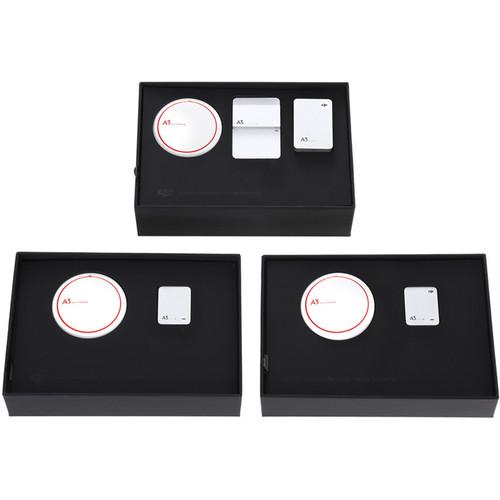 Contents of the user manual for the DJI A3 Pro Flight Control System
- Product category: DJI Accessories DJI
- Brand: DJI
- Description and content of package
- Technical information and basic settings
- Frequently asked questions – FAQ
- Troubleshooting (does not switch on, does not respond, error message, what do I do if...)
- Authorized service for DJI DJI Accessories
 |
User manual for the DJI A3 Pro Flight Control System contain basic instructions
that need to be followed during installation and operation.
Before starting your appliance, the user manual should be read through carefully.
Follow all the safety instructions and warnings, and be guided by the given recommendations.
User manual is an integral part of any DJI product,
and if it is sold or transferred, they should be handed over jointly with the product.
Following the instructions for use is an essential prerequisite for protecting
health and property during use, as well as recognition of liability on the part of the manufacturer
for possible defects should you make a warranty claim. Download an official DJI user manual in which you will find instructions on how to install, use, maintain and service your product.
And do not forget – unsuitable use of a DJI product will considerably shorten its lifespan!
|
Product description This bundle from DJI features the A3 plus two upgrade kits that, combined, yield a complete A3 Pro Flight Control System. With three IMU/GNSS systems, the A3 Pro provides triple redundancy, ideal for mission critical applications where failure is not an option.
The A3 Pro system is optimized for professional and cinematography applications, providing navigation and stabilization to quad-, hexa-, and octo-rotor aircraft. The system features GNSS, which means it can use satellite systems, such as GPS or GLONASS, in combination with a compass to provide precise positional data. The A3 Pro can be used in combination with DJI's Lightbridge 2 system to provide a high quality video downlink from a gimbal-mounted camera. Ground station software enables features, such as telemetry monitoring and route planning, and provides a flight simulator (additional ground station hardware required). It features support for DJI gimbals, including the Zenmuse Z15 line and the Ronin-MX. Mobile and Onboard SDKs allows developers to program custom solutions tailored to industry-specific use cases. A3 Pro Features - Note: To complete the A3 Pro system one standard A3 is required
- Triple Modular Redundancy
- The A3 Pro gives the system three IMUs and three GNSS units, with additional analytical redundancies for a total of six redundancies. Working together with advanced diagnostic algorithms, if the A3 Pro detects GNSS or IMU unit failure during flight, it seamlessly switches to another unit to maintain reliability and precision
Performance - Fault-Tolerant Control
- The new attitude determination and multi-sensor fusion algorithms improve the A3 Pro's control accuracy. The robust control algorithm enables the A3 Pro to be adapted to a wide range of aircraft without the need for manual tuning. With a fault-tolerant control system, a hexacopter or octocopter can land safely even in the event of propulsion system failure
- Optional D-RTK GNSS
- The A3 Pro supports separately available D-RTK GNSS for centimeter-level positioning accuracy compared to a normal GPS and barometer solution. Using dual antennas, its heading reference is more accurate than a compass sensor, and it is able to withstand magnetic interference from metal structures
Ground Station - Ground Station Software
- Supporting both touchscreen and mouse and keyboard, the redesigned Ground Station can support mission design, for use in a range of industry applications. Users can simultaneously manage and monitor the mission implementation of multiple aircraft and plan formation flights. Ground Station is compatible with the Matrice 100 and Matrice 600, Phantom 4, and DATALINK hardware (all available separately)
- Optional DATALINK PRO
- The separately available DATALINK PRO operates at a frequency below 1 GHz, and works over a range of up to 1.2 miles. It integrates seamlessly with the A3 Pro and D-RTK as well as the Ground Station, which allows up to five aircraft to be controlled from one base station. A broadcast mode lets the base station broadcast data to 32 mobile devices and a duplex mode keeps data locked to one device
Assistant Software - DJI Assistant 2 allows you to set up a variety of DJI aerial systems. A new, built-in flight simulator ensures that complex moves can be practiced in advance without risking the aircraft, and a completely overhauled Ground Station supports touch screen interaction, offline mission design, route planning, and even formation flight for multiple aircraft
SDK Support - With Onboard and Mobile SDKs, custom-built applications can access flight data, and control the aircraft, gimbal, and camera. Dedicated hardware interfaces including CAN and API ports allow industry experts to craft their ideal aerial system by adding actuators and sensors
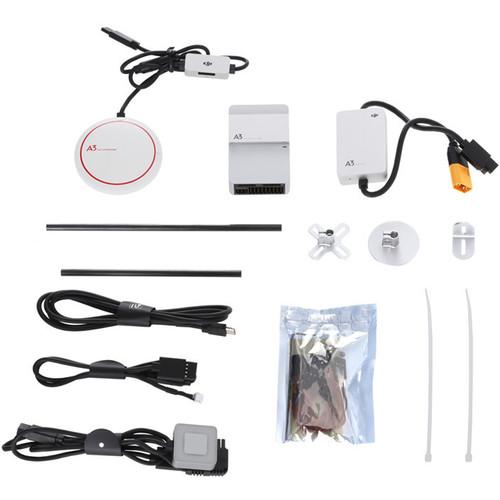
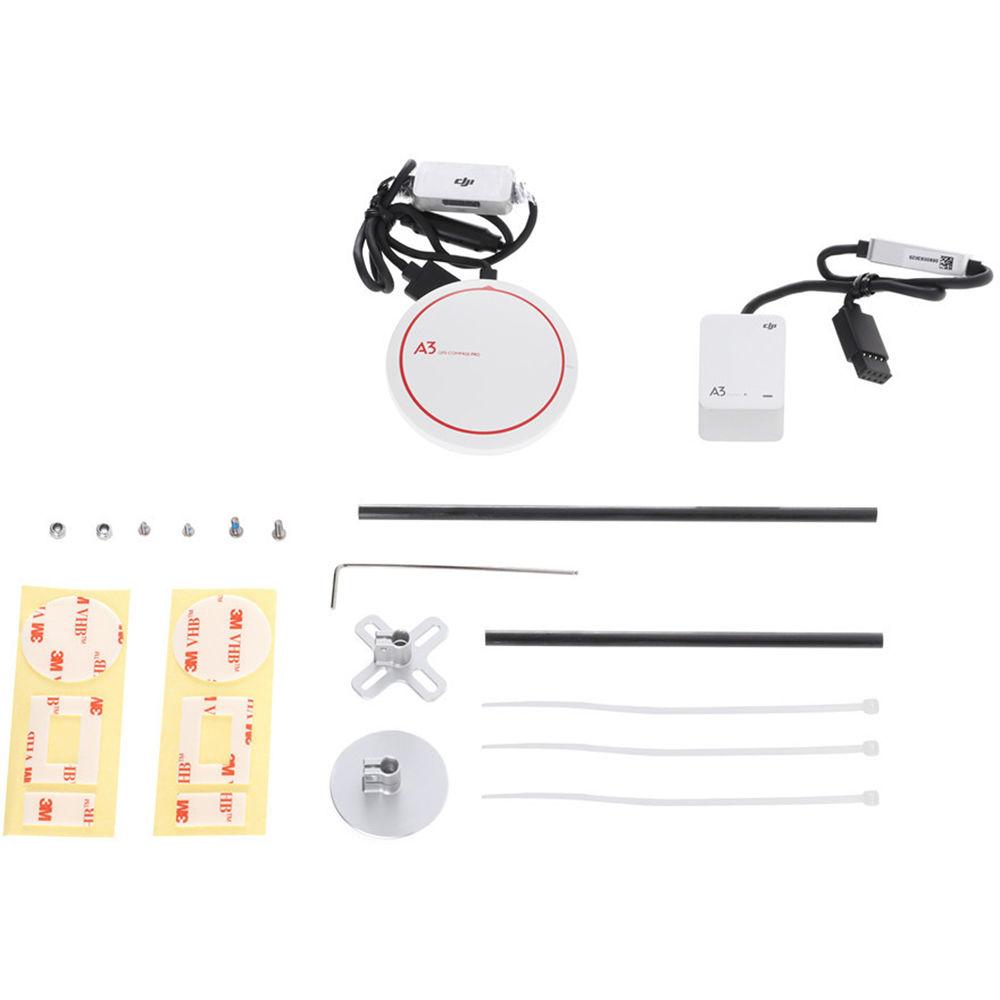
UPC: 190021001763 In the Box DJI A3 Pro Flight Control System Flight Controller 2 x IMU Pro 3 x GPS-Compass Pro LED Module PMU 3 x GPS Mounting Bracket LED Mounting Bracket CAN-Bus to Gimbal Cable Micro-USB Cable 5 x Servo Cable D-BUS Cable Screw Pack 9 x Cable Tie 10 x Double-Sided Adhesive User Manual PDF 7.8mbzftfqaybvvrssasxfvddadstvsvxyy Table of Contents
|
Upload User Manual
Have you got an user manual for the DJI A3 Pro Flight Control System in electronic form? Please send it to us and help us expand our library of instruction manuals.
Thank you, too, on behalf of other users.
To upload the product manual, we first need to check and make sure you are not a robot. After that, your "Submit Link" or "Upload File" will appear.
Technical parametersDJI CP.WK.000048 Specs | | | Hovering Accuracy | In P-Mode:
Vertical: ±1.6' / 0.5 m
Horizontal: ±4.9' / 1.5 m | | Maximum Wind Resistance | 32.8 ft/s (10 m/s) | | Maximum Yaw Angular Velocity | 150°/s | | Maximum Pitch Angle | 35° | | Maximum Speed | Ascent 16.4 ft/s / 5 m/s
Descent: 13.1 ft/s / 4 m/s | | | | Flight Modes | P-Mode (Positioning)
Atti Mode / A-Mode (Attitude)
F-Mode (Function)
Manual
Return to Home (RTH) Modes:
Smart RTH
Low battery RTH (requires DJI Intelligent Flight Battery)
Low voltage RTH (for other LiPo batteries)
Failsafe RTH | | Safety Features | Failsafe mode
Low battery level warning (requires DJI Intelligent Flight Battery)
Low battery voltage warning (for other LiPo batteries)
Custom flight altitude and radius limits
No Fly Zones
Motor redundancy (for 6 and 8 rotor platforms)
Motor overload detection
Triple modular redundancy (requires A3 Pro upgrade) | | App-Enabled Modes | Beginner mode
Auto takeoff and landing
Wireless flight controller configuration
Flight data OSD (built-in data recorder)
Intelligent Flight Modes: Course Lock / Home Lock / Point of Interest (POI) / Waypoints
Note: Lightbridge 2 Required for all except Course Lock and Home Lock | | | | Supported Equipment | DJI Aerial Platforms: S900, S1000, S1000+
DJI Gimbal Systems: Ronin-MX; Zenmuse X3 / X5 / X5R/ XT /Z15 A7 / GH4 / 5D III / BMPCC
DJI Intelligent Landing Gear
DJI Intelligent Flight Battery | | Supported Airframes | 4-Rotor: I4, X4
6-Rotor: I6, V6, Y6, IY6
8-Rotor: X8, I8, V8 | | Supported ESC Output | 400 Hz refresh frequency | | Supported Receivers | DJI Lightbridge2
DJI DR16
S-BUS | | Recommended Batteries | DJI Intelligent Flight Battery
3S to 12S lithium-ion polymer (LiPo) battery | | Operating System | Assistant Software:
Windows 7, 8 or 10 (32 or 64 bit)
Mac OS X 10.9 or later | | | | SDK | Mobile SDK
Onboard SDK | | Onboard SDK Ports | API | | Expansion Ports | F1 to F4 ports for output | | | | Rated Power | A3: 5 W
With A3 Pro Upgrade: 10 W | | Rated Peak Power | 16 W | | Input Voltage Range | 10.5 to 52 V | | Static Electricity | AD: ±8 KV
CD: ±4 KV | | | | Operating Temperature | 14 to 113°F / -10 to 45°C | | Dimensions | Flight Controller: 2.5 x 0.9 x 0.8" / 64 x 24 x 19.5 mm
GPS-Compass Pro: 2.4" / 61 mm (diameter) x 0.5" / 13 mm
LED Module: 1.1 x 1.1 x 0.3" / 27 x 27 x 8 mm
IMU Pro: 1.3 x 1 x 0.8" / 34 x 26.5 x 20 mm
PMU: 2 x 1.3 x 0.5" / 51 x 34 x 13.5 mm | | Weight | Complete A3 Pro System: 13.6 oz / 386 g | | | | Package Weight | 3.5 lb | | Box Dimensions (LxWxH) | 7.6 x 5.8 x 5.3" |
Rating70% users recommend this product to others. And what about you?

This product has already been rated by 68 owners. Add your rating and experience with the product.
Discussion
 Ask our technicians if you have a problem with your settings,
or if anything is unclear in the user manual you have downloaded.
You can make use of our moderated discussion.
The discussion is public and helps other users of our website who may be encountering similar problems.
Ask our technicians if you have a problem with your settings,
or if anything is unclear in the user manual you have downloaded.
You can make use of our moderated discussion.
The discussion is public and helps other users of our website who may be encountering similar problems.
The discussion is empty - enter the first post
Post a new topic / query / comment:
|
|
|
| Request for user manual |
You can’t find the operation manual you are looking for? Let us know and we will try to add the missing manual:
I’m looking for a manual / Request for manual
Current requests for instruction manuals:
Call Of Duty World War Two For Xbox...
controller stratus XL...
stratus XL...
smart whatch serie S11 42mm...
Allen & Heath SQ-6 manual...
|
| Discussion |
Latest contributions to the discussion:
AEW R 4100
Name: MAURICIO ANGARITA
Audio-Technica AEW-R4100 UHF Diversity Receiver for
AEW R 4100 has the mute function blocked and does not allow audio to pass. I tried several times to turn off the mute from the transmitter but it does nothing, the mute stays on. Solution?
Thank you...
Instructions for assembling the 2015 Forecast Image Master Consoles GC3-A
Name: mike elam
Forecast Consoles GC3-A ImageMaster Editing Console
Looking for instructions for assembling this console. ...
EMPTY TONER ERROR MESSAGE AFTER REPLACING TONER
Name: LINDA BAD YELLOW EYES
Brother TN223BK Standard-Yield Toner
I HAD TO CHANGE OUT ALL THREE TONERS DUE TO LEAKS IN THE YELLOW AND CYAN. AFTER I REPLACED THEM, THE MACHINE KEEPS GIVING ME AN EMPTY TONER ERROR MESSAGE. HELP!!...
PS480D 20/24 pin Switching 480W Power Supply
Name: swkargo
Logisys 480W Power Supply
This item states in can run -5vdc .It is NOT listed on the board or I beleive is r4 is missing the resitior. Any body have thid issue. Shawn
...
Help needed
Name: Ann Carter
SanDisk 1TB Extreme Portable USB 3.1
When I click the link to download the user manual for my Sandisk Extreme external hard drive, it gives me the manual for the LG Cricket. Can you please change the link so I can download the Sandisk manual and begin using this drive? Thank you....
|
|


