|
User Manual for DJI Inspire 1 v2.0 Quadcopter Click to enlarge the picture
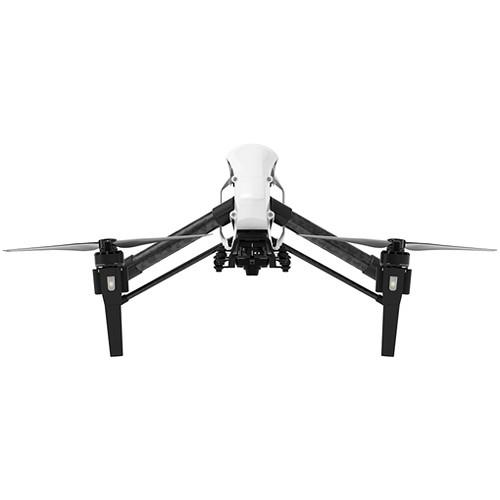 Contents of the user manual for the DJI Inspire 1 v2.0 Quadcopter
- Product category: See All Drones DJI
- Brand: DJI
- Description and content of package
- Technical information and basic settings
- Frequently asked questions – FAQ
- Troubleshooting (does not switch on, does not respond, error message, what do I do if...)
- Authorized service for DJI See All Drones
 |
User manual for the DJI Inspire 1 v2.0 Quadcopter contain basic instructions
that need to be followed during installation and operation.
Before starting your appliance, the user manual should be read through carefully.
Follow all the safety instructions and warnings, and be guided by the given recommendations.
User manual is an integral part of any DJI product,
and if it is sold or transferred, they should be handed over jointly with the product.
Following the instructions for use is an essential prerequisite for protecting
health and property during use, as well as recognition of liability on the part of the manufacturer
for possible defects should you make a warranty claim. Download an official DJI user manual in which you will find instructions on how to install, use, maintain and service your product.
And do not forget – unsuitable use of a DJI product will considerably shorten its lifespan!
|
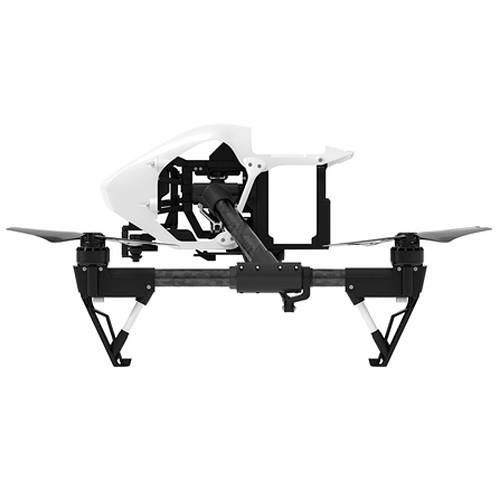
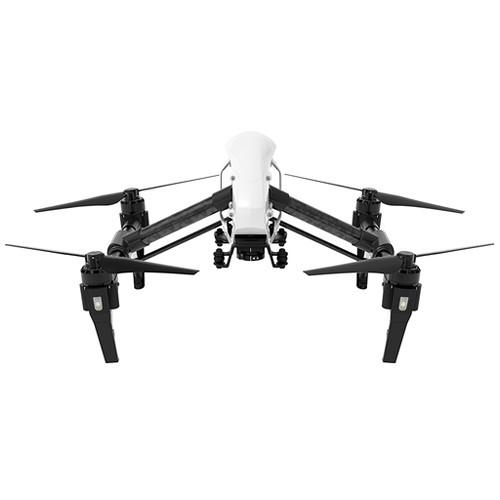
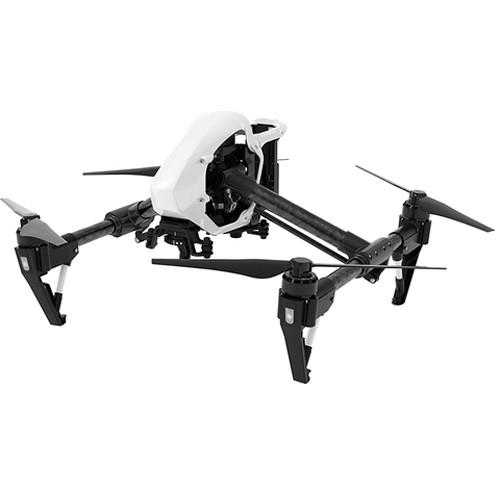
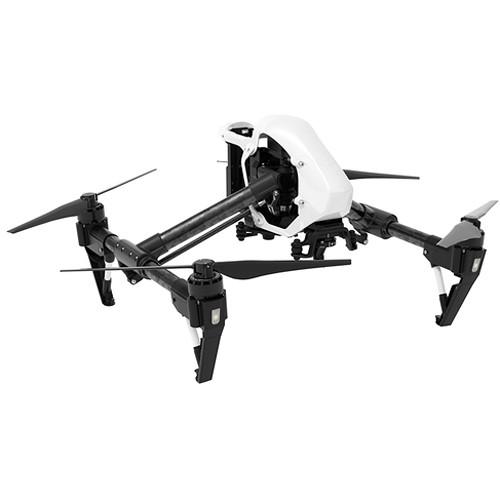
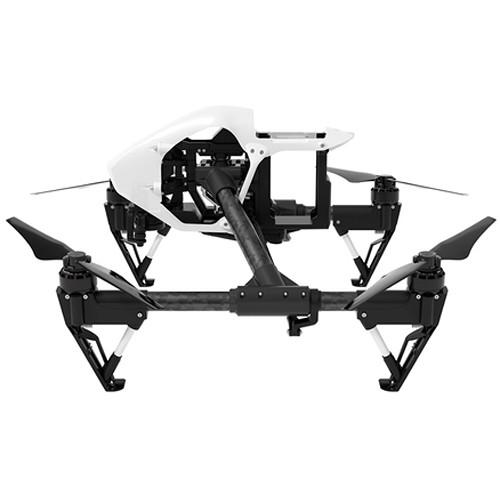
Product description Aerial Photography and Drone Glossary Read More aeuxusyyusxuaxbcazszqdqdfbccrrv With the DJI Inspire 1 v2.0 Quadcopter, you get a drone platform that you can build on. Make it your own by adding an (optional) camera, battery, remote, and charger that fits your needs. Forgoing the fixed landing gear design found on many earlier quadcopters, the Inspire 1 features a retractable arm system whereby the underside of each prop motor has a foot to act as a landing pod when the arms are lowered. In-flight, the arms lift up to provide an unobstructed 360-degree view for the (optional) camera you provide.
As with many other multi-rotor systems, the Inspire 1 relies on a GPS-based stabilization system that – thanks to spatial awareness – is able to hold a position even when experiencing wind interference, can compensate for overzealous pilot inputs to help avoid stalling, automatically brings the aircraft home in the event of signal loss or at the press of a button, and makes possible a number of semi-automated flight modes that can be enabled through the app.
There is also an "indoor" mode that relies on Vision Positioning technology – essentially a special camera – to provide stability indoors or in other contexts where GPS is unavailable (Note: certain features will be unavailable in indoor mode). Please note that this kit does not include a camera, remote controller, battery, or battery charger. What's New for v2? - Zenmuse X5/X5R Compatibility
- In addition to the (optional) Zenmuse X3, this version of the Inspire 1 also works with the Zenmuse X5 and X5R gimbal cameras (available separately)
- New Propulsion System
- With the new 3510H motor, the thrust sees a boost. This yields an increase in the motor velocity constant from 350 Kv to 420 Kv. In practice, this translates into better control, especially when using an (optional) Zenmuse X5 series gimbal camera
- Redesigned Propellers
- To go with the 3510H motors, new propellers and a new propeller mounting system have been introduced. They employ an updated mounting system, designed to make attaching and removing the propellers easier than ever before
Airframe Design - Retractable Carbon Fiber Arms
- The prop arms rest in a lowered position when the Inspire is on the ground, acting as landing gear. Once in the air, they can be retracted to give a camera (sold separately) unobstructed views across 360°. Carbon fiber is used in the construction because of its high strength to weight ratio
- Aerodynamic Design
- Not only does it give the Inspire 1 a sleek look, the aerodynamic airframe helps reduce resistance for better performance and increased battery life
Flight Control System - Fly Indoors and Without GPS
- DJI's Optical Flow technology uses a specially designed camera as well as sonic waves to provide the same stability function indoors as GPS does outdoors. This technology allows the Inspire to hold its location, stop when the controls are released, and quickly respond to pilot commands even when GPS is unavailable
- App-Based Control Software
- Everything from manual camera controls to flight telemetry – even auto takeoff and landing – can be accessed via the Inspire 1 Mobile app. It is also possible to create autopilot courses using waypoints, just as you would on the DJI iPad Ground Station System
Note: The tablet must be connected to the transmitter via USB, and to use the waypoint map an Internet connection is required - Live Map and Radar
- See precisely where your Inspire 1 is at all times on the live map. The map can be enlarged when needed, and shows your most recent flight path
- Dynamic Home Point
- When GPS signal is available on the remote controller (sold separately), the Home Point automatically refreshes. This becomes useful while traveling in a car or on a boat allowing the return-to-home point to move where the operator goes. Multiple configurations are available via the Dynamic Home Point function
- Auto-Takeoff and Landing
- Takeoff and landing are available with just a tap. Tap once to takeoff and your Inspire 1 will hover and transform, ready to start filming. Then tap again to make it transform into landing mode and auto land
UPC: 190021003606 In the Box DJI Inspire 1 v2.0 Quadcopter (No Remote/Camera/Battery/Charger) Limited 1-Year / 200-Hour Warranty on Aircraft (whichever Comes First; Excluding Propellers, Gimbal, Camera, and Battery) Camera in the Sky: Using Drones in Wedding Photography and Videos Peter Ward_1 02/29/2016 aeuxusyyusxuaxbcazszqdqdfbccrrv Some Good News for Photographers and Filmmakers Who Use Drones Peter Ward_1 02/23/2015 Table of Contents
|
Upload User Manual
Have you got an user manual for the DJI Inspire 1 v2.0 Quadcopter in electronic form? Please send it to us and help us expand our library of instruction manuals.
Thank you, too, on behalf of other users.
To upload the product manual, we first need to check and make sure you are not a robot. After that, your "Submit Link" or "Upload File" will appear.
Technical parametersDJI Inspire 1 Specs | | | Maximum Horizontal Speed | 49.2 mph / 22 m/s (Attitude Mode; No Wind) | | Maximum Ascent Speed | 11.2 mph / 5 m/s | | Maximum Descent Speed | 9 mph / 4 m/s | | Maximum Wind Resistance | 22.4 mph / 10 m/s | | Flight Ceiling | 14,764' / 4500 m | | Maximum Flight Time | 18 Minutes with (optional) Zenmuse X3 Camera | | Maximum Tilt Angle | 35° | | Hovering Accuracy | ±1.6' / 0.49 m Vertical with GPS
±8.2' / 2.50 m Horizontal with GPS | | Maximum Angular Velocity | 300°/s (Pitch)
150°/s (Yaw) | | | | GNSS Support | GPS | | Vision System | None | | | | App Operating System Requirements | iOS 7.1 and later
Android 4.1 and later | | | | Number of Rotors | 4 | | Operating Temperature | 14 to 104°F / -10 to 40°C | | Diagonal Size | 22.9" / 581.66 mm with Landing Gear Raised (22" / 559 mm with landing gear lowered) | | Overall Dimensions | 17.2 x 17.8 x 11.9" / 43.7 x 45.2 x 30.2 cm | | | | Package Weight | 14.31 lb | | Box Dimensions (LxWxH) | 22.9 x 21.2 x 12.0" |
Rating90% users recommend this product to others. And what about you?

This product has already been rated by 86 owners. Add your rating and experience with the product.
Discussion
 Ask our technicians if you have a problem with your settings,
or if anything is unclear in the user manual you have downloaded.
You can make use of our moderated discussion.
The discussion is public and helps other users of our website who may be encountering similar problems.
Ask our technicians if you have a problem with your settings,
or if anything is unclear in the user manual you have downloaded.
You can make use of our moderated discussion.
The discussion is public and helps other users of our website who may be encountering similar problems.
The discussion is empty - enter the first post
Post a new topic / query / comment:
|
|
|
| Request for user manual |
You can’t find the operation manual you are looking for? Let us know and we will try to add the missing manual:
I’m looking for a manual / Request for manual
Current requests for instruction manuals:
Call Of Duty World War Two For Xbox...
controller stratus XL...
stratus XL...
smart whatch serie S11 42mm...
Allen & Heath SQ-6 manual...
|
| Discussion |
Latest contributions to the discussion:
AEW R 4100
Name: MAURICIO ANGARITA
Audio-Technica AEW-R4100 UHF Diversity Receiver for
AEW R 4100 has the mute function blocked and does not allow audio to pass. I tried several times to turn off the mute from the transmitter but it does nothing, the mute stays on. Solution?
Thank you...
Instructions for assembling the 2015 Forecast Image Master Consoles GC3-A
Name: mike elam
Forecast Consoles GC3-A ImageMaster Editing Console
Looking for instructions for assembling this console. ...
EMPTY TONER ERROR MESSAGE AFTER REPLACING TONER
Name: LINDA BAD YELLOW EYES
Brother TN223BK Standard-Yield Toner
I HAD TO CHANGE OUT ALL THREE TONERS DUE TO LEAKS IN THE YELLOW AND CYAN. AFTER I REPLACED THEM, THE MACHINE KEEPS GIVING ME AN EMPTY TONER ERROR MESSAGE. HELP!!...
PS480D 20/24 pin Switching 480W Power Supply
Name: swkargo
Logisys 480W Power Supply
This item states in can run -5vdc .It is NOT listed on the board or I beleive is r4 is missing the resitior. Any body have thid issue. Shawn
...
Help needed
Name: Ann Carter
SanDisk 1TB Extreme Portable USB 3.1
When I click the link to download the user manual for my Sandisk Extreme external hard drive, it gives me the manual for the LG Cricket. Can you please change the link so I can download the Sandisk manual and begin using this drive? Thank you....
|
|


